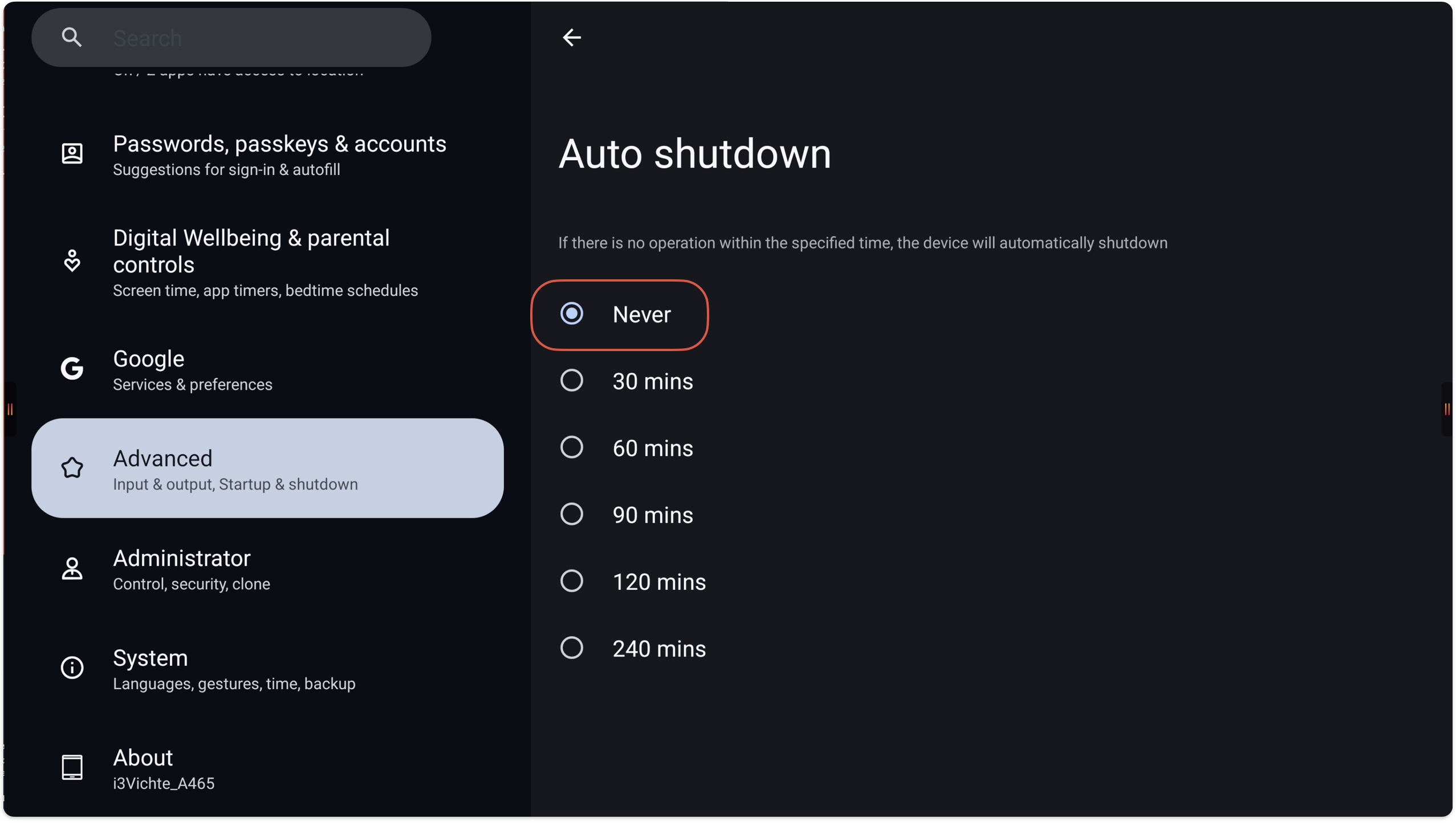
In the Android settings, there is a setting that is configured by default that the display turn off by itself. In this manual, it is explained how to disable this setting
\uD83D\uDCD8 Instructions
-
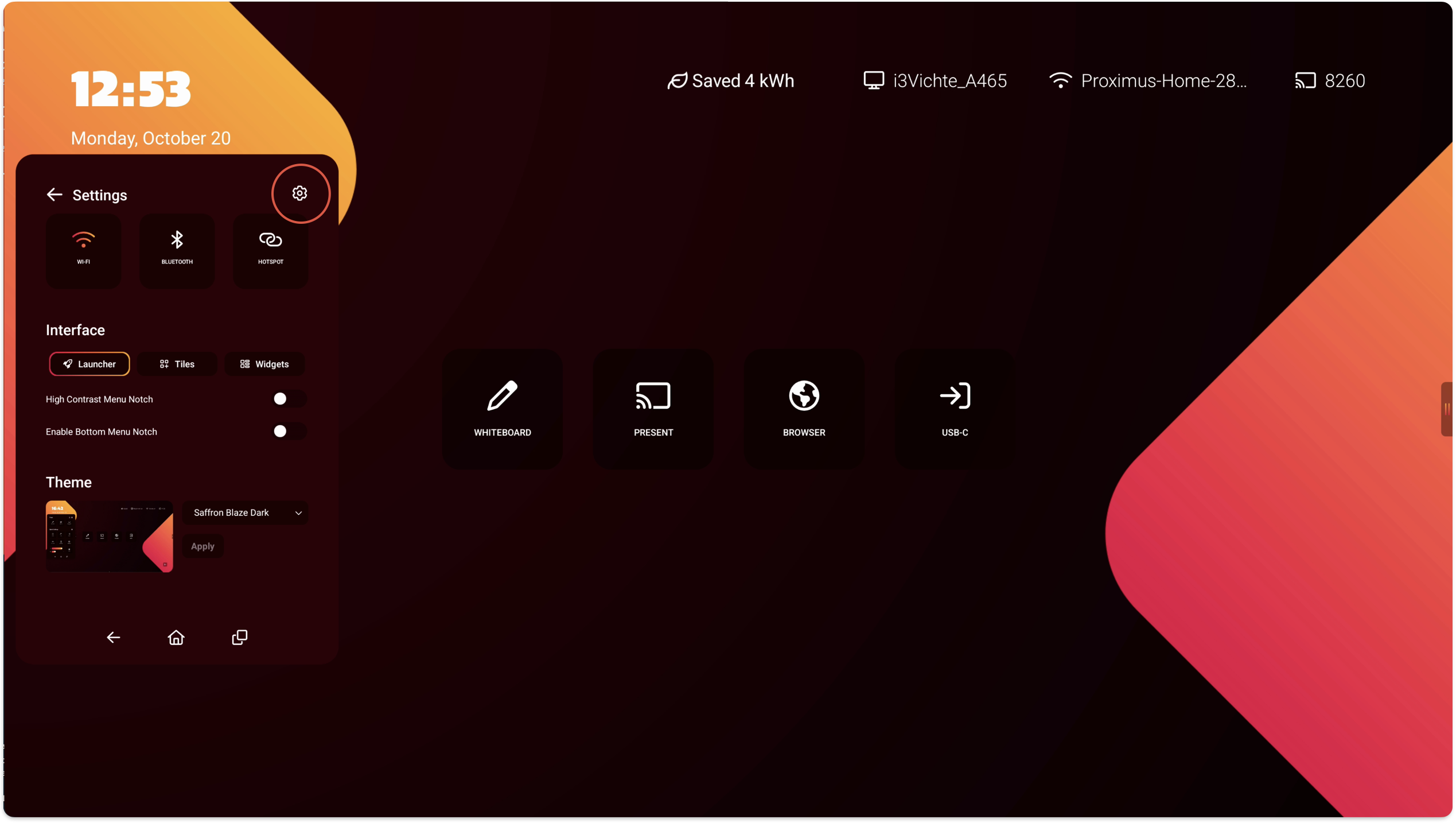
Open the side menu and select the Cogwheel, and select the Cogwheel again to open Settings.
-
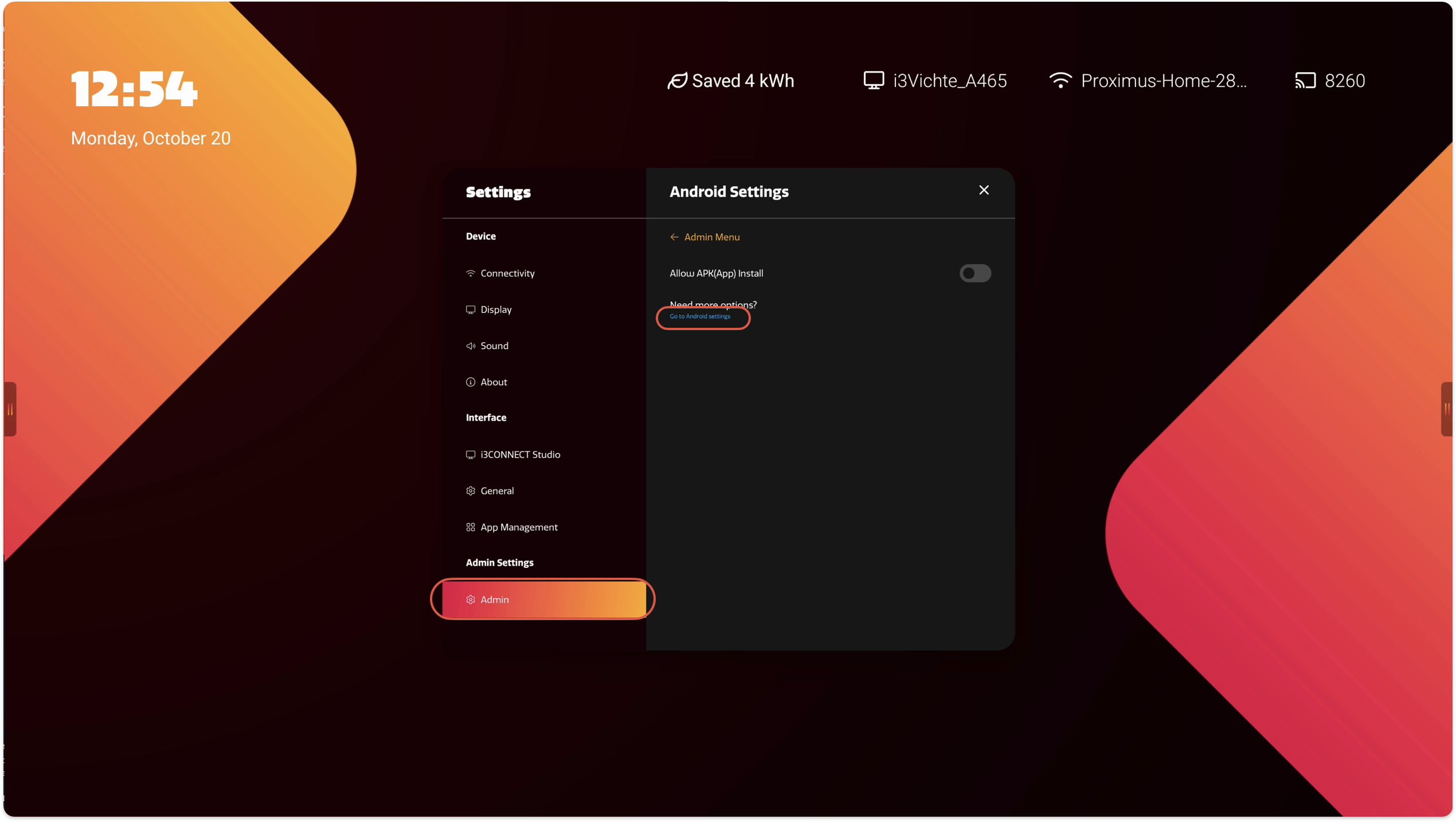
Navigate to Admin - Android settings - Go to Android settings to open the Android settings
-
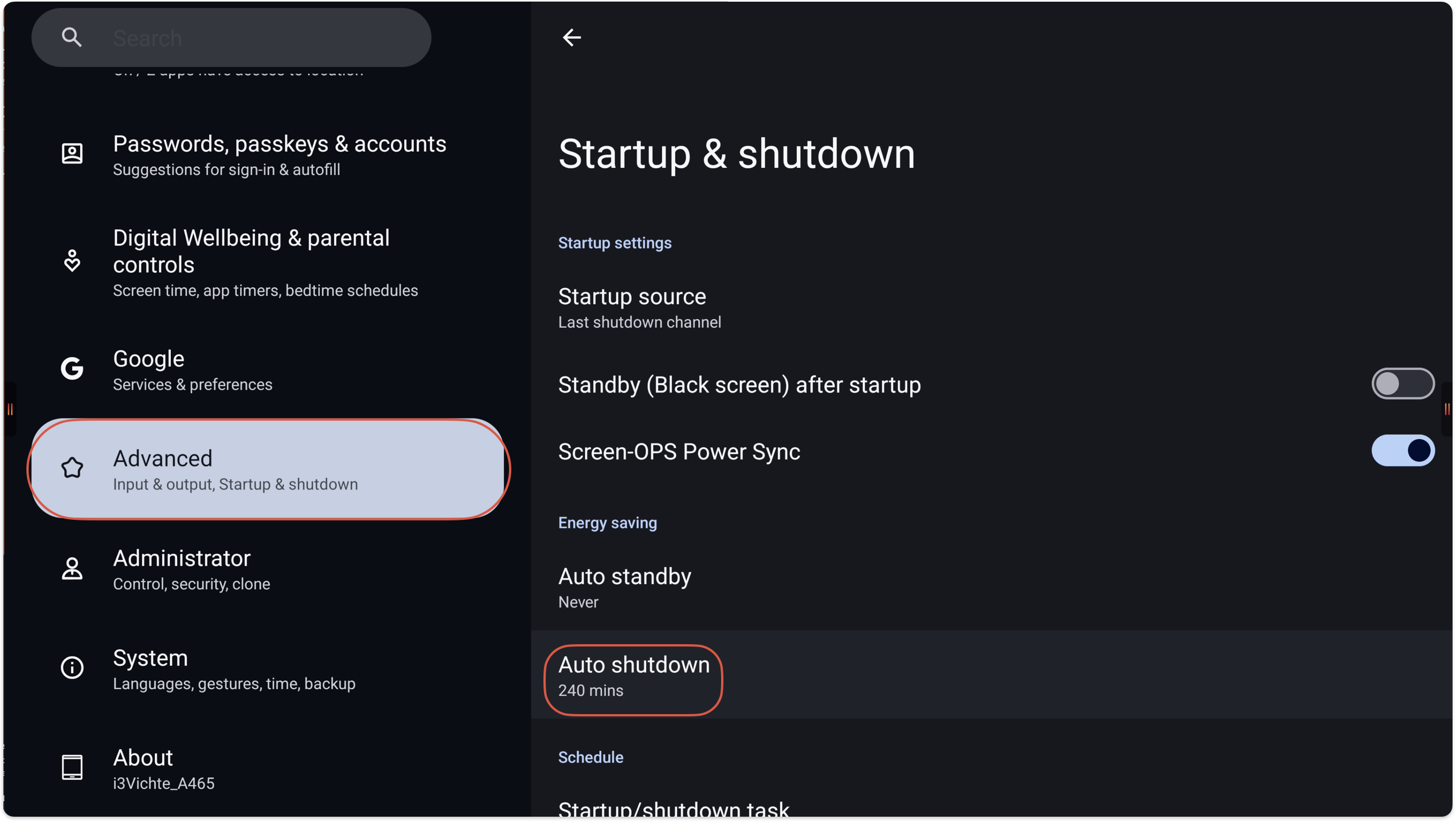
Once in the Android settings, navigate to Advanced - Startup & shutdown - Auto shutdown
-
Change the setting to Never or any other desired time