
Besides changing your wallpaper it is also possible to give an extra personal touch to your Neo display by using a custom boot logo.
Please check Create a custom boot logo for more details about the file format criteria and 'how to make one yourself'.
Instructions
-
Open the Display Settings
-
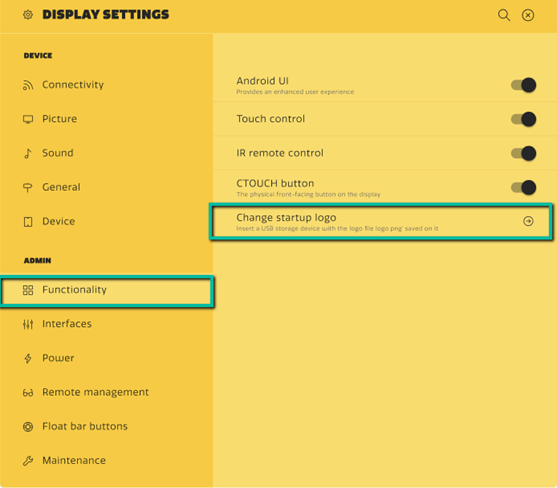
Select Functionality under the Admin menu (Password protected).
-
Insert a FAT32 formatted USB drive containing the logo.bmp file in the root in an USB 3.0 port*
-
Press Change startup logo in the Functionality menu
-
After rebooting the screen your logo will appear on startup
This won't work if USB ports are disabled/ used for 'Touch only'. Please see How to enable/disable USB? to enable them.