
USB functionality was set in the initial startup wizard (Security Level) during installation. In case you like to change the USB functionality (on/off/touch-only)
Instructions
-
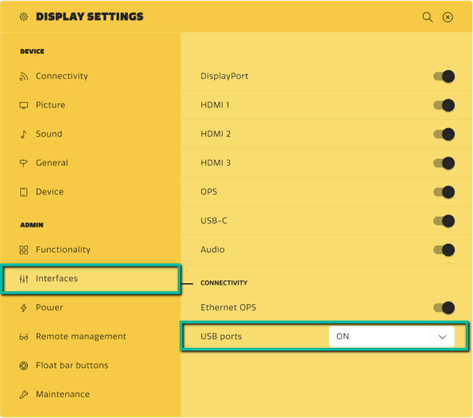
Enter Display Settings -> Admin (PIN code protected).
-
Select Interfaces -> USB ports to set the desired function for USB.