
To use a custom startup logo on your Neo display, it must meet the following criteria:
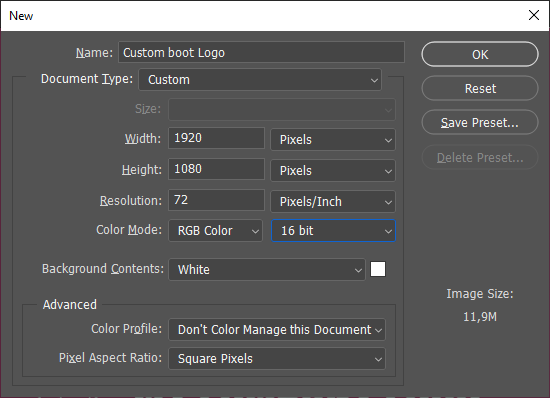
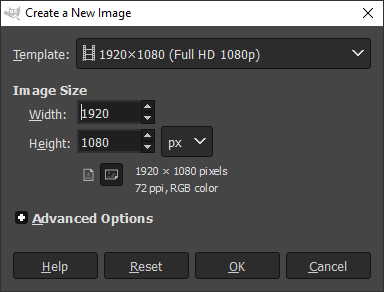
Size 1920 x 1080 pixels (Width x Height) with 16 bit depth (RGB 565)
In the steps below we show how to create one in Photoshop™ or GIMP™ (Freeware).
Instructions
Click on images to enlarge them
-
Create a New file and use the parameters below:
|
Photoshop |
GIMP |
|---|---|
|
|
-
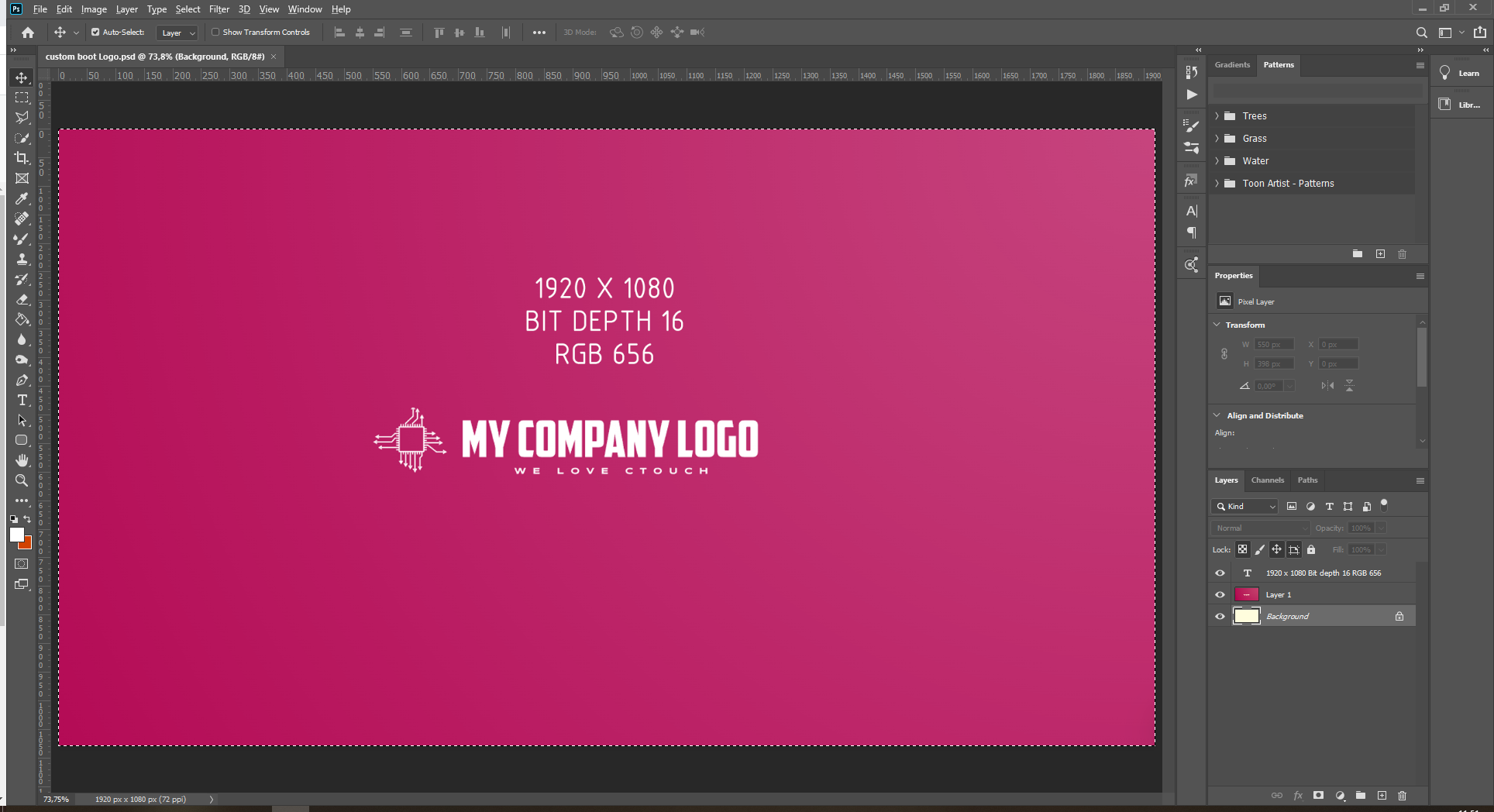
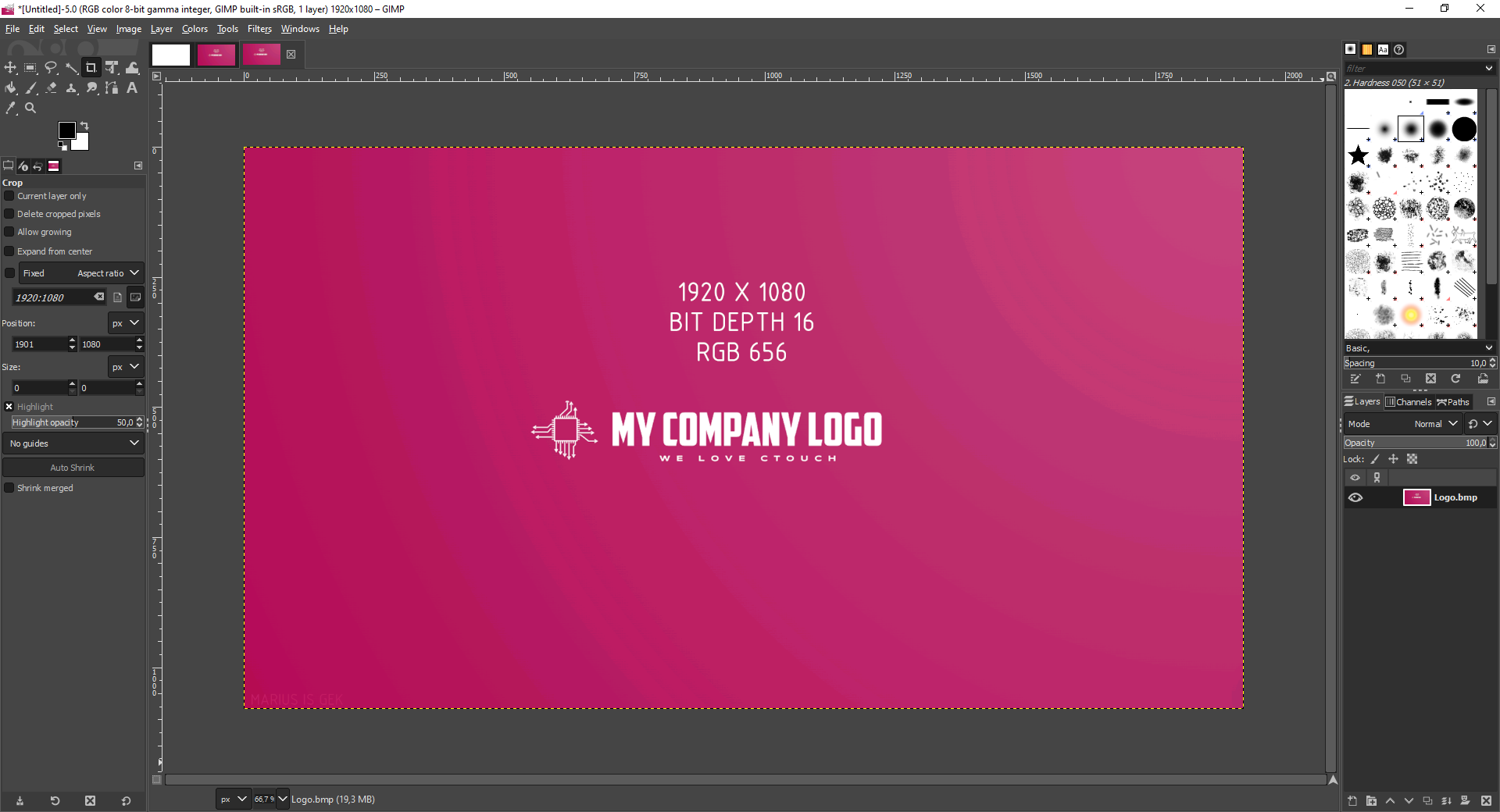
Import or create your desired logo or picture
|
Photoshop |
GIMP |
|---|---|
|
|
-
Go to File menu and choose Save as (Shift + CTRL + S)
|
Photoshop |
GIMP |
|---|---|
|
File > Save As… (Shift + CTRL + S) 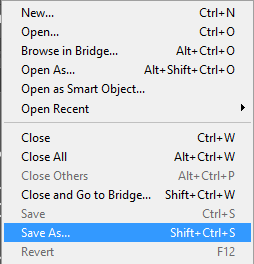
|
File > Export as (Shift + CTRL + E) 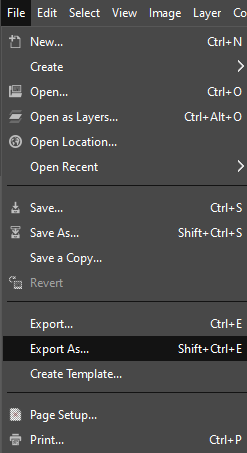
|
-
Use Logo.bmp as file name and select file type BMP and press Save
|
Photoshop |
GIMP |
|---|---|
|
Use Logo.bmp as file name and select file type BMP and press Save 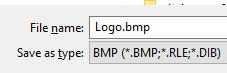
|
Use Logo.bmp as file name and select file type BMP and then press Export 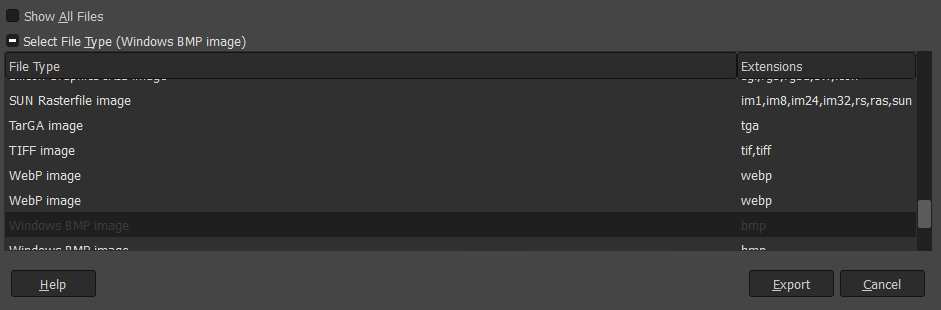
|
-
The window below will pop up, Click Advanced Modes/ Options
|
Photoshop |
GIMP |
|---|---|
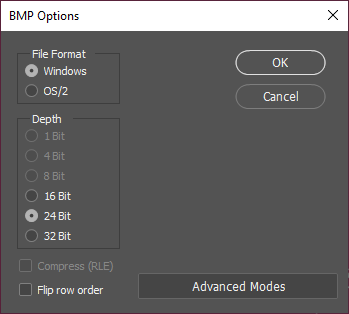
|
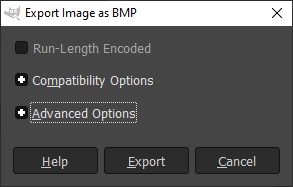
|
-
Please Check the R5 G6 B5 option under 16 bit and press OK or Export
|
Photoshop |
GIMP |
|---|---|
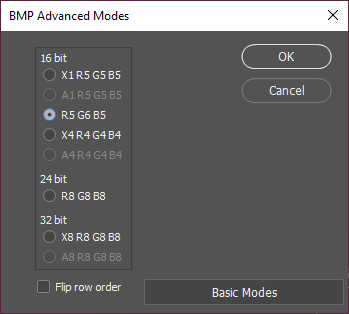
|
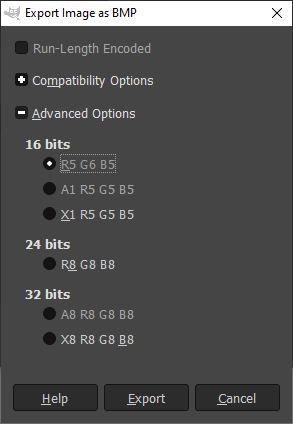
|
Finished! The logo can now be set as your custom Boot logo