
In some situations it might be needed that the touch function is (temporary) disabled. If you like to disable/ enable the touch input, please follow the next steps:
Instructions
-
Open the display menu from the floating menu (short press the center button on your Laser Air+)

-
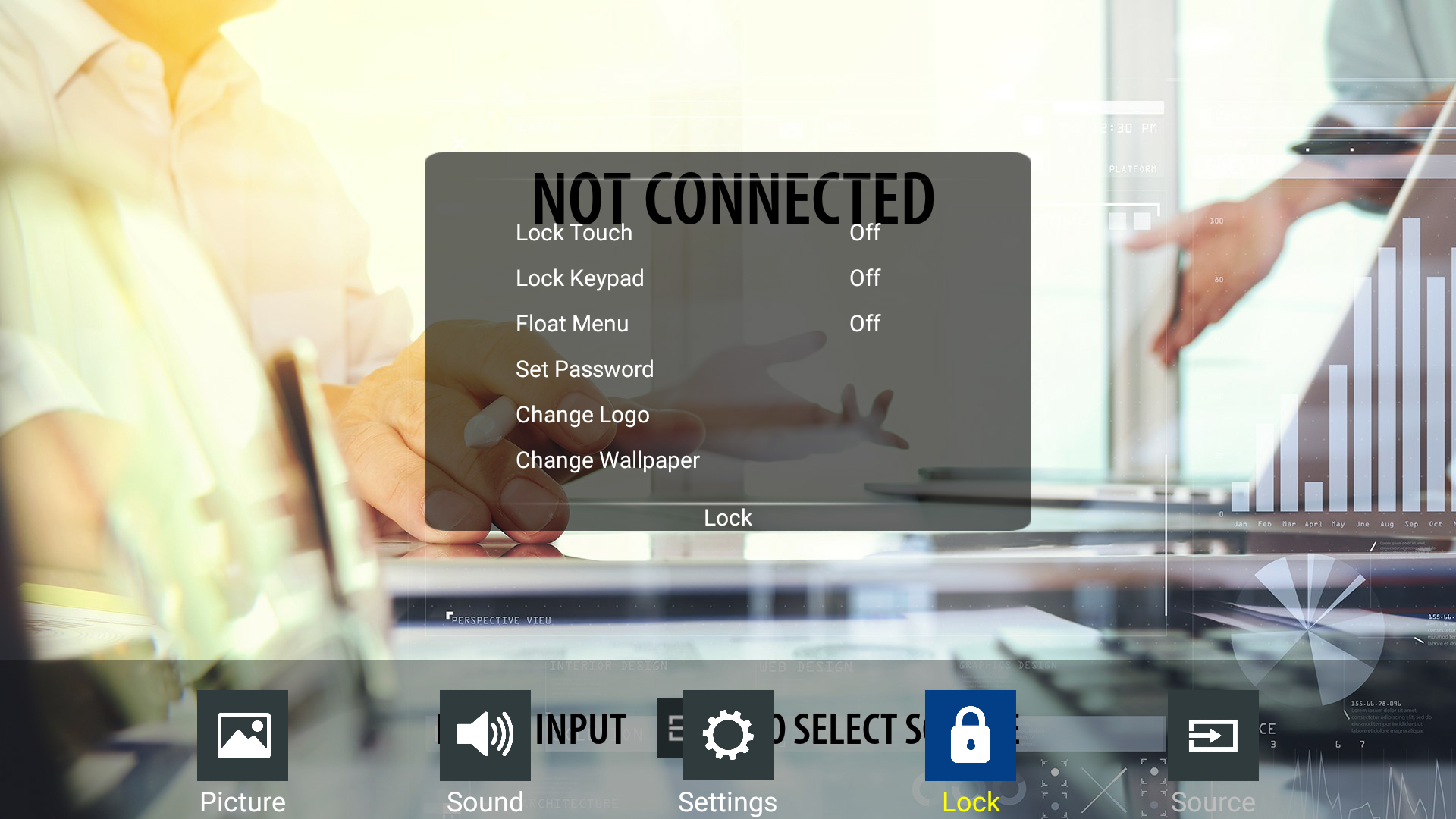
Navigate to the [Lock] Menu en select Lock Touch
-
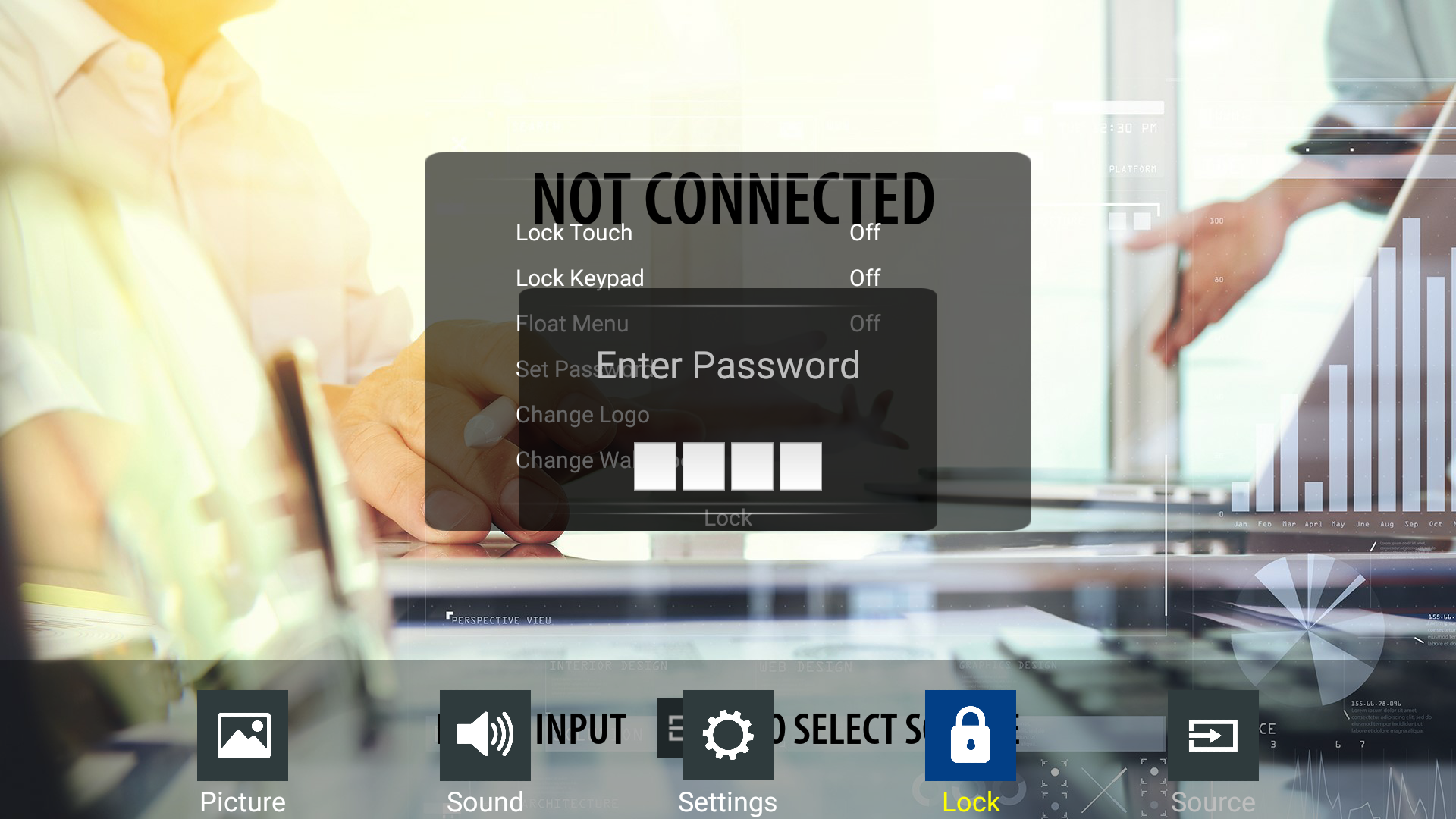
When selecting the Lock Touch option you will be prompted for a pincode (0000 by default)
-
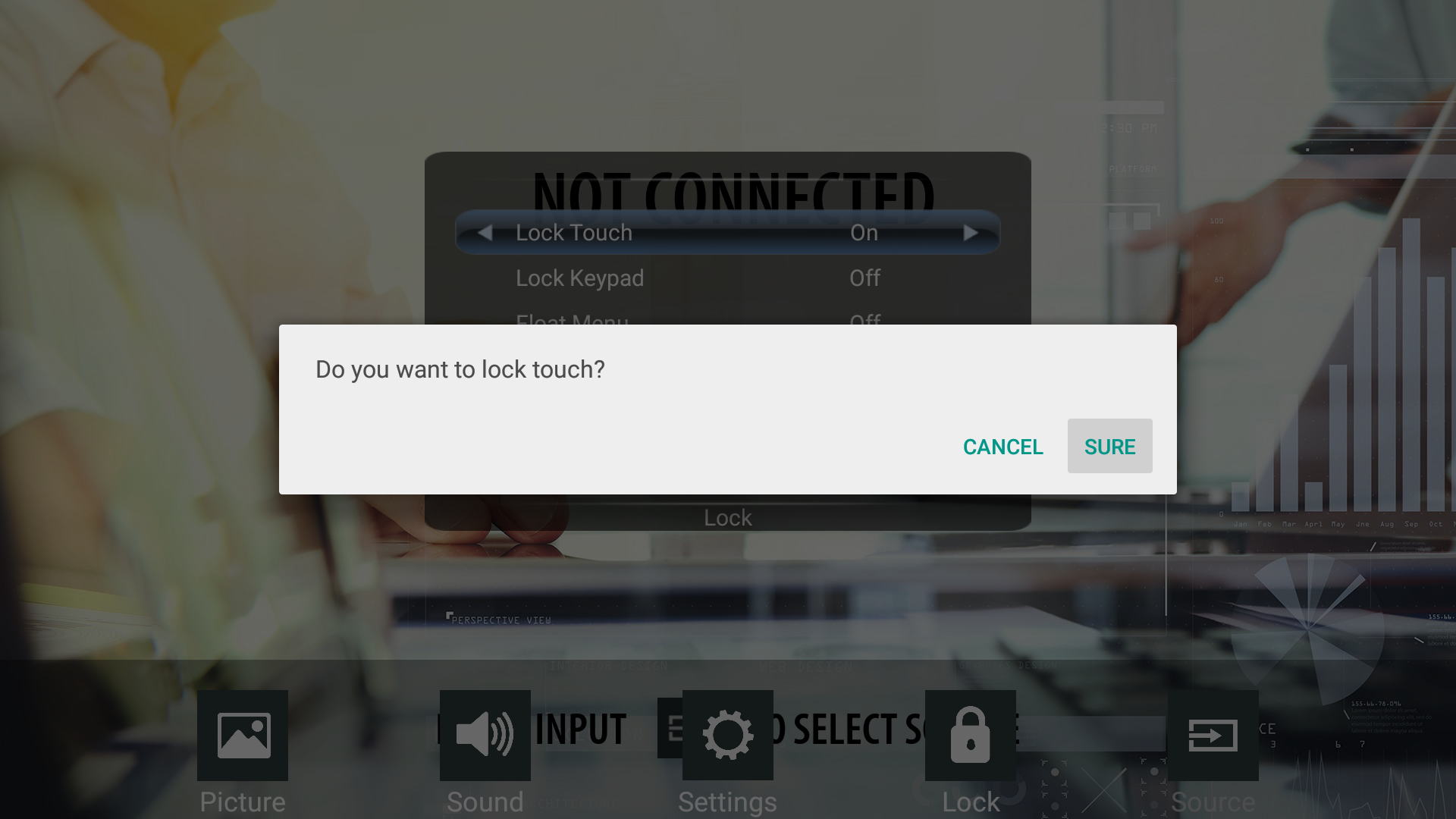
Press [Sure] to confirm that you want to lock all touch input.
-
Now your screen won't respond to any touch input and all functions are only available with the use of the remote control