
Instructions
-
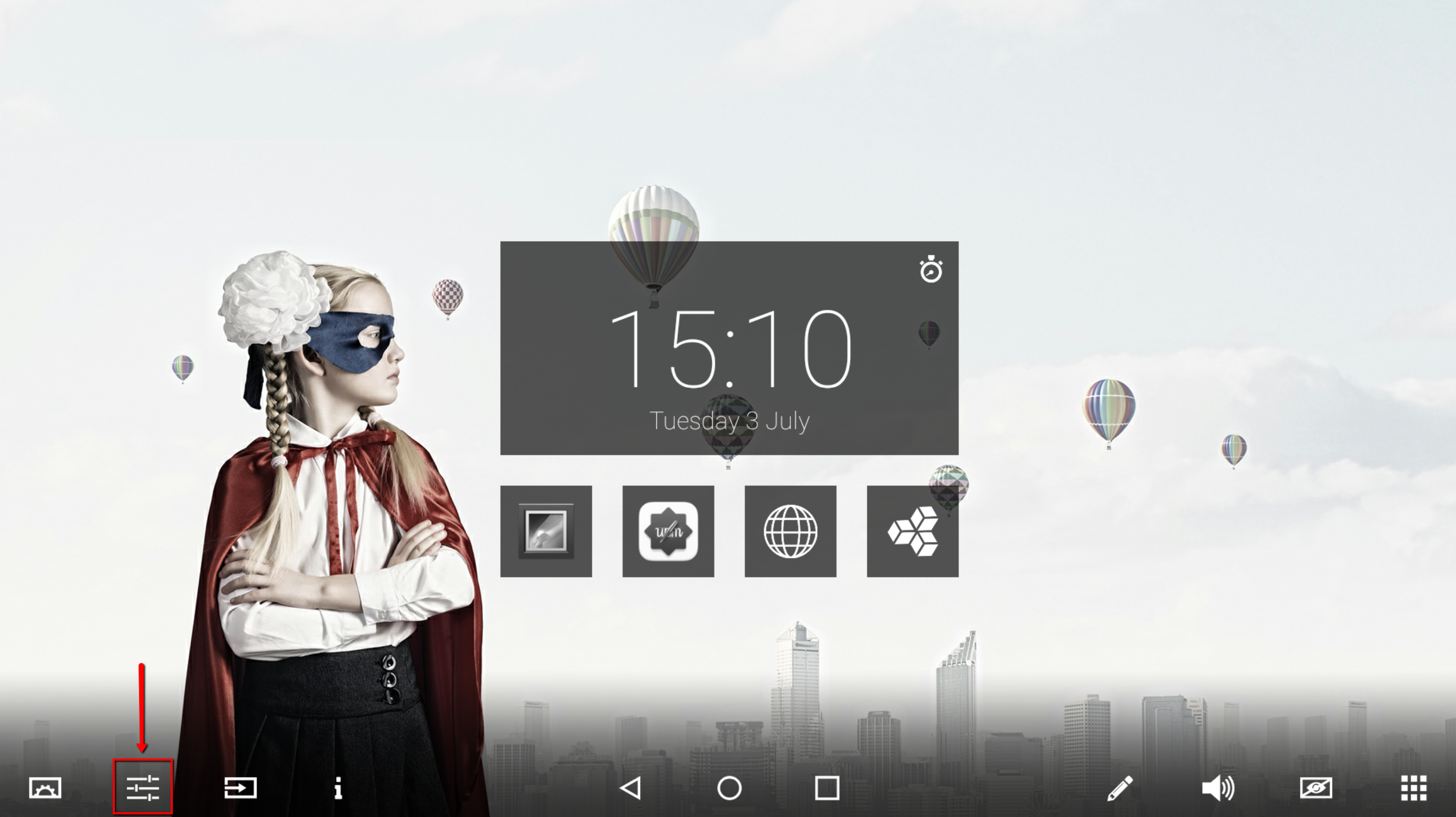
Choose 'Settings menu'
-
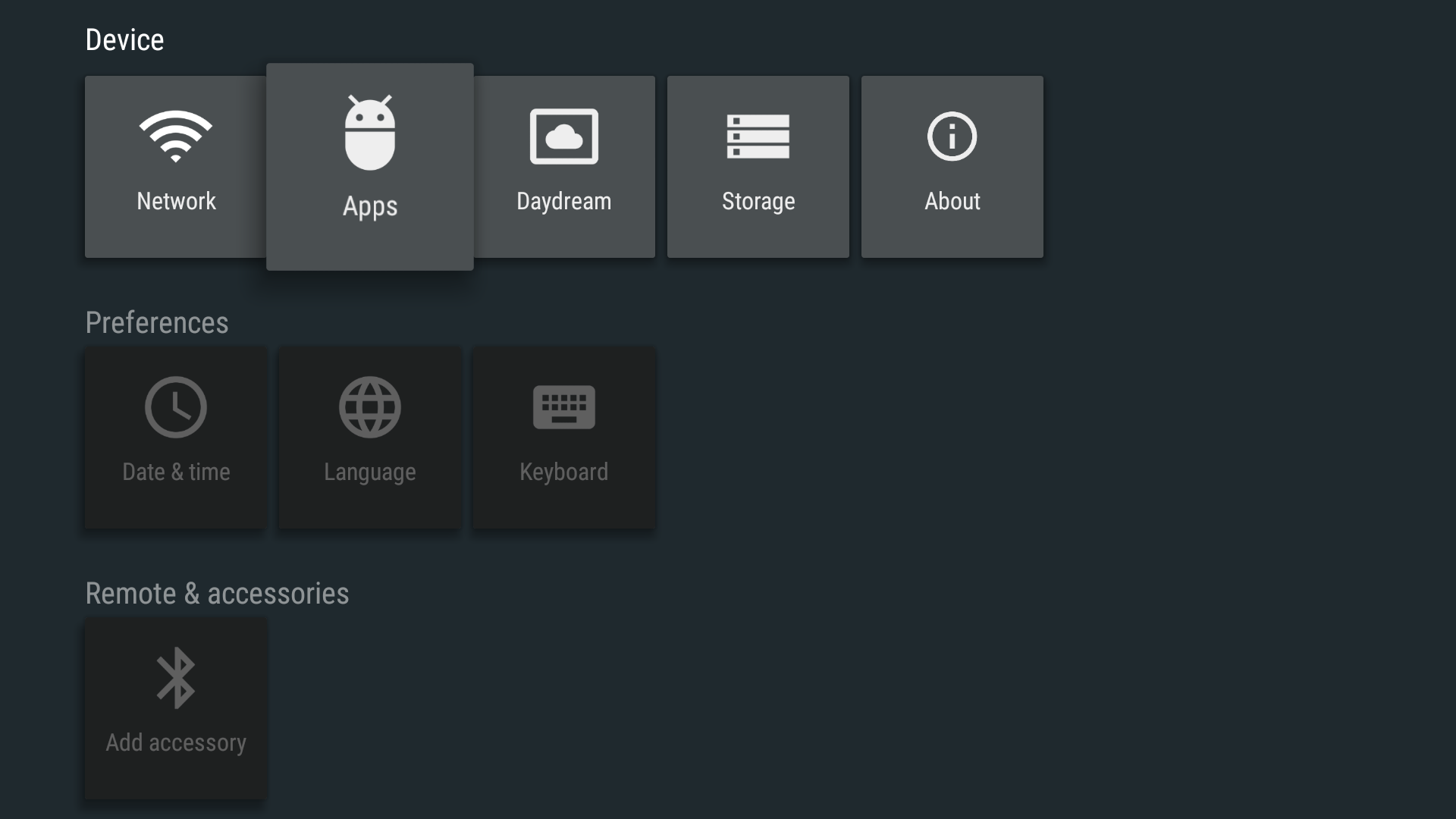
Choose 'Apps'
-
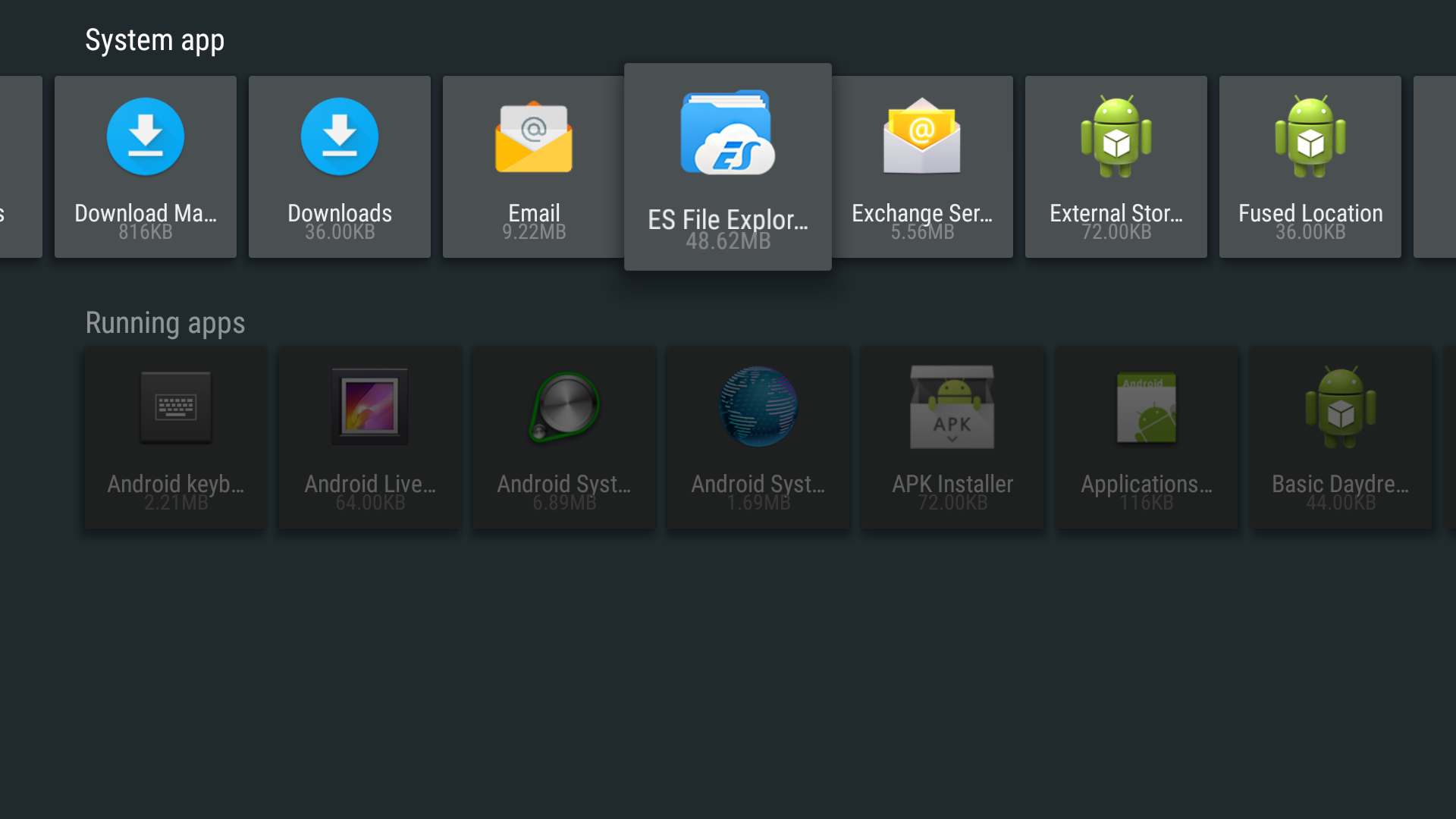
Search (scroll) and select 'ES File Explorer' in System app.
-
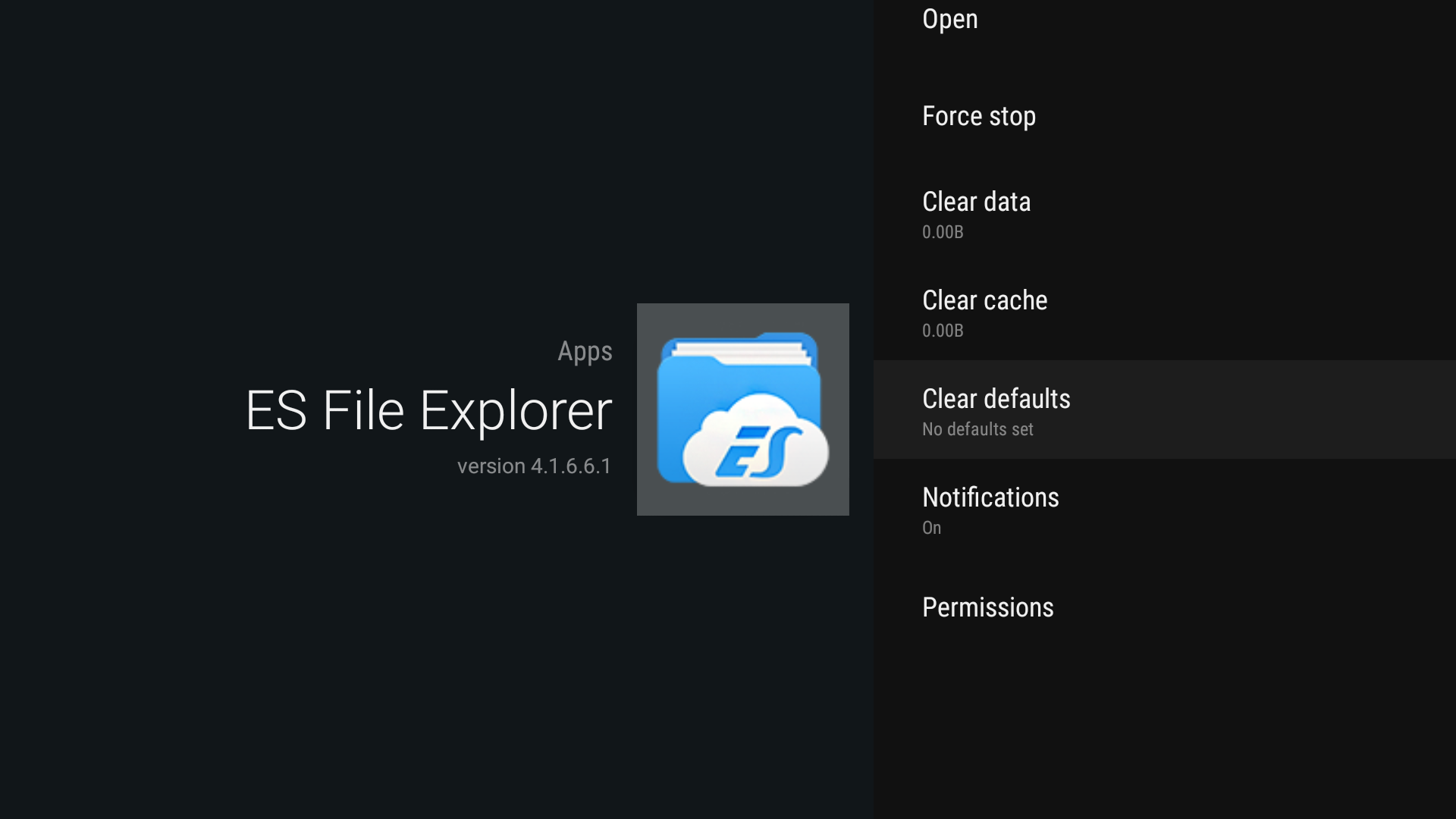
Choose and select -> 'Clear data' -> 'Clear cache' -> 'Clear defaults'.
-
Turn off the device and after 1 minute back on again by the main power switch so ES File.
Explorer will be set as default media player. -
Now you get the opportunity to choose another media player again.