
Instructions
-
Log into the Dealer Menu.
Note: If you do not know how to enter the Dealer Menu, please contact your dealer/reseller so that they can execute below steps for you. -
Select the Advanced Settings
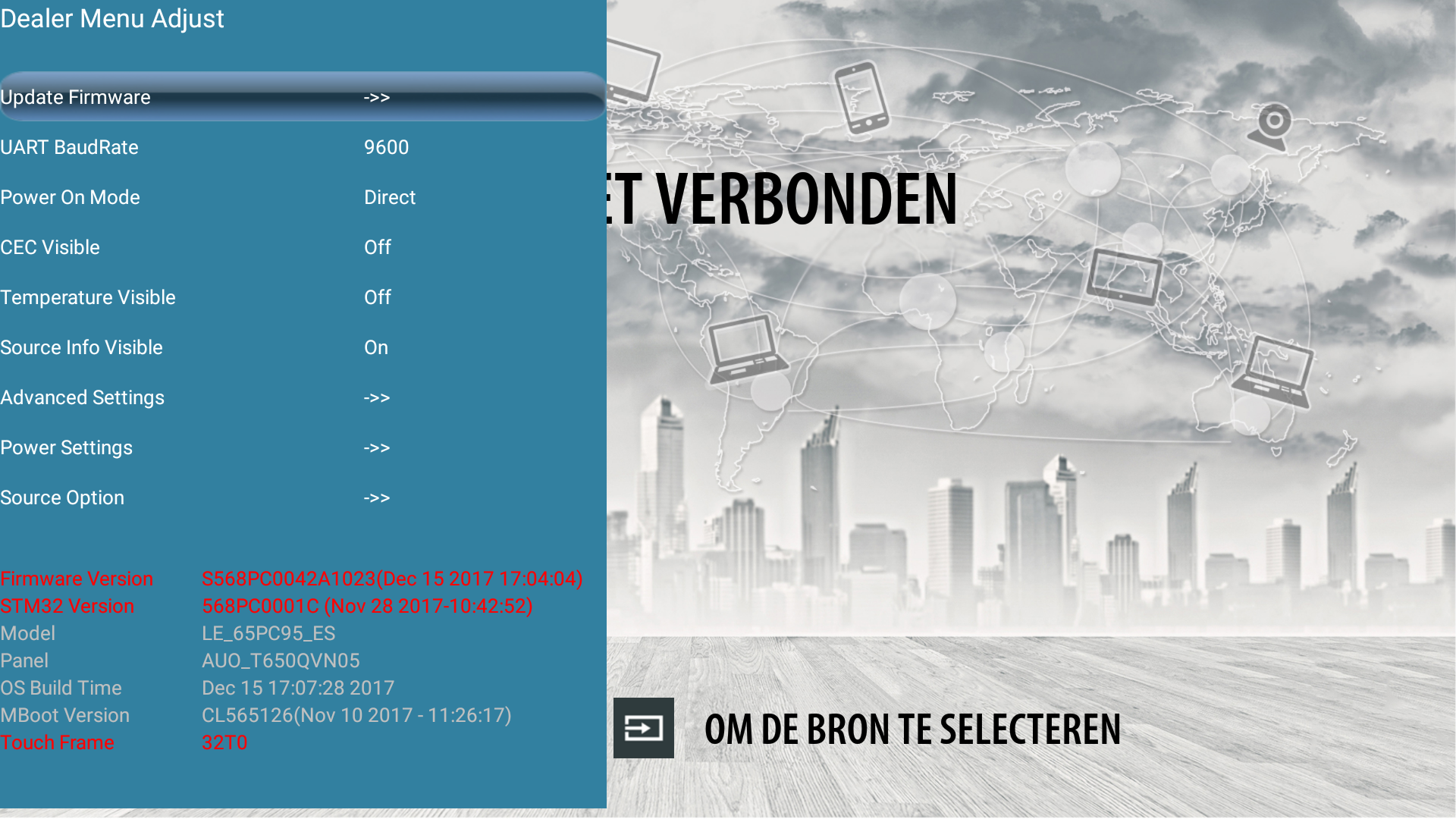
-
Toggle to the left or right to turn the OS (Android) on or off
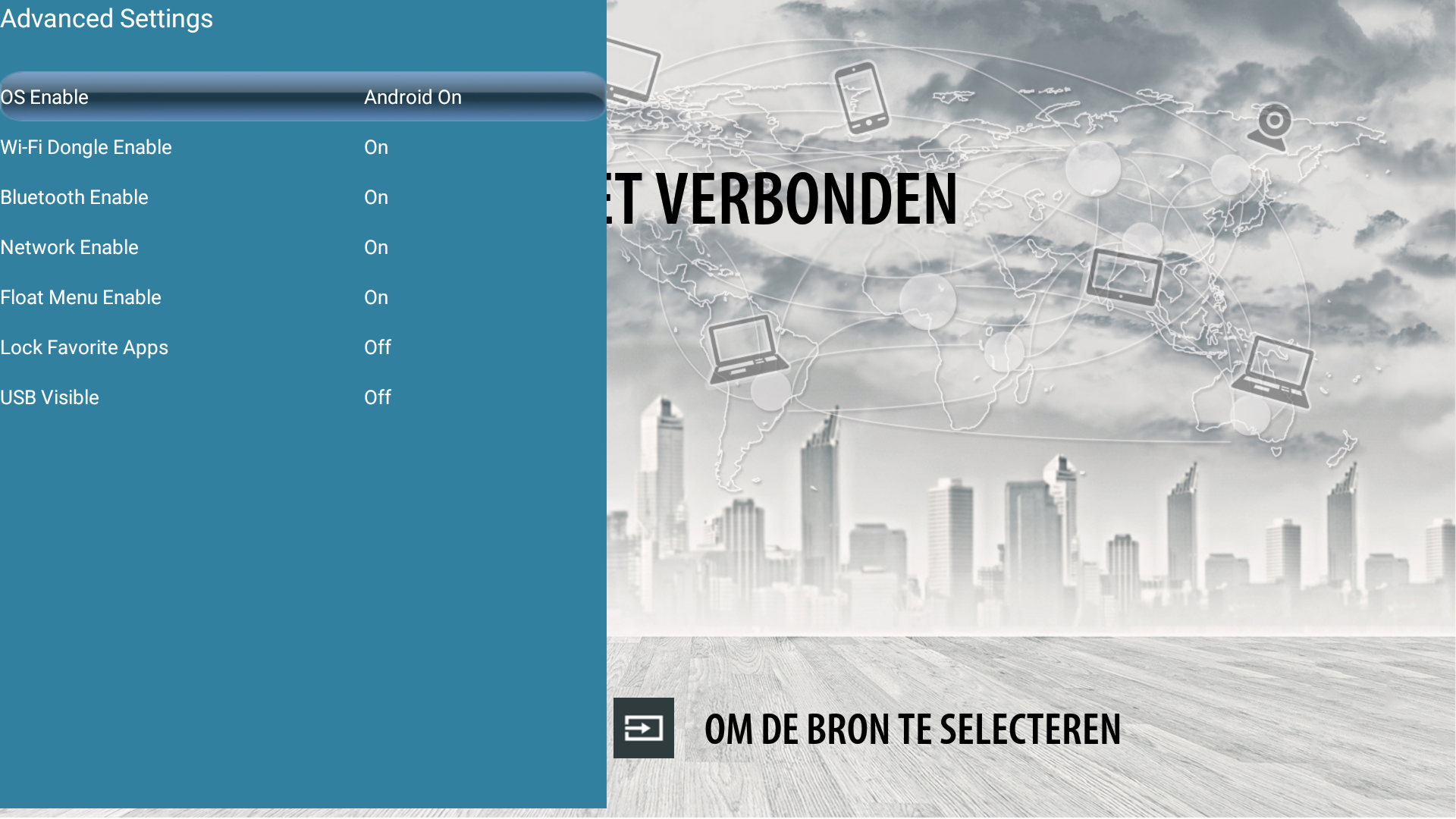
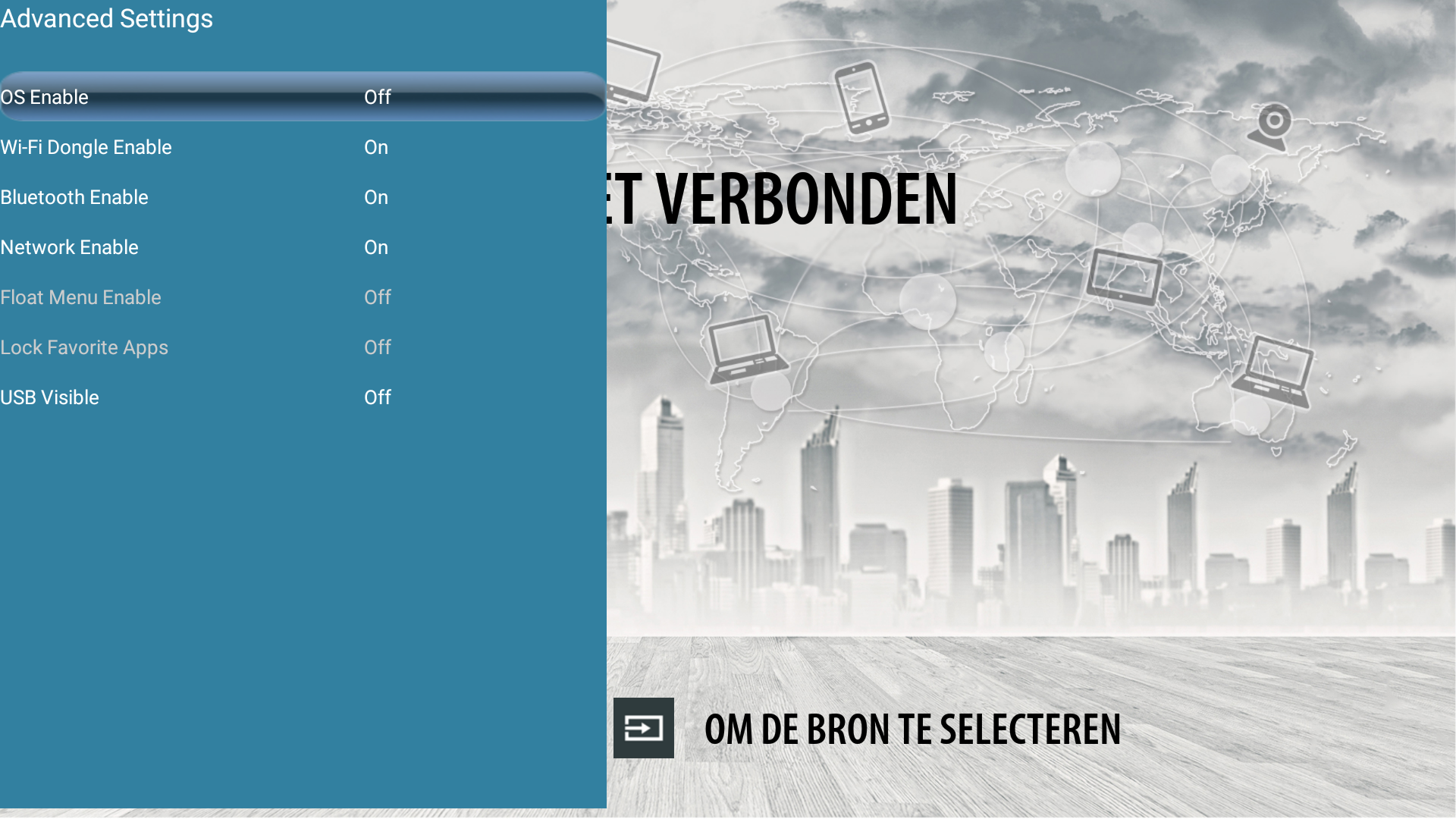
-
Select Exit (on the remote) or Home on to confirm and exit
-
The Android input is now also gone from the list of inputs