
ES File Explorer is configured to start automatically when an USB stick is inserted in the Android labeled USB port of the CTOUCH screen. If you don't want ES File Explorer to 'pop up' please follow the steps below.
Instructions
-
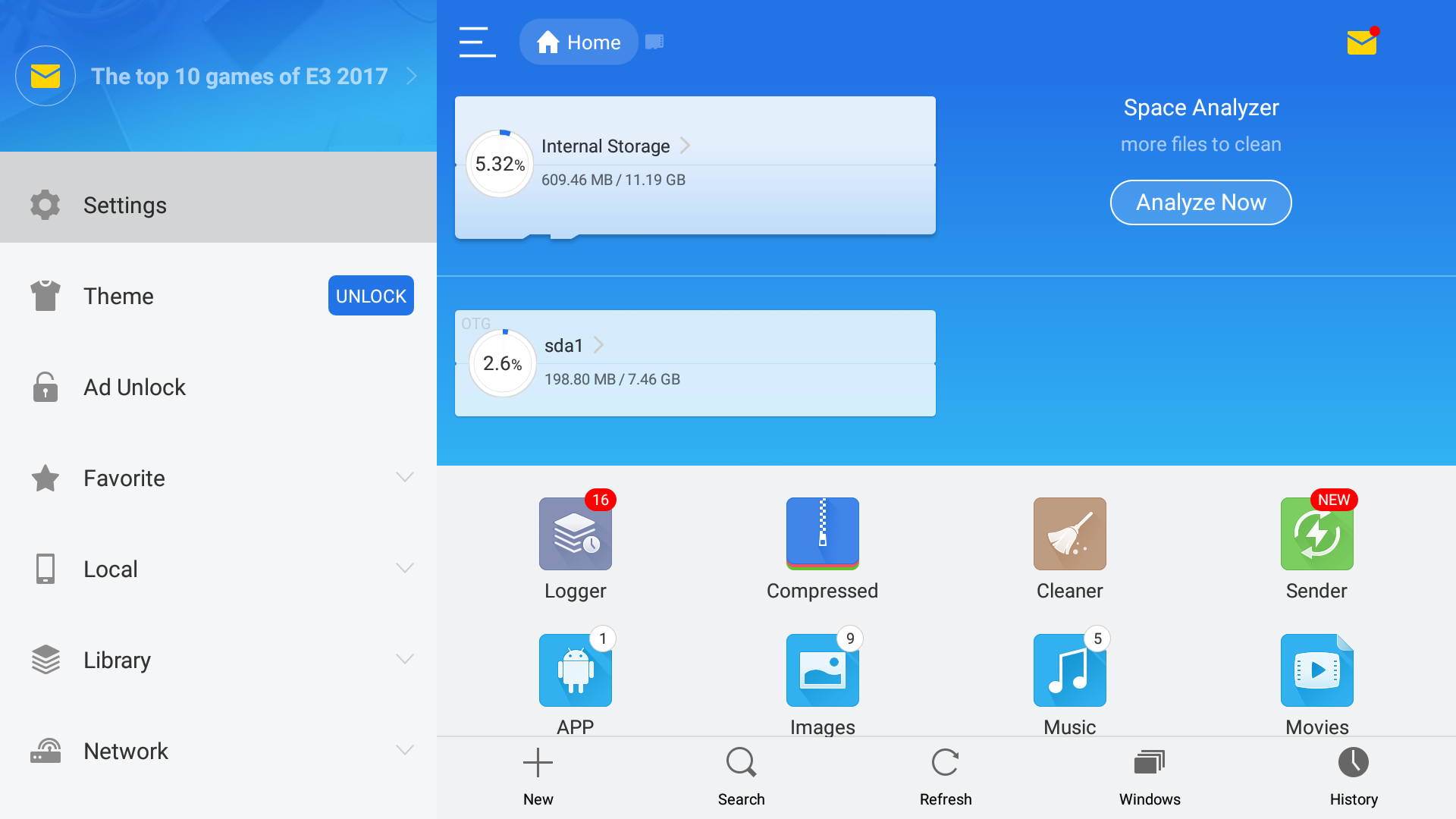
Insert a USB stick, or start ES File Explorer manually from the Apps and choose [Settings] from the side navigation at the left.
-
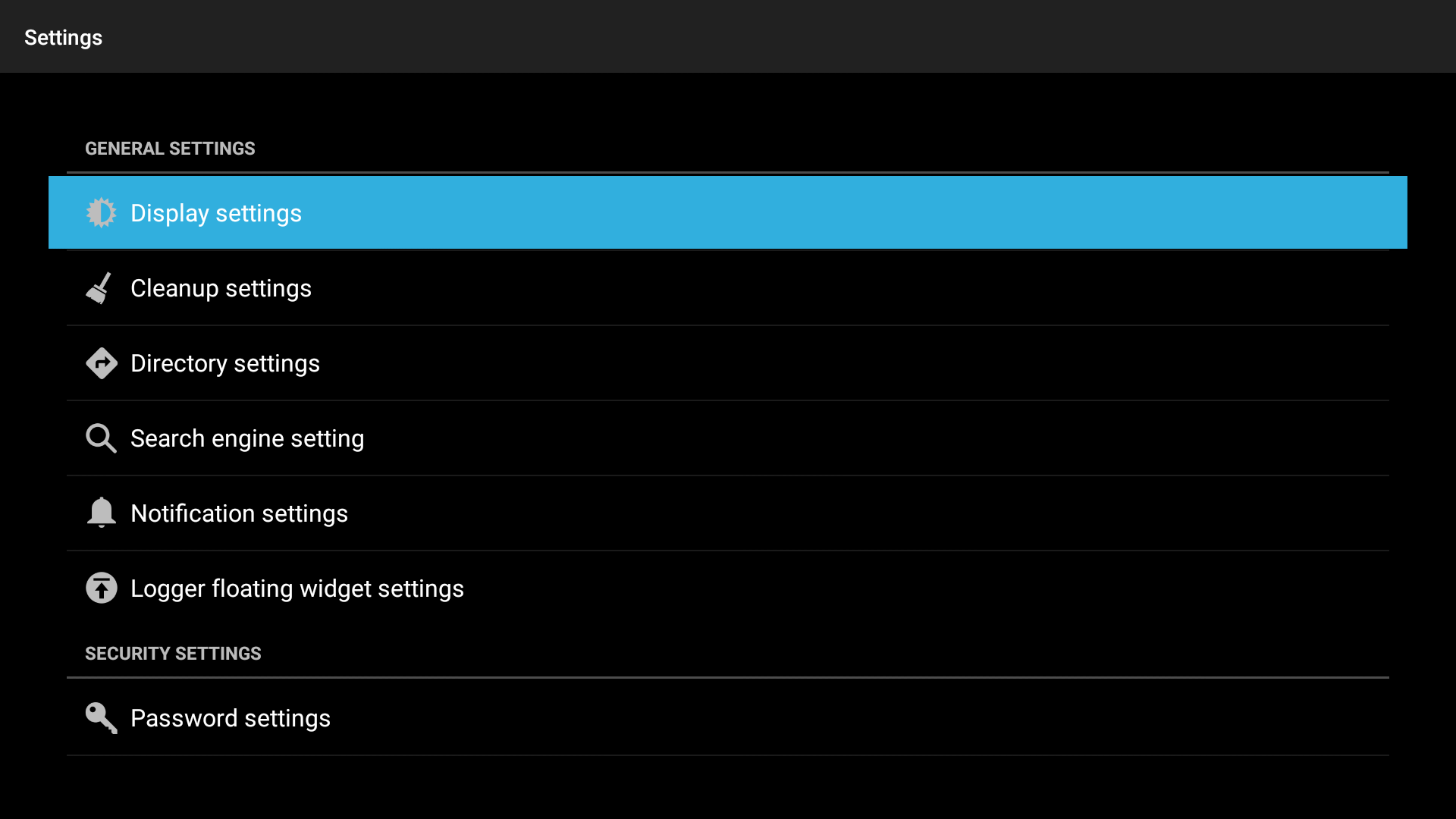
Enter the [Display settings]
-
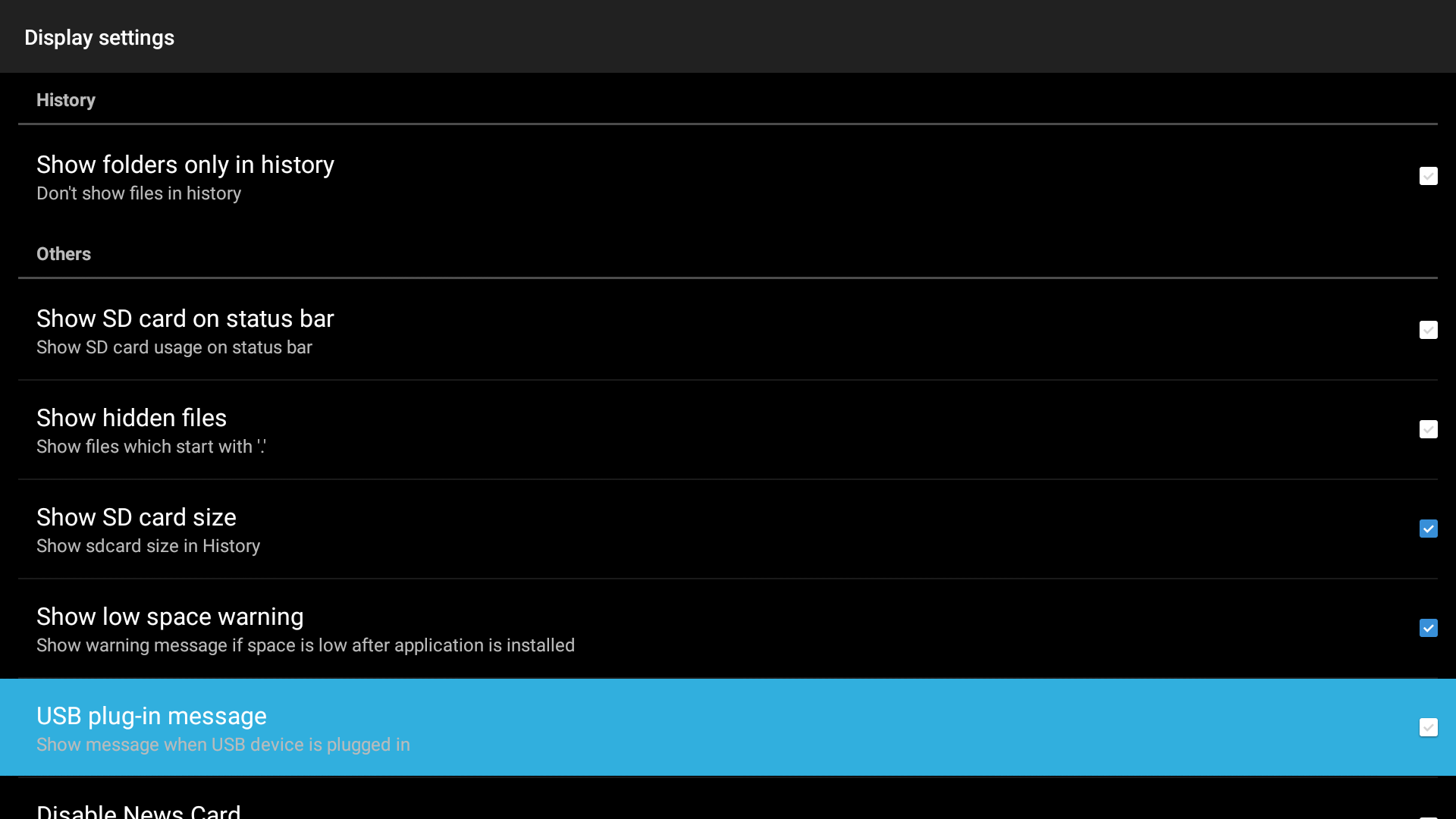
Here you can uncheck the 'USB plug-in message'
-
Now ES File Explorer won't pop-up anymore when inserting a USB Stick