📘 Instructions
-
Go to the app “Filemanager” and copy the picture from your USB stick to the local storage from the X-One
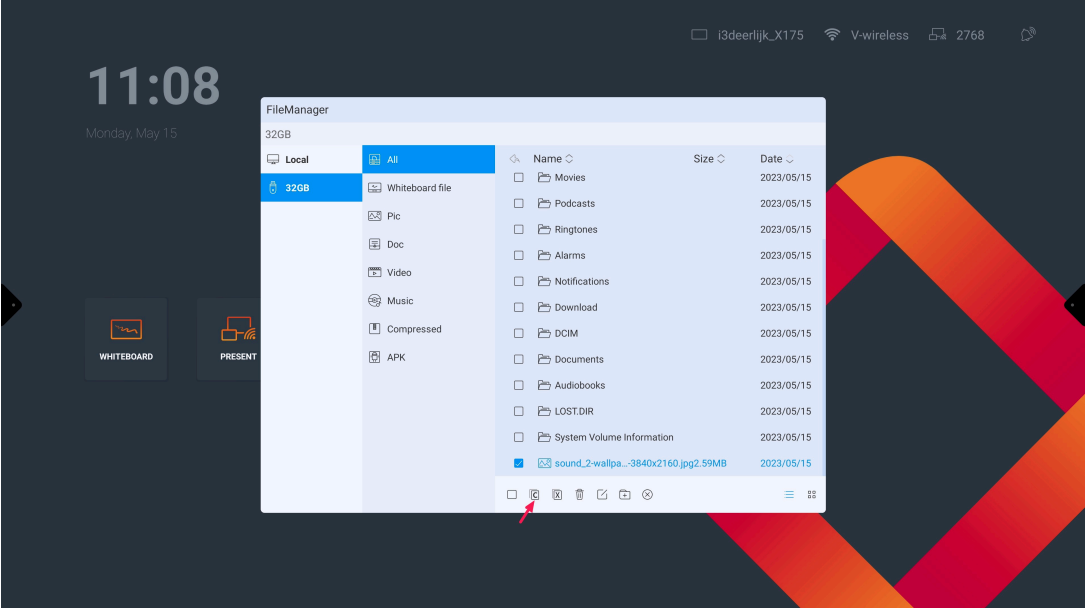
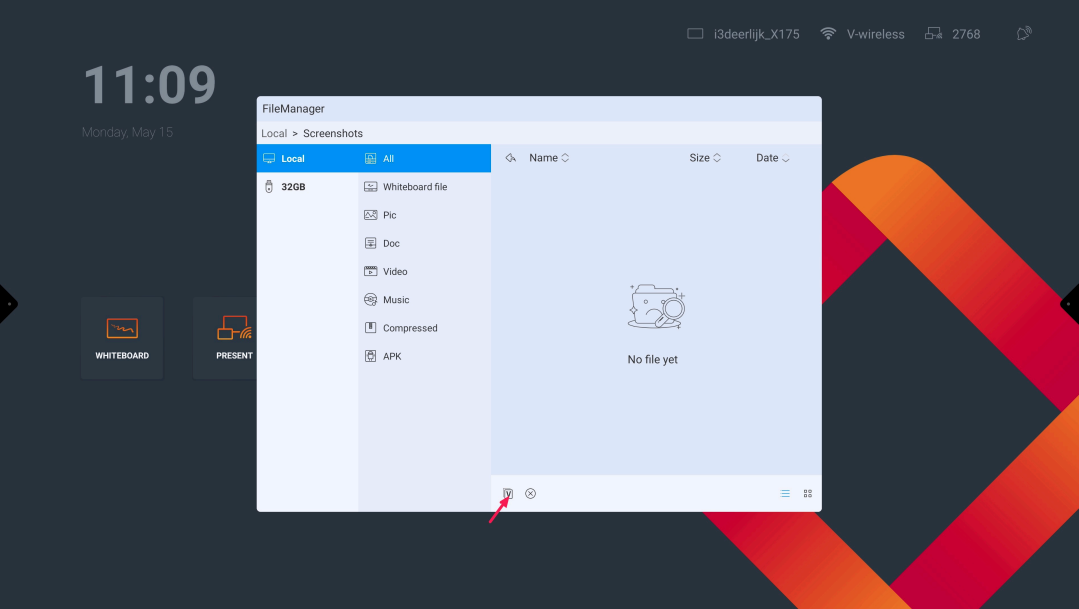
-
Go to the Android settings and select “Display”
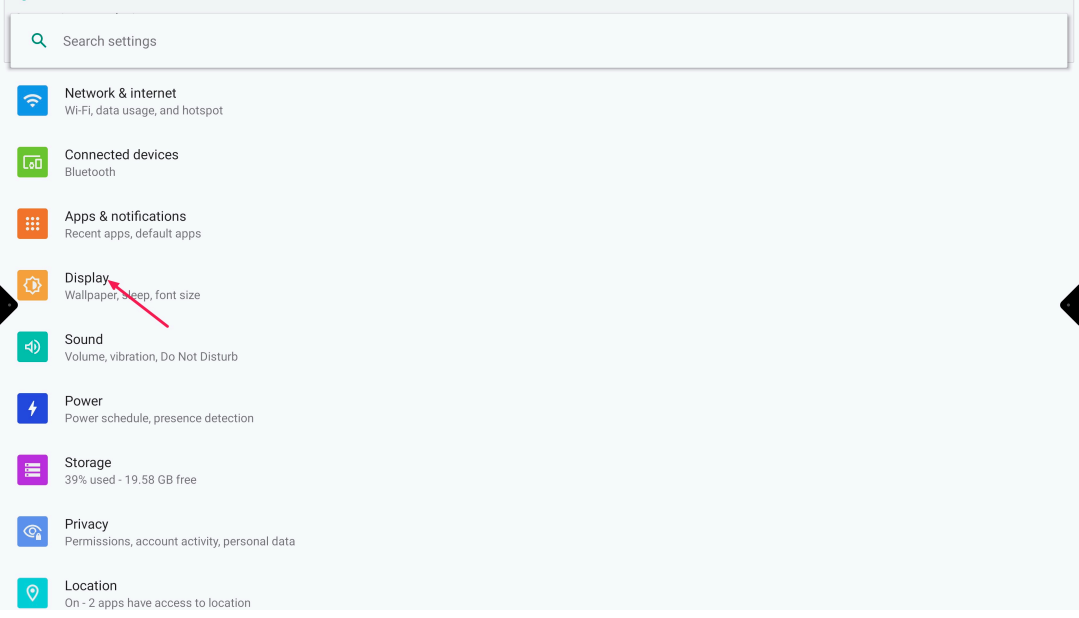
-
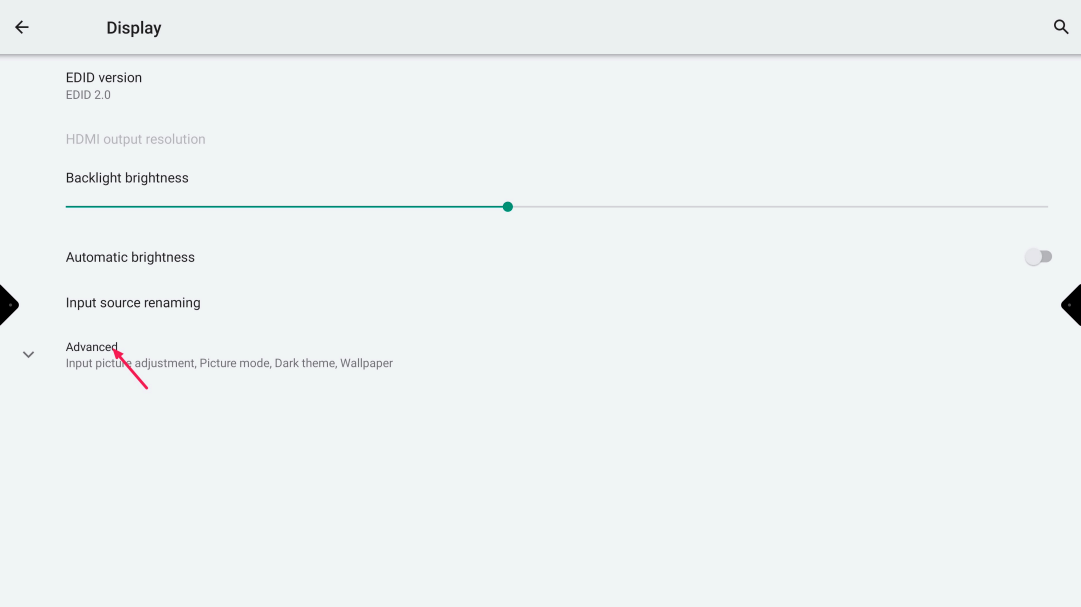
Press “Advanced” to expand for more options
-
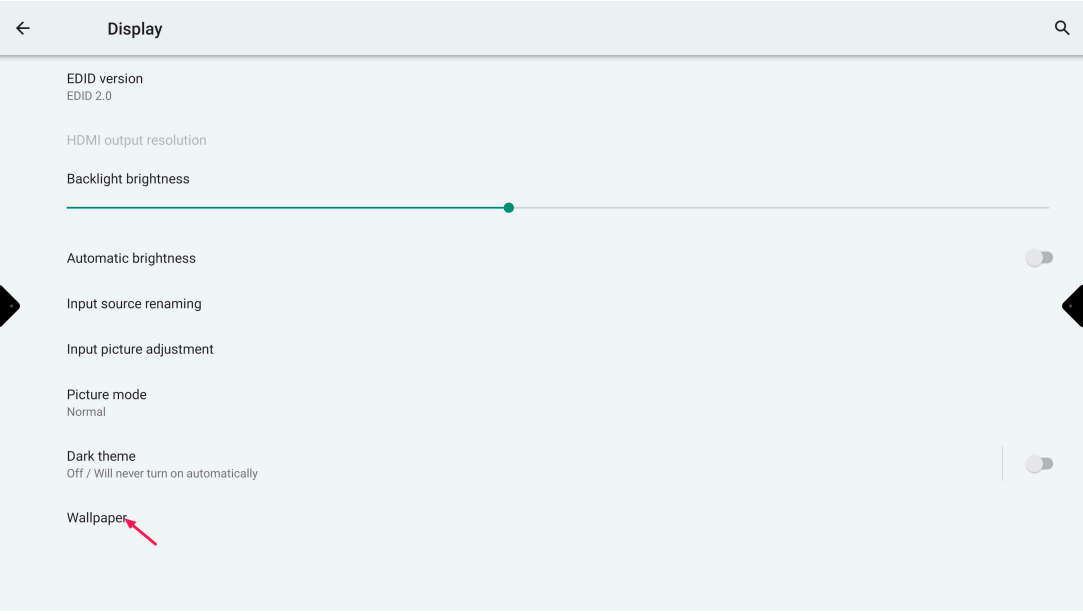
Press on “Wallpaper”
-
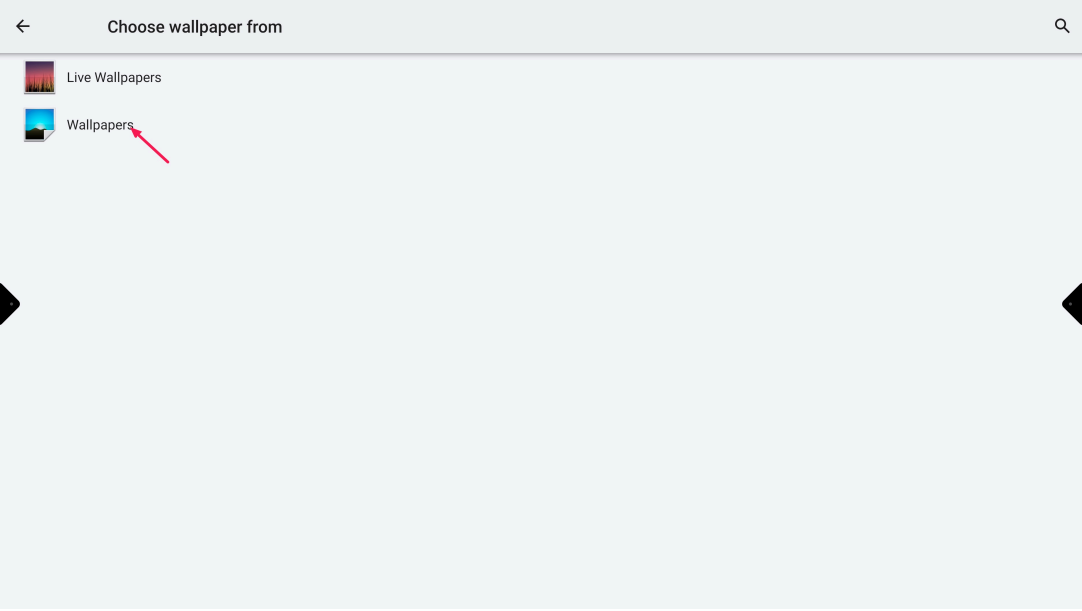
Press on “Wallpaper”
-
Press on “My Photos”
-
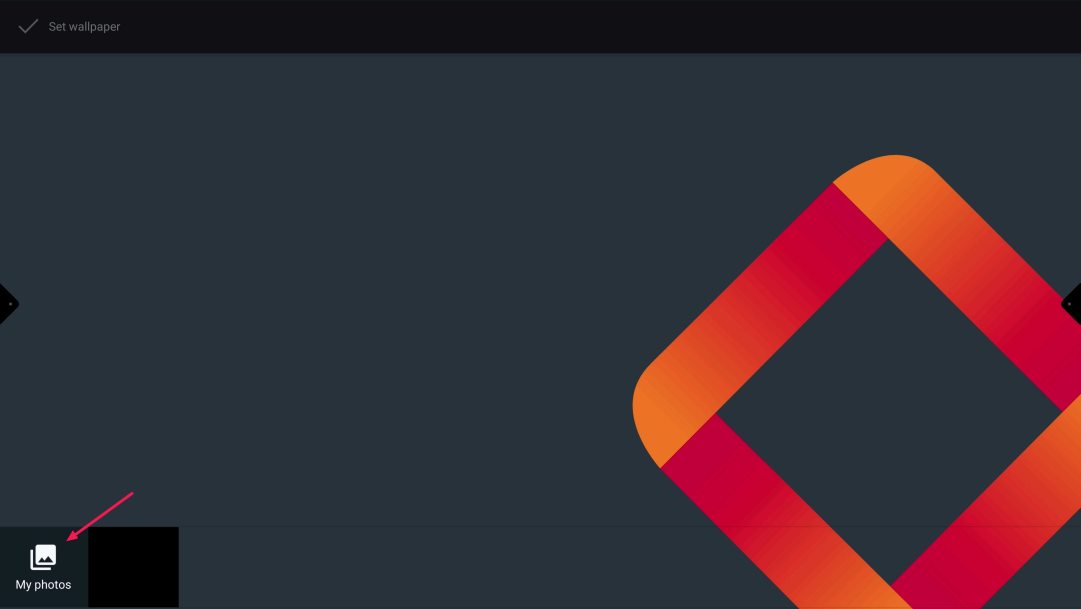
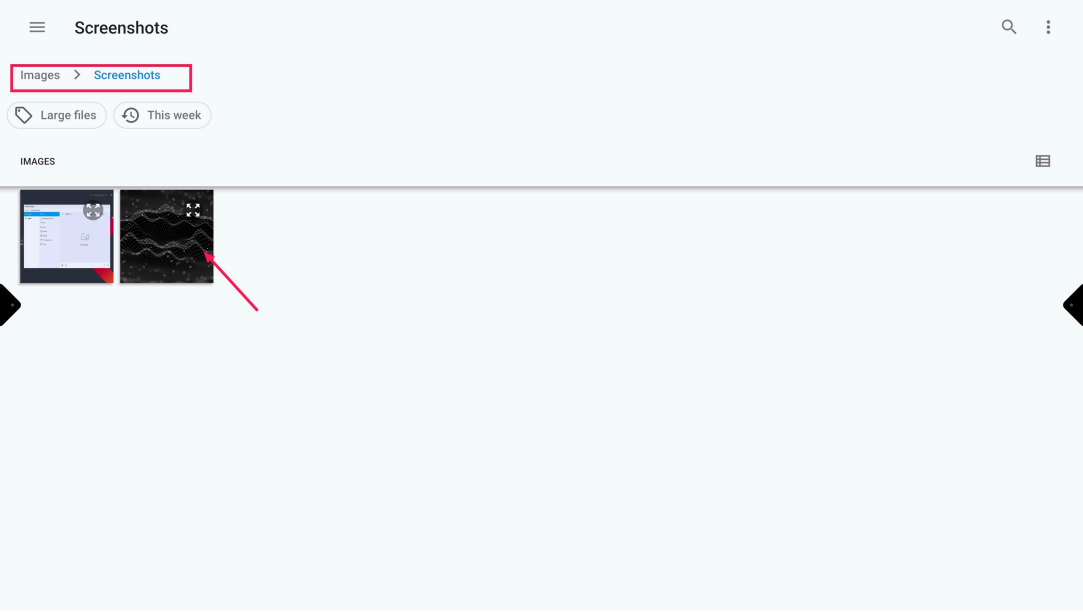
Navigate to the folder where you copied the picture on the local storage and open the picture
-
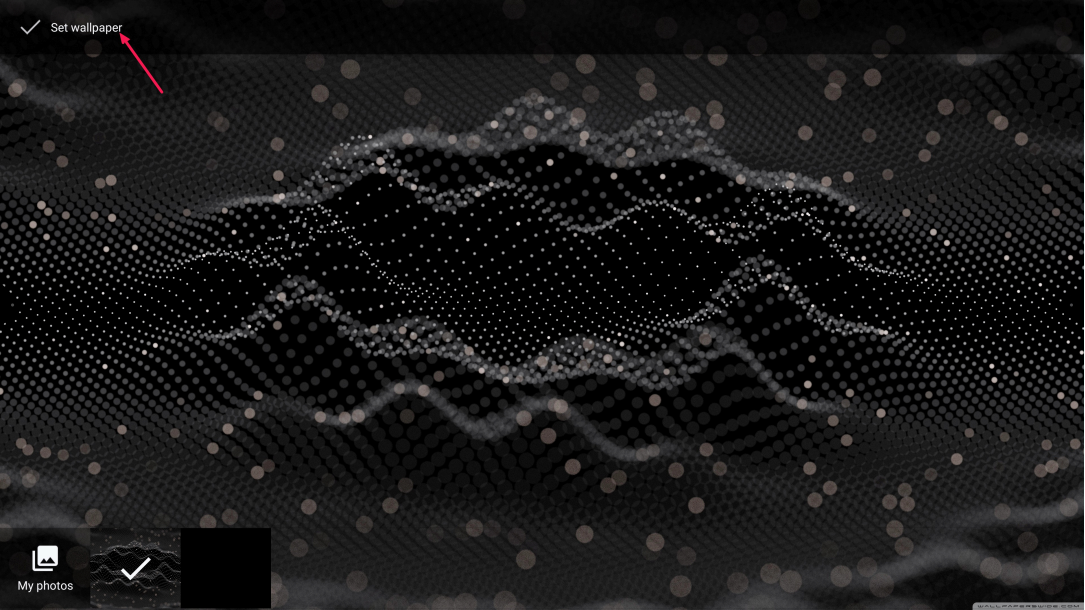
Select “Set wallpaper”