📘 Instructions
-
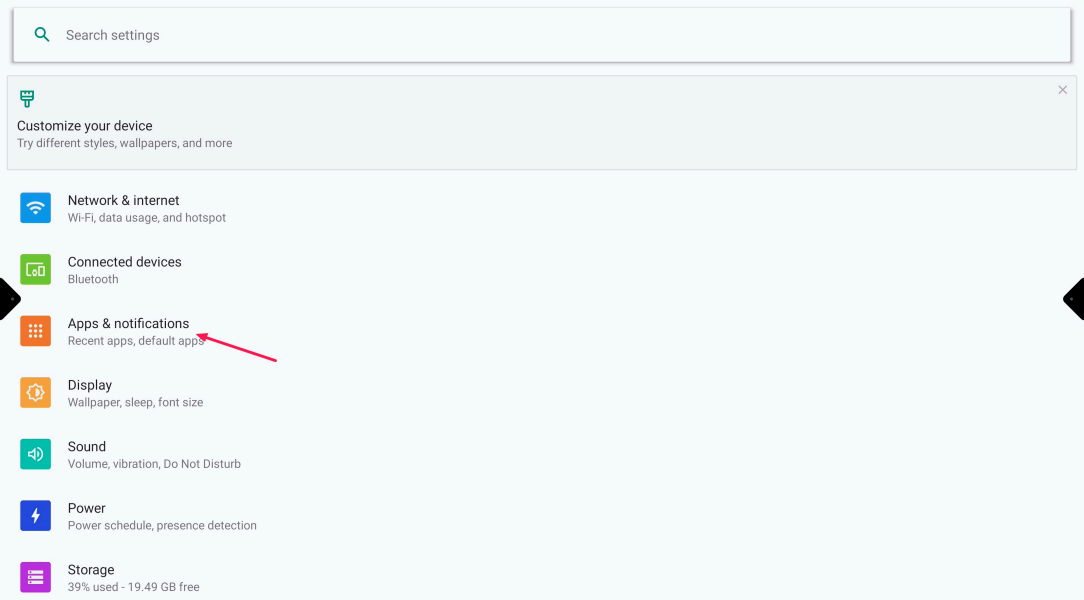
Go to the Android settings and select “Apps & notifications”
-
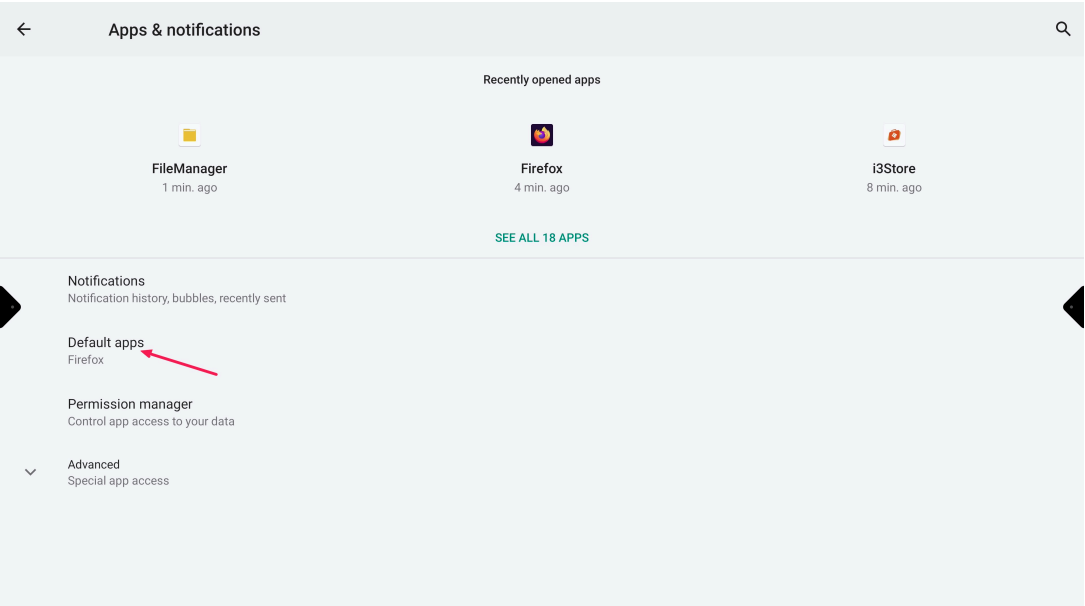
Select “Default apps”
-
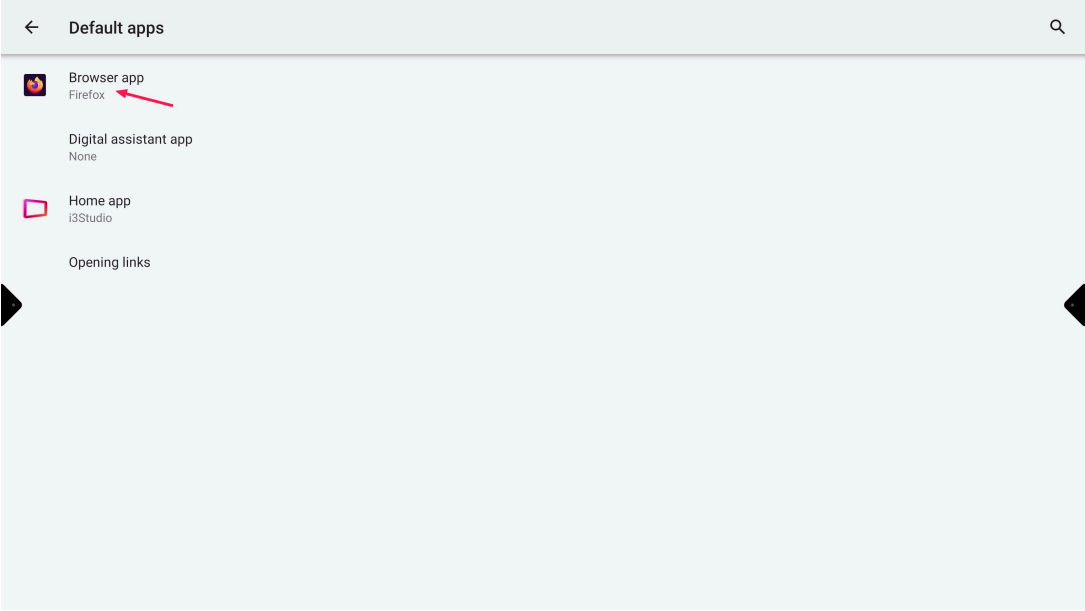
Select “Browser app”
-
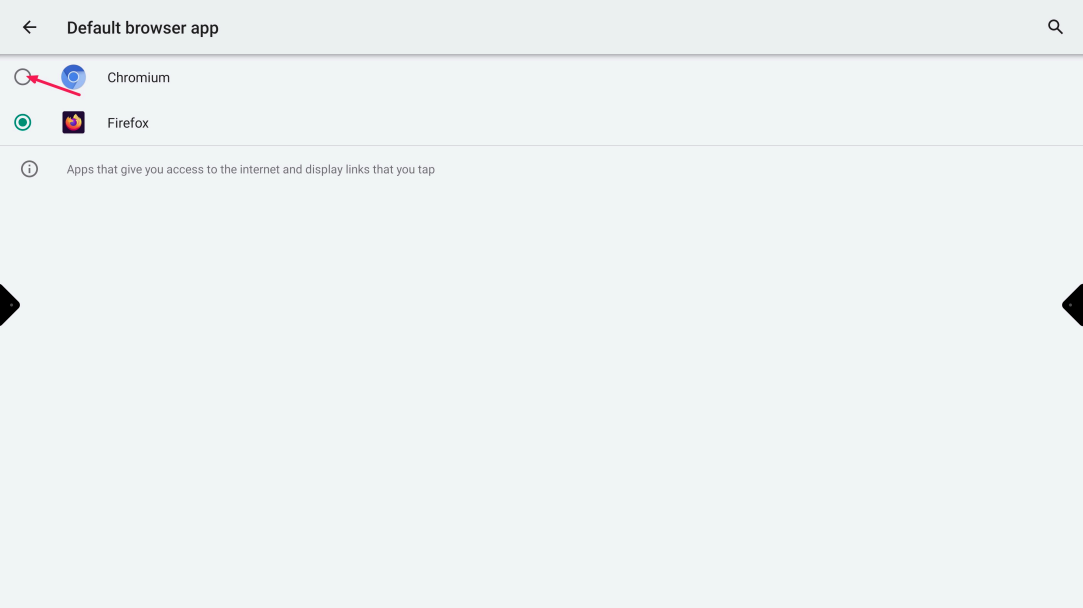
Select the browser you like to open when the tile “BROWSER” is selected

Go to the Android settings and select “Apps & notifications”
Select “Default apps”
Select “Browser app”
Select the browser you like to open when the tile “BROWSER” is selected