
📘 Instructions
-
Before you disable Android on your display you must first adjust the boot order.
More information can be found here on this website
Change boot order on X-One -
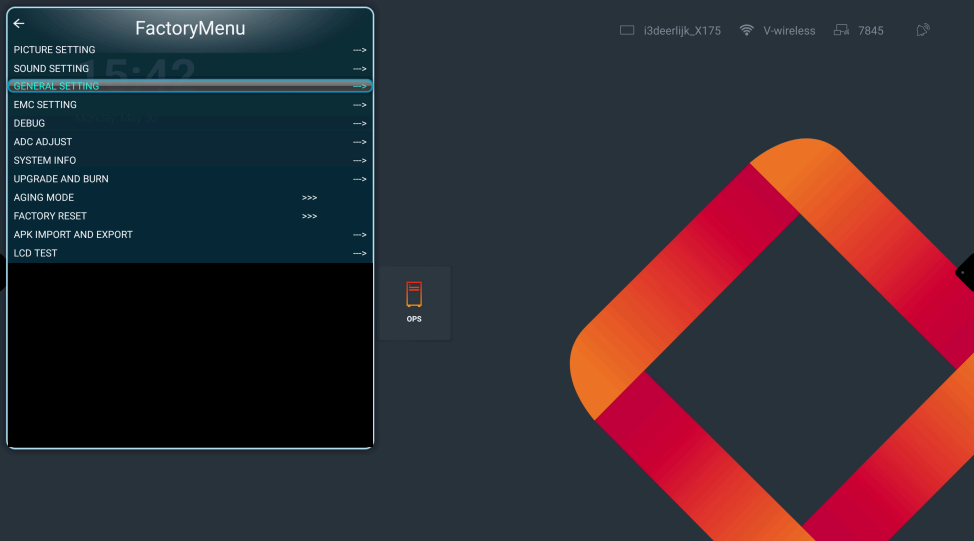
Open the FactoryMenu by pressing the following on the remote " home-up-up-down-down-left-right" and go to “General setting”
-
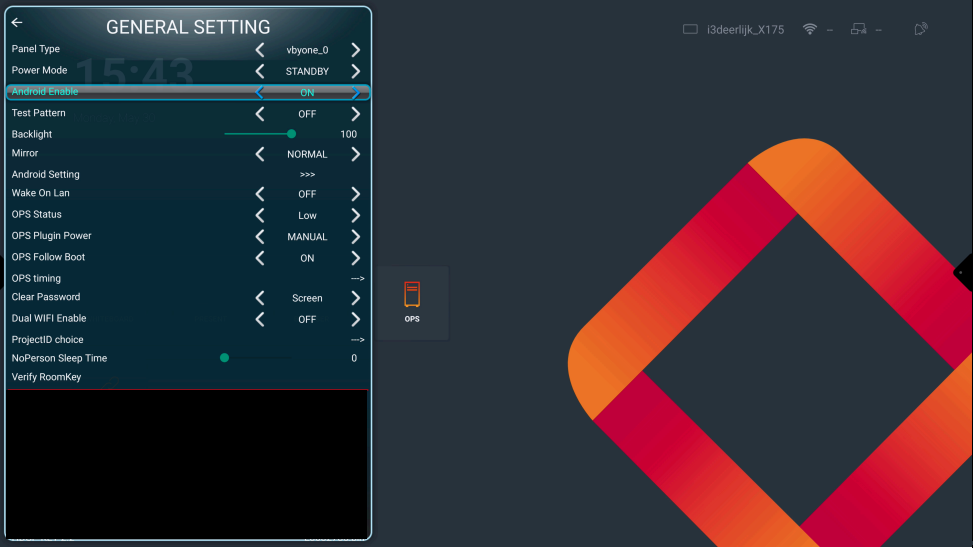
Go to “Android Enable” and change te settings to “OFF”
-
Reboot the X-One
Please do not modify anything without being asked by i3-technologies.
Adjusting settings can have serious consequences for your display.