
📘 Instructions
-
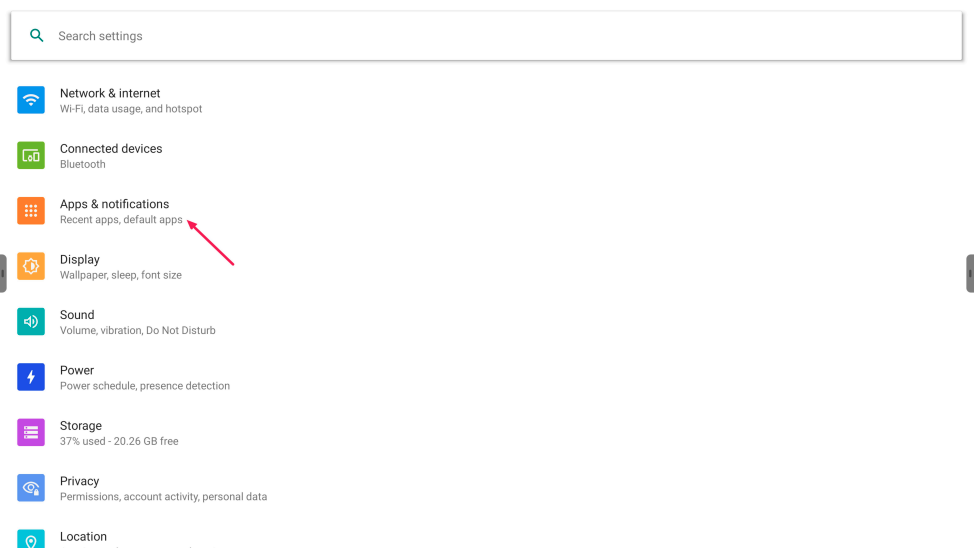
Go to Android settings and press “Apps & notifications”
-
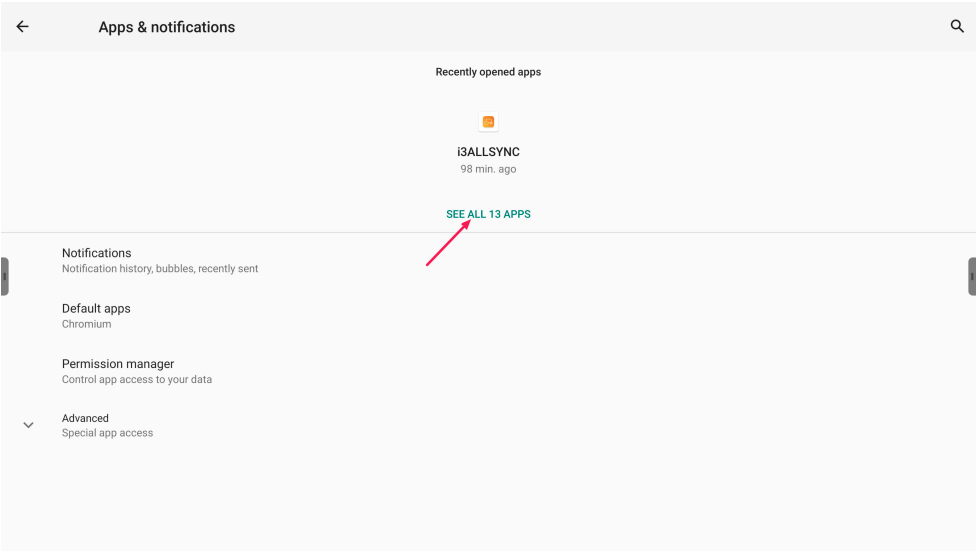
Press “See all xx apps”
-
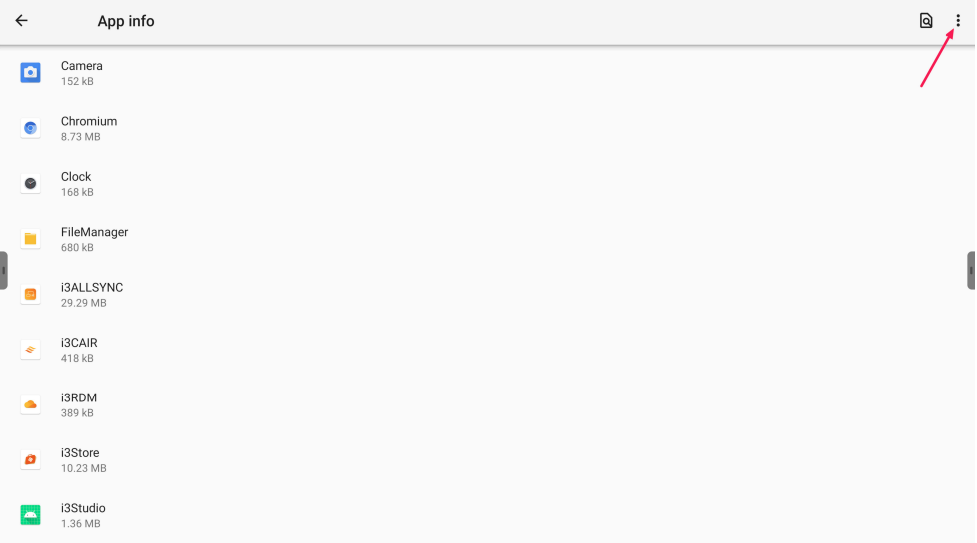
Press on the 3 dots in the corner
-
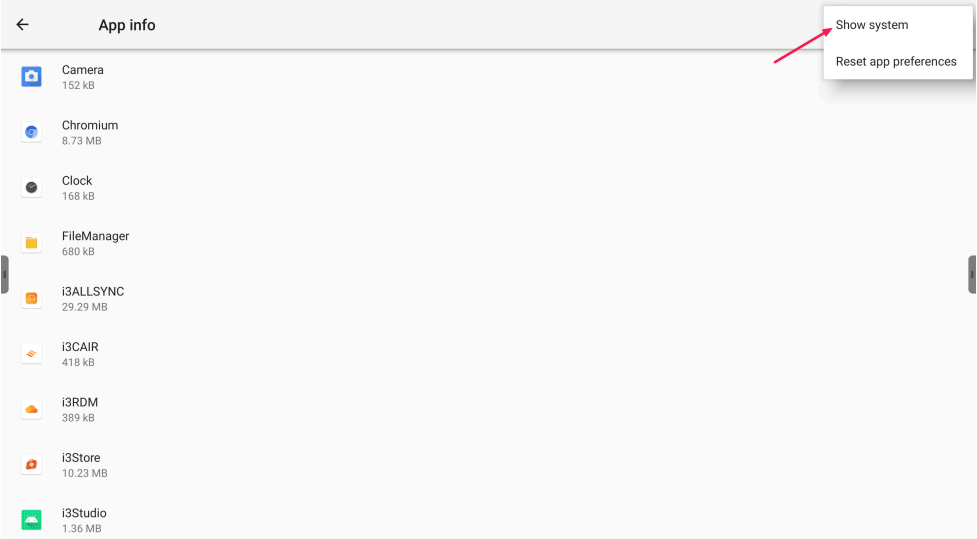
Press on “Show system” in the pop-up menu
-
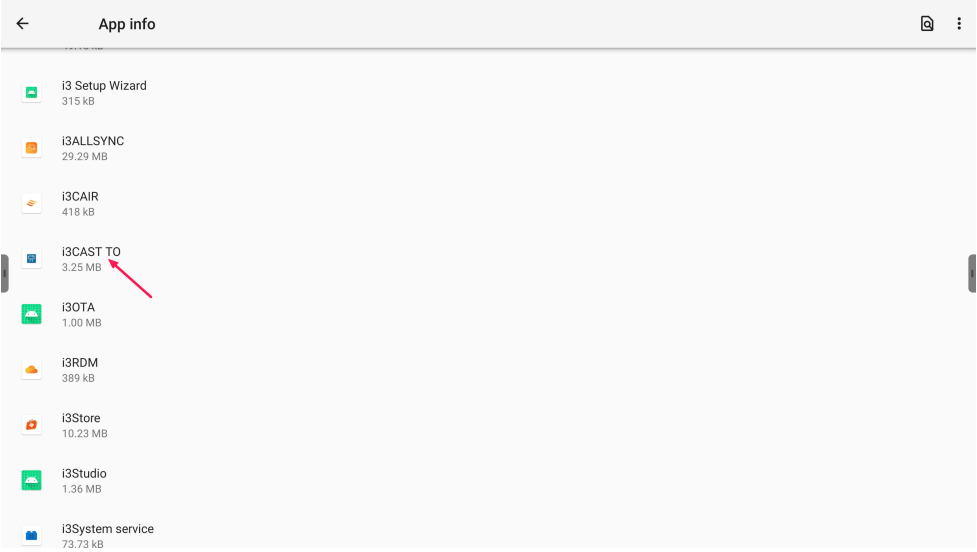
Search fot “i3CAST TO” and press it
-
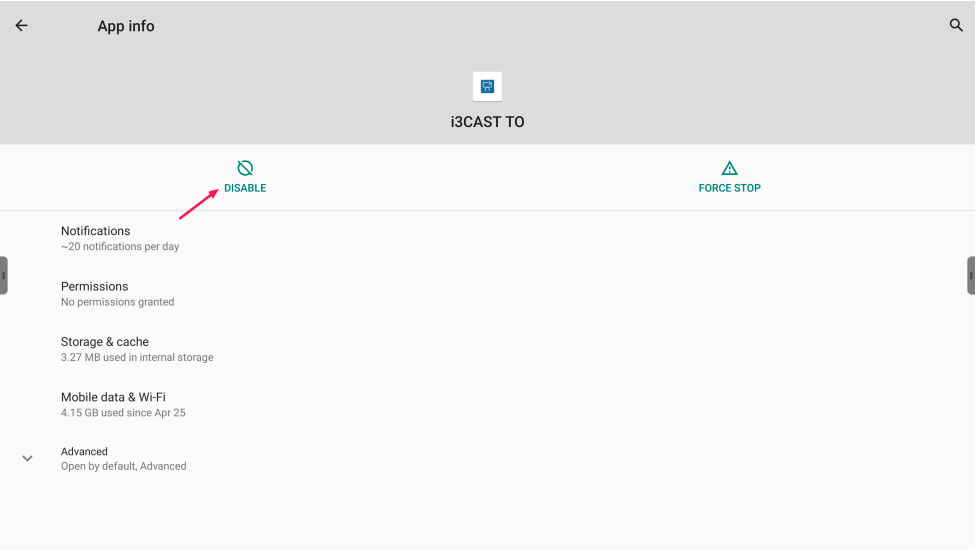
Press “Disable” and accept the warning message
-
Reboot the X-One display and you will see in the side menu CAST To tile is gone
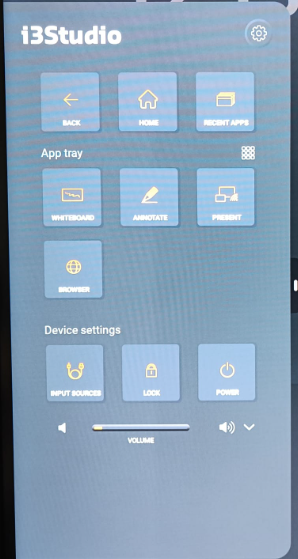
Please do not disable anything other than the requested app