
-
Go to System preference>Security Privacy >Screen Recording.
-
Unlock the settings by insert your account password.
-
Make sure the permission for ‘Google Chrome’ option is turned on.
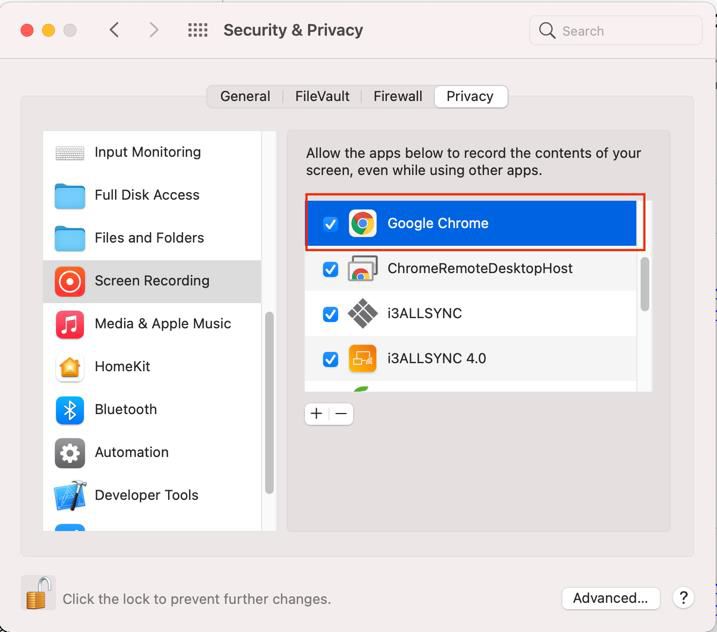
If Google Chrome option is not found
-
Visit this site via google chrome
-
Press “Get Started” button Chrome will request permission to record screen .
-
Go to System preference>Security Privacy >Screen Recording
-
Unlock the settings by insert your account password.
-
Make sure the permission for ‘Google Chrome’ option is turned on.