
Only use for i3ALLSYNC TOUCH Transmitter 4.0
Make sure to connect the ALLSYNC transmitter to your computer before you continue the process below.
1. Unzip the file and open UpdateFW.exe (choose the most recent version)
|
Version (Feb 2023) |
Version (July 2024) |
August 2025 |
|---|---|---|
|
|
|
2. Select “Connect” in the dialog
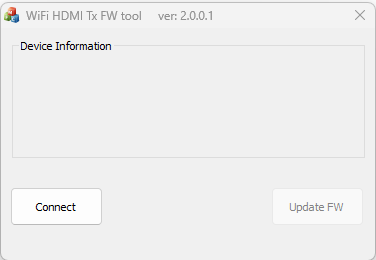
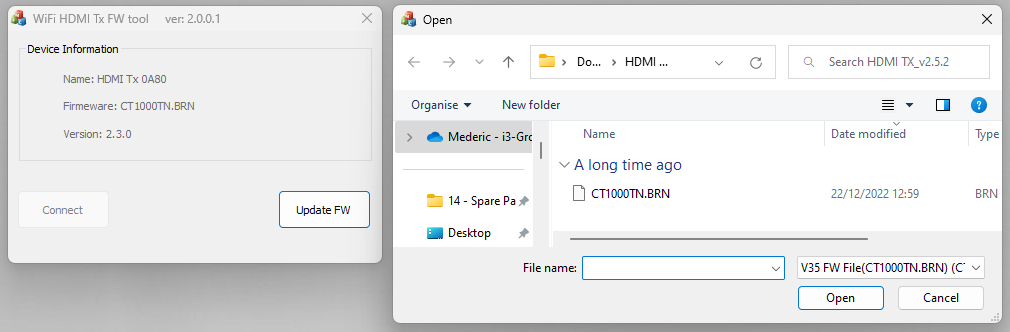
3. Select ‘Update FW’ and choose the suggested ‘.BRN’ file which is located in the same
directory with the firmware update tool
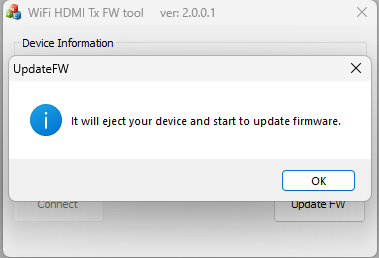
4. Select ‘OK’ and start the firmware update process
5. DO NOT disconnect the power source while blinking the purple LED
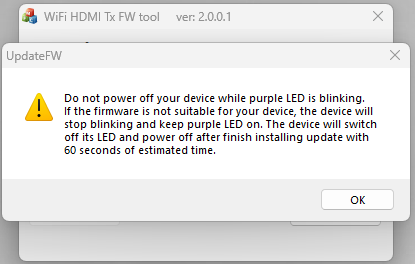
6. I3ALLSYNC Tx will reboot after finishing the update