
📘 Instructions
-
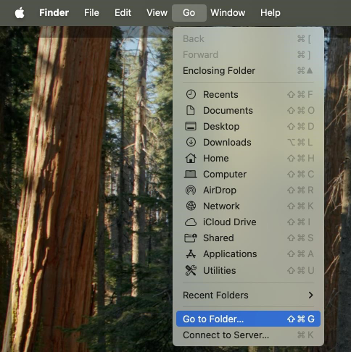
Open Go -> Go to Folder from the Finder menu.
-
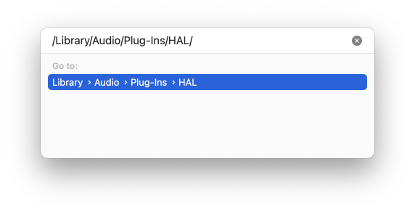
Enter the following path: /Library/Audio/Plug-Ins/HAL/
-
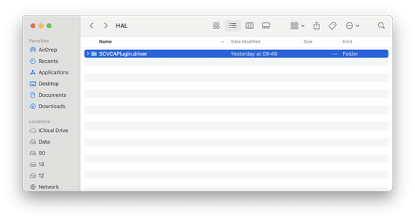
Locate and delete the file: SCVCAPlugin.driver
-
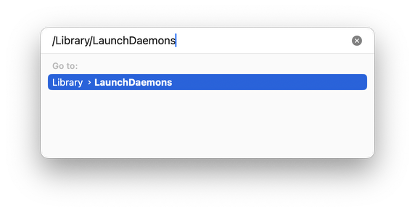
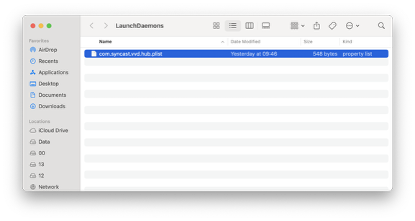
Open Go -> Go to Folder again and enter the path: /Library/LaunchDaemons/
-
Locate and delete the file: com.syncast.vvd.hub.plist
-
After completing the above steps, restart your MacBook and then install i3allsync again.
The latest Allsync transmitter software for macOS can be found at
https://www.i3-technologies.com/en/lp/i3allsync-macos-driver-download-3840/
If desired, a video of how to remove and install Allysnc on a macOS device can be found at
Deleting audio driver Allsync on macOS.mp4