
i3ALLSYNC Android Rx
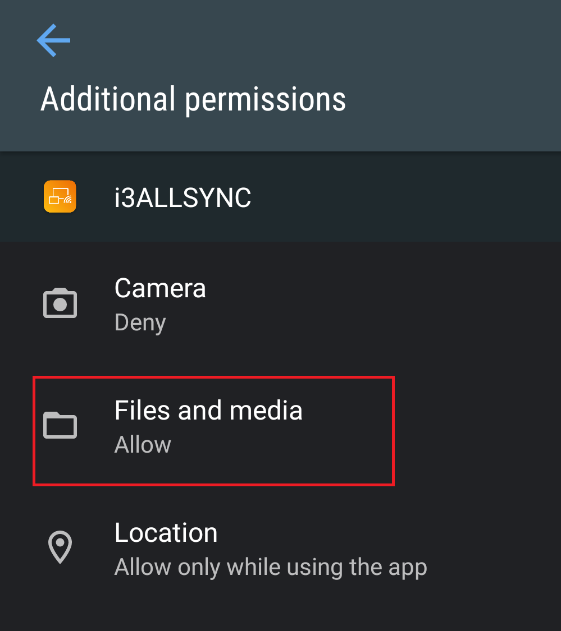
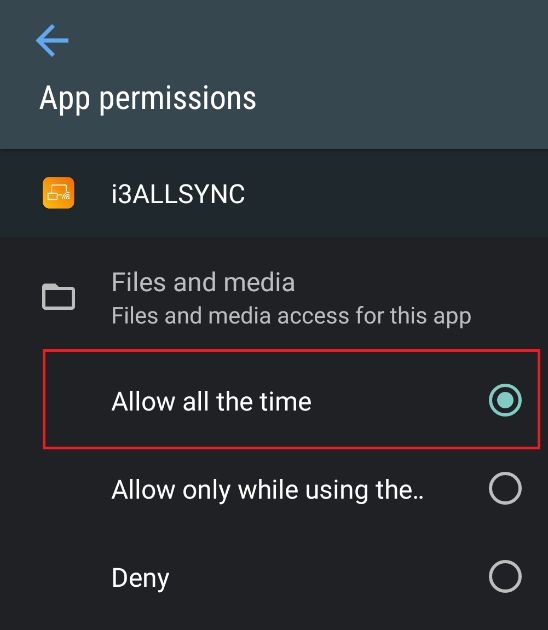
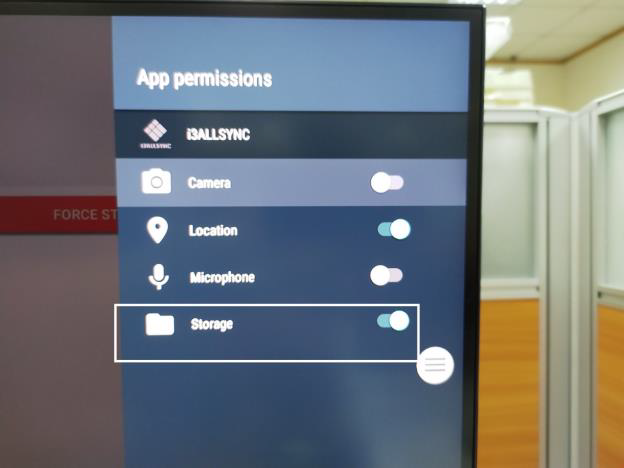
User must allow the permission of Storage for i3ALLSYNC Rx to be able to record log file.
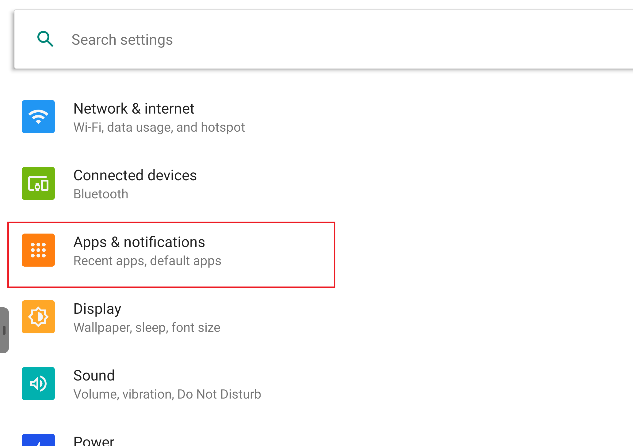
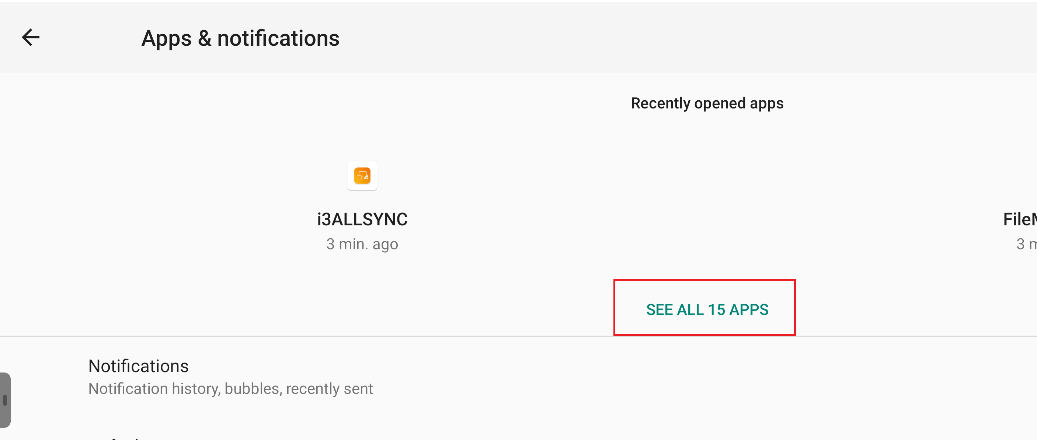
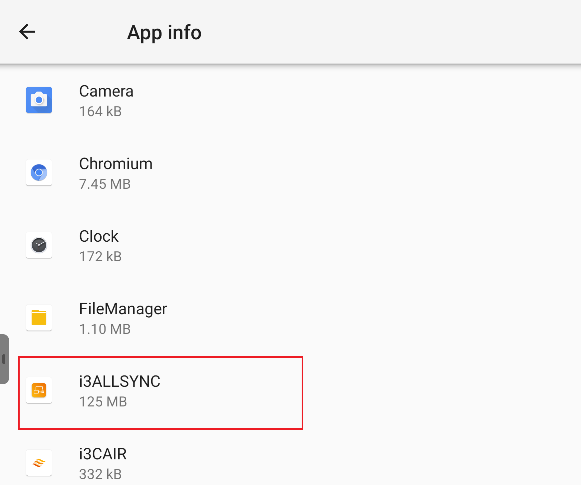
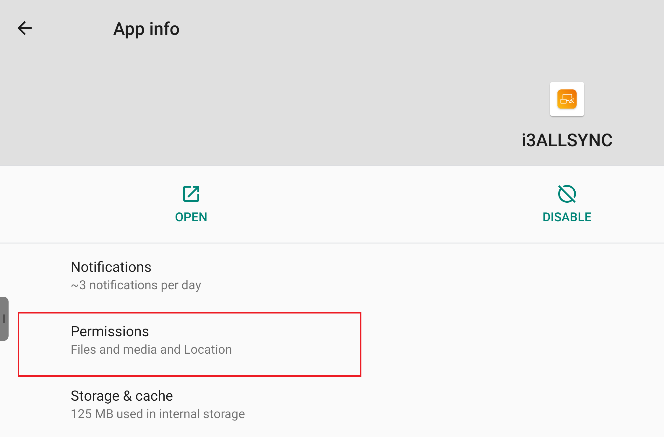
[Settings]>[Apps & notifications]>[App info]>[i3ALLSYNC]>[Permission]>[Files and media] (or [Storage])>[Allow all the time]
[App & notifications]
[SEE ALL APPS]
[i3ALLSYNC]
[Permission]
[Files and Media]
[Allow all the time]
Or [Storage]
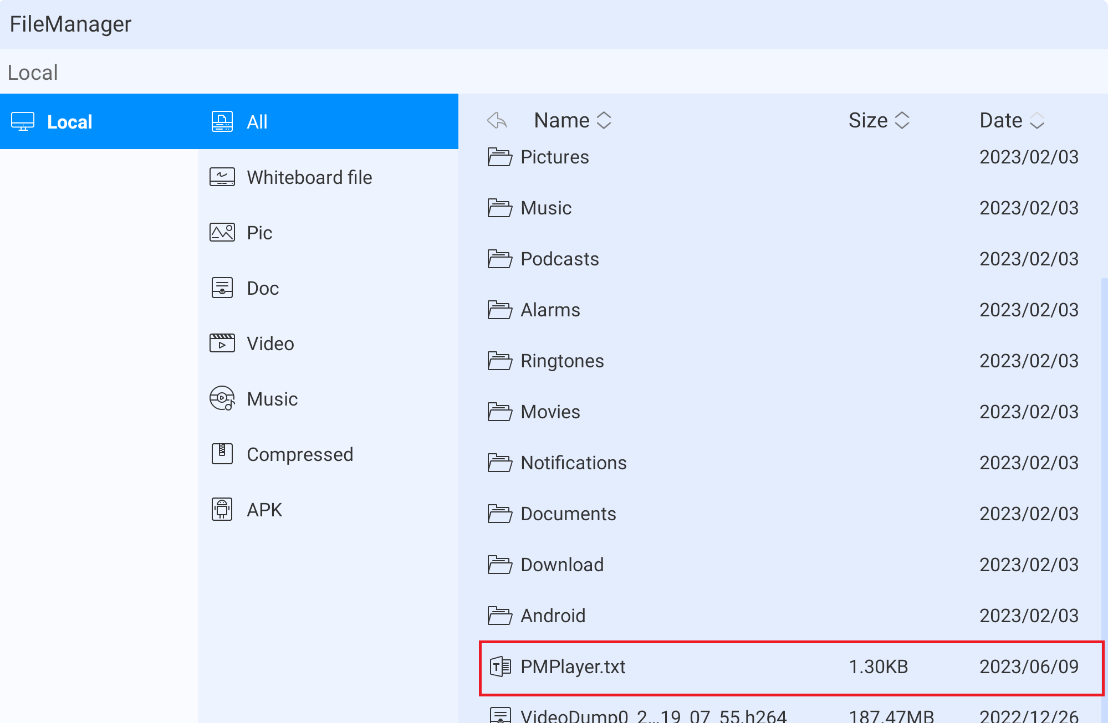
User can now retrieve the log file from ‘File Manager’, the file is called PMPlayer.txt and saved in local storage (directory: /sdcard/PMPlayer.txt), insert a USB storage and copy the PMPlayer.txt file to the USB storage and send it to the customer service.
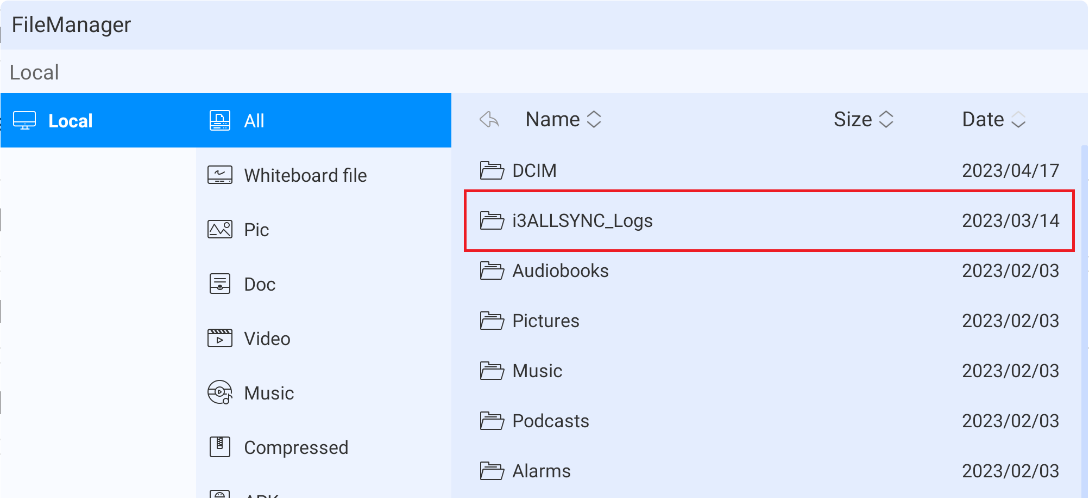
Full log of Android system can be dumped from ‘i3ALLSYNC_Logs’ folder in local storage, the file is called PMPlayerFullLog.txt (directory: /sdcard/i3ALLSYNC_Logs/ PMPlayerFullLog.txt).
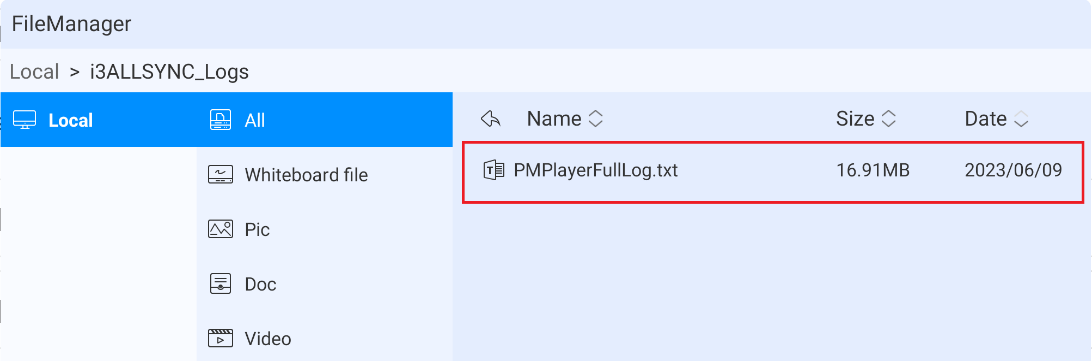
The log file will be compressed when the size exceeds 50MB. The zipped log files will be removed after 7 days.
I3ALLSYNC Windows Tx
User can retrieve the log file in this directory :
C:\\Users\\User\\AppData\\Roaming\\i3-TECHNOLOGIES\\i3ALLSYNC\\PMPlayer
The log file will be recreated when user launches Windows Tx.
I3ALLSYNC Mac Tx
User can retrieve the log file from this directory : C/Users/[USER NAME]/Library/Logs/PMPlayer.log
The log file will be recreated when user launches Mac Tx.