
📘 Instructions
The app can be found at the bottom of the page
-
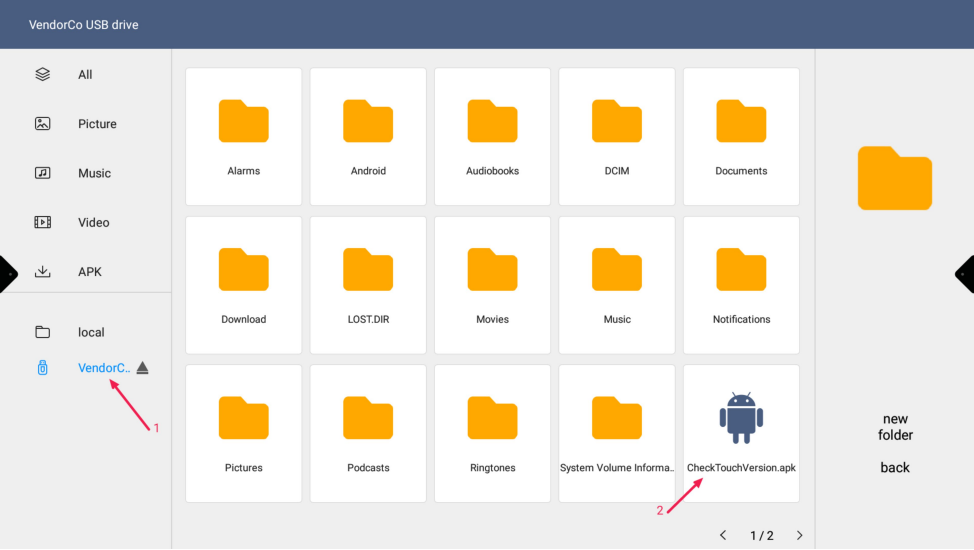
Put the “CheckTouchVersion.apk” app on a USB flash drive and insert the USB flash drive into the ES display
-
Open the file app on the ES and navigate to your USB drive and double tap on “CheckTouchVersion.apk”s
-
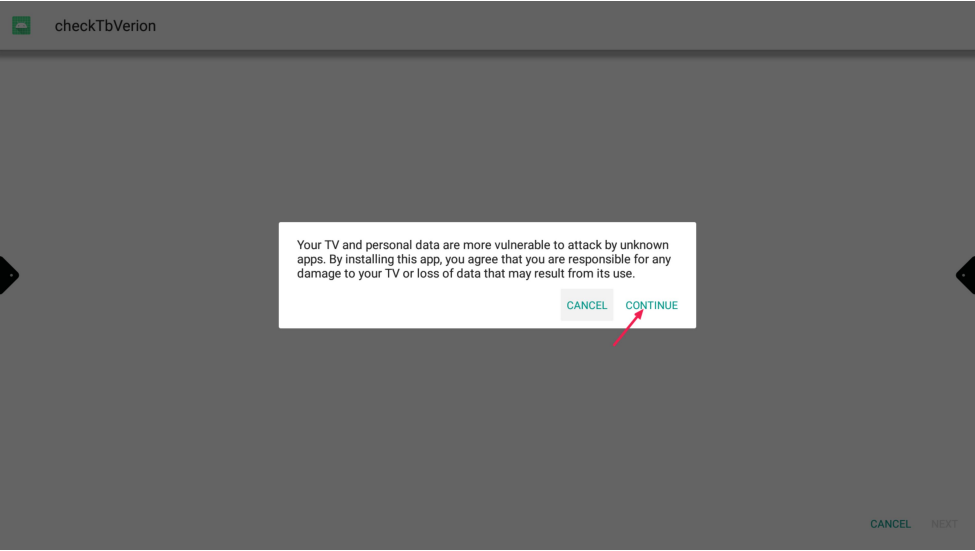
Read the warning and press “Continue”
-
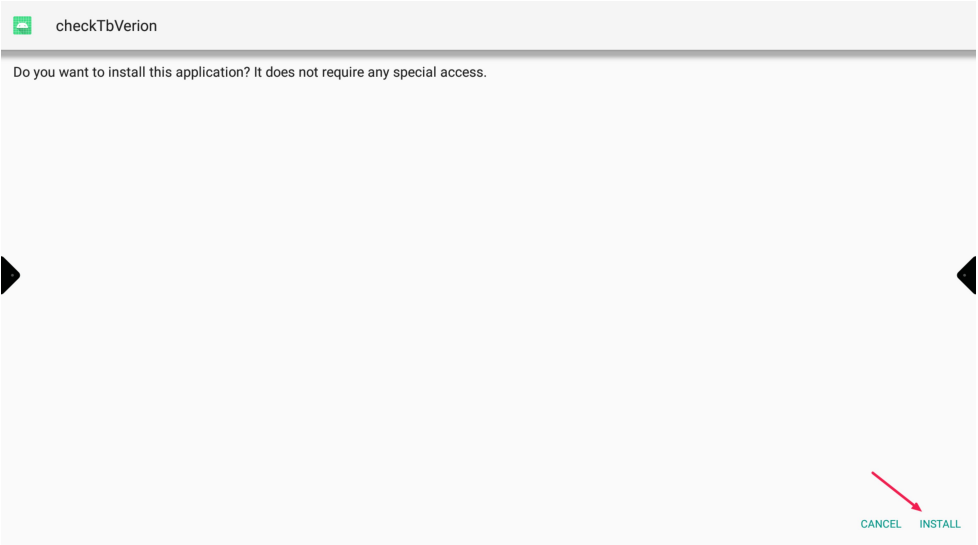
Press “Install”
-
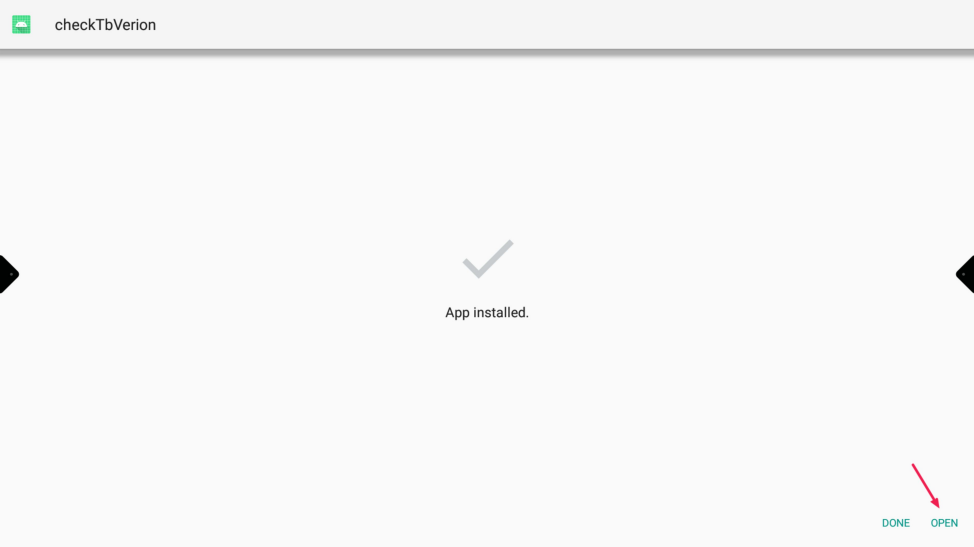
When the app is installed push “Open”
-
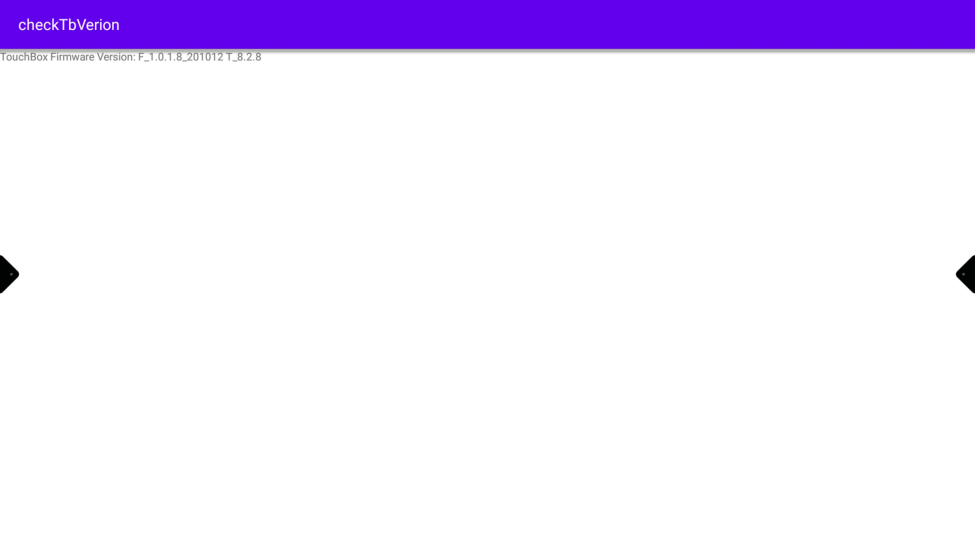
Please take a picture of this and send it to us
-
After passing the TouchVersion you may delete the app.
To do this, go to “App info”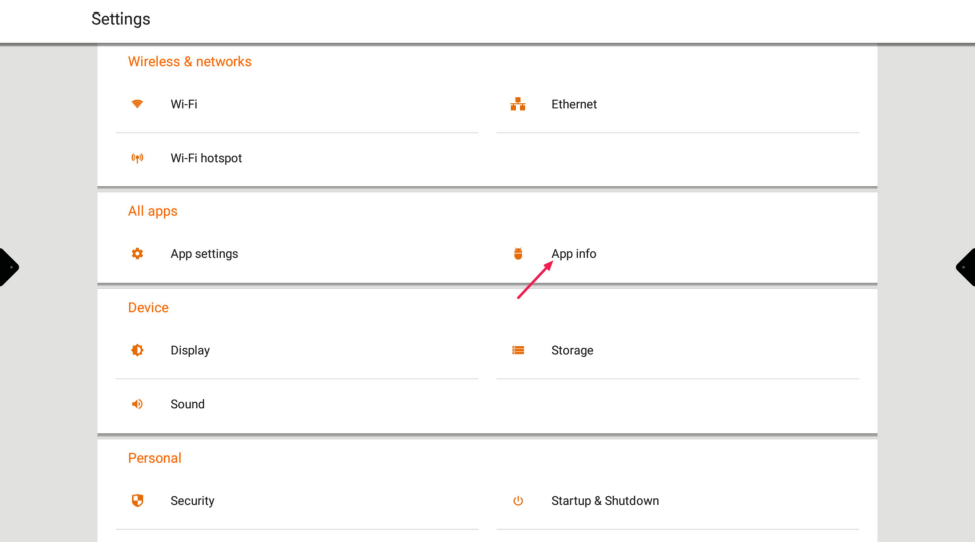
-
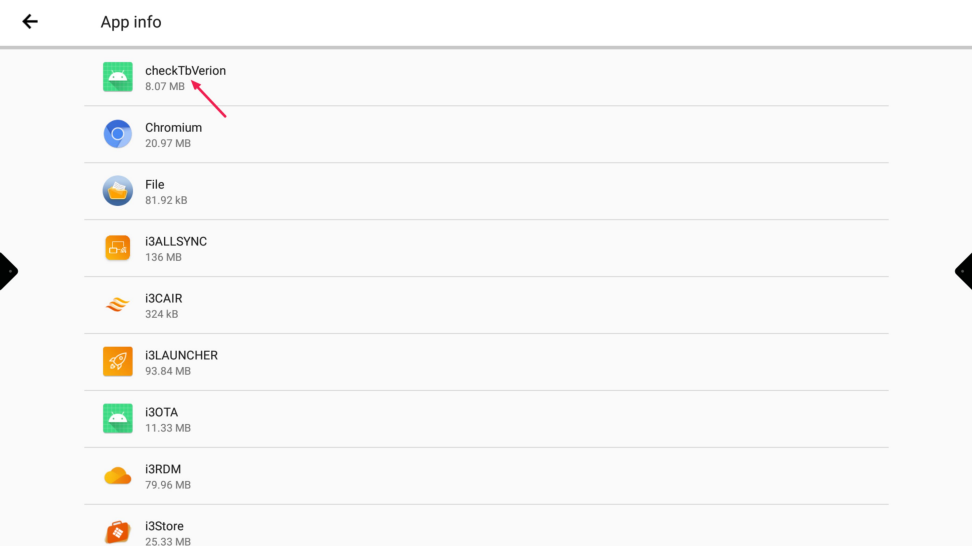
Search for “checkTBVerion”
-
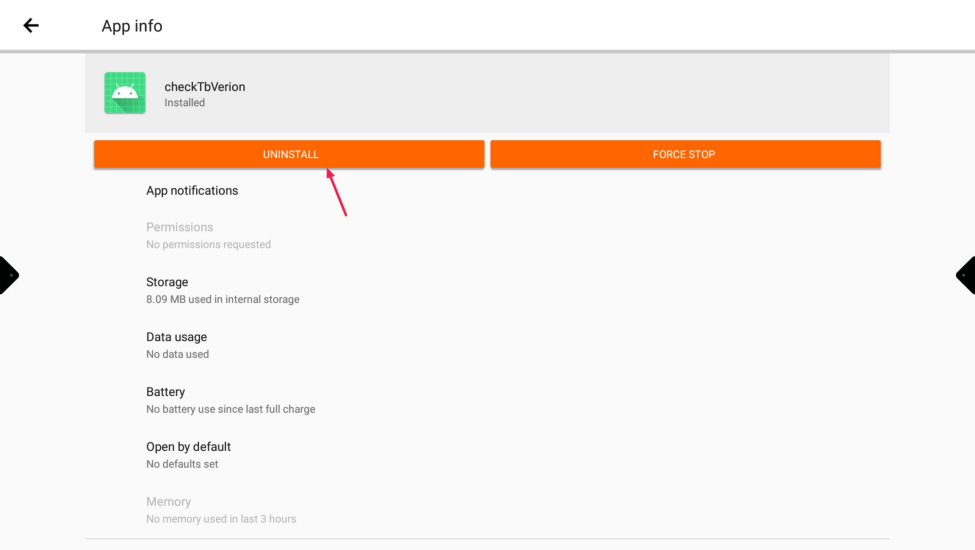
Press “Uninstall”
You can download the app from this website CheckTouchVersion.apk
Only install and uninstall apps that are requested by I3-Technologies