
📘 Instructions
-
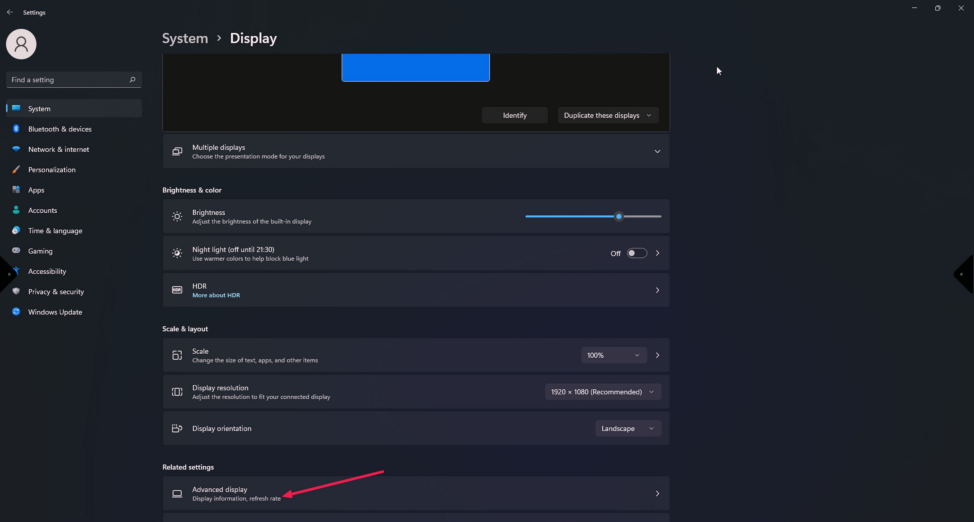
Right-click on you desktop and select “display settings”
-
Scroll down and click on “Advanced display”
-
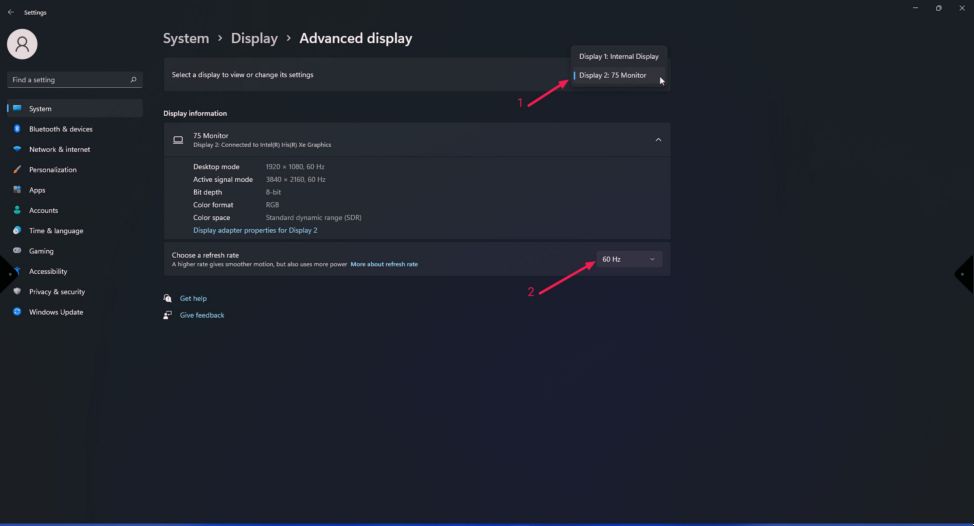
Open the menu and select “display 2 : “ and there you can change your refresh rate
-
Select the desired Hz
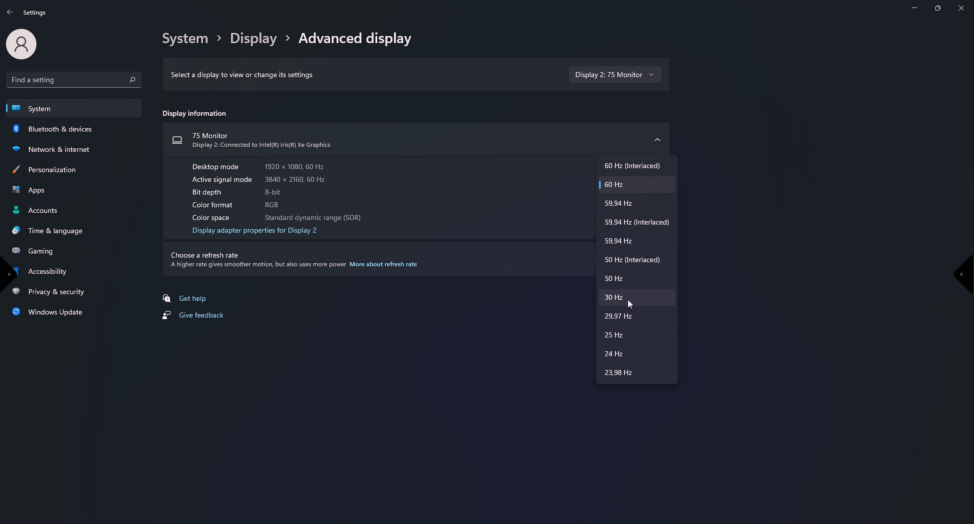
When you select 30hz you can transmit in 3840x2160 to you external monitor, but when you select 60Hz (Interlaced) you transmit in 1920x1080