
📘 Instructions
-
Install MS Whiteboard from Microsoft store
-
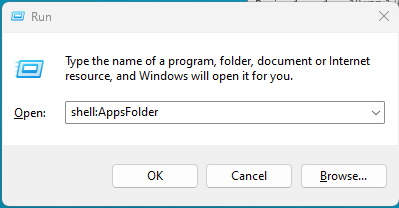
Open Run dialog by pressing Win + R and type “shell:AppsFolder” in the run box
-
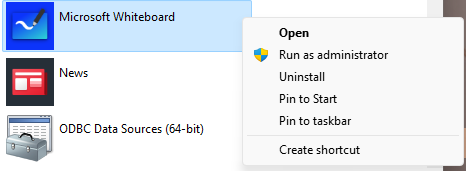
Search for MS Whiteboard and right-click to create a shortcut to the Desktop or another folder of your choice, this will create a shortcut to the app that you can find with the file explorer.
-
Once the shortcut is created open the launcher settings and navigate to “Panels” and then “Whiteboard” and press “Add Tile”
-
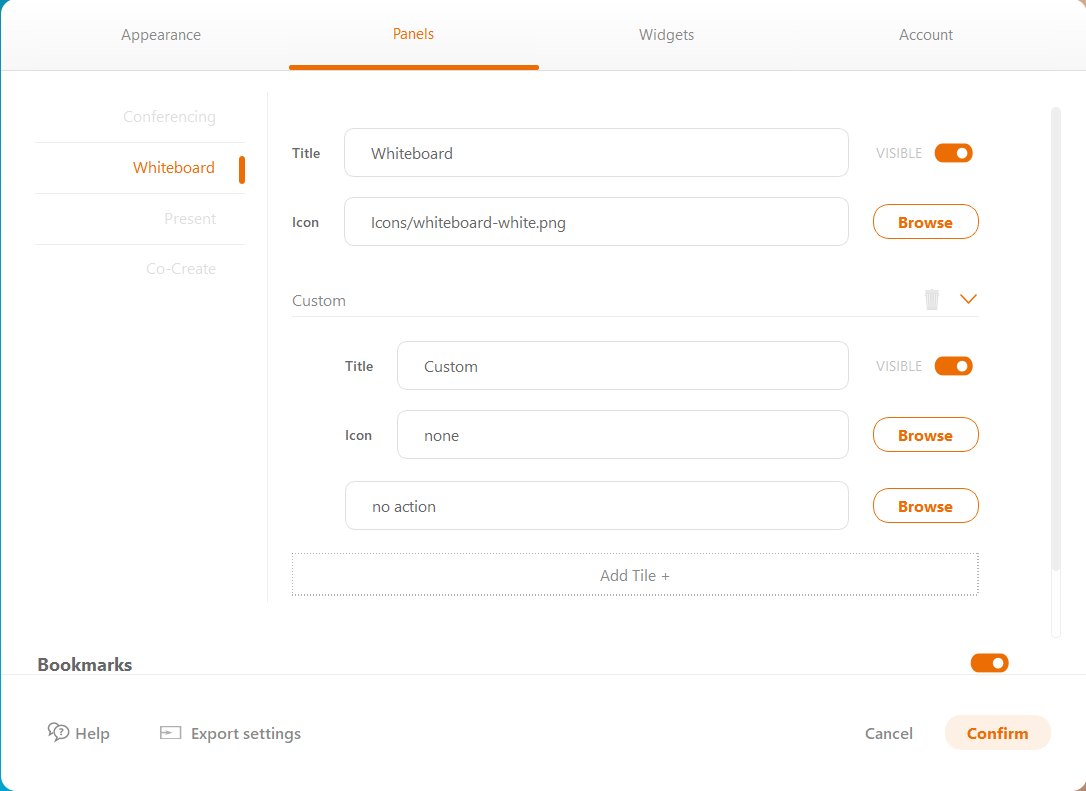
Press browse and navigate where you saved the shortcut and press confirm

-
When pressing the Whiteboard icon after the configuration will open MS Whiteboard
