📘 Instructions
-
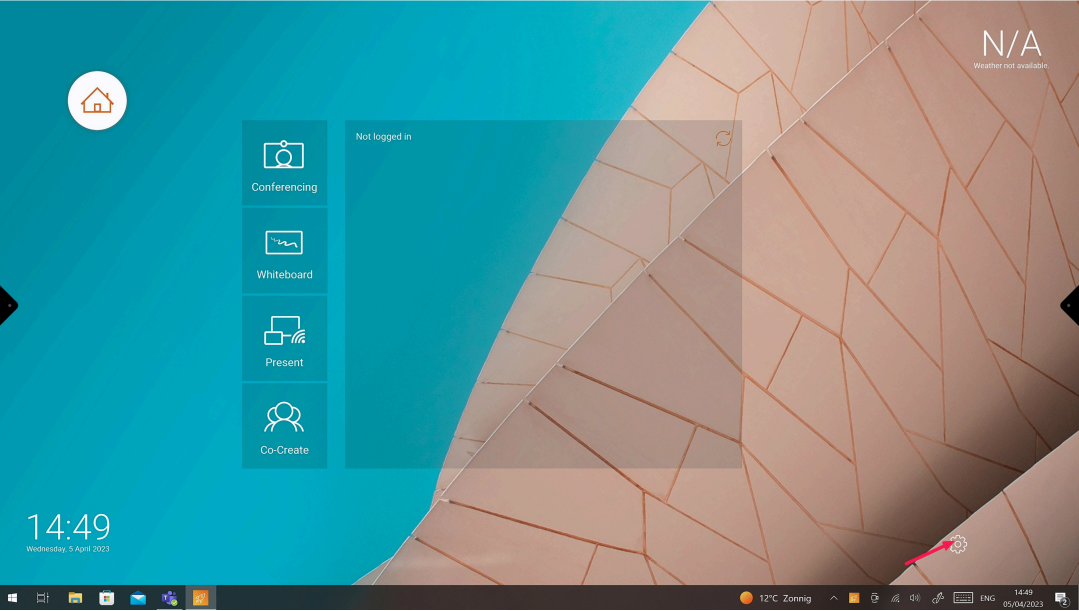
Press the settings cogwheel on the Launcher
-
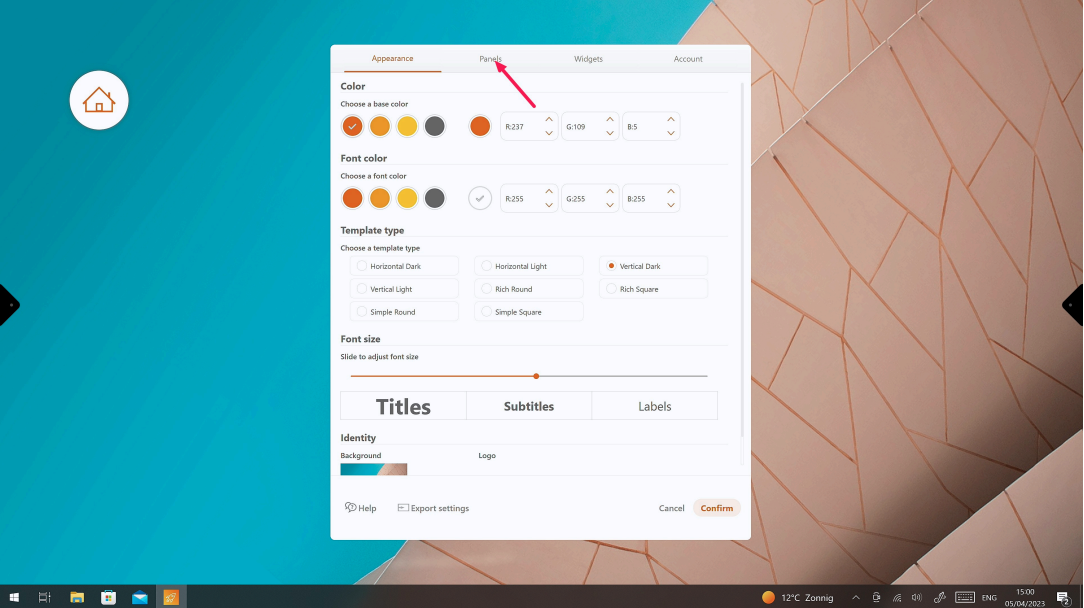
Press the tab “Panels”
-
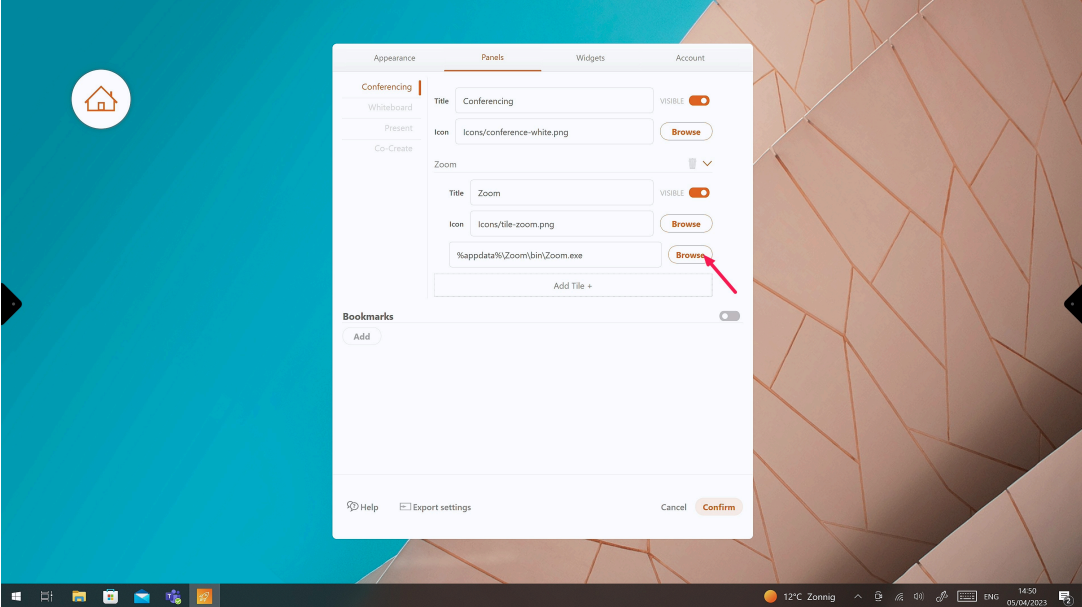
Press “Browse” on the conferencing tab
-
Navigate to the “Teams shortcut” and open it (If you don’t have a Teams shortcut, see 6. on how to create a shortcut)
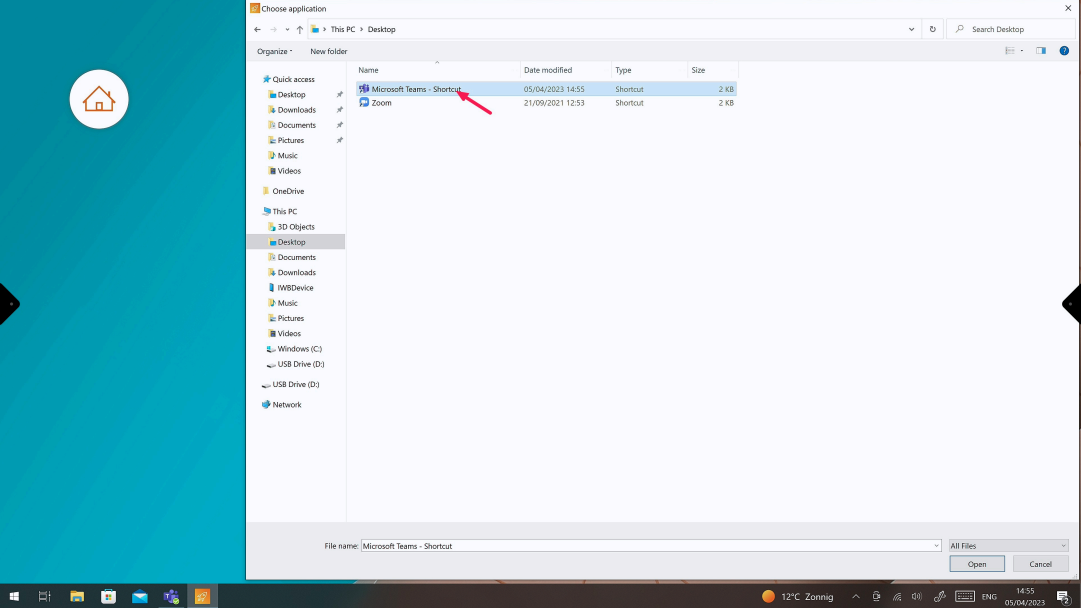
-
Press “Confirm”
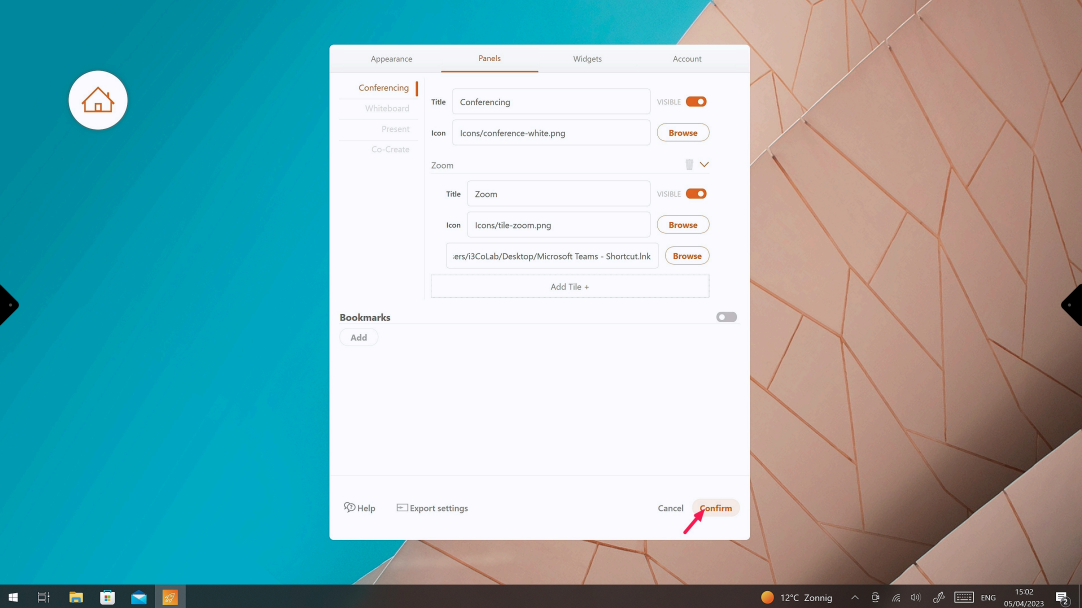
-
How to create a shortcut of Teams
Open the “Run” dialog by pressing Windows + R and type “Shell:AppsFolder”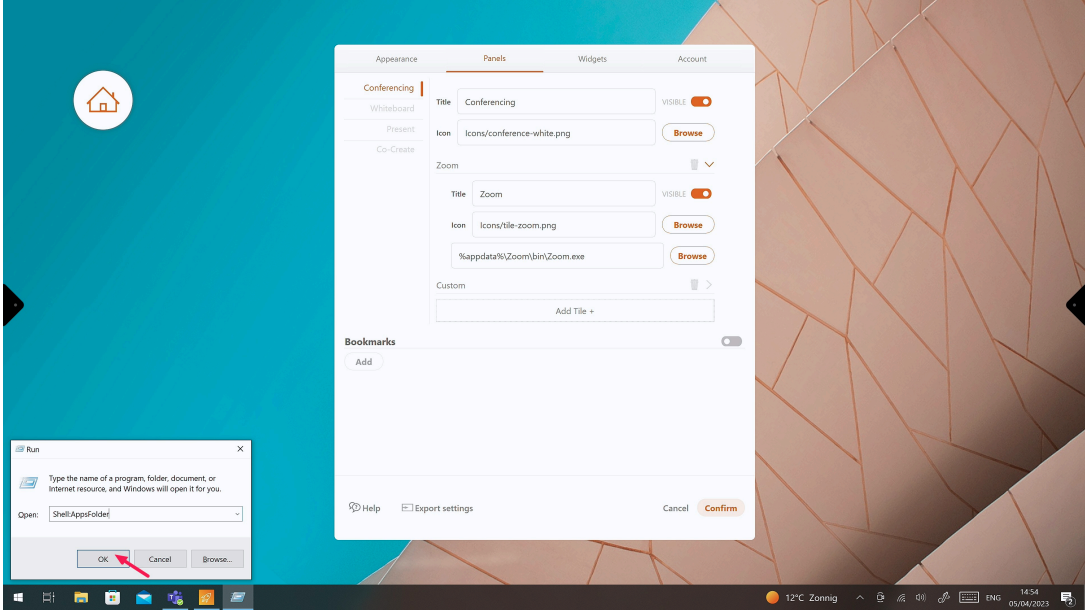
-
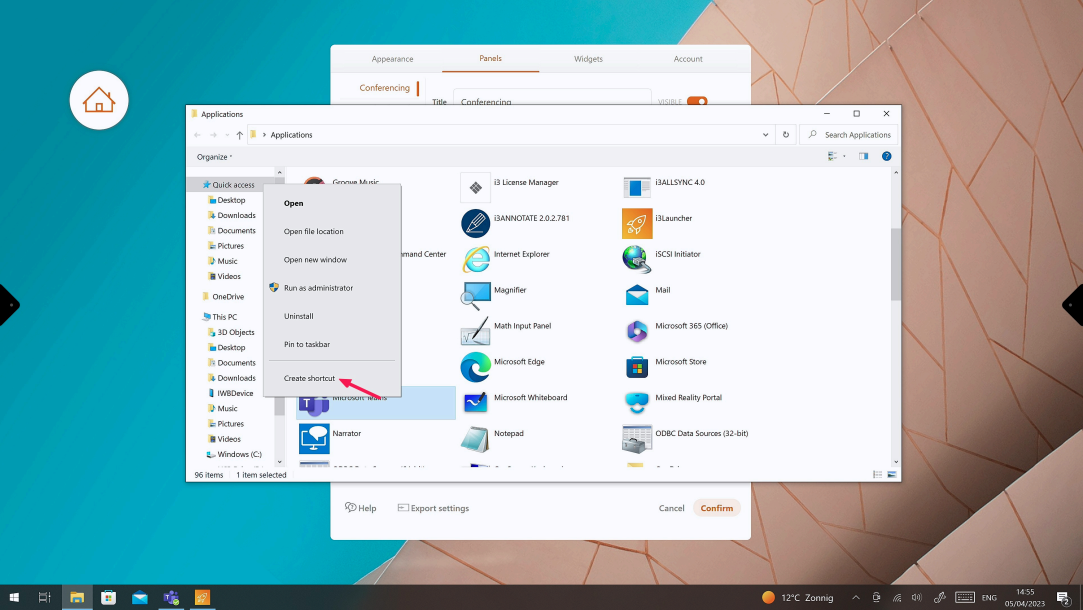
Search for “Teams” and right-click to create a shortcut on Desktop