
On the Canvas it is possible to set a pin code so that end users cannot change any settings in the settings menu (if they don't know the pin code).
To activate this pin code you need to turn this option on in the dealer menu.
Instructions
The default pin code is "0000" this can be changed in the settings menu.
-
Open the settings menu via the remote or the quick menu
-
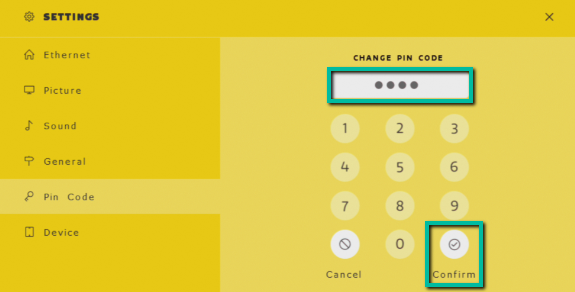
Go to the option "Pin Code".
-
Fill in the old pin code, by default this is "0000" and press on confirm.
-
The screen will now ask to fill in the new pin code, this can only be 4 digits long. If you have filled it in, press on confirm again.
-
The screen will now tell you that the pin code has been changed successfully.
The remote cannot be used to change the pin code. You need to use touch for this.
|
Updated by |
Mandy Kwarten |
|---|---|
|
Last updated |