📘 Instructions
-
Go to the Android Settings and enable the “hotspot” function.
-
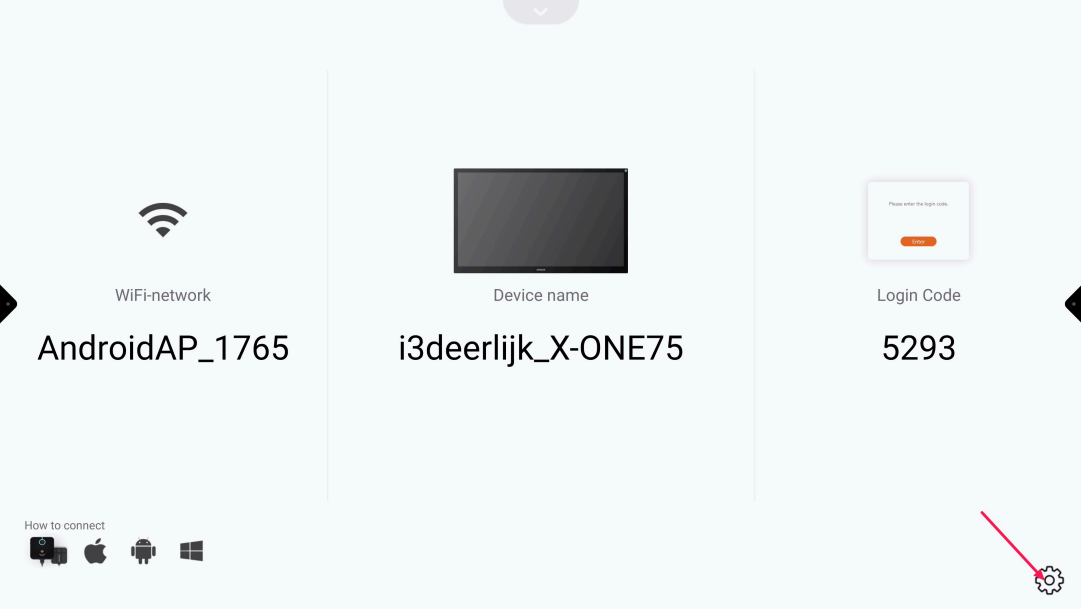
Open “Present” and select the “Settings cog-wheel”
-
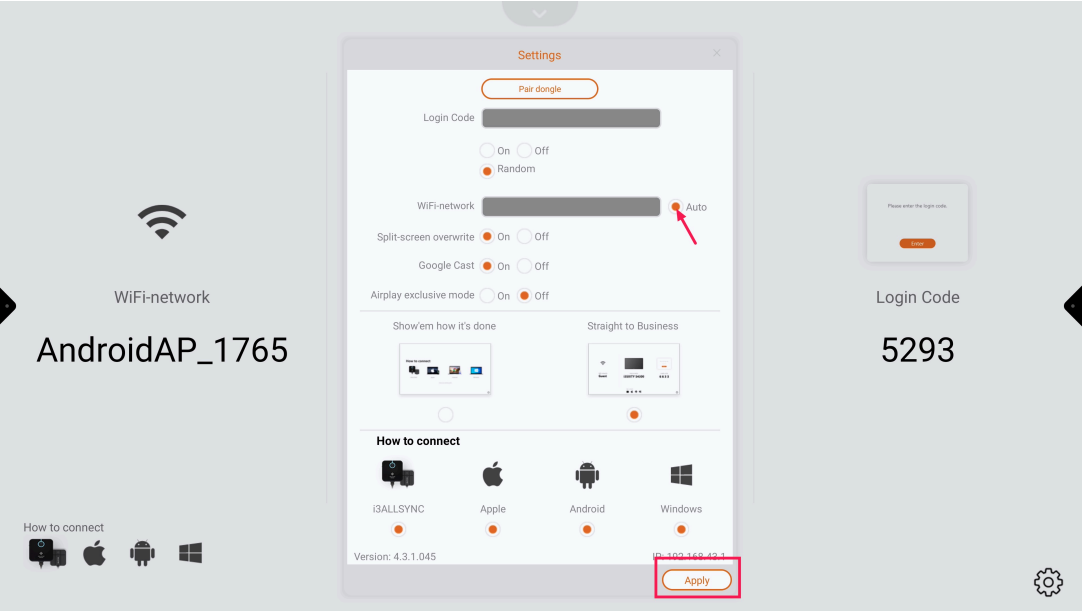
Deselect “Auto” and press “Apply”
-
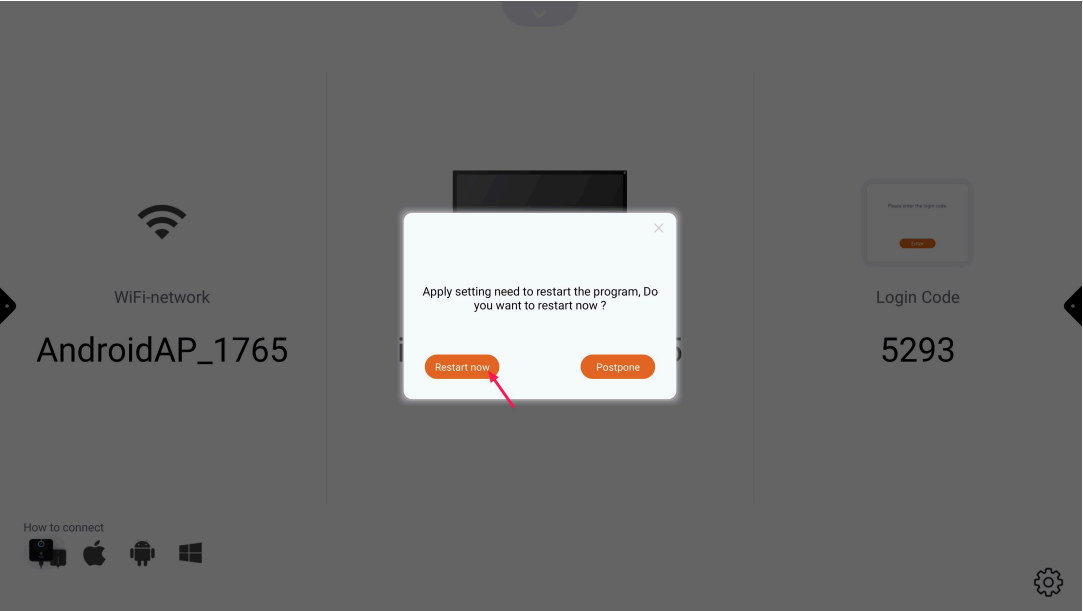
Press “Restart now” and wait until Present has restarted
-
Press the “Settings cog-wheel”
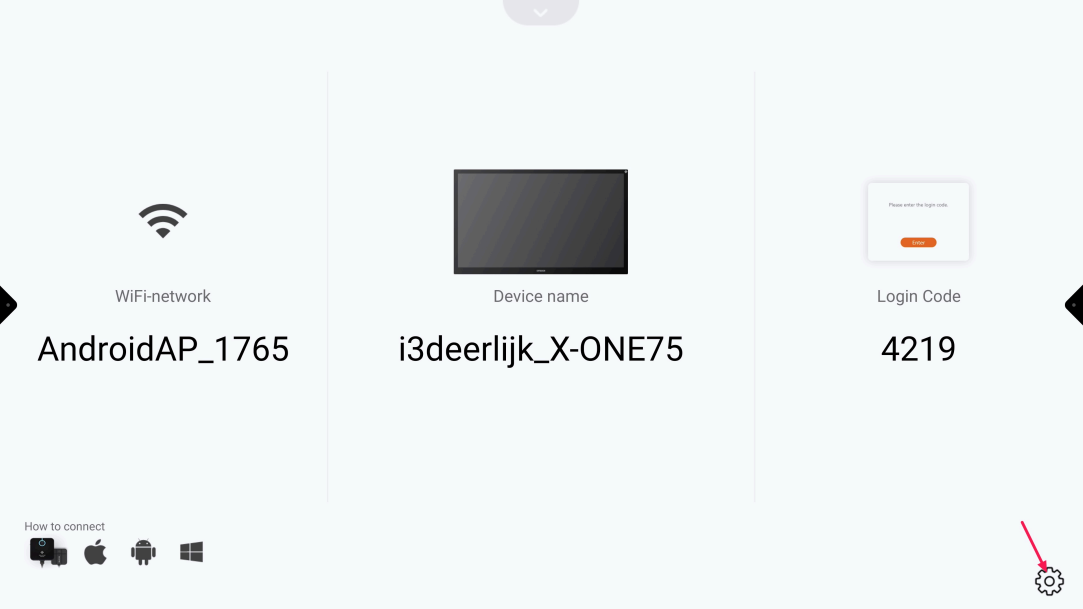
-
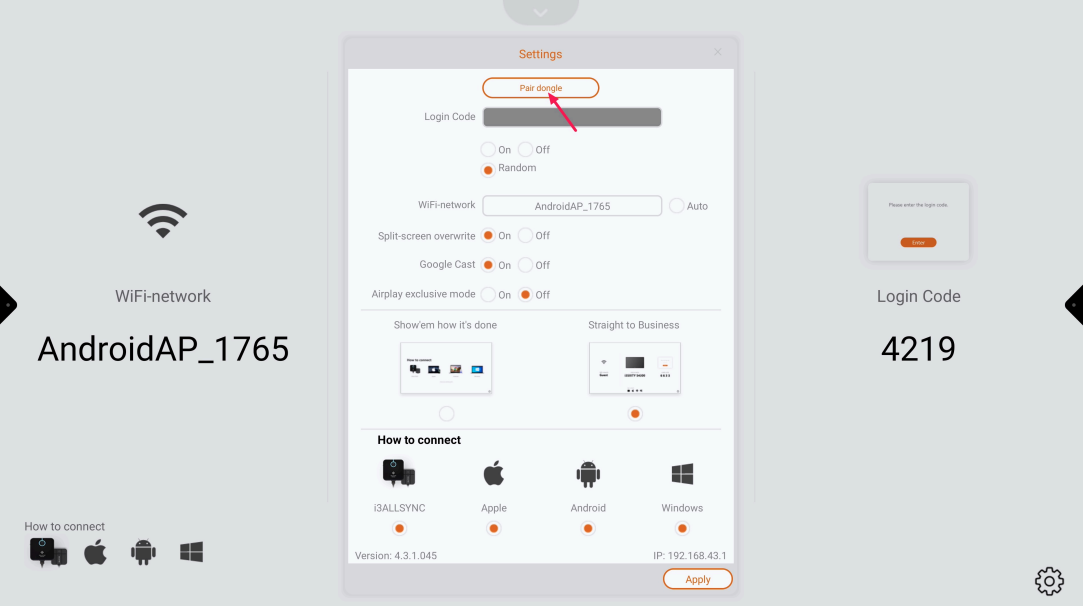
Press “Pair dongle” and follow the instructions onscreen