📘 Instructions
-
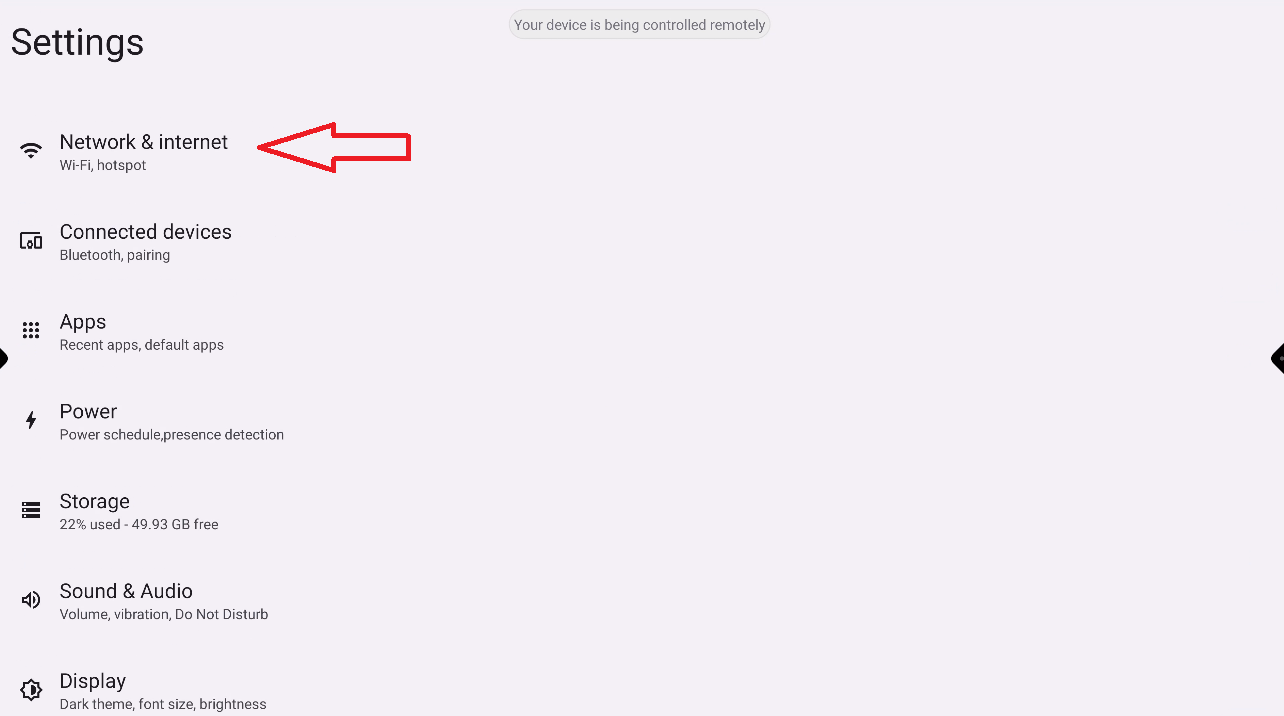
Go to the Android Settings and select “Network & Internet”
-
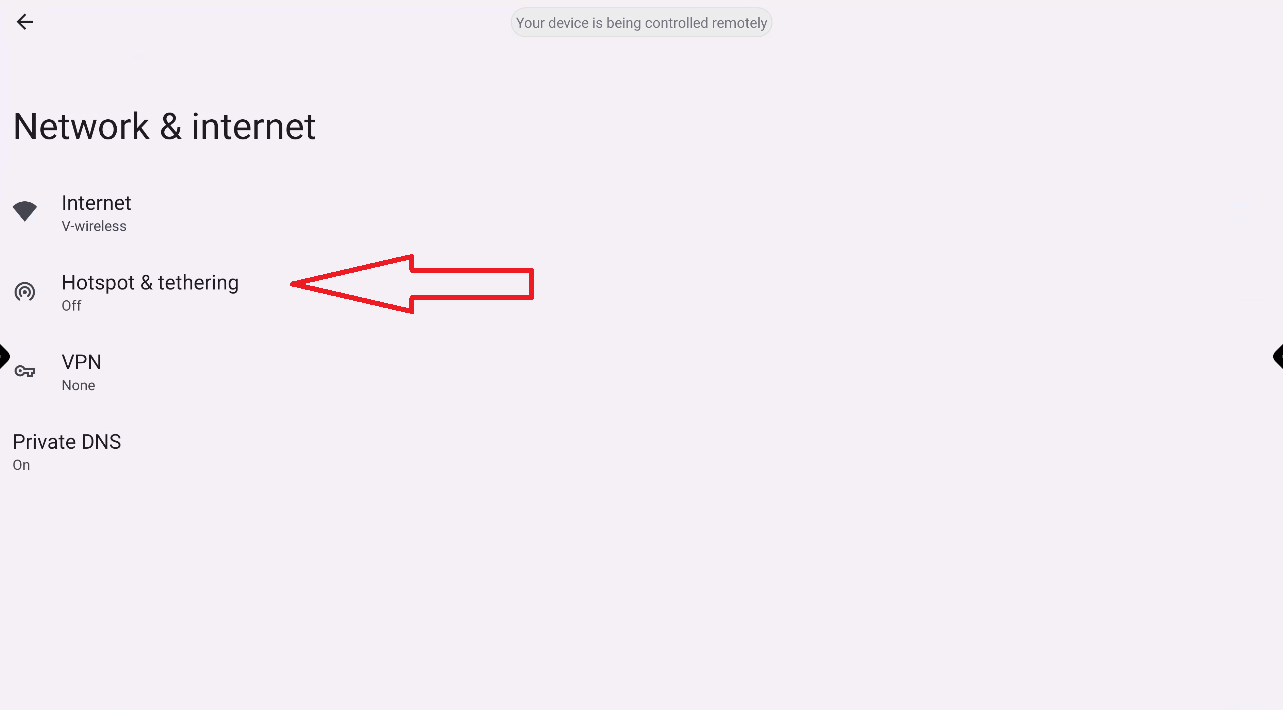
Turn off the Wi-Fi and Ethernet and go back and select “Hotspot & Tethering”
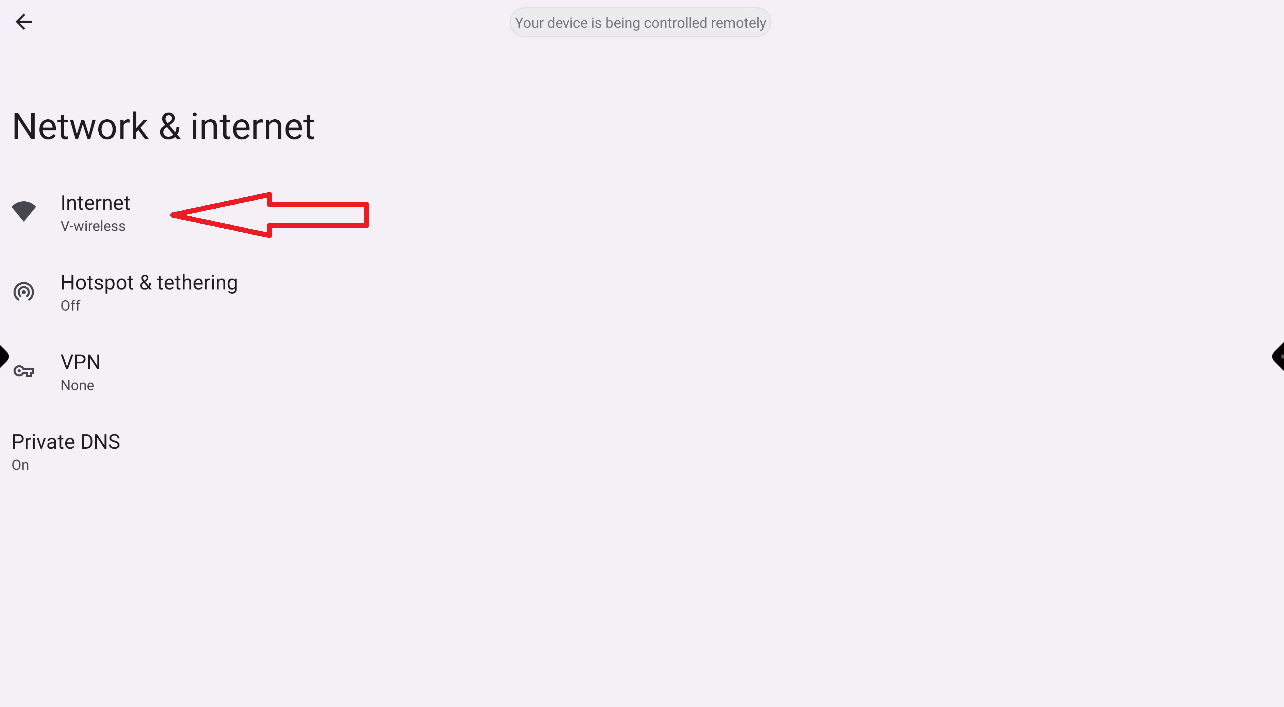
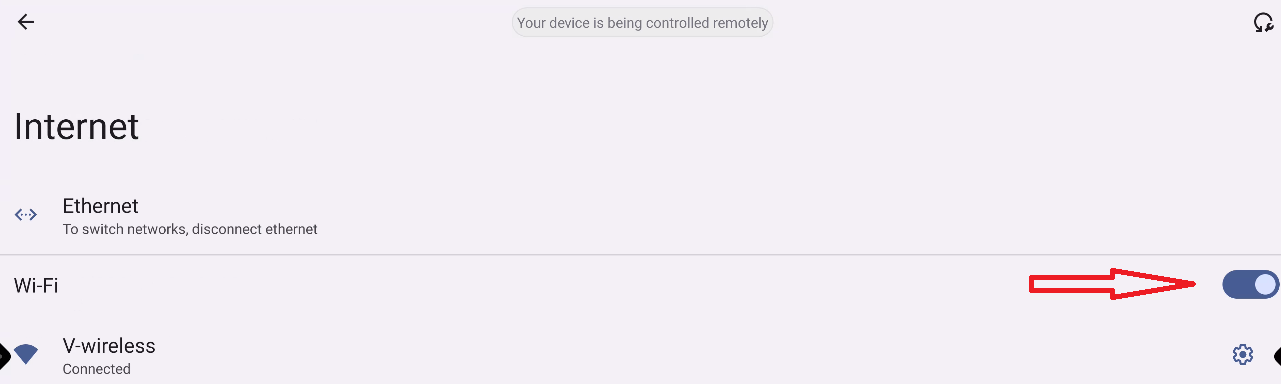
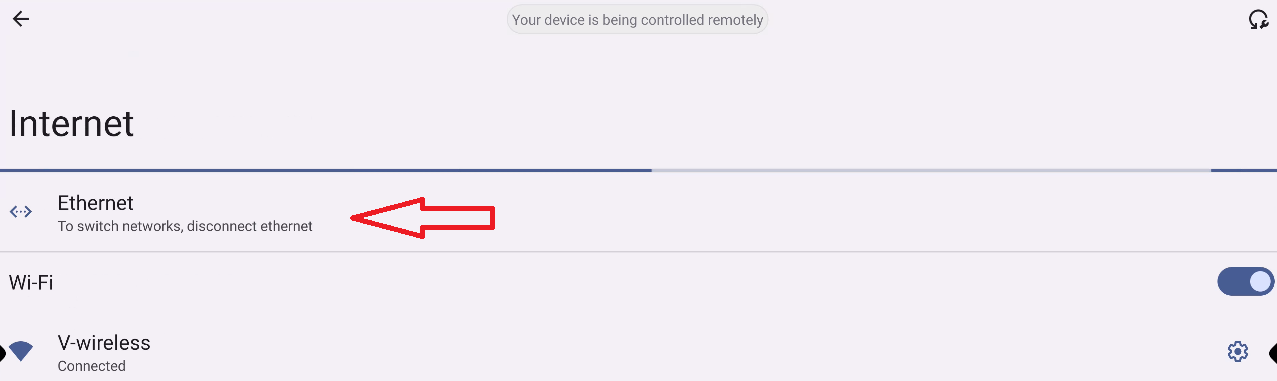
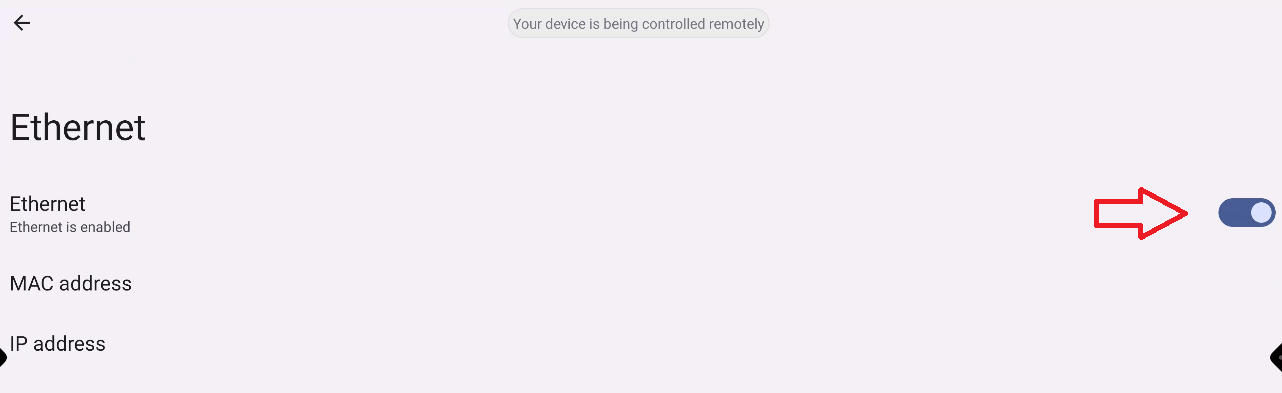
There is no option to disable the Ethernet cable for I3TOUCH X298. The only way to make sure to disable the Ethernet cable is to plug it physically out of the display.
-
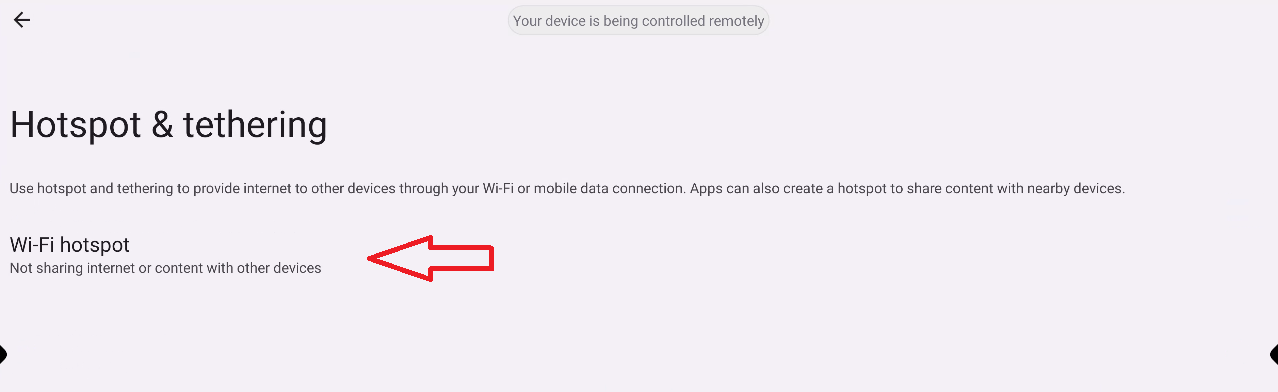
Select “Wi-Fi hotspot”
-
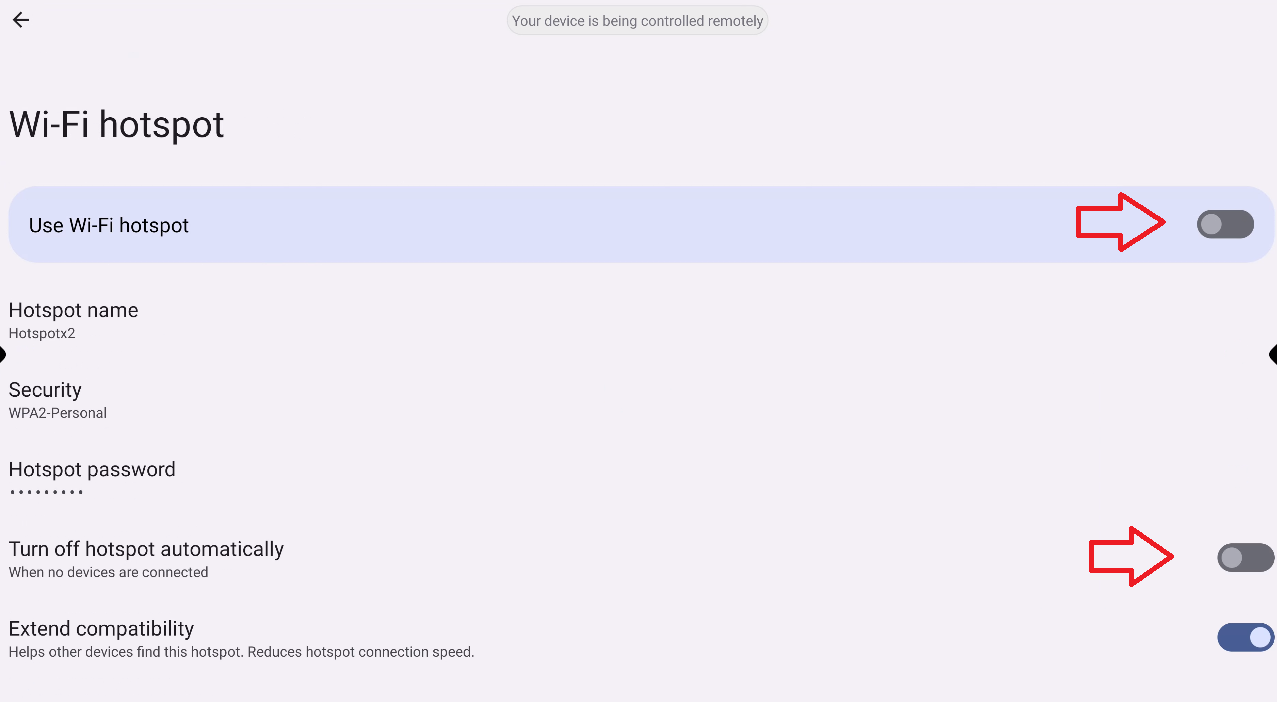
Turn on the hotspot and disable the setting “turn off hotspot automatically”
-
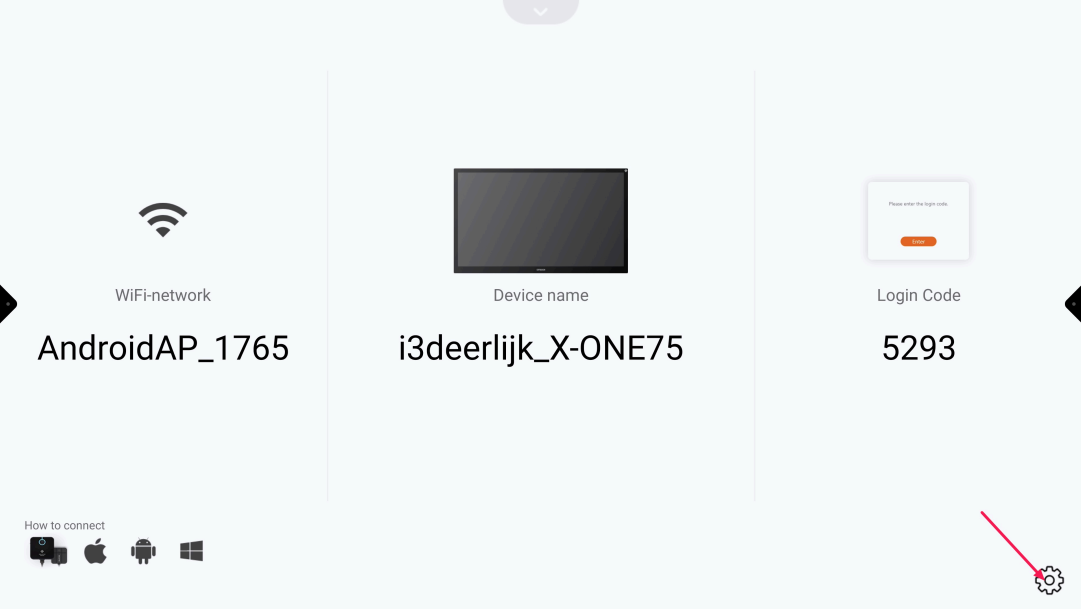
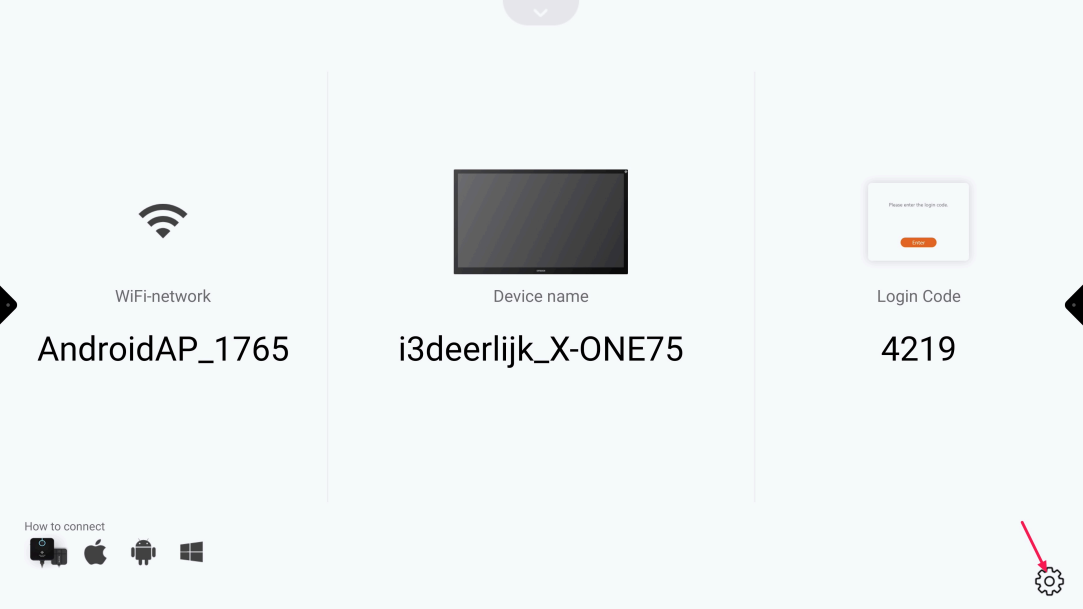
Open “Present” and select the “Settings cog-wheel”
-
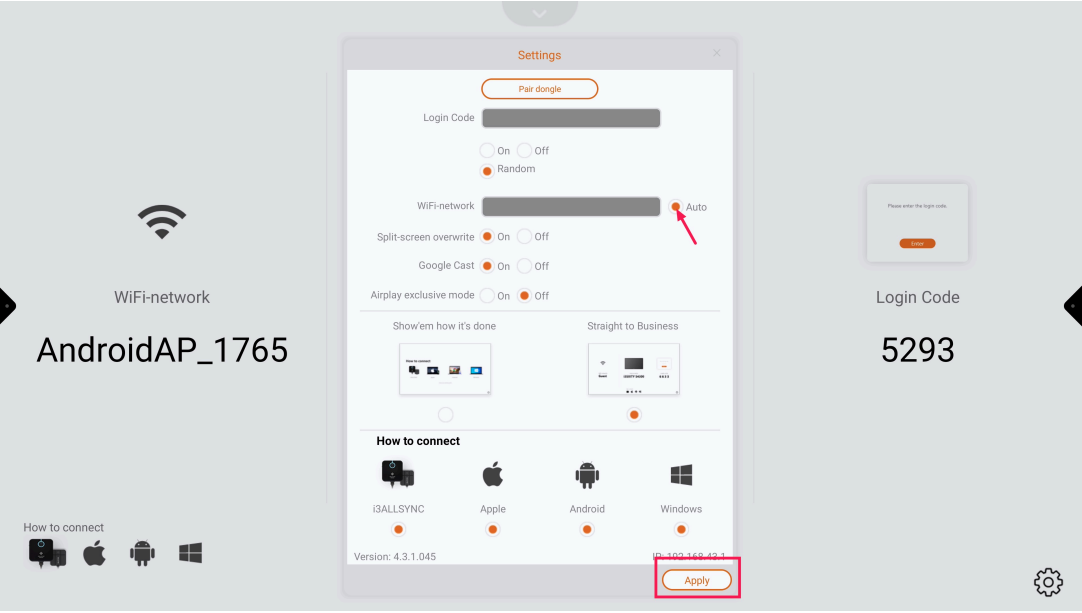
Deselect “Auto” and press “Apply”
-
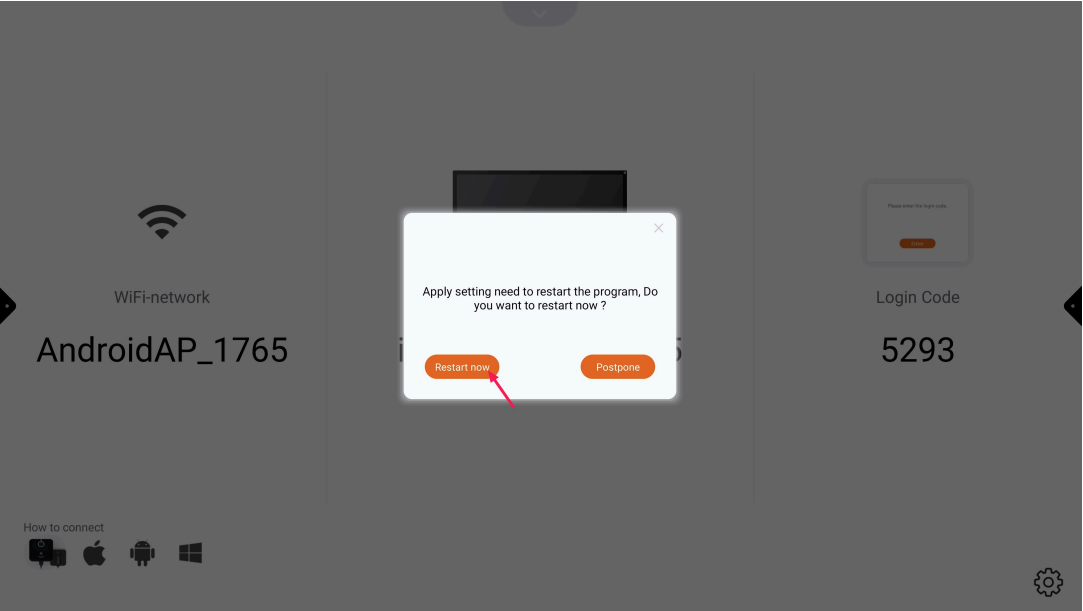
Press “Restart now” and wait until Present has restarted
-
Press the “Settings cog-wheel”
-
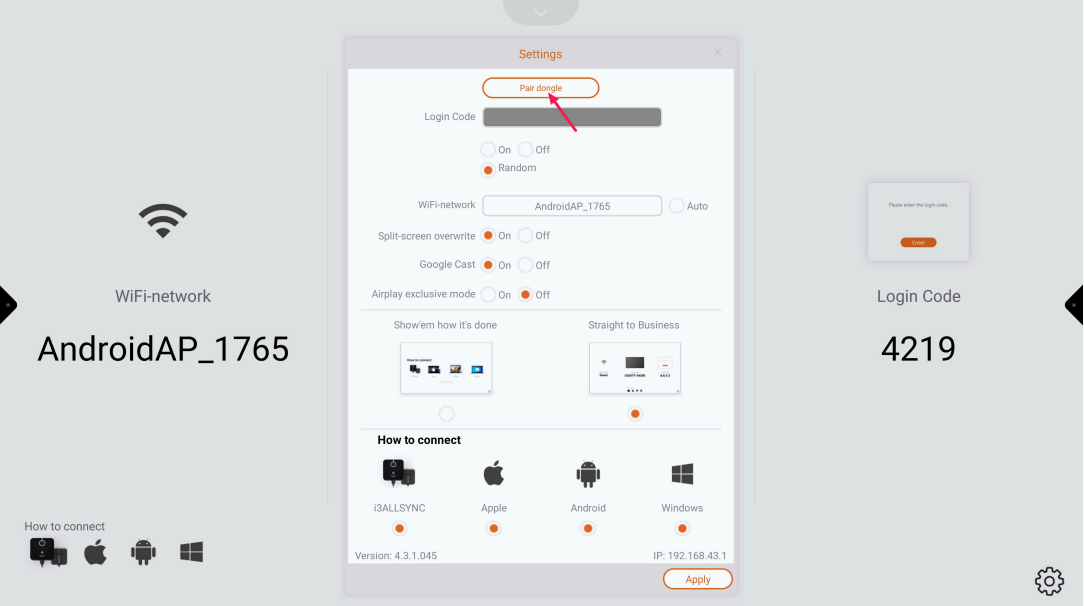
Press “Pair dongle” and follow the instructions onscreen