📘 Touch Signal Test
-
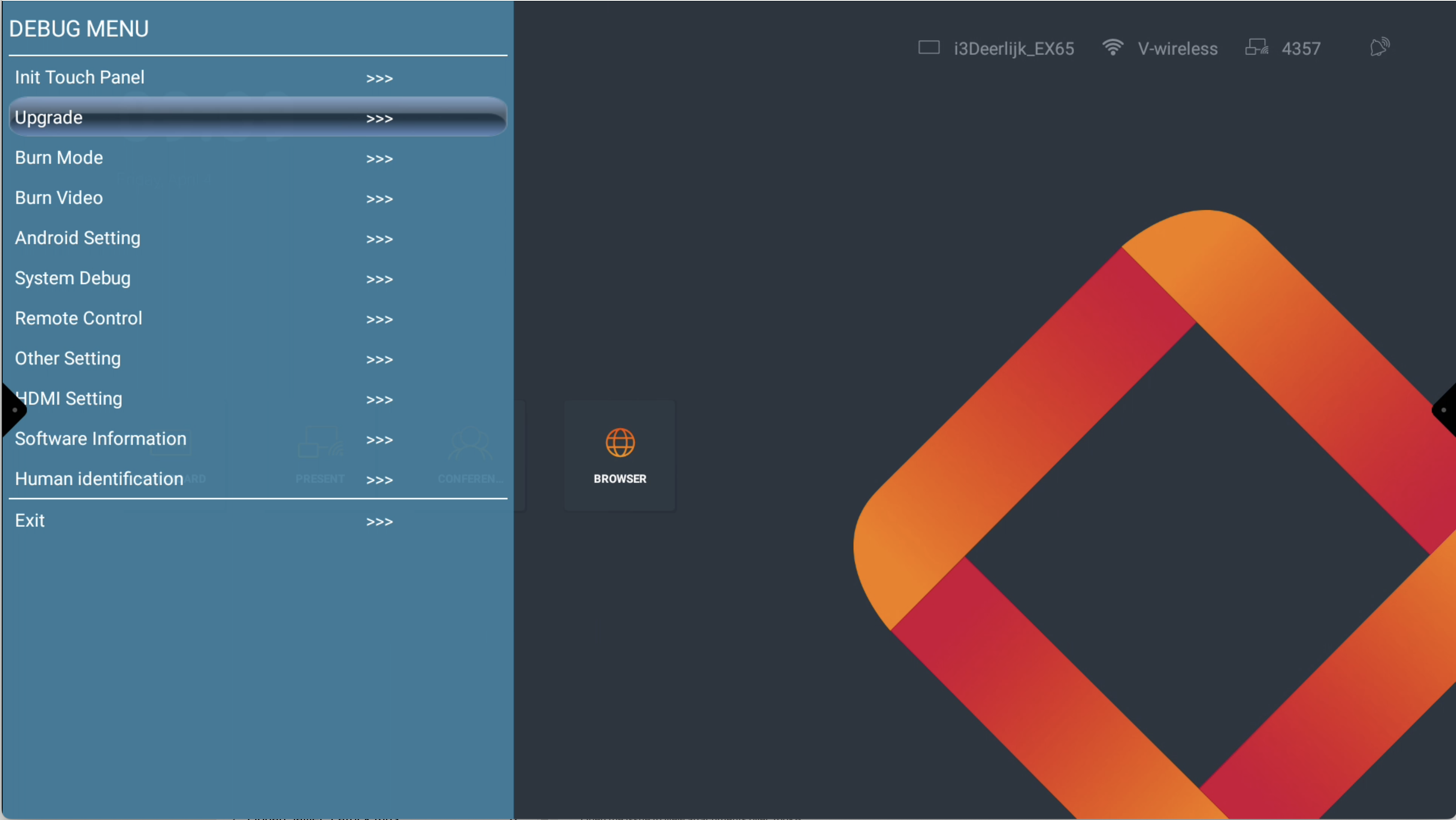
Open the Debug menu by pressing input - 1 - 3 - 7 - 9 on the remote
-
Select Upgrade
-
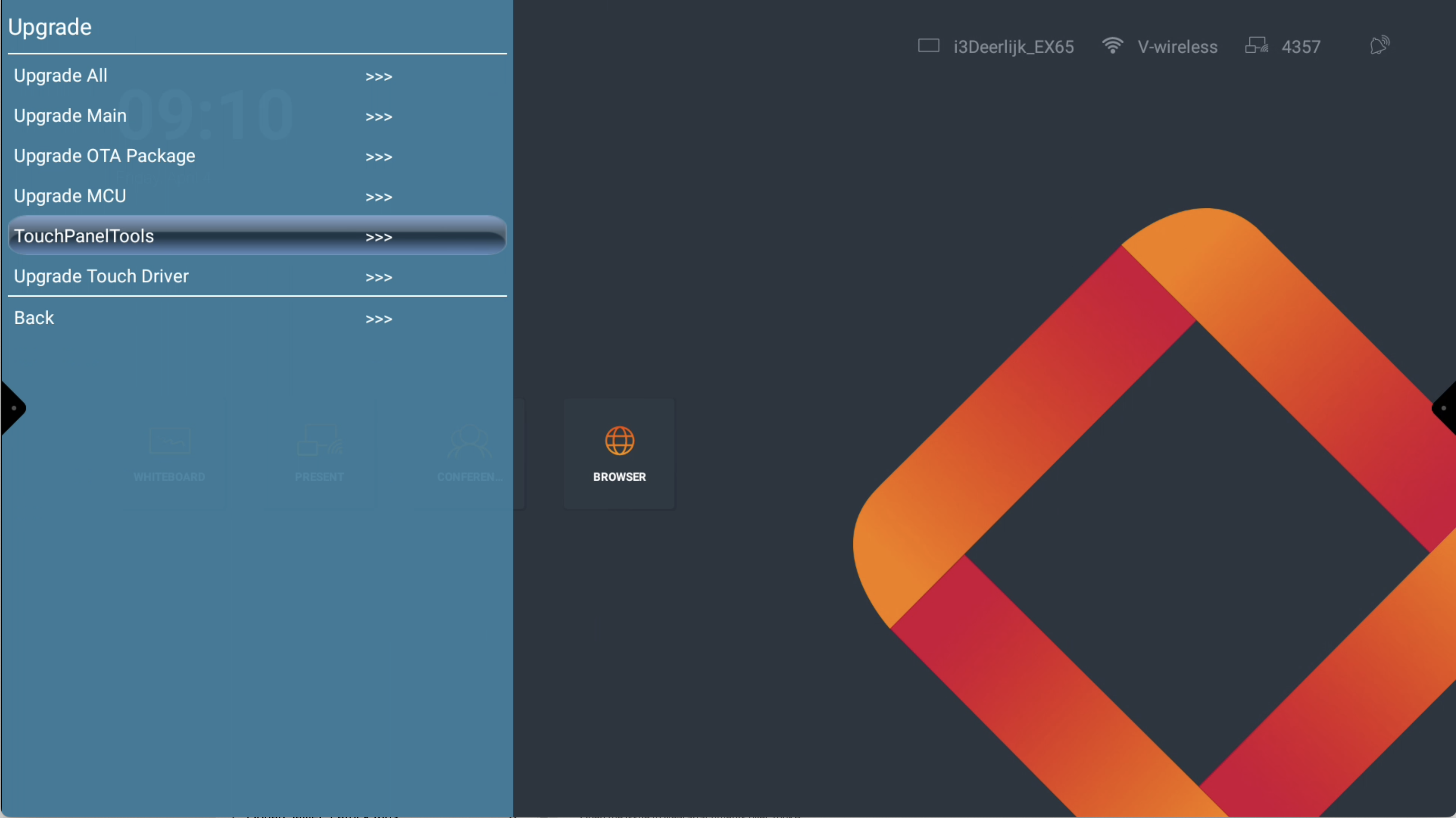
Select TouchPanelTools
-
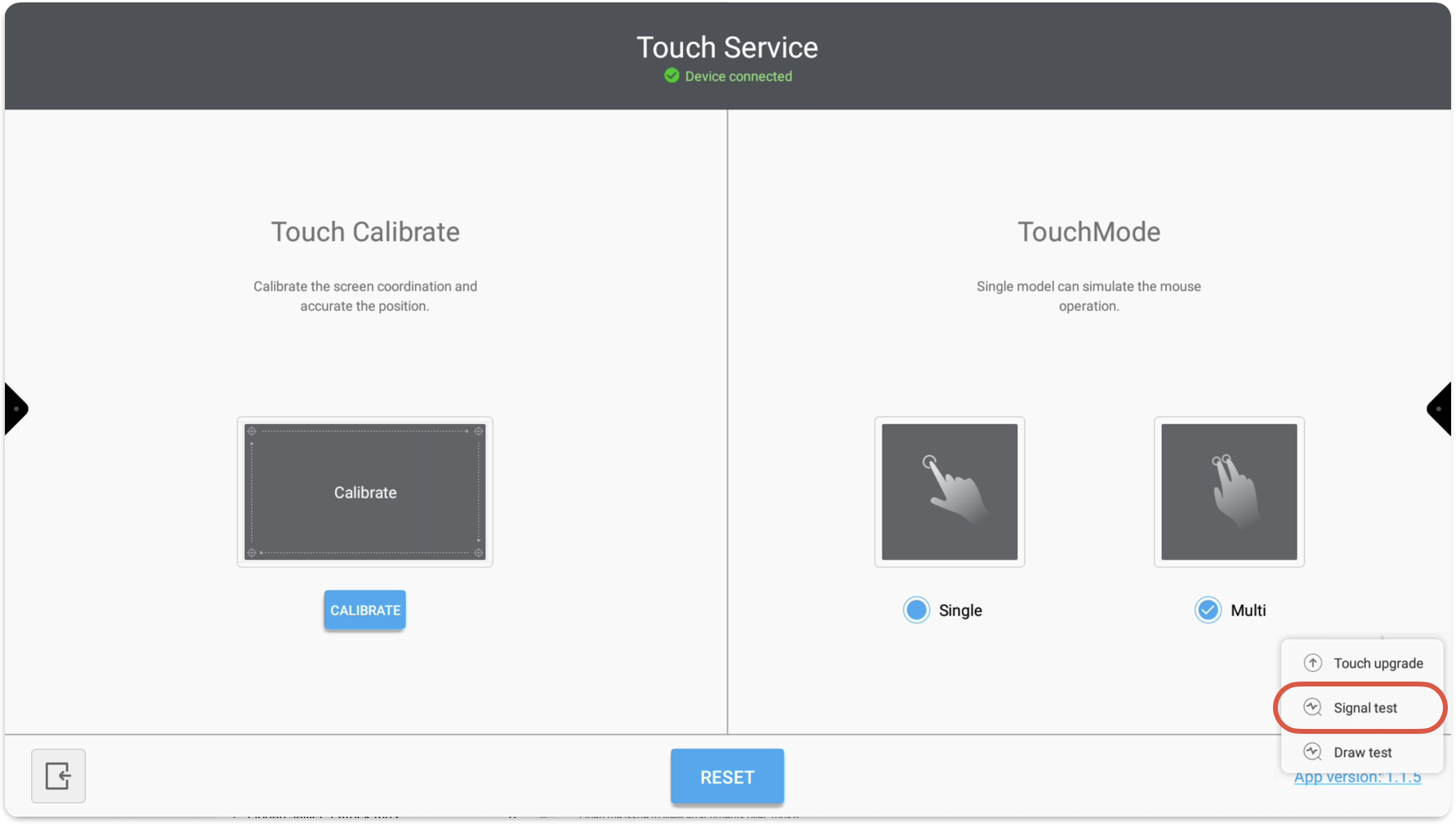
Press and hold App version: … and select Signal test
-
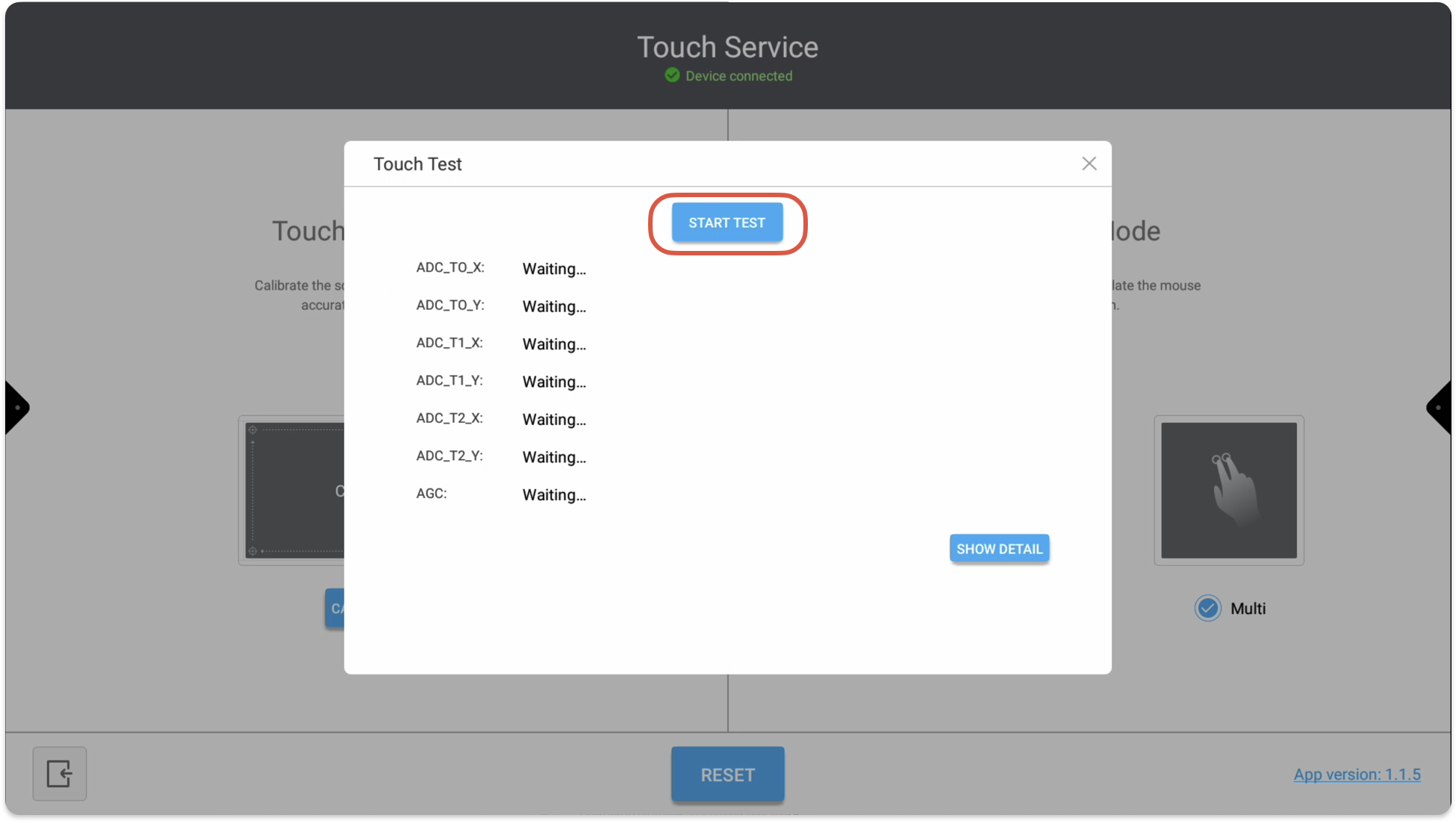
Press Start test
-
Provide us with a picture of the touch test result
Please don’t touch the EX display during this test
📘 Instructions
-
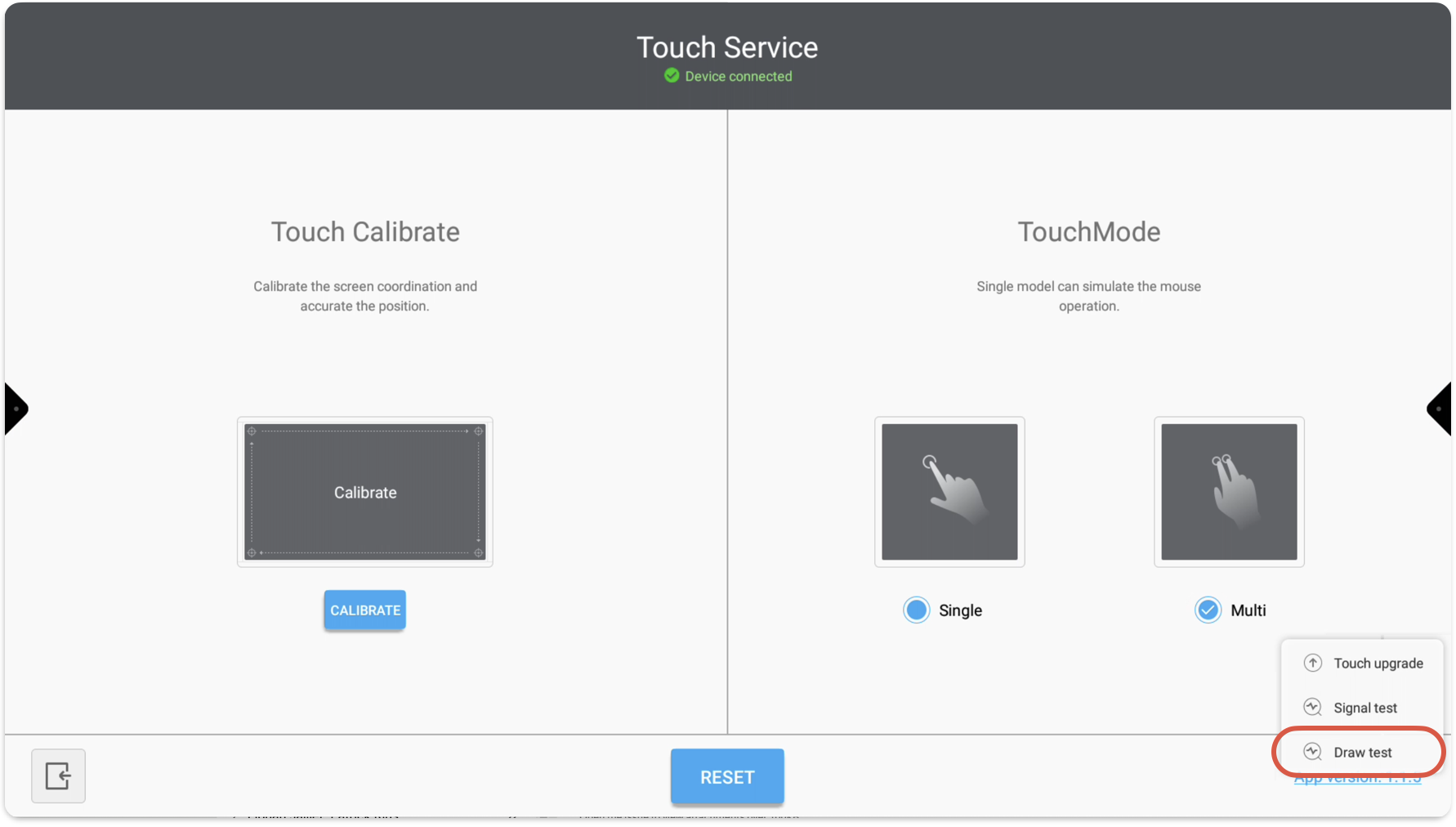
Follow the steps above, but then select Draw test
-
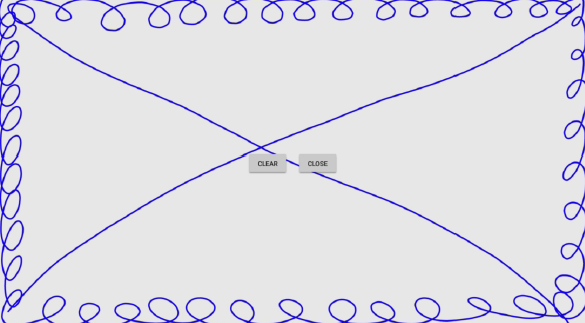
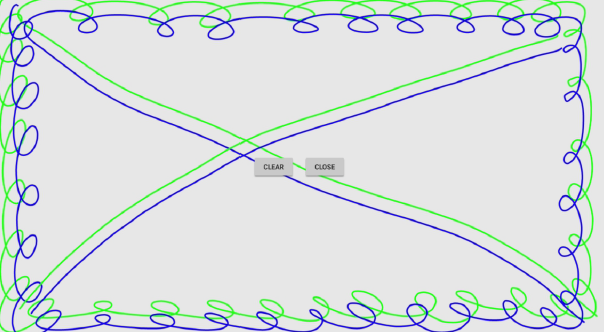
Draw lines as shown here below