These i3TOUCH displays dont support the Google PlayStore but free .APK files can still be installed. Take note that these custom .APKs are not supported by i3-Technologies unless they are found in the i3Store.
📘 Instructions
-
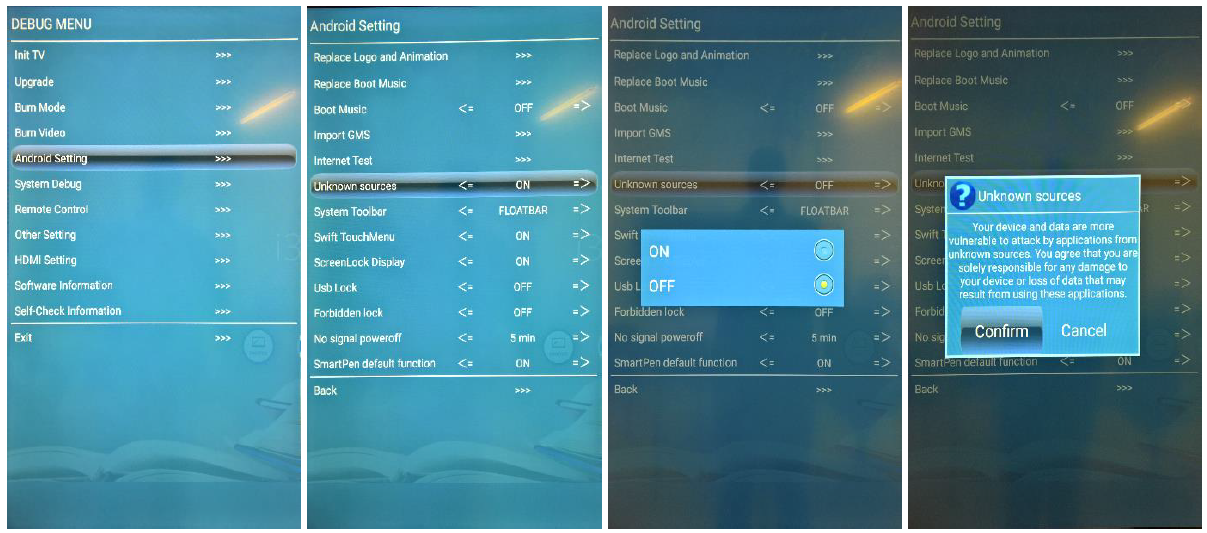
Unblock the installation protection in the service debug menu of the display.
Open the DEBUG MENU with the remote control by pressing the following key combination:
INPUT, 1, 3, 7, 9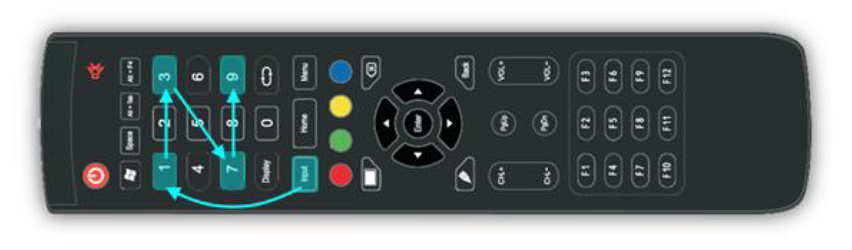
-
Select ANDROID SETTINGS > UNKNOWN SOURCES
In the service debug menu, you can find the option to disable the installation block.
Select the Android Settings. In the sub-menu, select Unknown Sources.
Turn the setting to ON to unblock the installation protection.