
This how-to will explain how to install apps from "unknown source" on a EX display
📘 Instructions
-
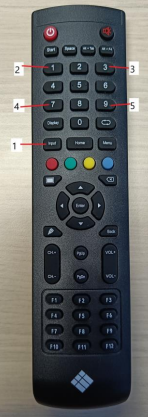
First you need to open de debug menu with the remote by pressing “input 1 3 7 9”
-
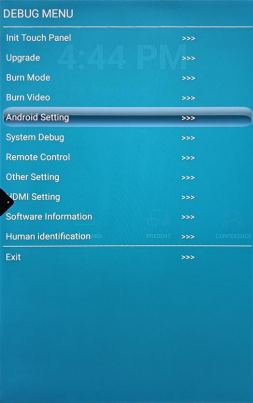
After opening the debug menu , u need to go to “Android Setting
-
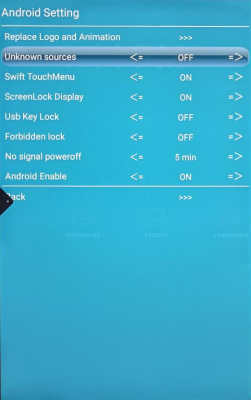
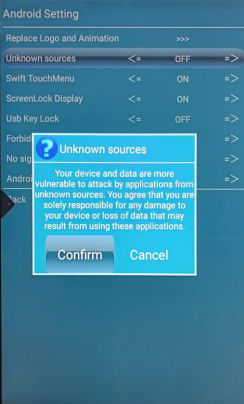
Select “Unknown sources”
-
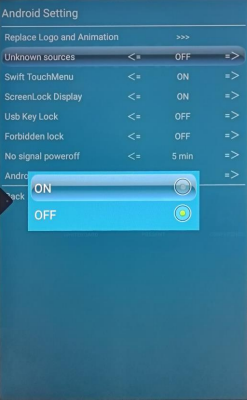
Press “On”
-
Please read the warning message carefully before clicking confirm.
-
After doing all these steps you can install apps from usb stick or finder app
It is recommended to disable this feature after installing the app.
We don’t have a google play store so the only apps you can install are apps you can download from their official website.
For more information see https://i3group.atlassian.net/servicedesk/customer/kb/view/868876347