
📘 Instructions
-
Before you disable Android on your display you must first adjust the boot order.
More information can be found here on this website
Choose the start-up option -
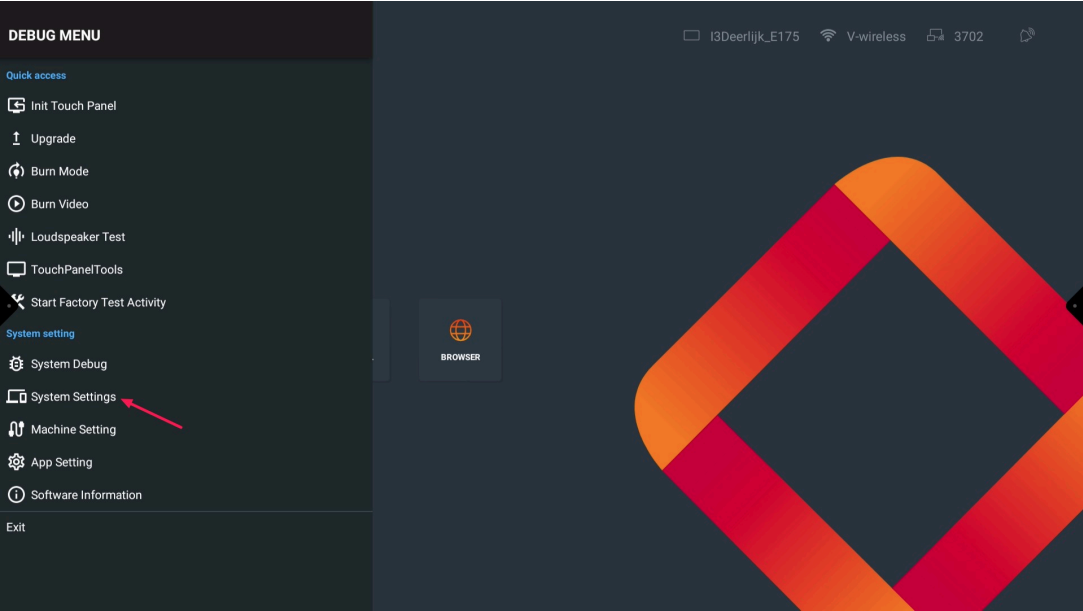
Open the Debug Menu by pressing the following on the remote "input - 1 - 3 - 7 - 9" and go to “System settings”
-
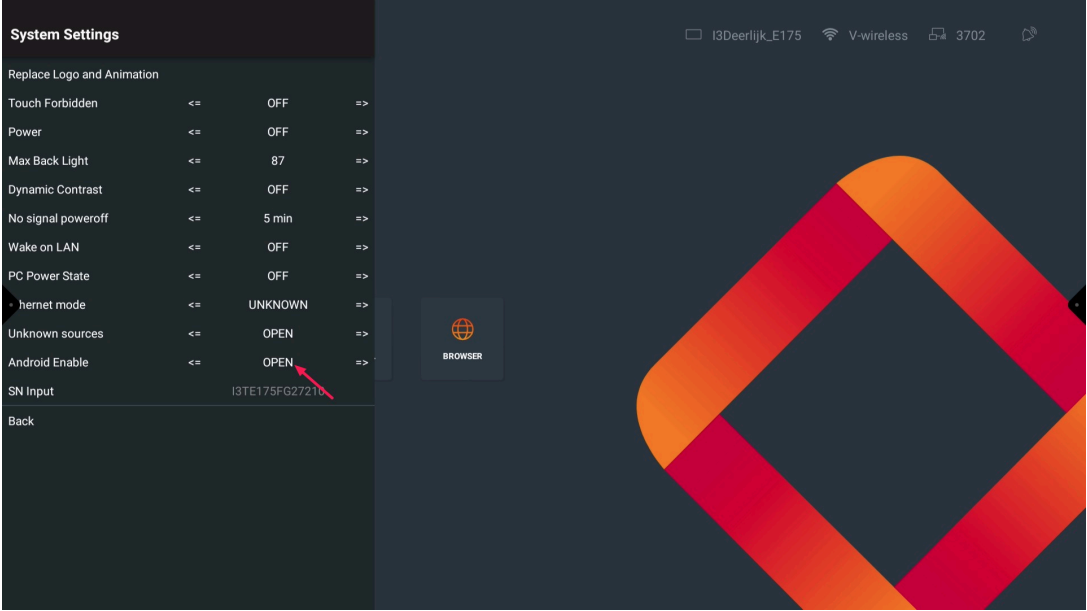
Press “Open” to change the setting to “Off” (this will disable Andoird)
-
The display will automatically restart
Please turn off or disconnect the OPS first, because the display will automatically reboot despite having an OPS connected to it
Please do not modify anything without being asked by i3-technologies.
Adjusting settings can have serious consequences for your display.