📘 Instructions
-
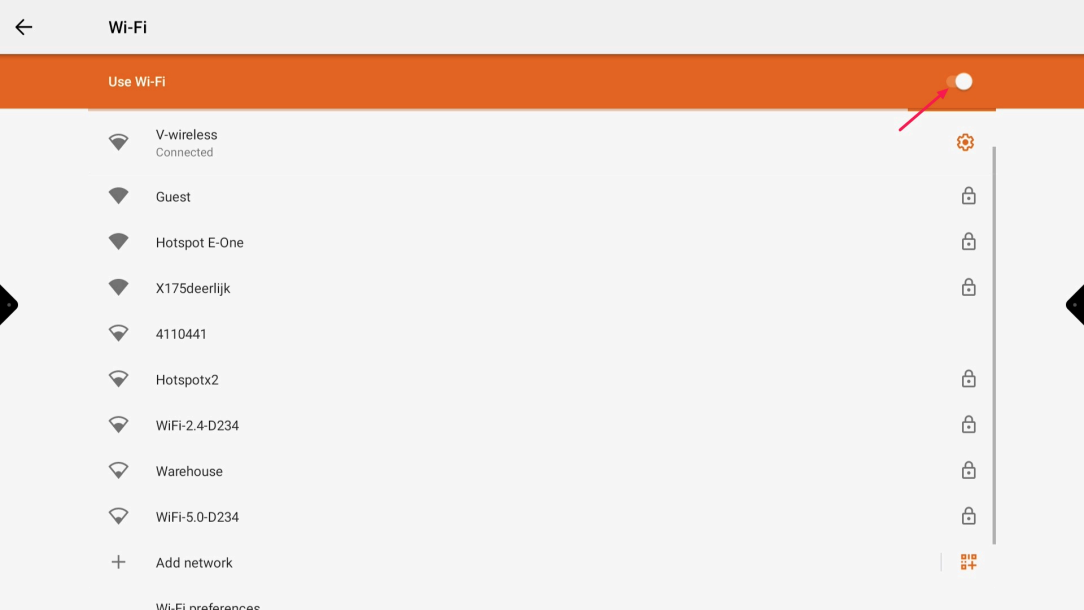
Go to the Android settings and select Wi-Fi and turn off the Wi-Fi
-
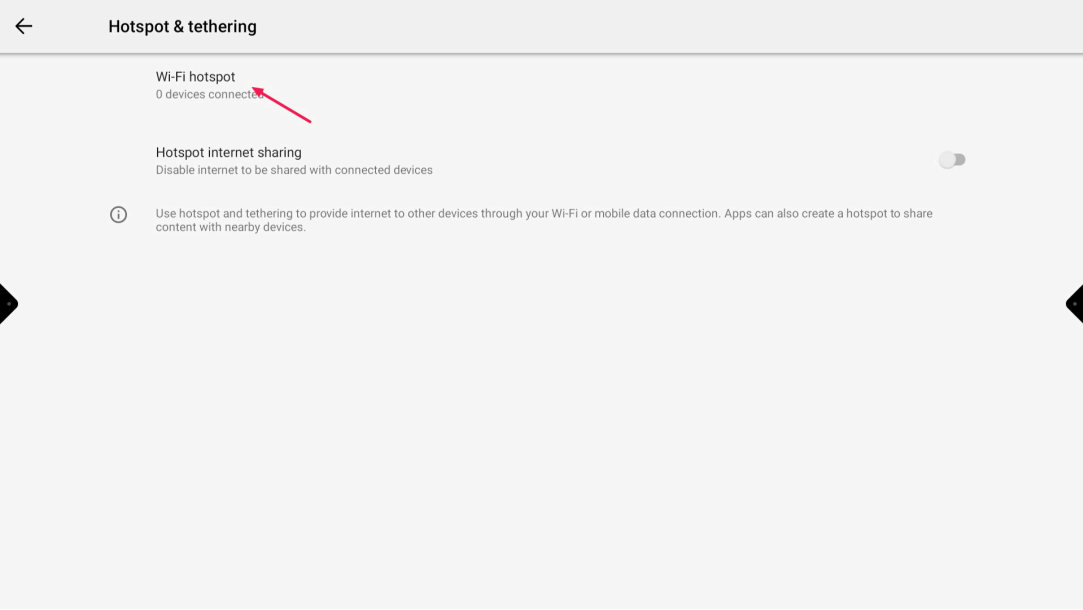
Go back to Android settings and navigate to Wireless Hotspot - Wi-Fi hotspot
-
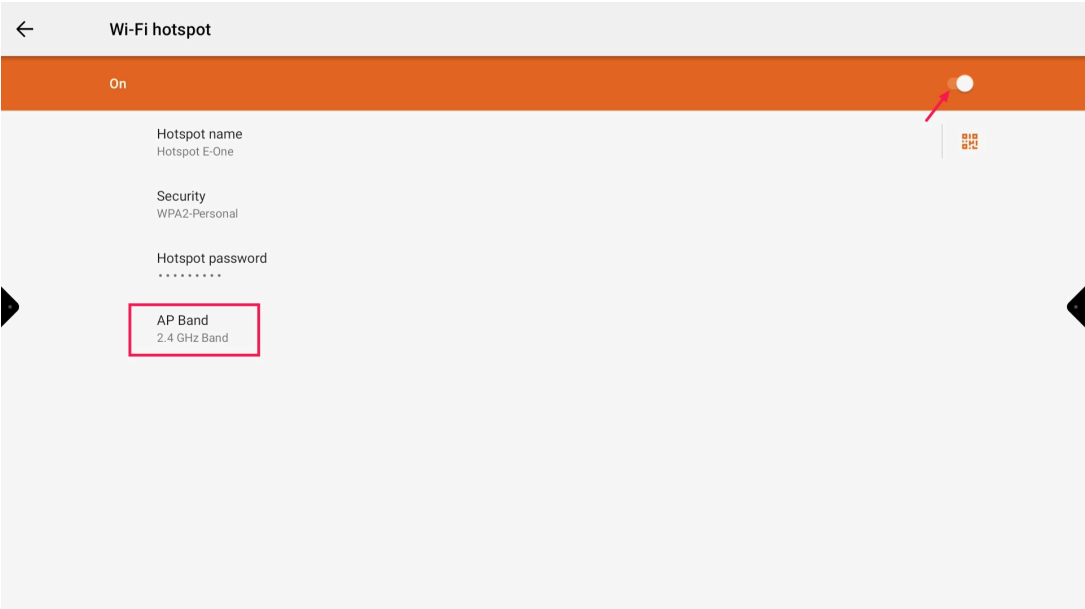
Turn on the hotspot and set the AP band to 2.4GHz or 5GHz depending on the transmitters
-
Go to “Present' and select the cogwheel
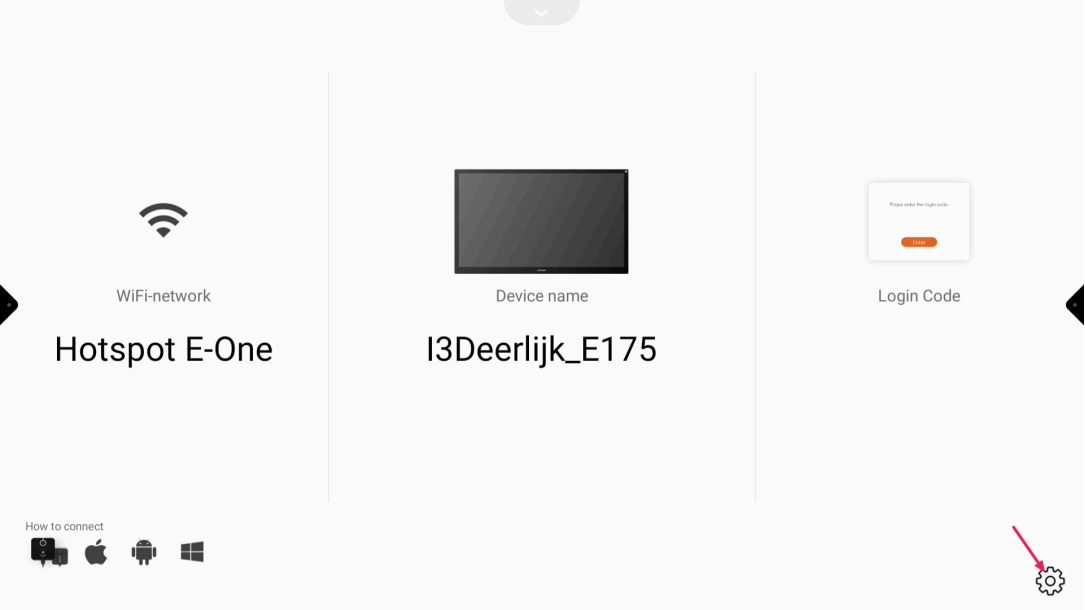
-
Turn off “auto” and press apply.
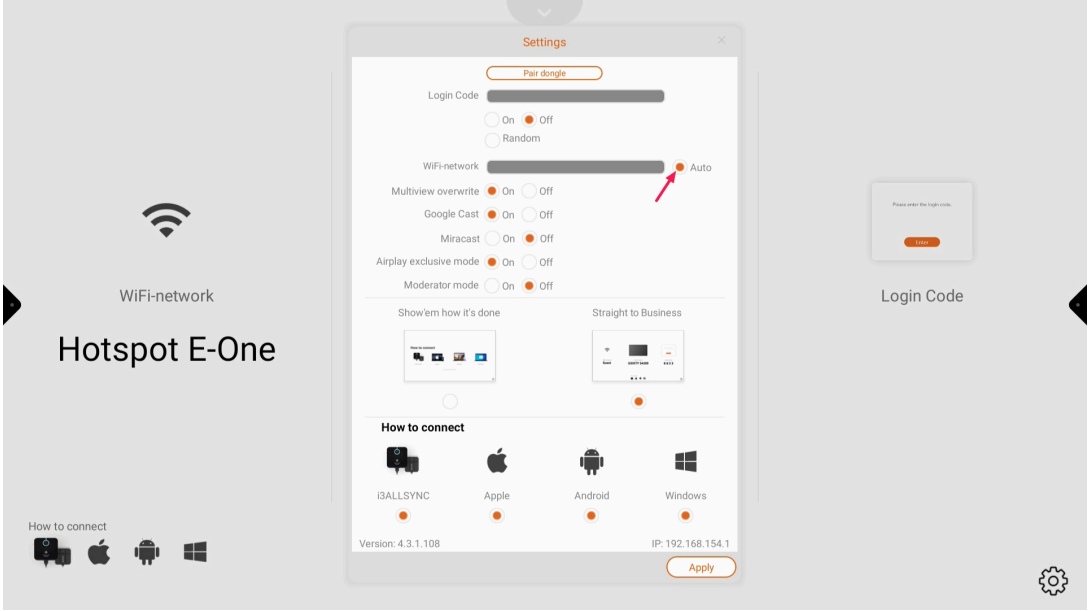
-
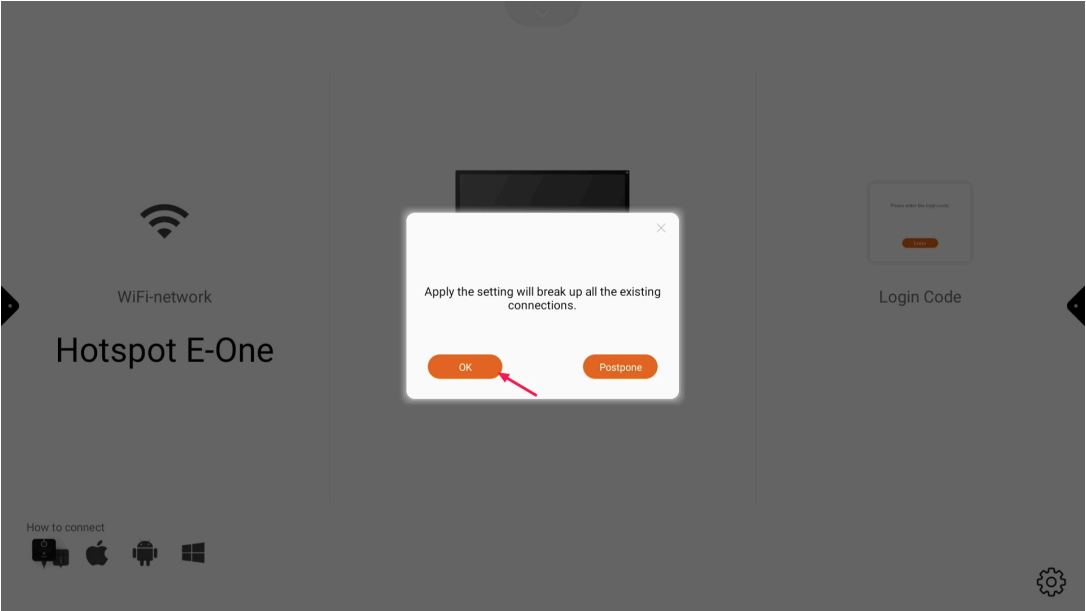
Press “OK” to confirm the change