
📘 Instructions
Tools required to test the touch of the Ultra
-
USB touch cable
-
HDMI cable
-
Remote controller
-
Laptop with Windows OS
-
Touch test tool
CLICK TO DOWNLOAD TOOL AND TOUCH FW FILE
Procedure
-
Open the Debug Menu by pressing on the remote the following combination
Input - 1 - 3 - 7 - 9 and navigate to Machine Setting and switch the Touch source switch to Out
!! Attention, no touch will be present on the display after changing the touch source switch to OUT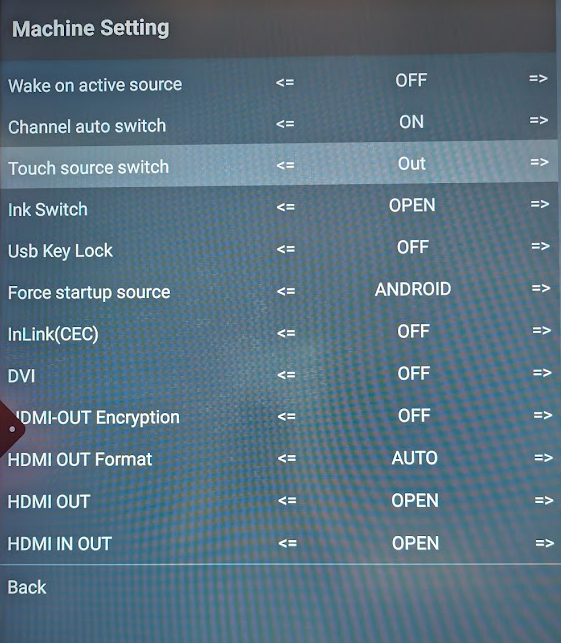
-
Connect your Laptop to the Ultra display, the USB touch cable needs to be connected to Touch 2, and the HDMI cable to HDMI 2 or HDMI 3.
-
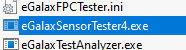
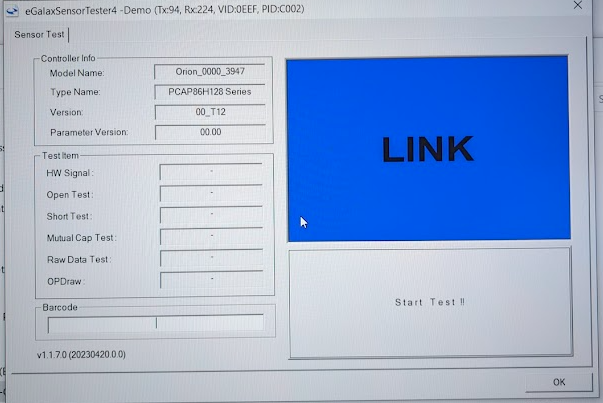
Download the touch test tool, open eGalaxSensorTester4.exe, and press Start test !!
!! Attention, please don’t touch the screen until the test is finished
-
When the test is finished, please change the Touch source switch back to Android with the arrows of the remote to activate Touch on your display.
Please forward a picture of the touch results to i3Technologies service department