
📘 Instructions
-
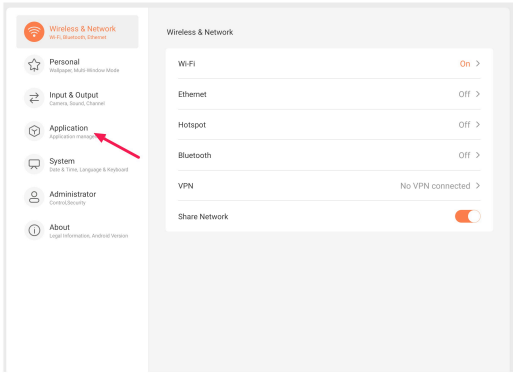
Open Android settings and search for “Application”
-
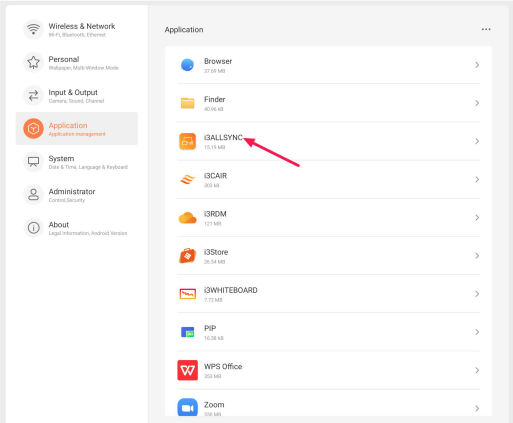
Search for the app you require to clear the cache and data
-
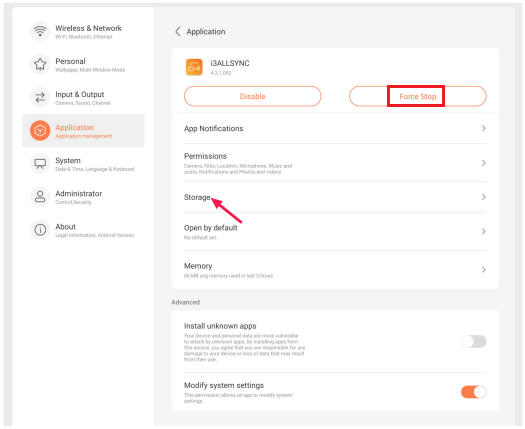
Press Force Stop and then select Storage
-
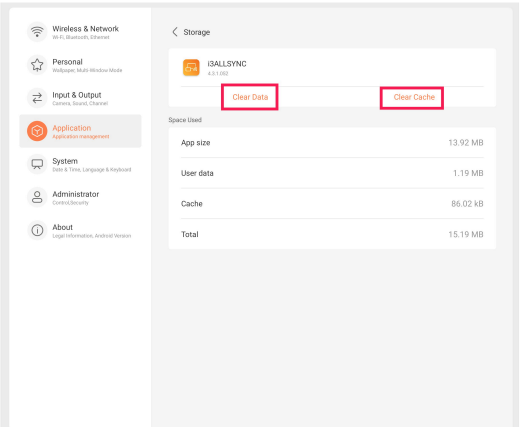
Press clear cache and the clear data
-
Exit settings and open the app you were working with.
When the app you are searching for isnt in the list, click on the 3 dots in the right upper corner and choose ‘show system’. Example of a system app; i3STUDIO
If necessary, you can also watch a video on how to clear the cache and data