Your image from the camera may be rotated by 90° if your USB-C Camera ports are not calibrated correctly and therefore they need to be recalibrated.
This manual explains how to do this.
However, for the recalibration, you need a USB-C stick or an adapter from USB-A to USB-C.
📘 Instructions
-
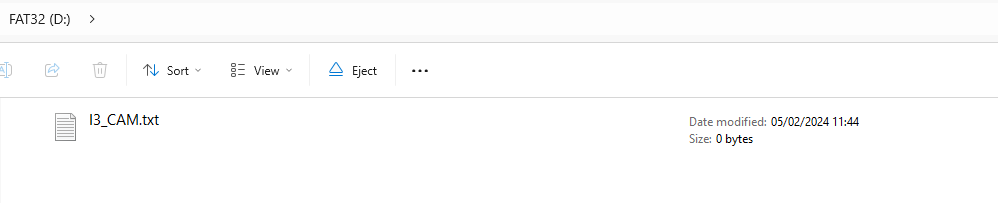
Open “Notepad” and create an empty file with the name “I3_CAM.txt”.
-
Copy the file I3_CAM.txt to the root folder of the USB flash drive
-
Turn the i3Sixty 2 in landscape mode (horizontal) and place the USB stick in the top USB-C port
-
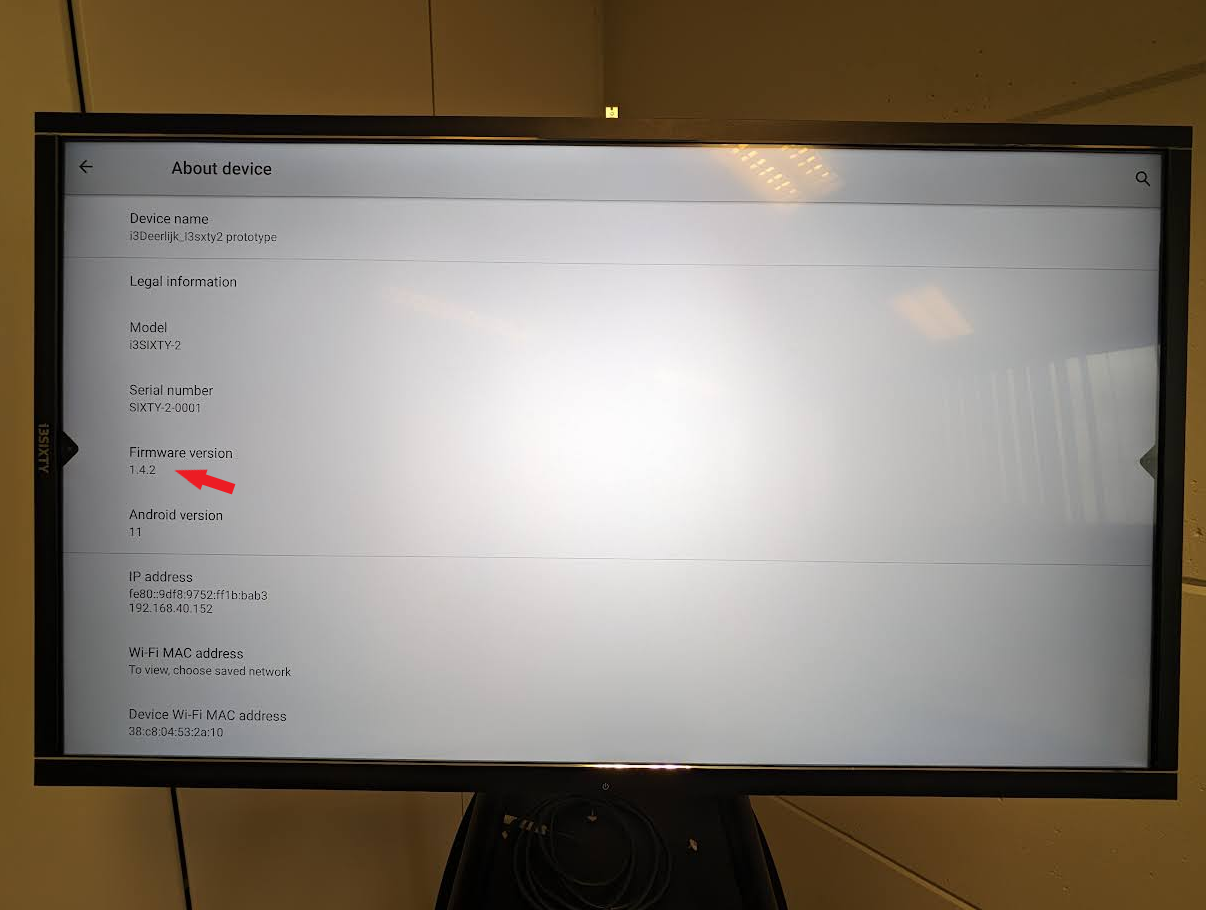
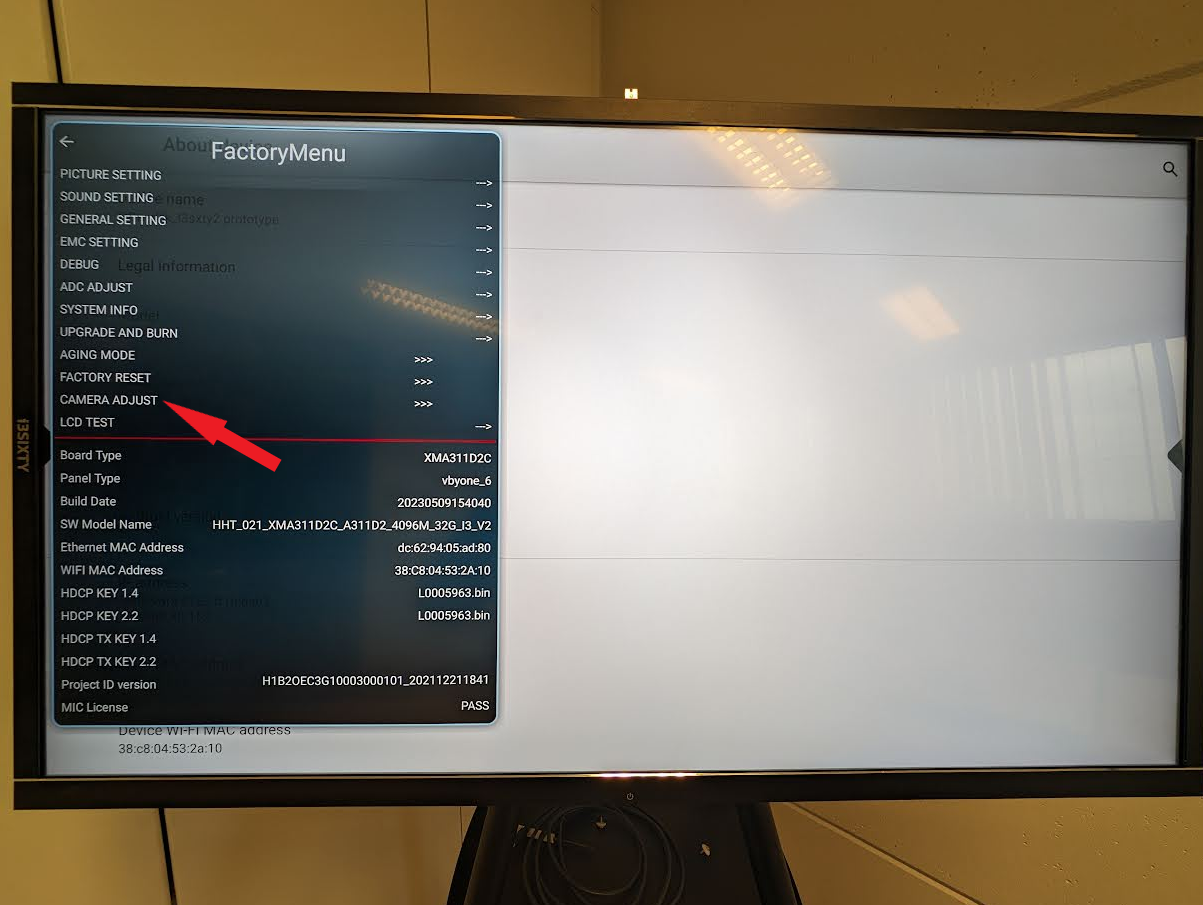
Open the “Factory menu” and select “Camera adjust” (tap 10 times on the firmware version to open the factory menu (Android settings - about device ))
-
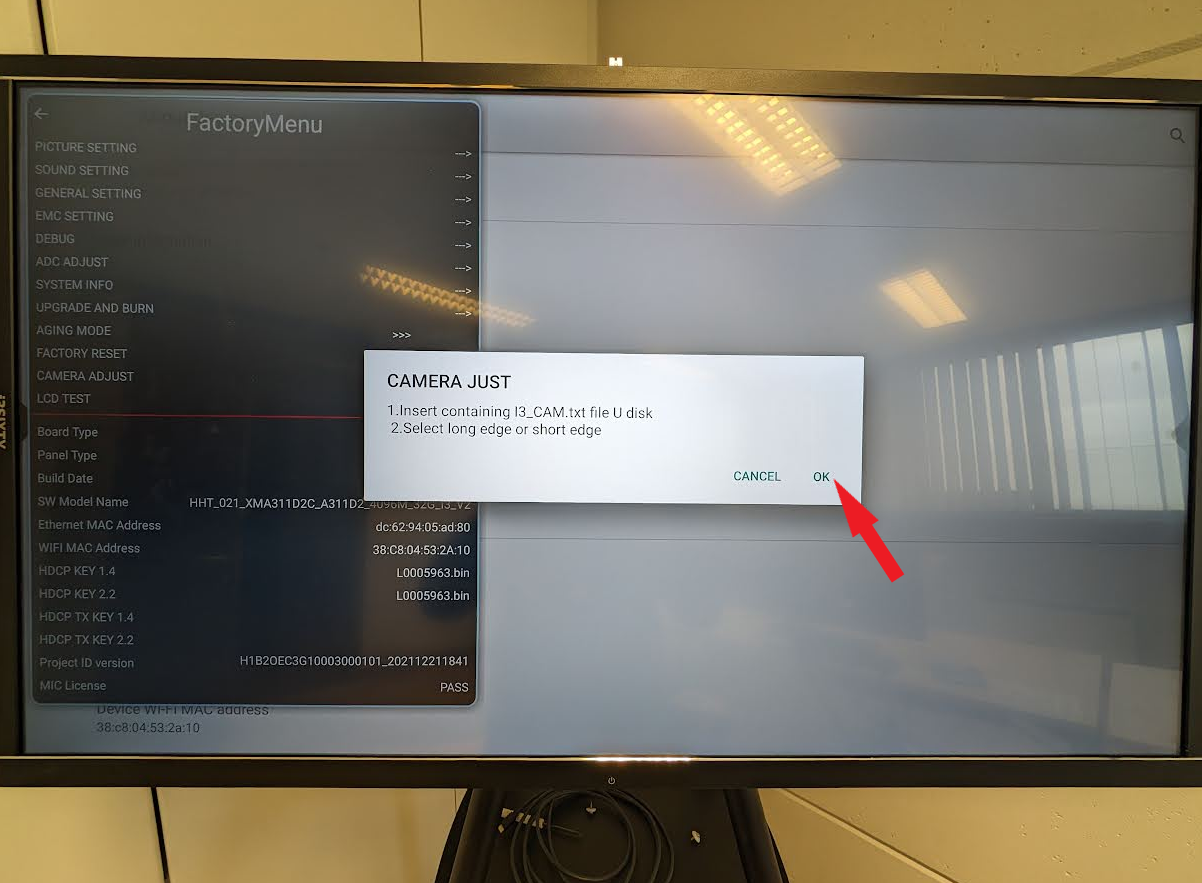
Tap “OK” on the pop-up menu
-
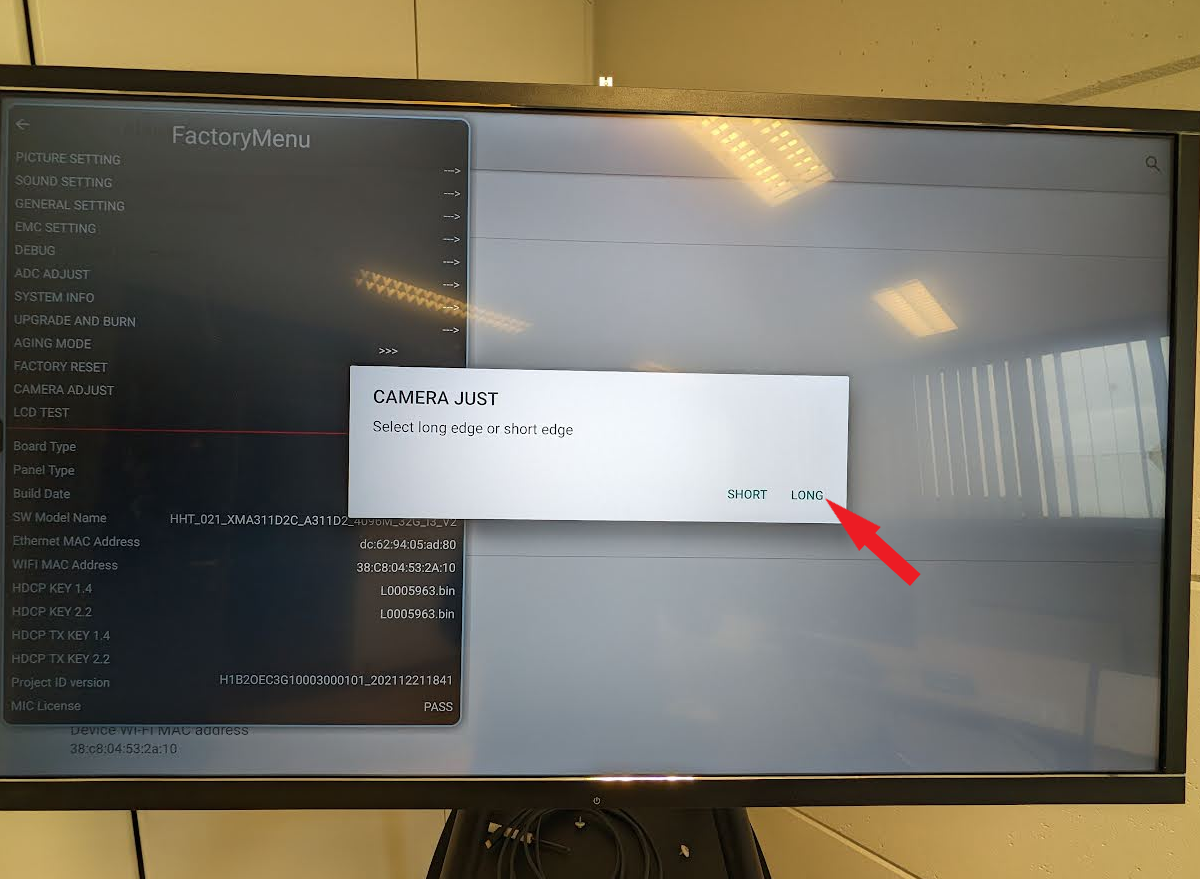
Select “Long”
-
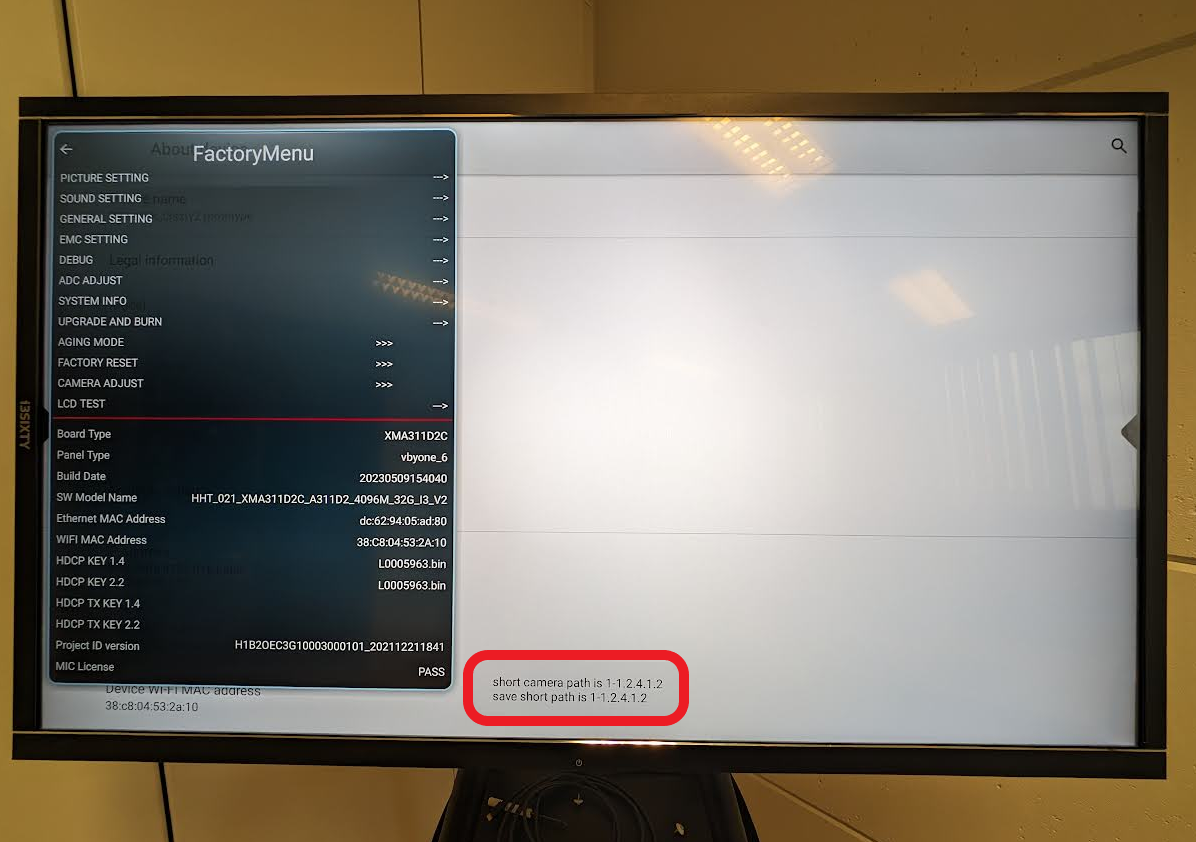
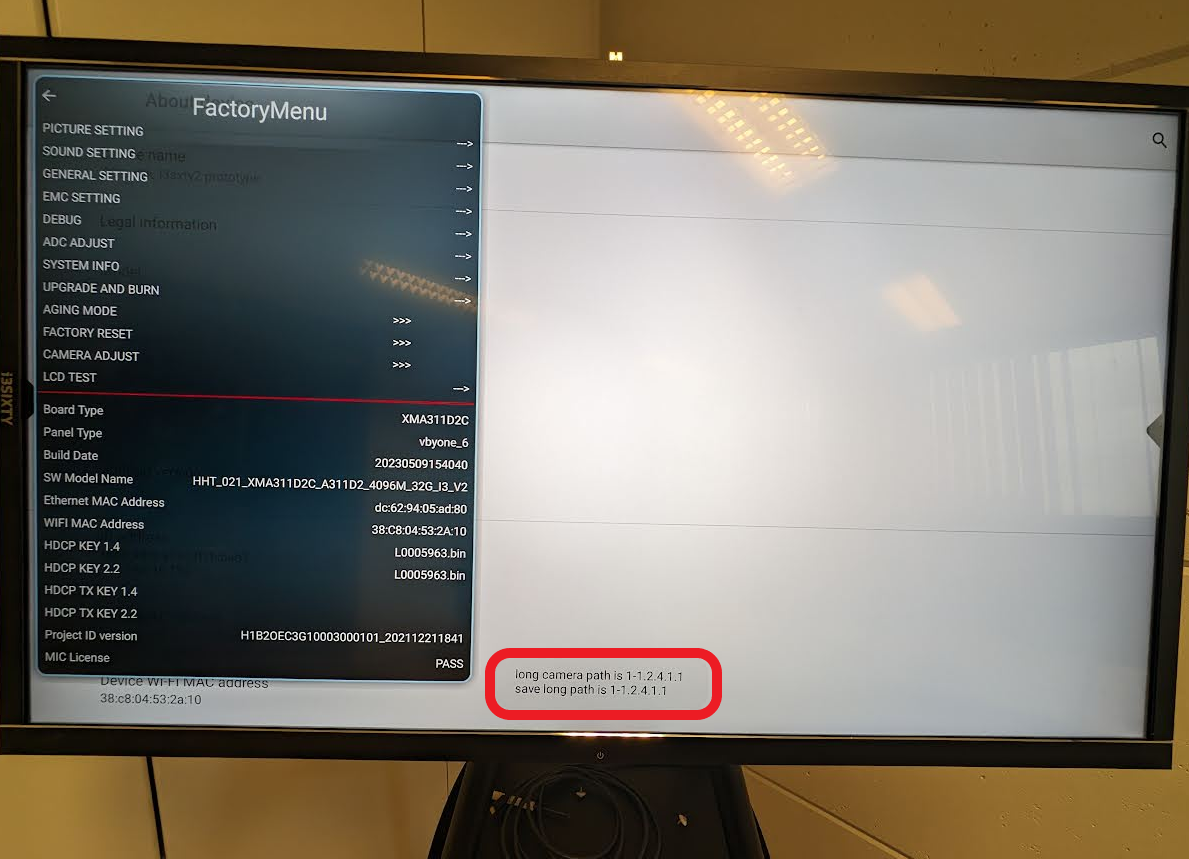
At the bottom of the screen, there will appear a message and if the “long camera path” is the same as “save long path”, your landscape USB-C port is correctly calibrated
-
Once the calibration is done from the landscape USB port (long side) you can insert the USB flash drive into the “Portrait” USB port (short side)
-
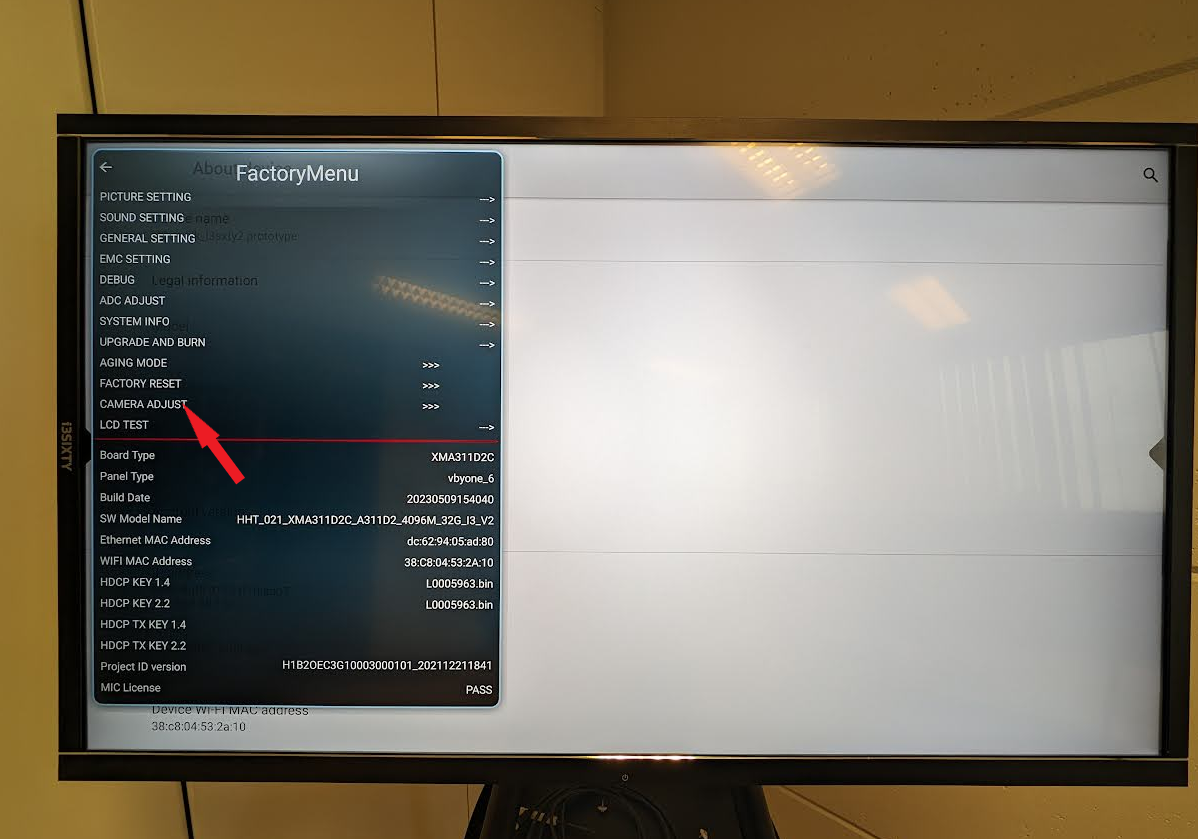
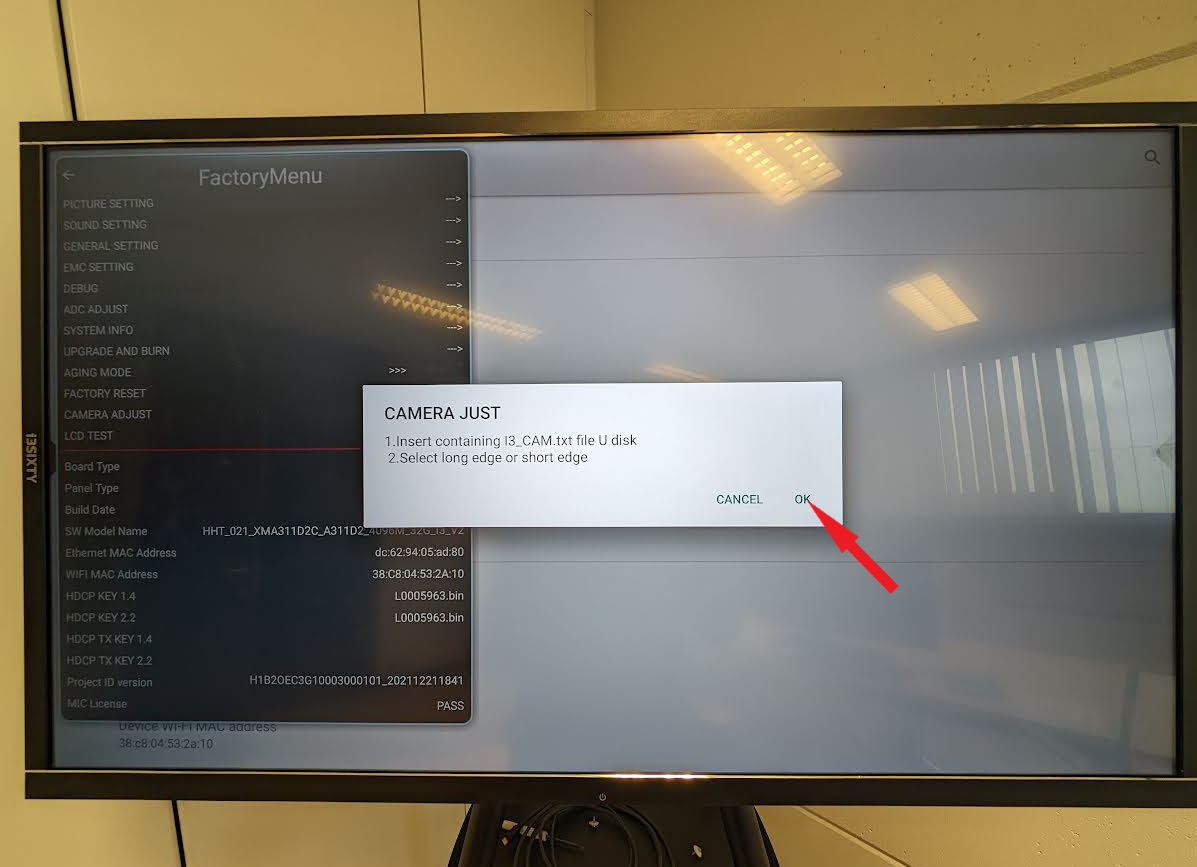
Once connected, select “Camera Adjust”
-
Tap “OK” on the pop-up menu
-
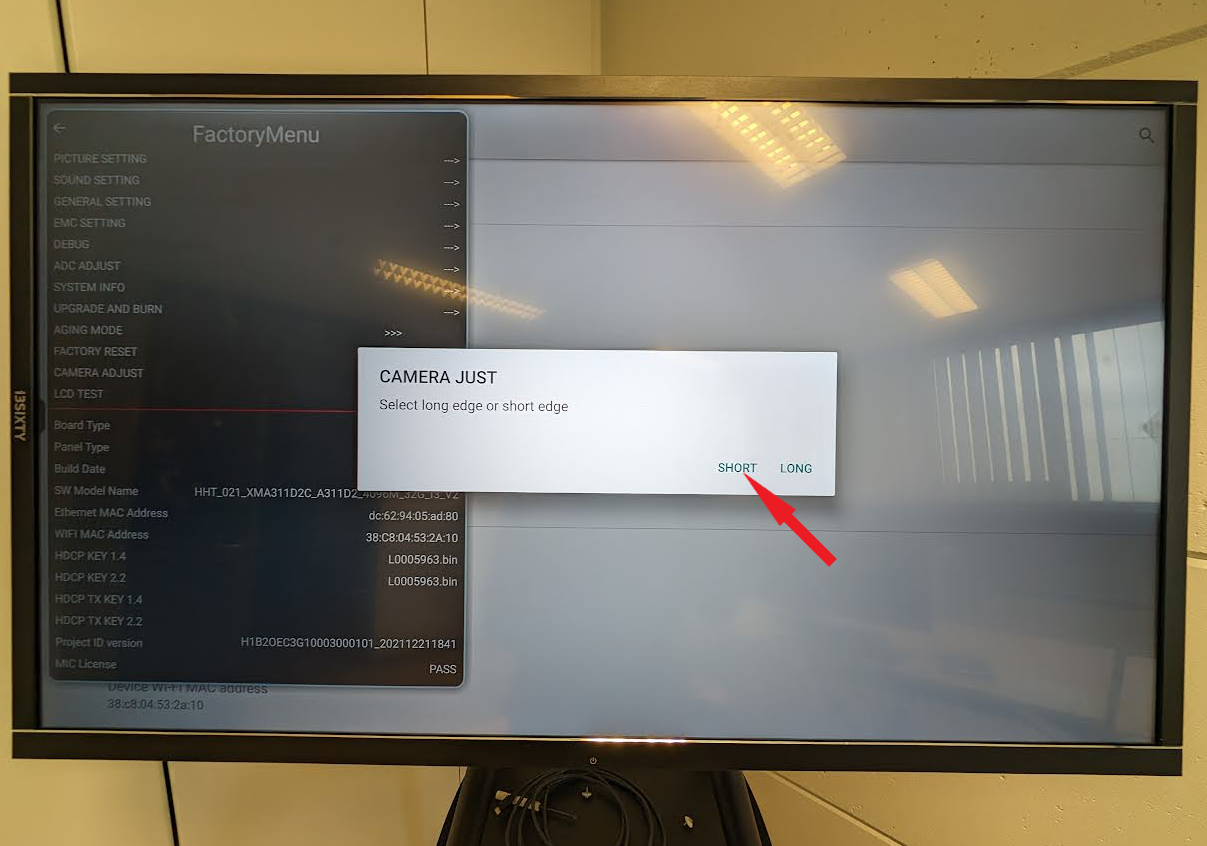
Select “Short”
-
At the bottom of the screen, there will appear a message and if the “short camera path” is the same as “save short path”, your landscape USB-C port is correctly calibrated