📘 Instructions
-
Connect the i3SIXTY Camera into the i3SIXTY Display as normal (either camera-slot)
-
Connect a Windows PC to the i3SIXTY via USB-C, or via HDMI+USB
-
Open Windows' Device Manager to monitor the status of the upgrade. (When finished, the camera should appear as “4K Camera”)
-
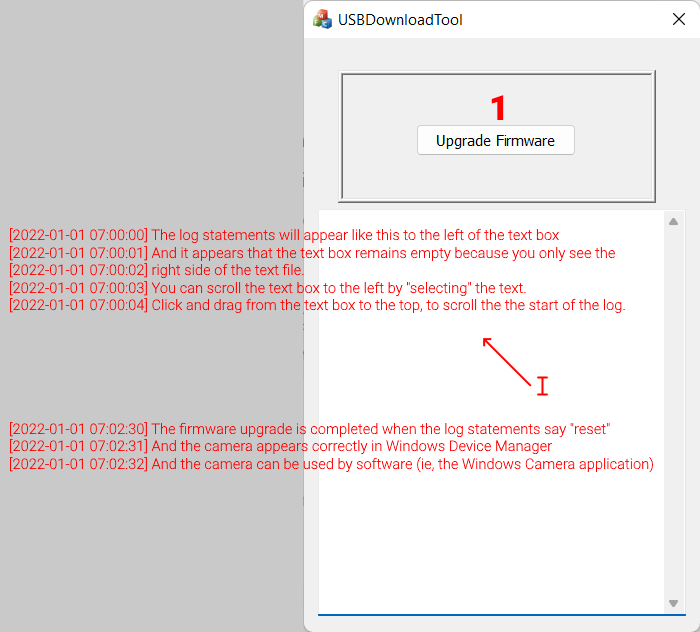
Launch the USBDownloadTool.exe
-
Press Upgrade Firmware
Note that the UI of the USBDownloadTool is slight wonky in Windows 11. The log text does not appear in the box correctly. You can select-scroll to the left in the text box to follow the log statements.