
🌱 Instructions
Tools:
USB disk 2.0 (SanDisk, Format FAT32)*1PCS.
Procedure
STEP1: Prepare an USB flash drive 2.0 (FAT32 format). To copy the firmware to the USB flash
drive (root folder). You can insert it into the machine first to see if the USB flash drive can be
recognized.
Make sure that there are no other files and folders on the USB stick besides the files you explained above.
STEP2: Power off the machine and insert the USB flash drive.
STEP3: Press and hold the power button of the IFP. Then flip the power switch ON (at the back of the IFP). keep holding the power button until the machine shows an image. Then release the power button.
STEP4: At this time, there is no need to do any operation. Check whether the following
interface appears on the machine.
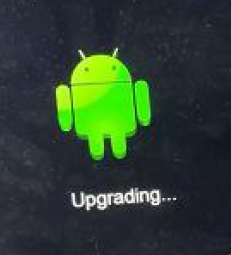
STEP5: After the interface appears for a few seconds, it will restart again and enter the following interface. After the progress bar is over, it will automatically restart and finish the upgrade.
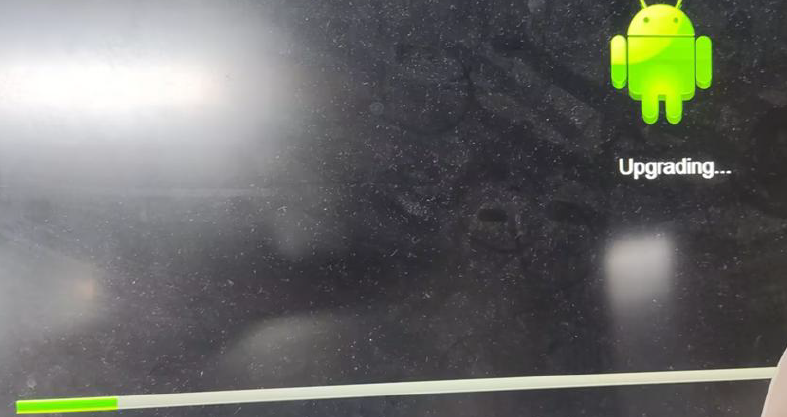
The display will upgrade first. When finished, the display will reboot and upgrade MCU automatically. It will take +- 5 minutes to complete the upgrade procedure.
Do not interrupt the firmware upgrade process in any way:
-
Do not touch the i3TOUCH display (due to potential touch recalibration)
-
Do not disconnect the i3TOUCH from power.
-
Do not pull out the USB drive
📁 Files
Choose the correct size of you display. Find out reading the serialnumber. For example i3TX375XXXXXXX is 75 inch.