
🤔 Problem
I need to manually upgrade the firmware on my i3SIXTY3 camera.
🌱 Solution
-
Download the file below and extract the folder to your local Windows 10/11 computer.
update.zip -
Make sure that the camera is connected to your Windows computer.
You cannot simply connect the usb-c camera into any usb-c slot. There are 2 "fixation points" on the i3SIXTY3 camera which block the connection to a normal usb-c port on a laptop. Use an usb-c male to usb-c female cable as extender.
-
Open the file “USBDownloadTool V2.4.exe”.
-
You see a similar window like below. The camera version should be a lower number sequence.
Click “Upgrade Firmware” to start the upgrade procedure. This procedure takes about 1 minute.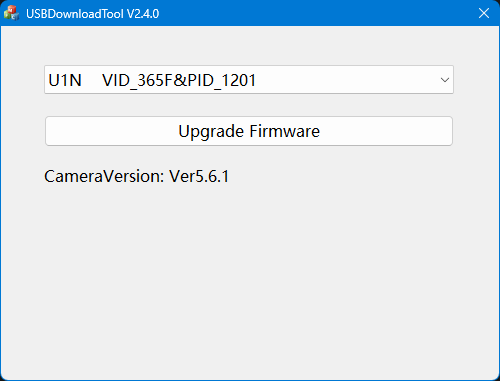
-
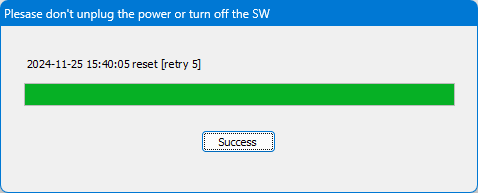
Wait until you see the window below.
-
Now you can press on “Success” to close the procedure. Your camera should now be on firmware version 5.6.1.
-
Close all remaining windows regarding this upgrade procedure and disconnect the camera.