
📘 Instructions
-
Connect your PC to the i3Sixty 3 via USB-C or HDMI+USB touch
-
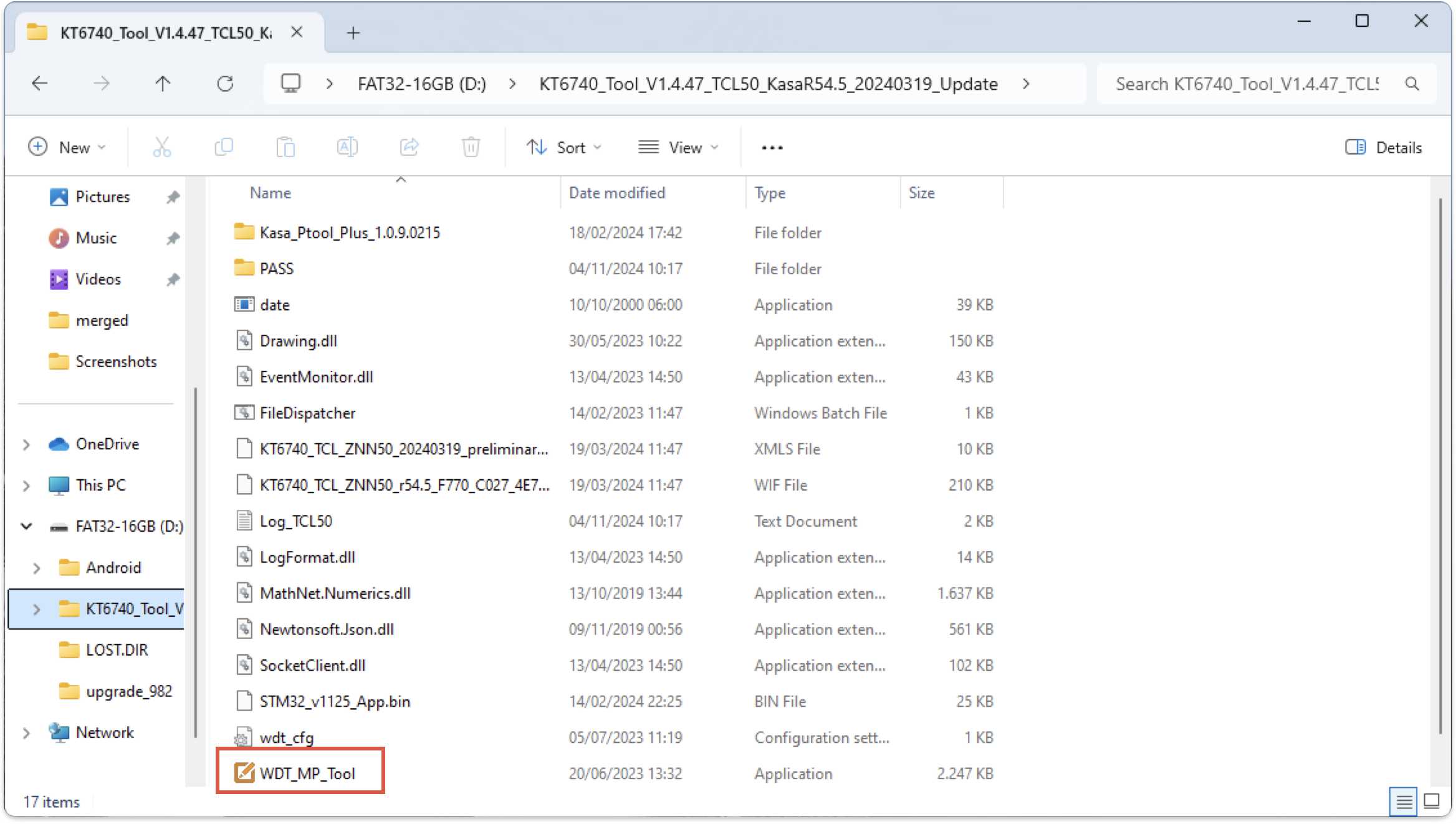
Download the program “KT6740_Tool_V1.4.47_TCL50_KasaR54.5_20240319_Update“ and open “WDT_MP_Tool.exe” (Touch test tool can be found at the bottom of the page)
-
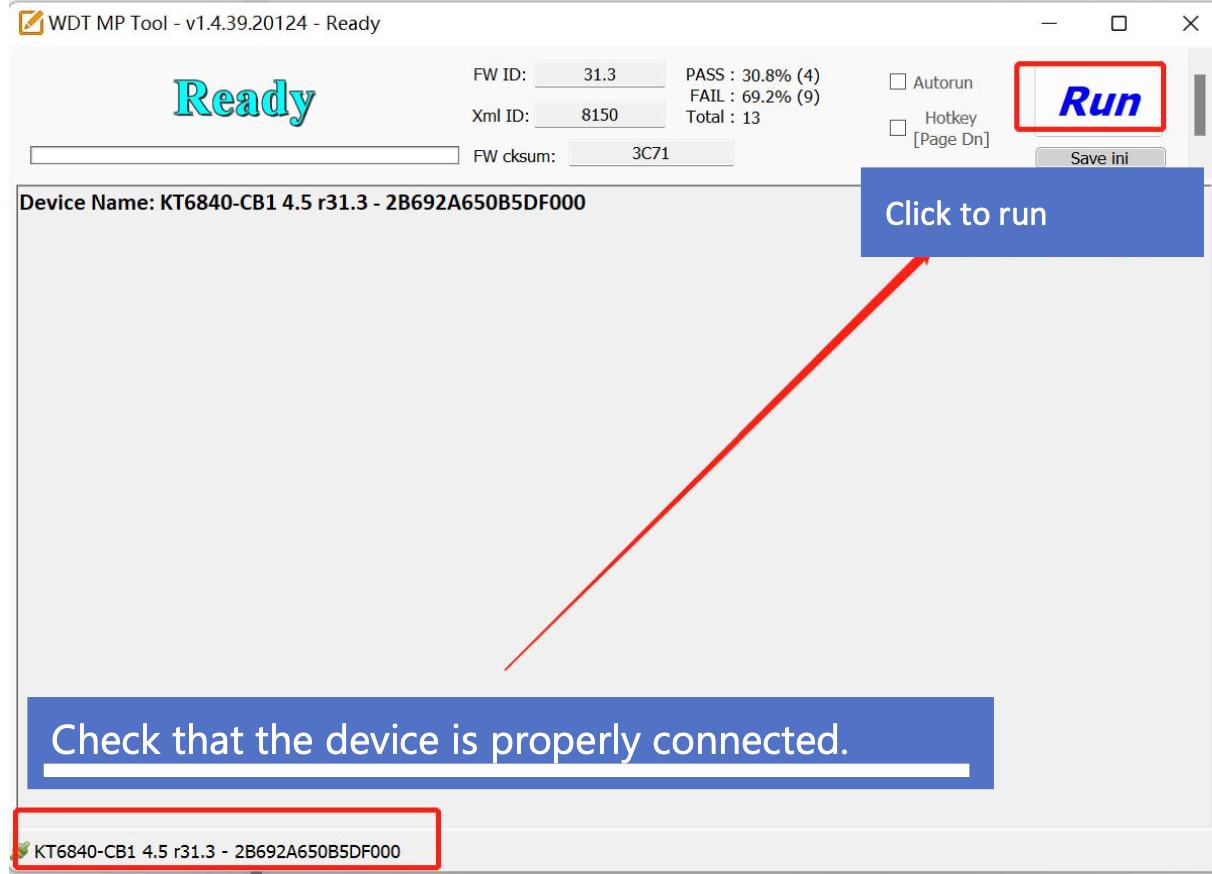
Check if the i3Sixty 3 is properly connected and then press “Run”
-
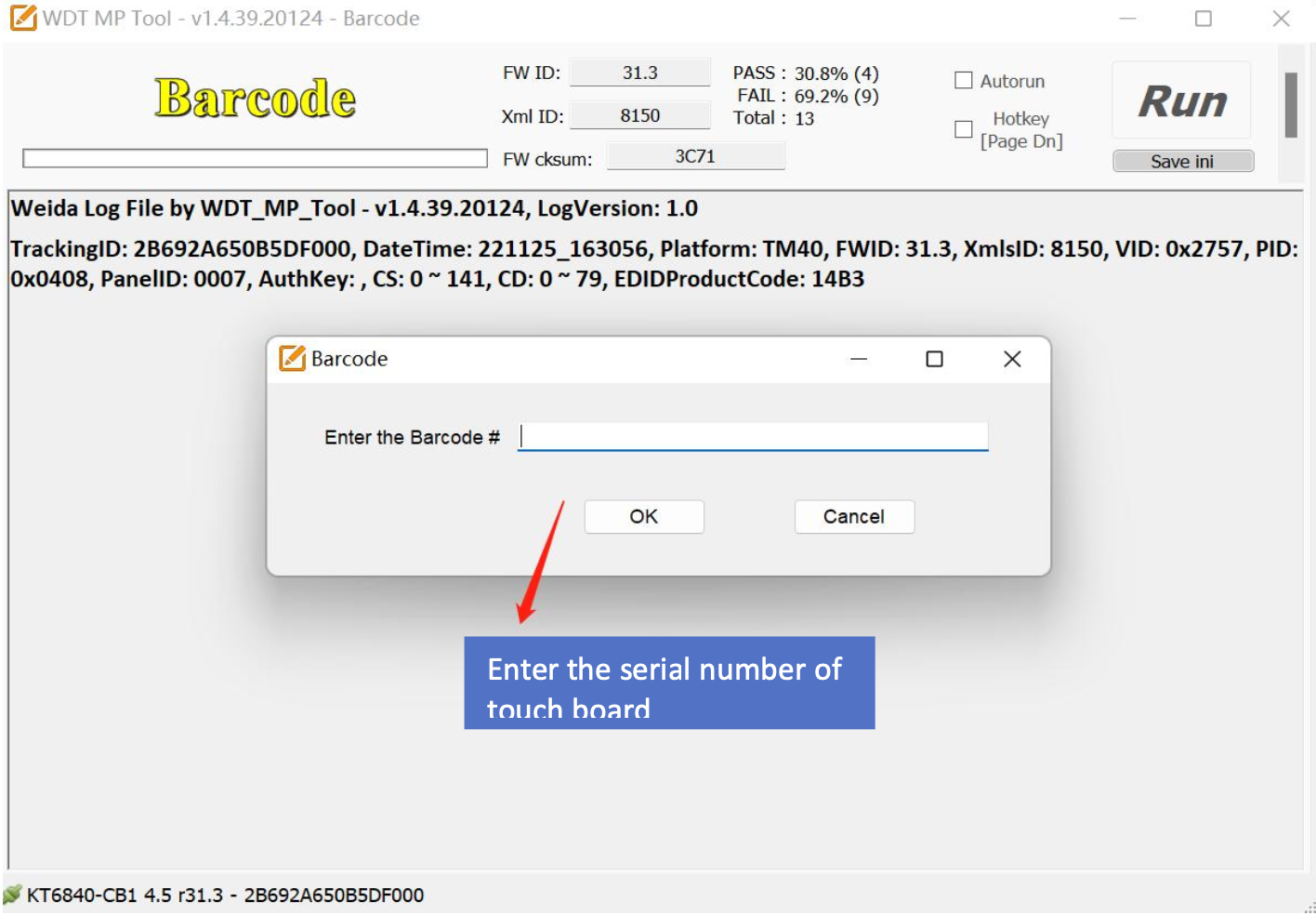
After pressing “Run” a dialog box pops up where you can enter the serial number of the i3Sixty 3
-
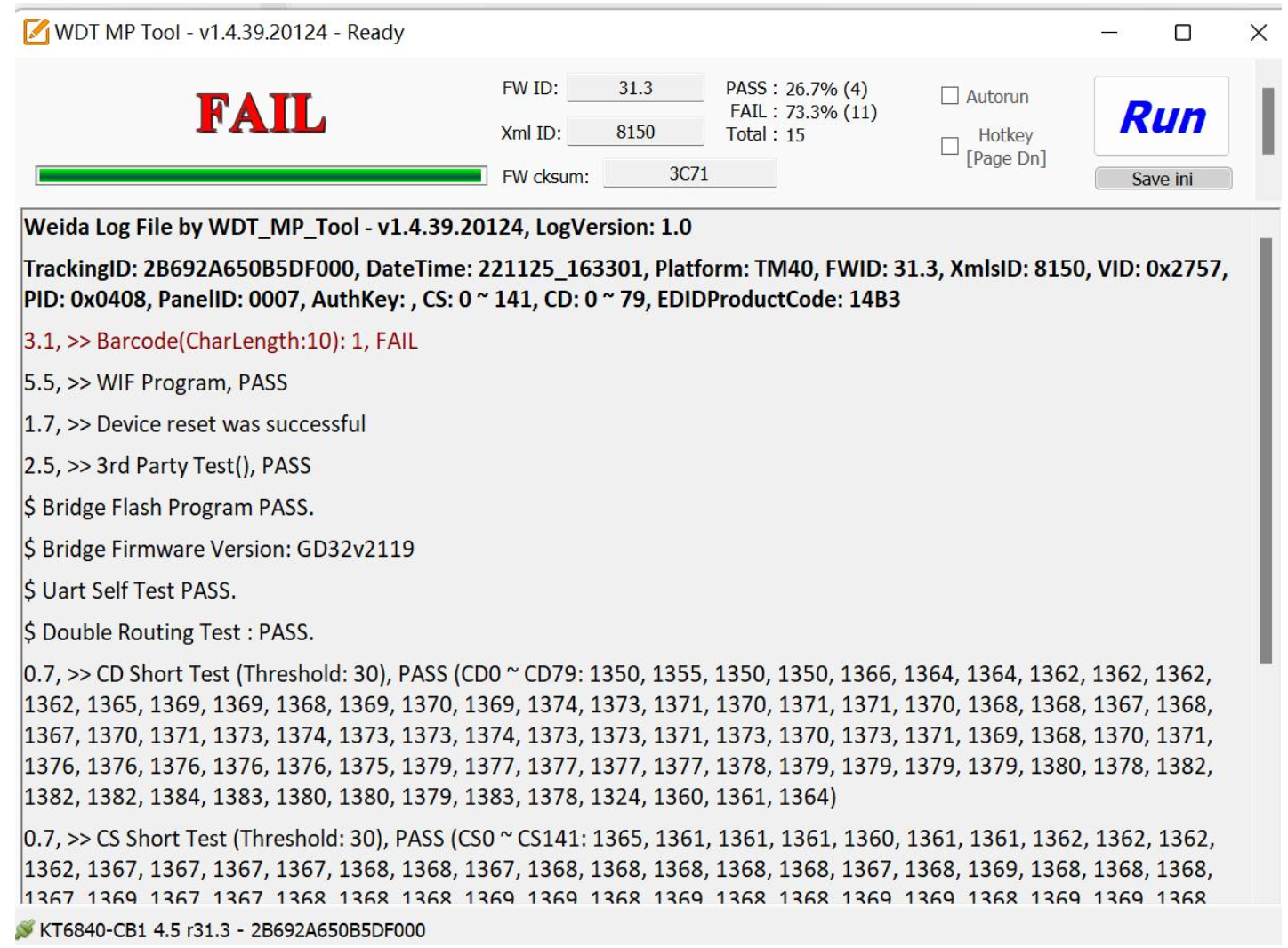
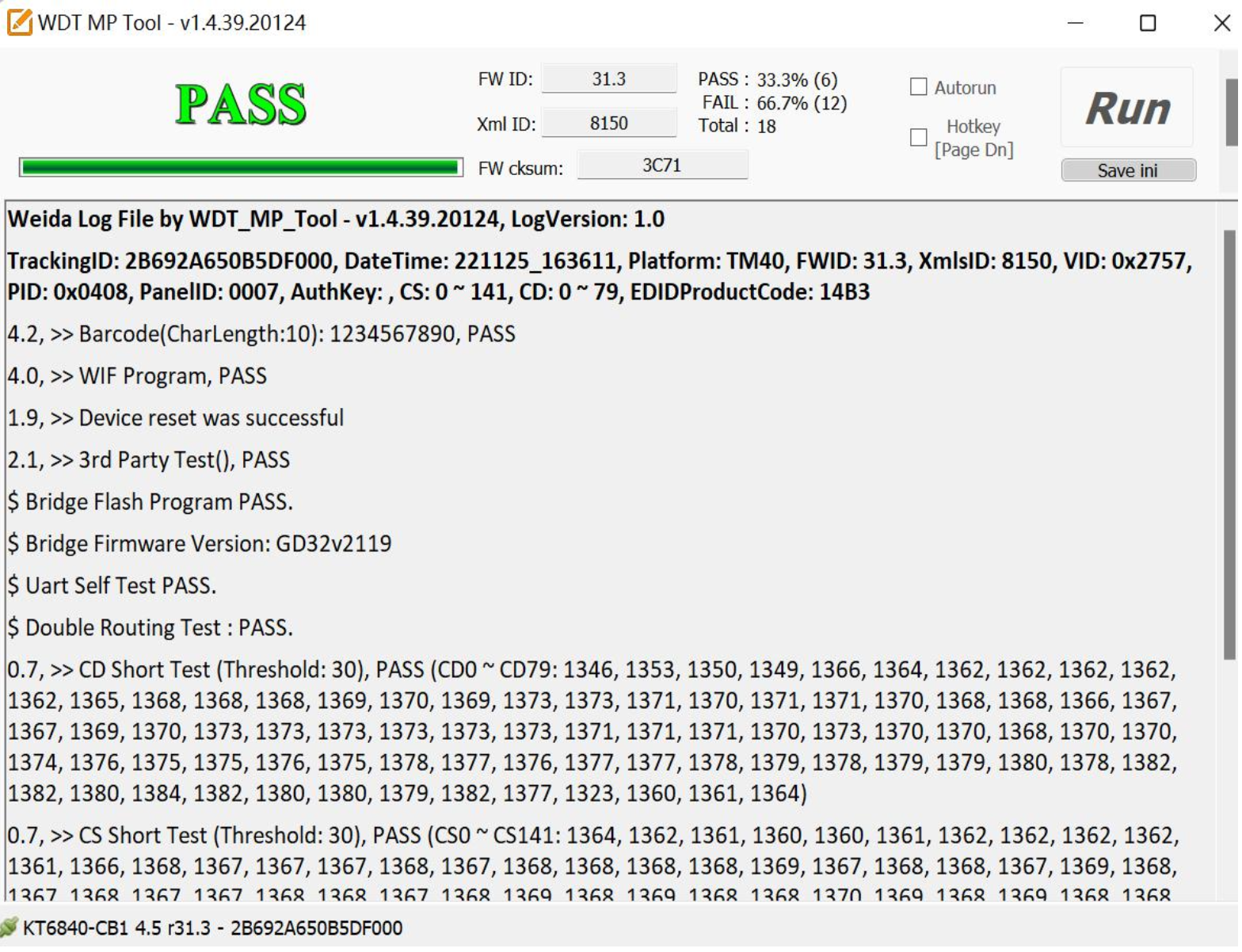
After the test, “pass” indicates that the test is qualified, and “fail” indicates that it fails.
-
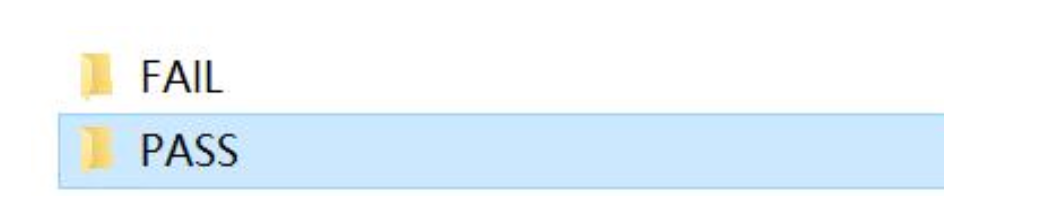
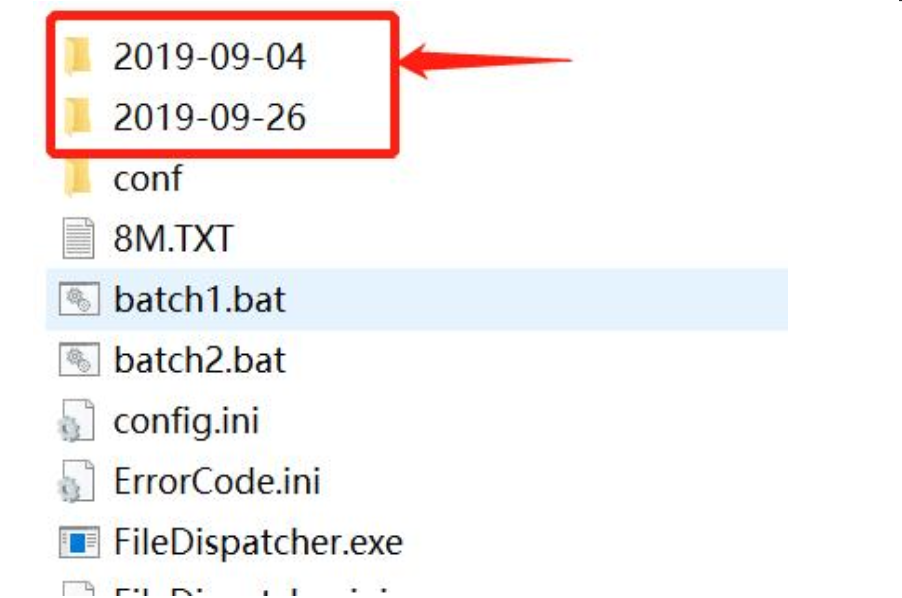
Please provide us with a picture of the touch result and provide us with the corresponding logs
The touch test program can be found here below
KT6740_Tool_V1.4.47_i3SIXTY-350_KasaR54.5_i3 50 sixty_Update 202407.zip
Please don’t touch the i3Sixty 3 during the touch test