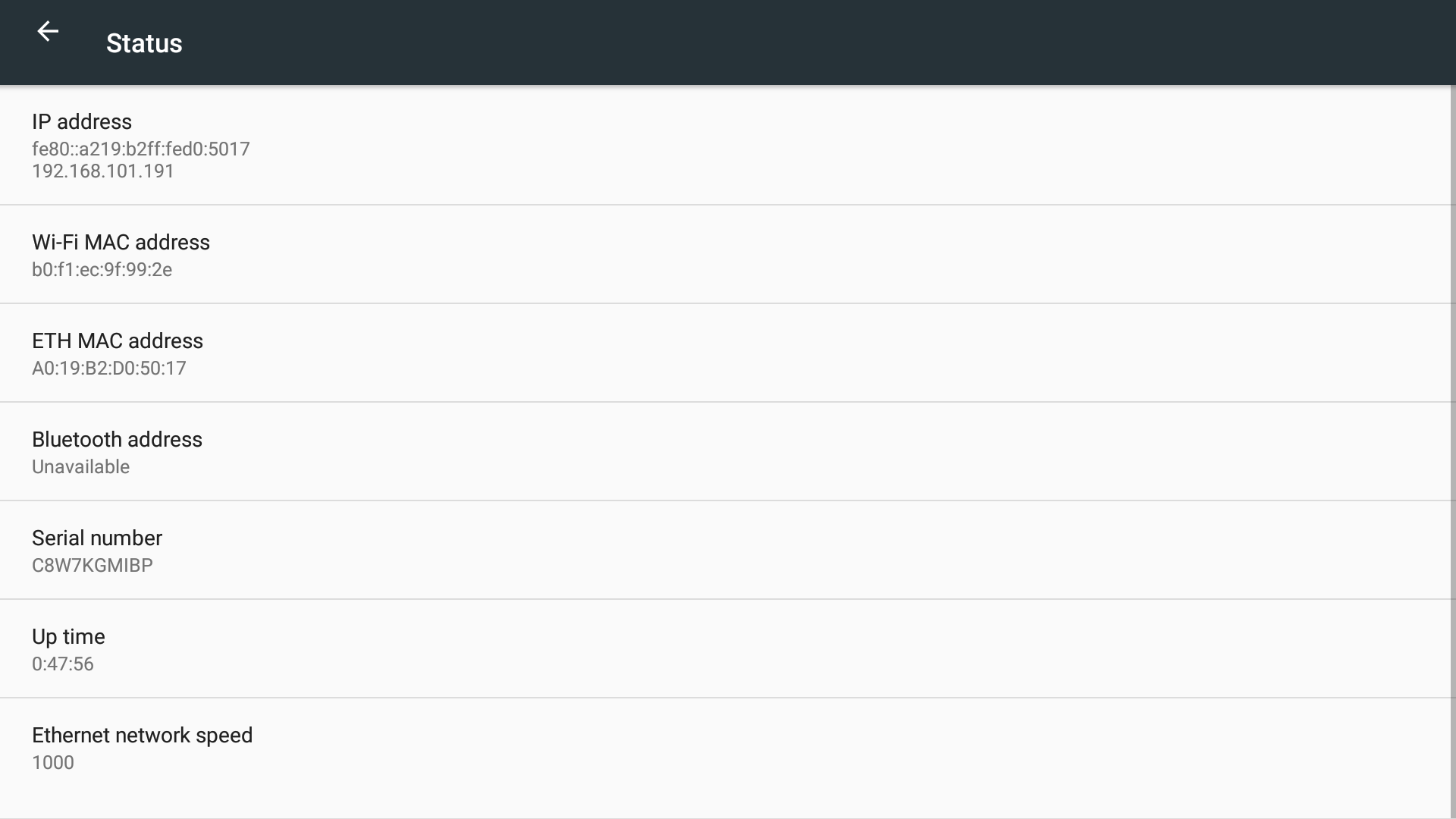
When you need the MAC addresses of the unit follow the next few steps.
Instructions
-
Make sure that Laser Nova is switched ON and the home screen is displayed.
-
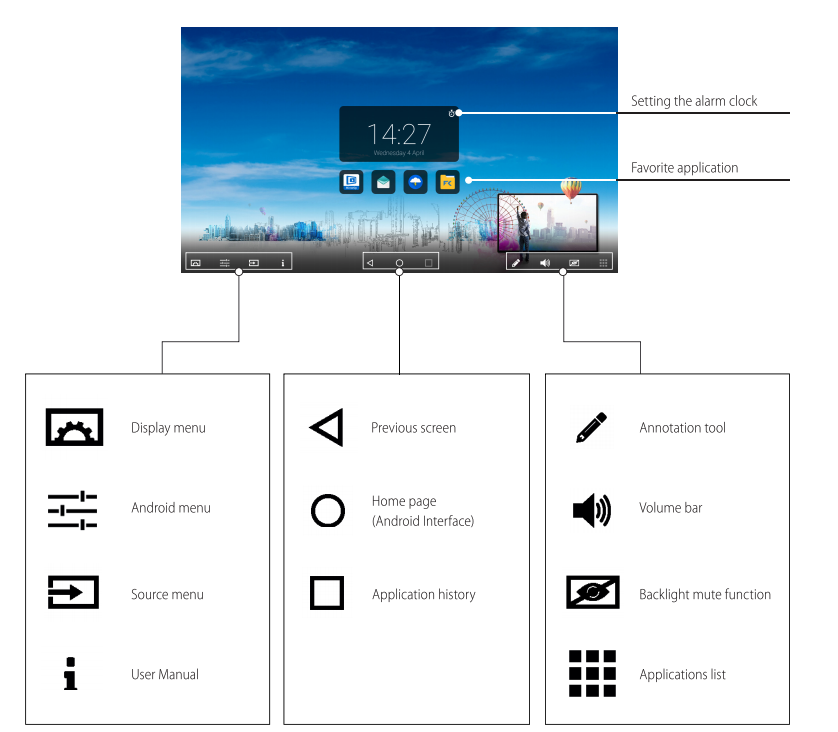
Press the middle button under the CTOUCH logo (the screen will look as below)
-
Press the android Menu button
-
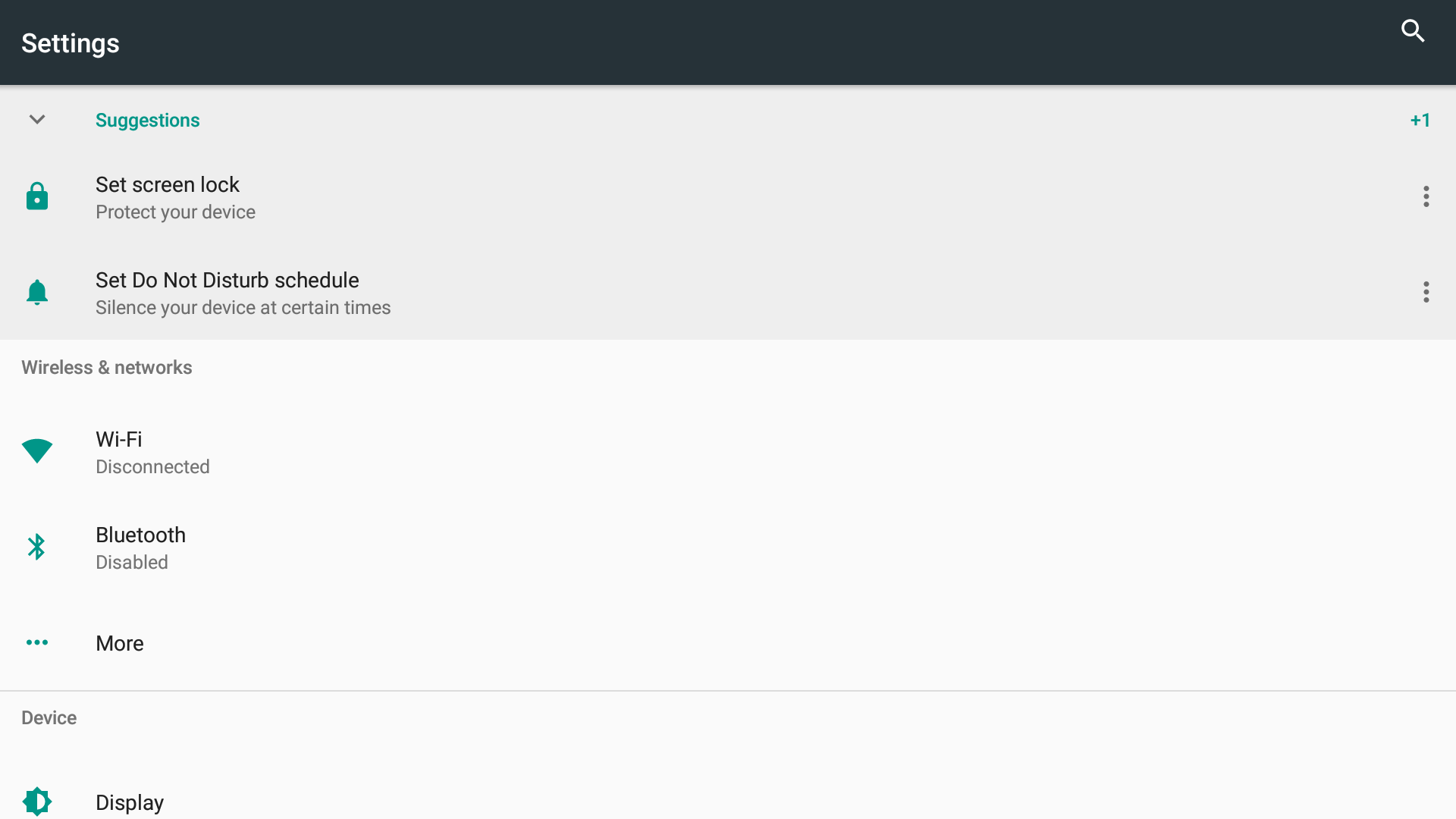
The unit will take you in the Android Menu settings.
-
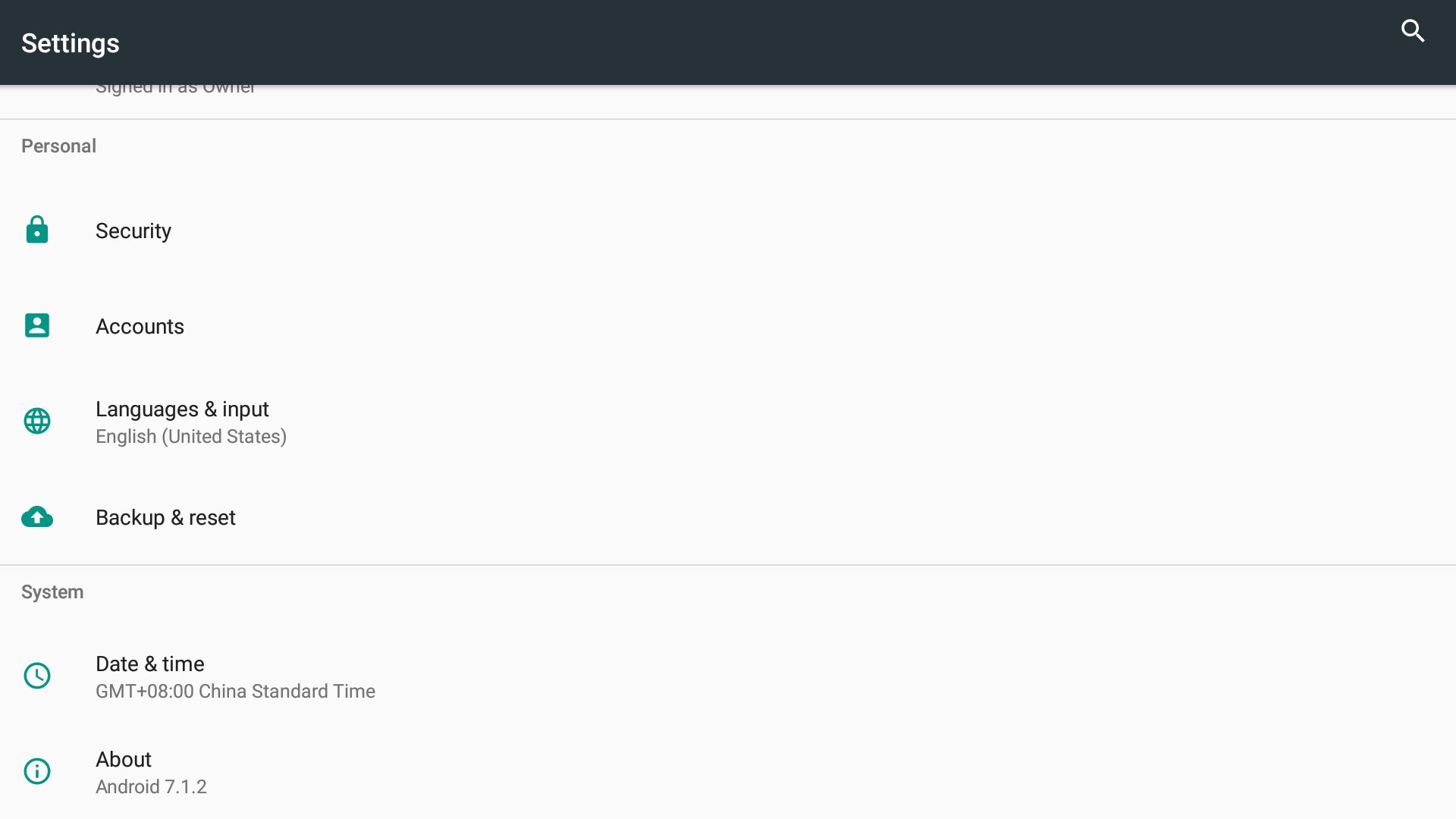
Go down to the last option About
-
Enter in the About menu and select the first menu Status. Enter in that menu, and you will see all info related to MAC addresses of the unit.