📘 Instructions
-
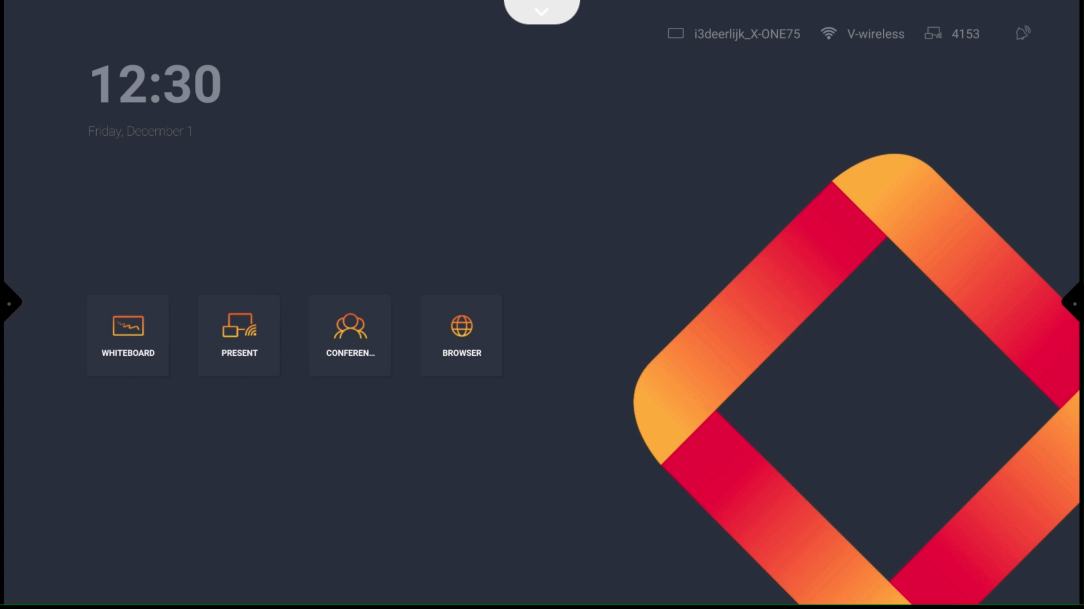
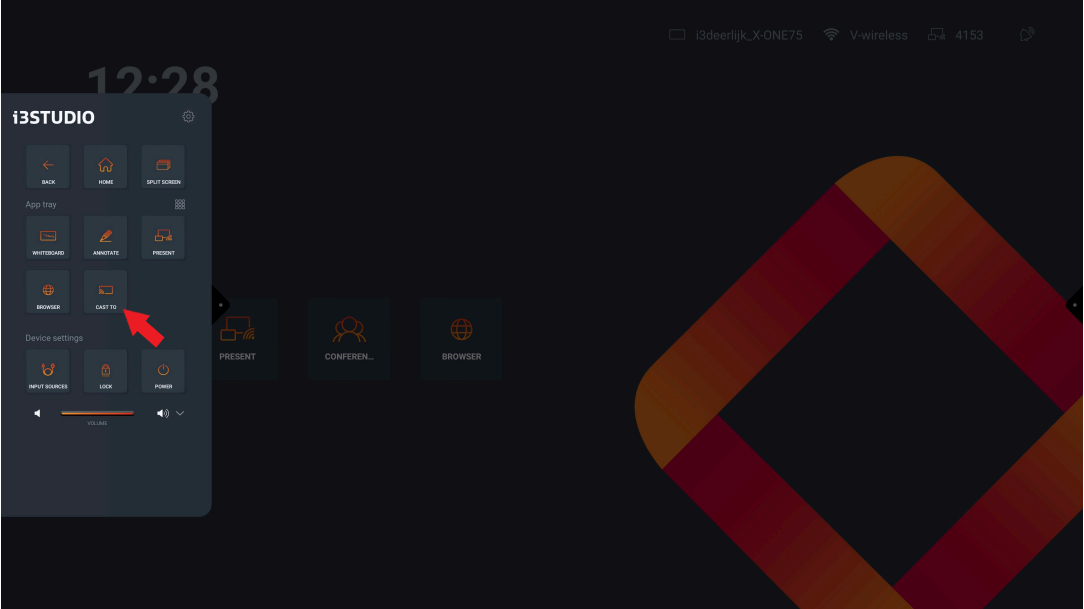
Select on “Device A” cast-to
-
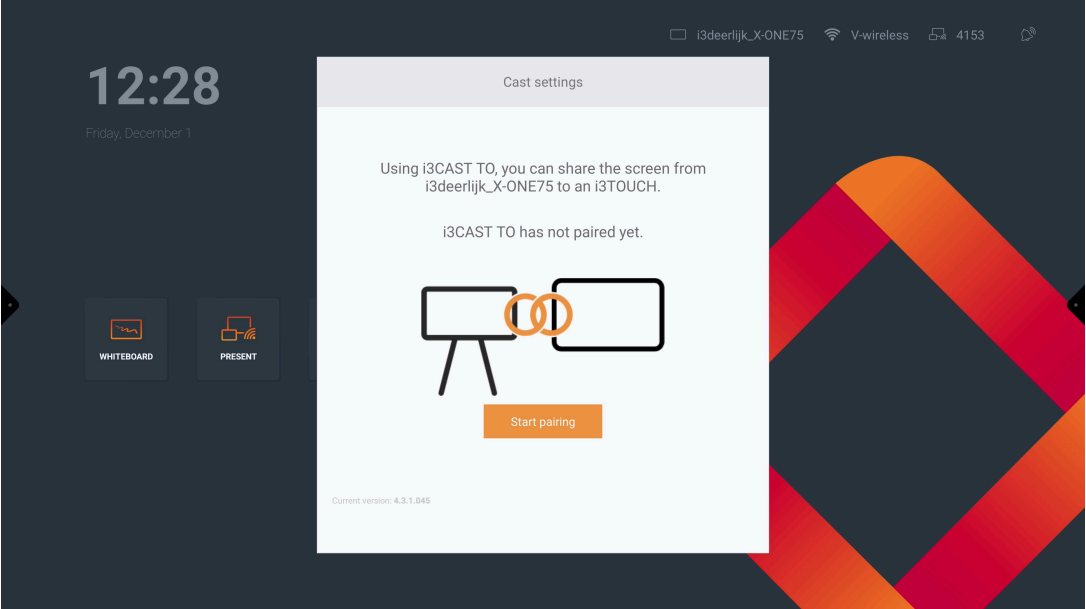
Press “Start Paring”
-
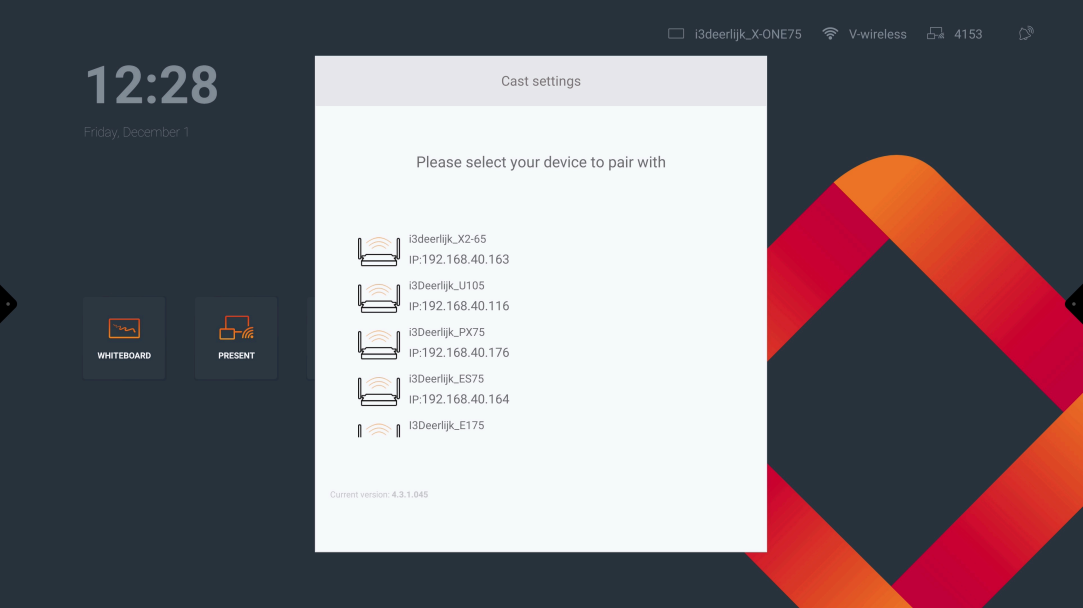
Select the desired device
-
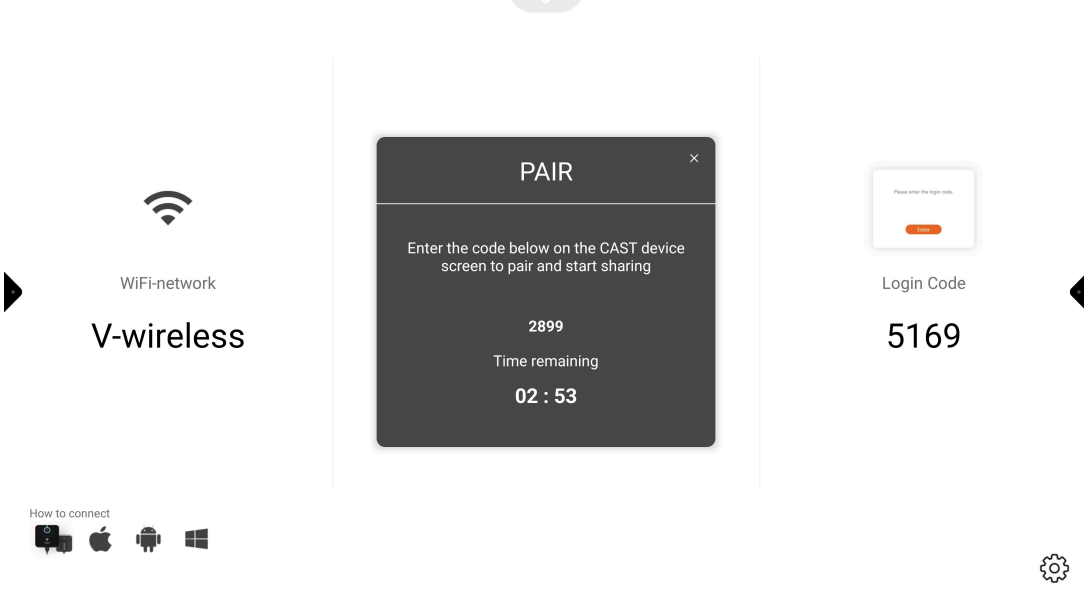
Enter the Code that can be found on “Device B”
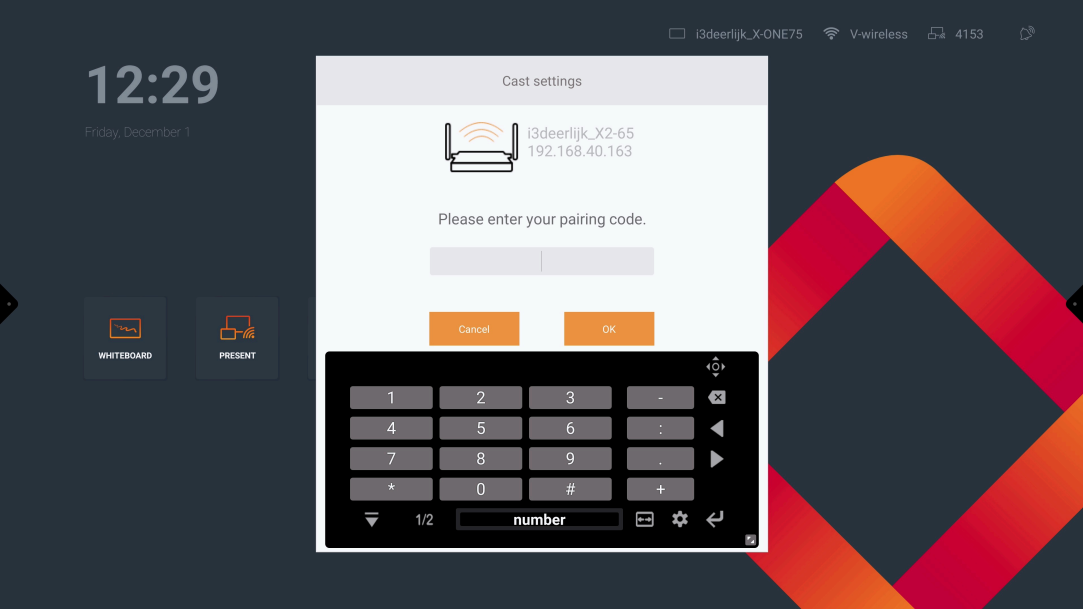
Device B
-
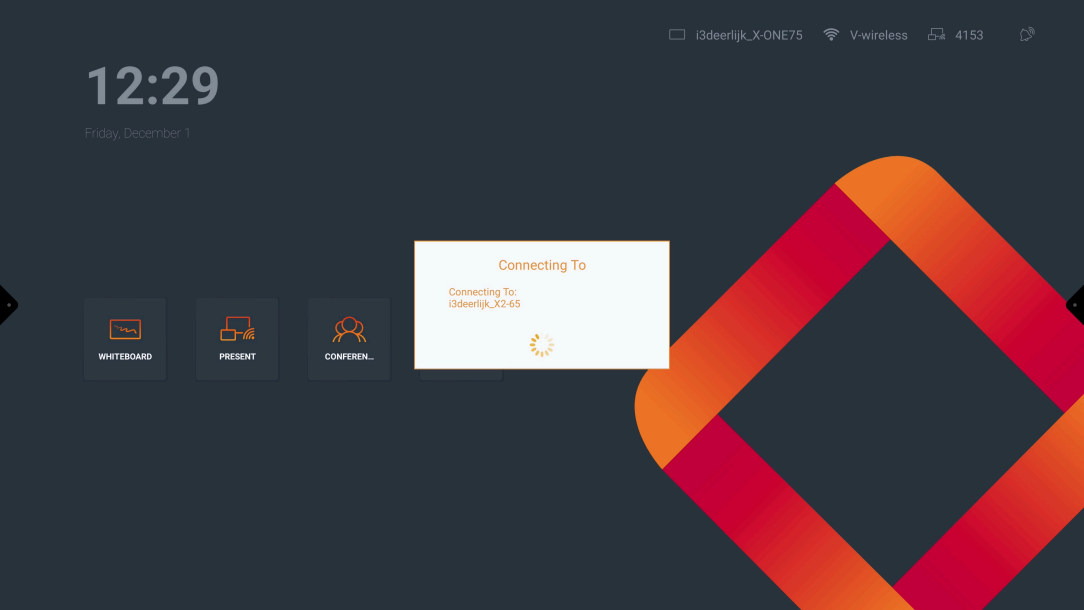
When entered the code of “Device B”, “Device A” will connect to “Device B”
-
Once connected the image of “Device A” will be shown on “Device B”