📘 Instructions
-
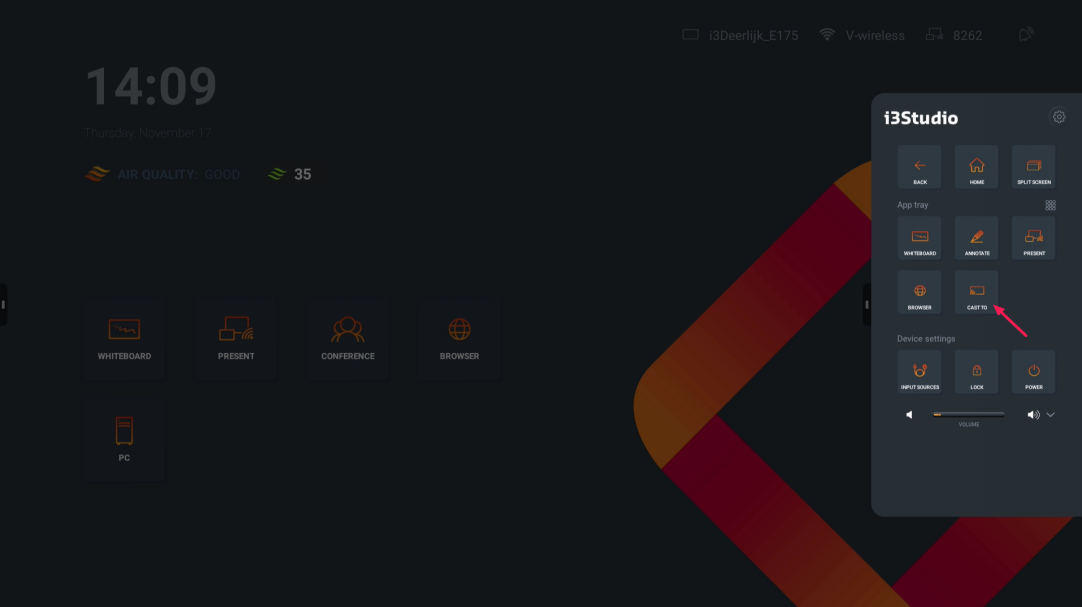
Open the side menu and select “CAST TO”
-
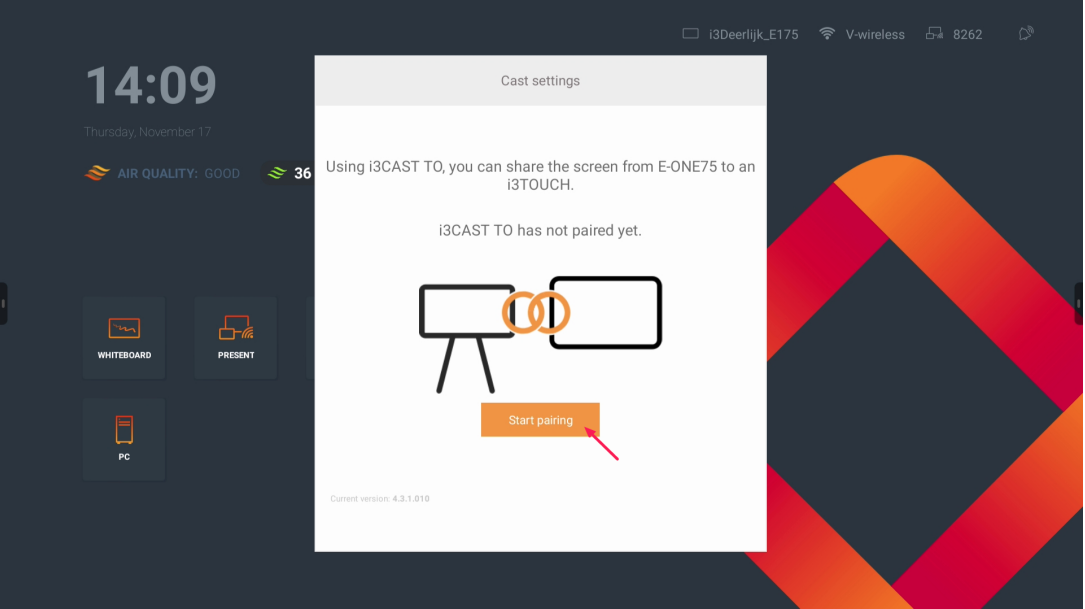
Press “Start Pairing”
-
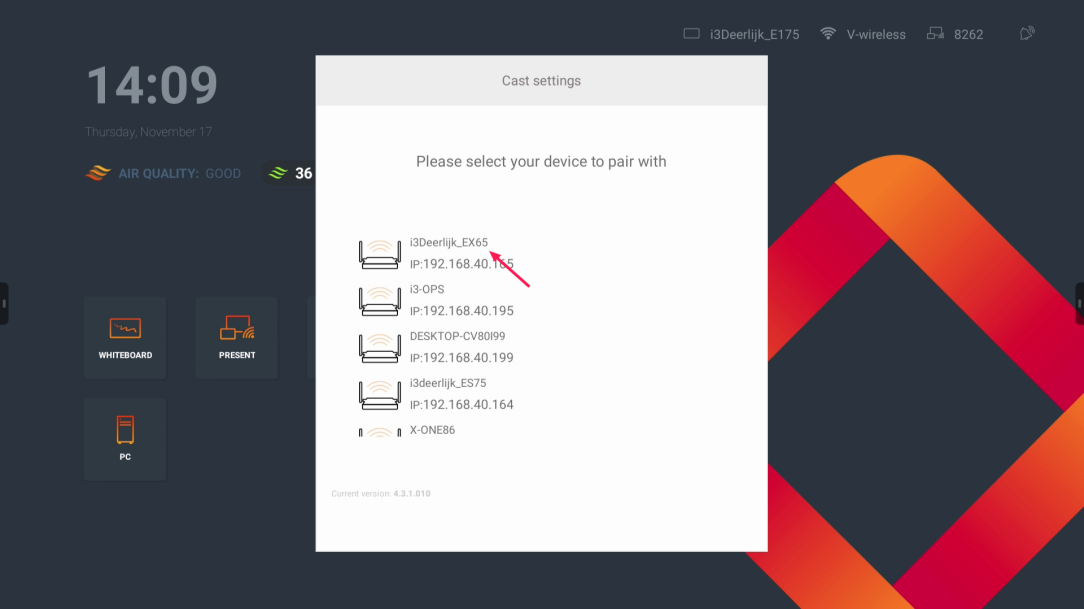
Select the i3Touch display you want to cast to
-
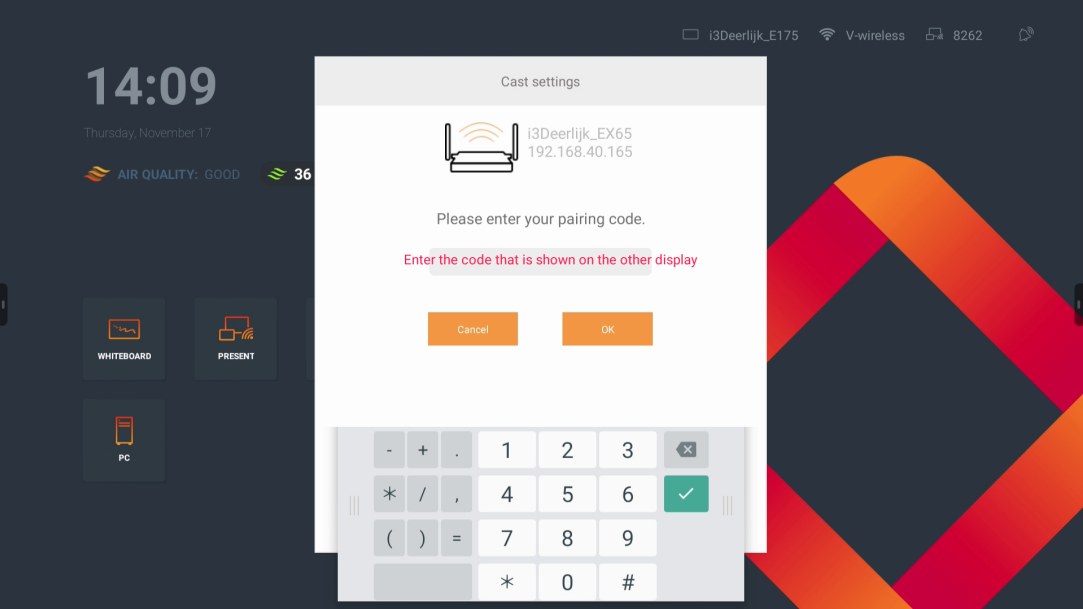
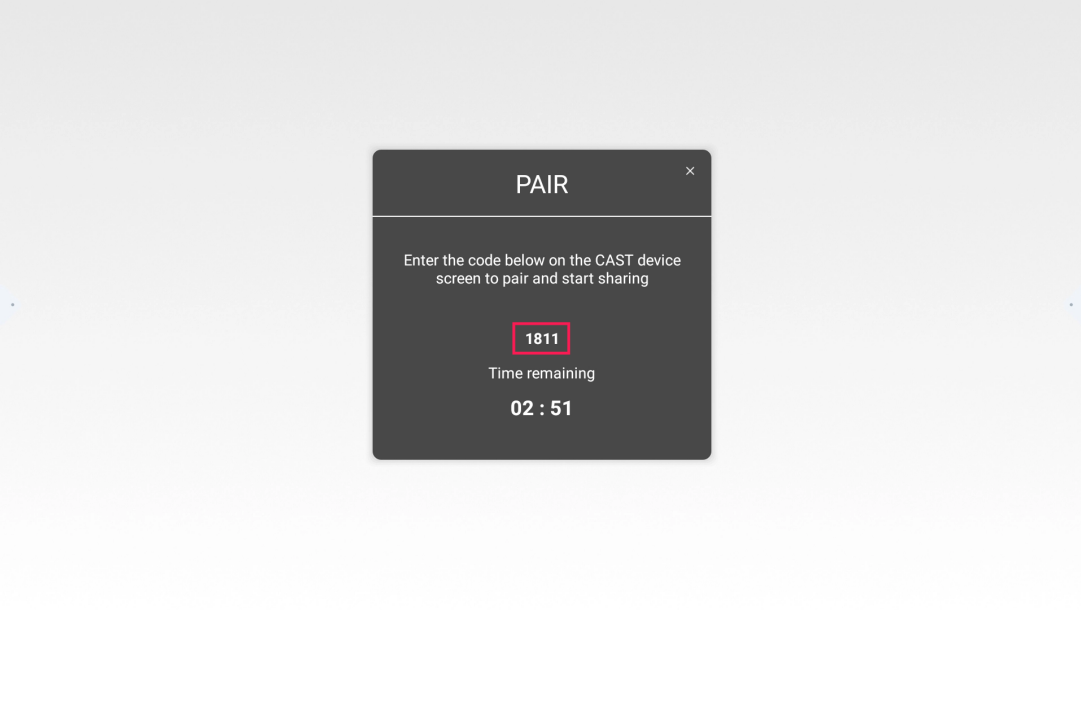
After selecting the display, you must enter the pairing code that can be found on the other display
-
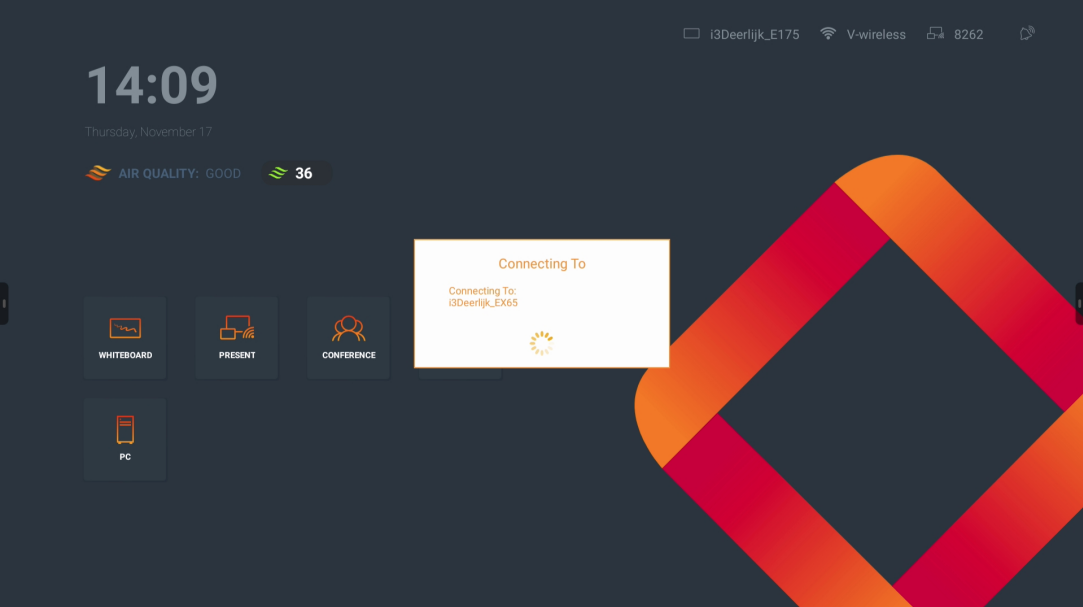
After entering the code, the displays will be connected to each other