
When you cannot update the firmware “Over The Air”, and you need to rewrite/update the systemFW manually.
Instructions
-
Download the zipped firmware file below.
-
Unzip the file, inside you should find a “Ada648Upgrade.bin” file.
-
Copy the “Ada648Upgrade.bin” file to the root directory of an empty USB stick, which is FAT32 formatted.
-
Turn off the display and flip the ON/OFF switch to OFF.
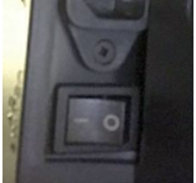
-
Insert the USB drive into any USB 2 port of the i3SIXTY.
-
Wile holding the power button,
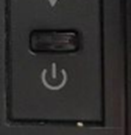
flip the ON/OFF switch to ON.
-
Keep holding the power button until you see you see a black background with blue progress bar. Release the ON/OFF button and wait until you see i3NOTES to indicate that the FW installation has finished.
-
When the installation is finished, power off the i3SIXTY and take out the USB stick.
-
Turn on the i3SIXTY
Do not interrupt the firmware installation process in any way:
-
Do not touch the i3SIXTY display (due to potential touch recalibration)
-
Do not disconnect the i3SIXTY from power.
-
Do not pull out the USB stick