
i3STUDIO allows you to personalise your display in many ways. One of those is the choice for a pre-defined theme.
Out of the box, i3STUDIO comes with two standard interfaces, an interface optimised for usage in corporate environments and another optimised for education environments. You can choose your preferred interface at first boot or through the setup wizard.
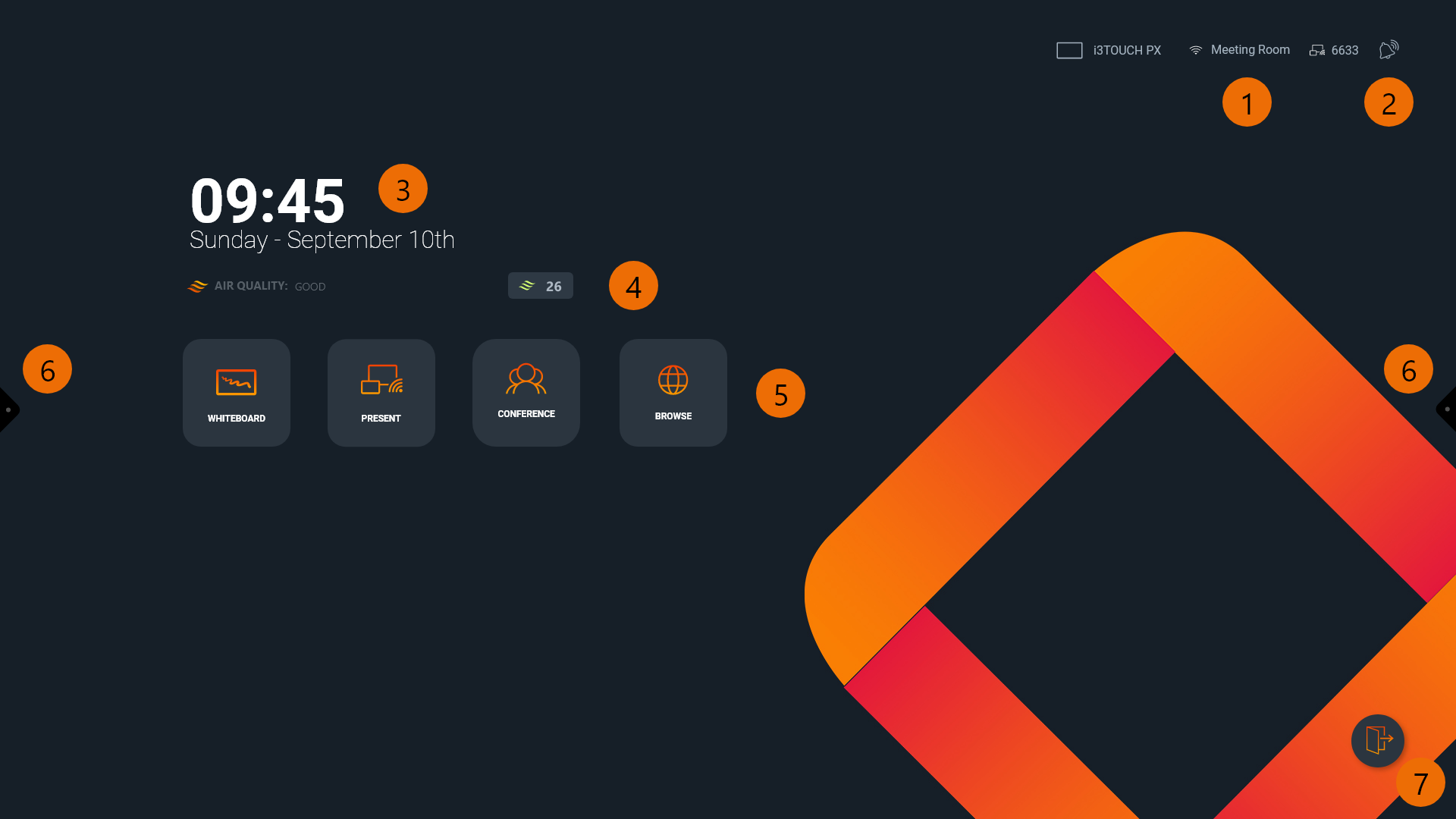
The Home screen is equipped with widgets that will assist you in quickly reaching the most frequently used applications.
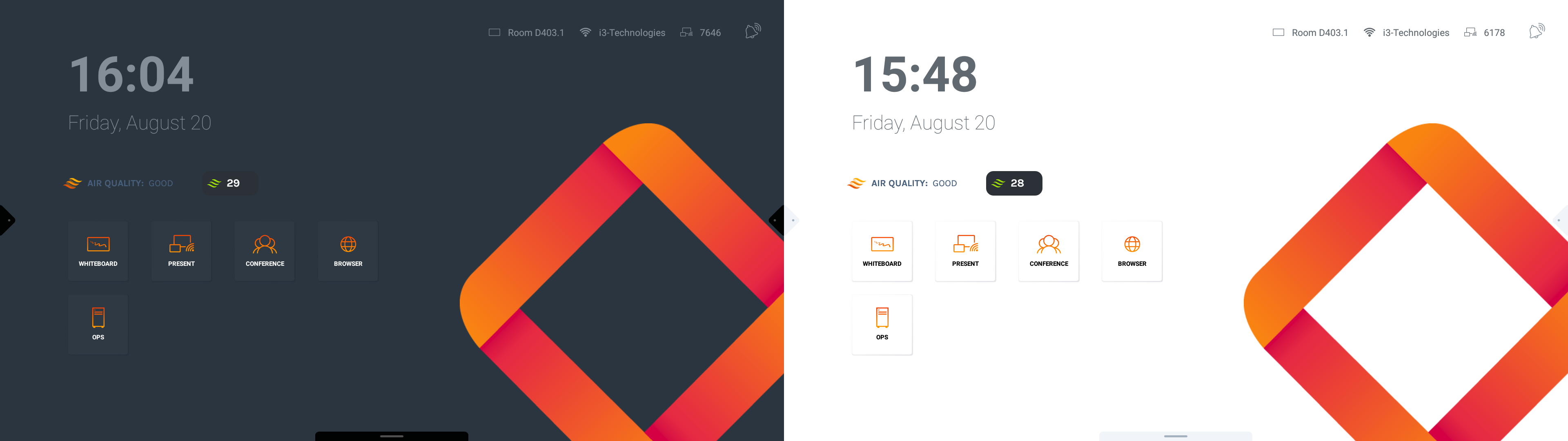
Corporate theme
Education theme
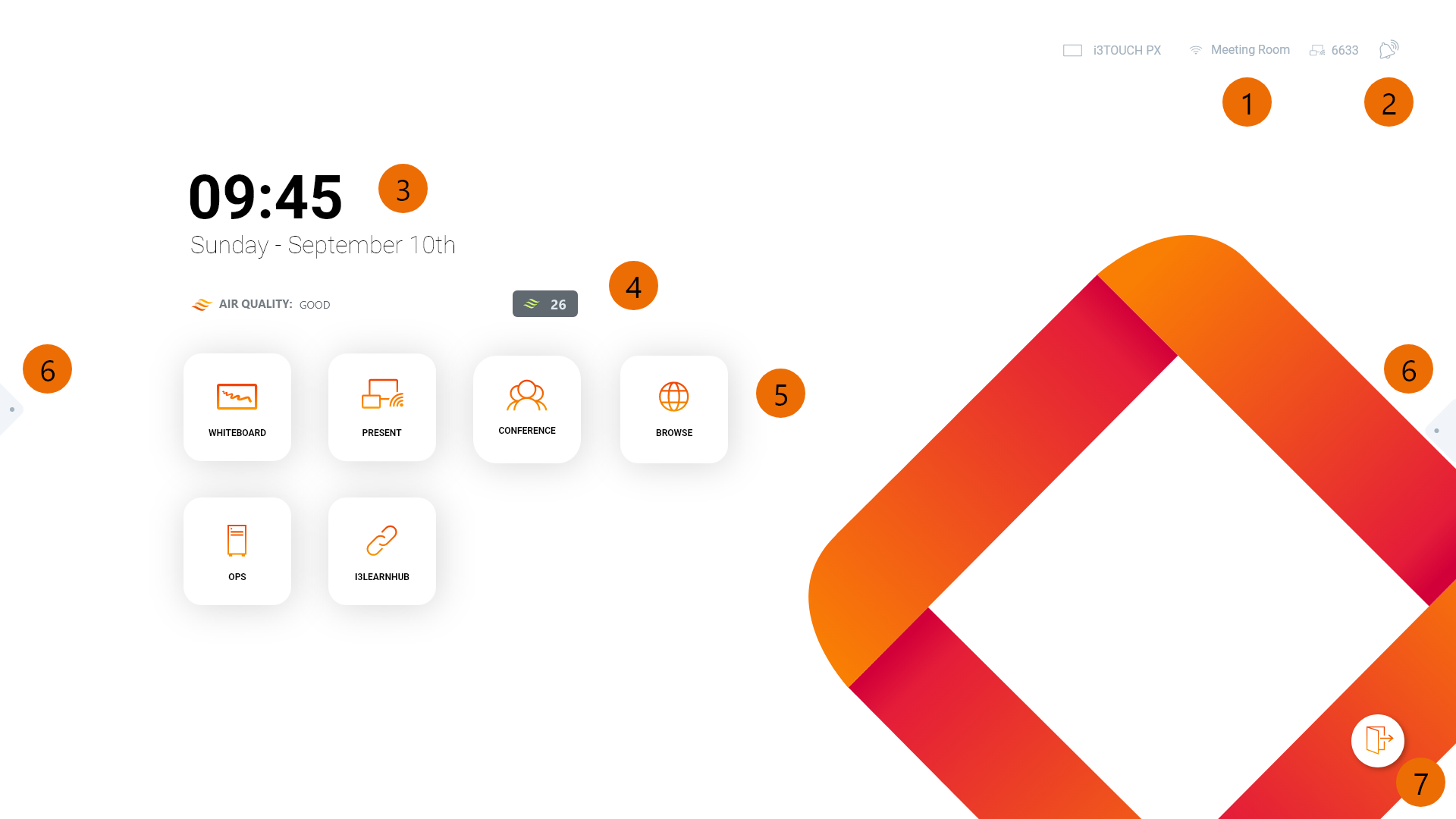
Widgets
-
i3ALLSYNC Details: no need to open any other app to connect to your display!
-
Notifications: will indicate if there are new notifications that require your attention.
-
Clock widget: so you don’t lose track of time.
-
i3CAIR widget: indicates the air quality in case an i3CAIR sensor box is connected to your i3TOUCH.
-
Widget tiles: Launch your favourite application with one touch.
-
Side menus: Easy access to navigation control and applications.
-
Log out button: This button allows you to securely log out so that only you can access your profile.
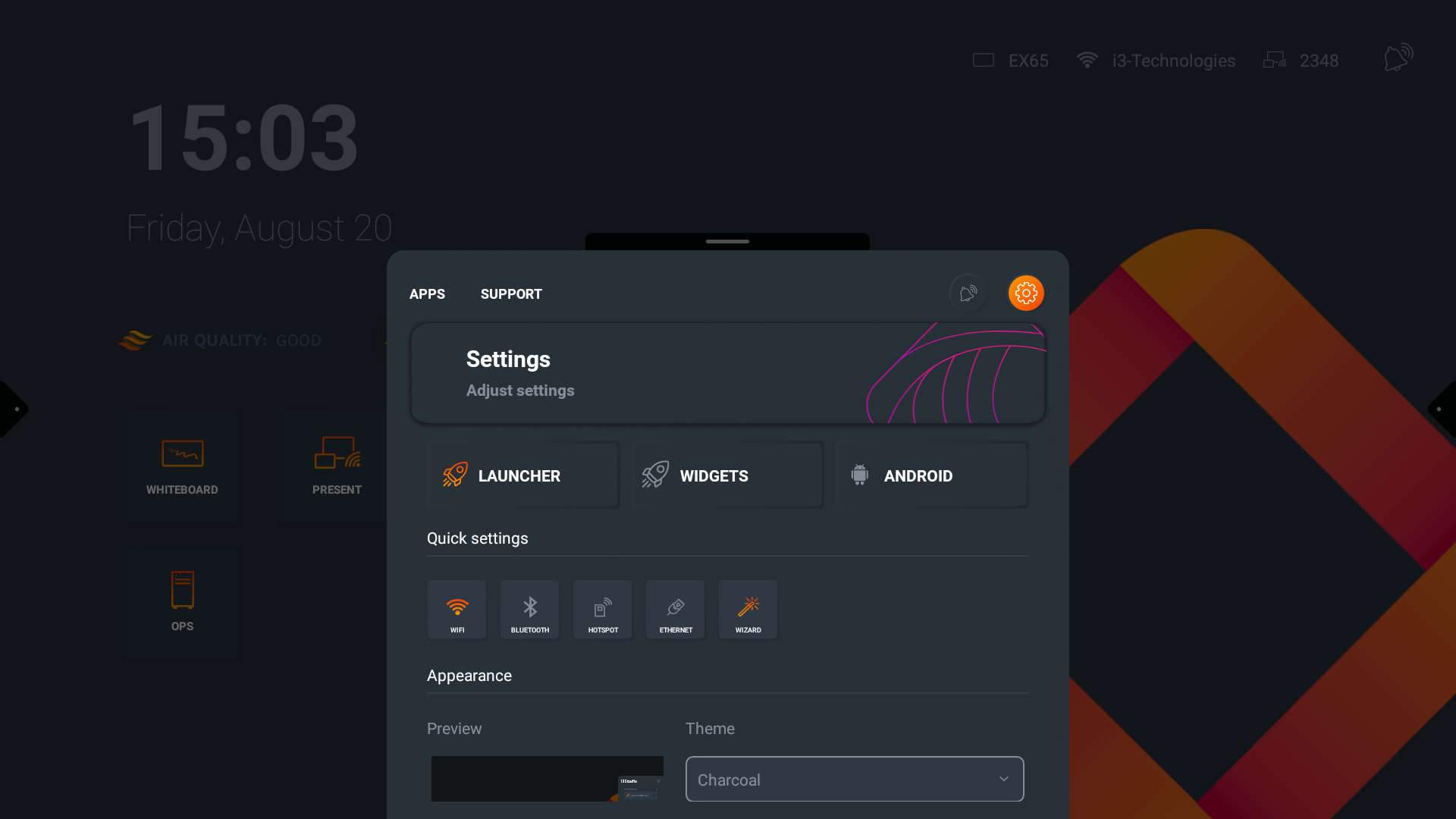
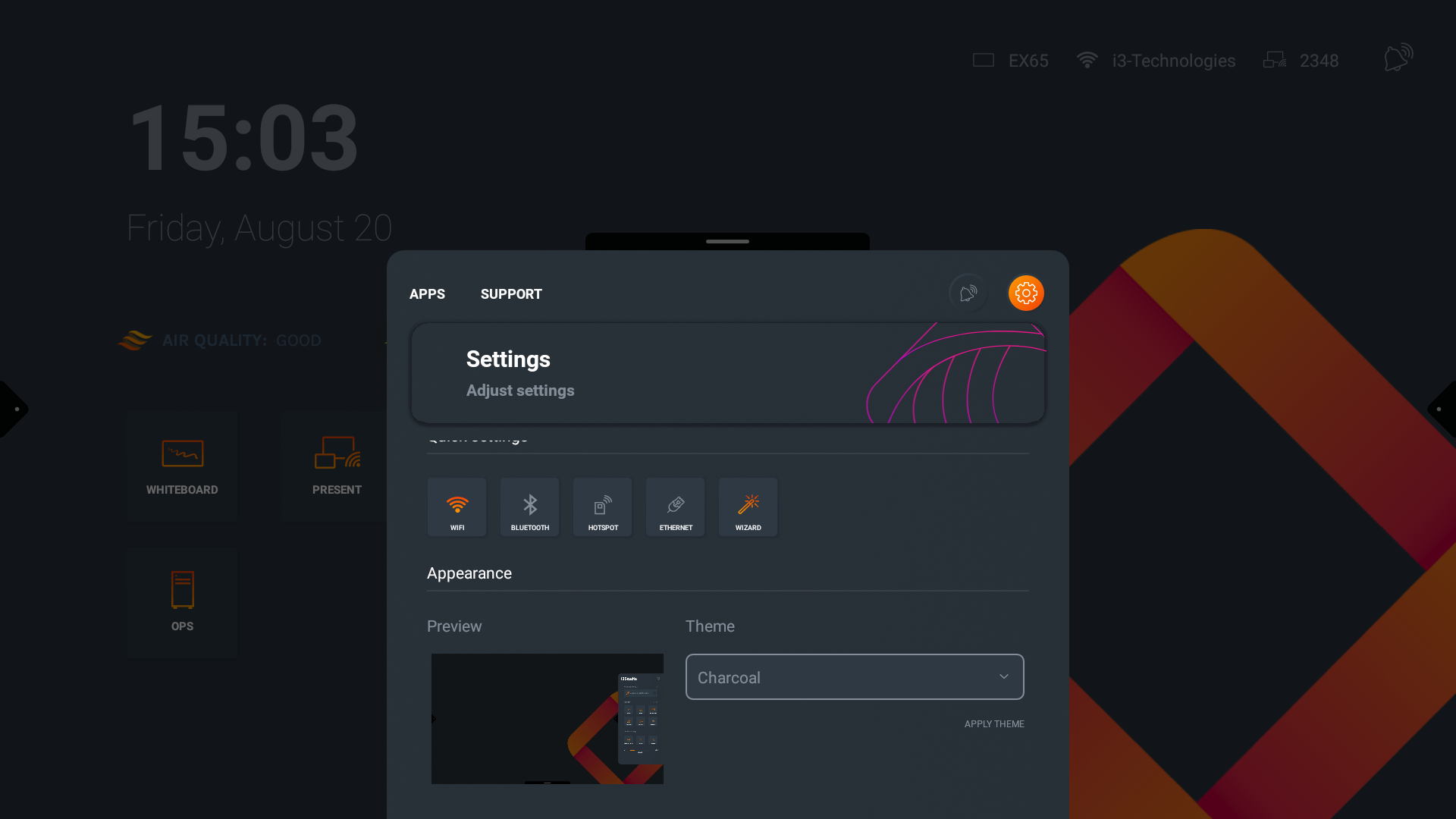
Charcoal or Light Theme
Swipe up to open the bottom menu, and navigate to the settings. You’ll find the theme selection interface within the Launcher settings. Choose Charcoal or Light theme, and press APPLY THEME to switch.
Switching the themes will only affect the colours and backgrounds of your display. All your other settings or preferences will not change and remain as defined before.
Additional Themes
Additional pre-defined themes will be added in the future, to allow for even further customisation.