
📘 Instructions
-
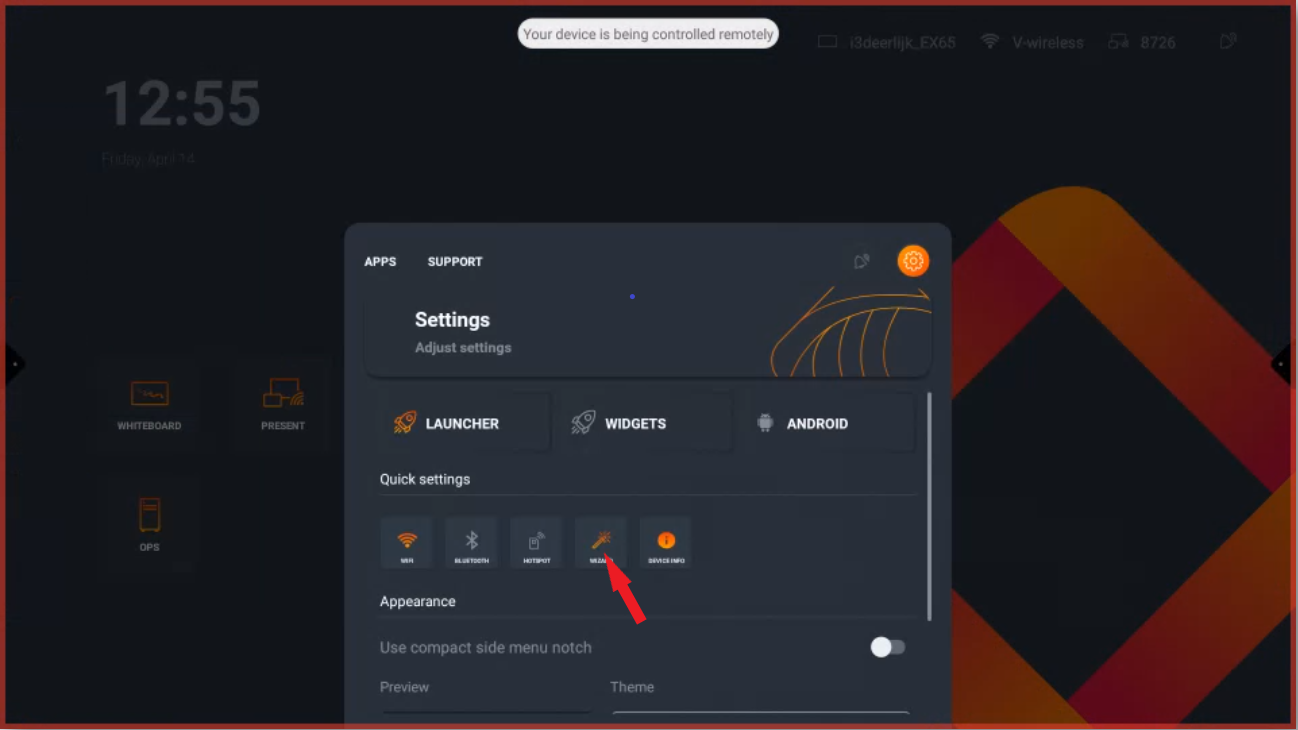
Open the side menu and select the cogwheel to select the “Wizard”
-
Go through the wizard and select “EDUCATION”
-
After finishing the wizard you still need to clear the cache and data from the whiteboard app.
Clear cache and data from an app on an i3Touch device
-
EX Display: i3TOUCH EX How to clear cache and data from an application
-
E-One Display: i3TOUCH EX How to clear cache and data from an application
-
ES Display: i3TOUCH EX How to clear cache and data from an application
-
PX Display: i3TOUCH PX How to clear cache and data of Whiteboard/Annotate
-
X-One Display: i3TOUCH X-ONE How to clear cache and data from an app