
🤔 Problem
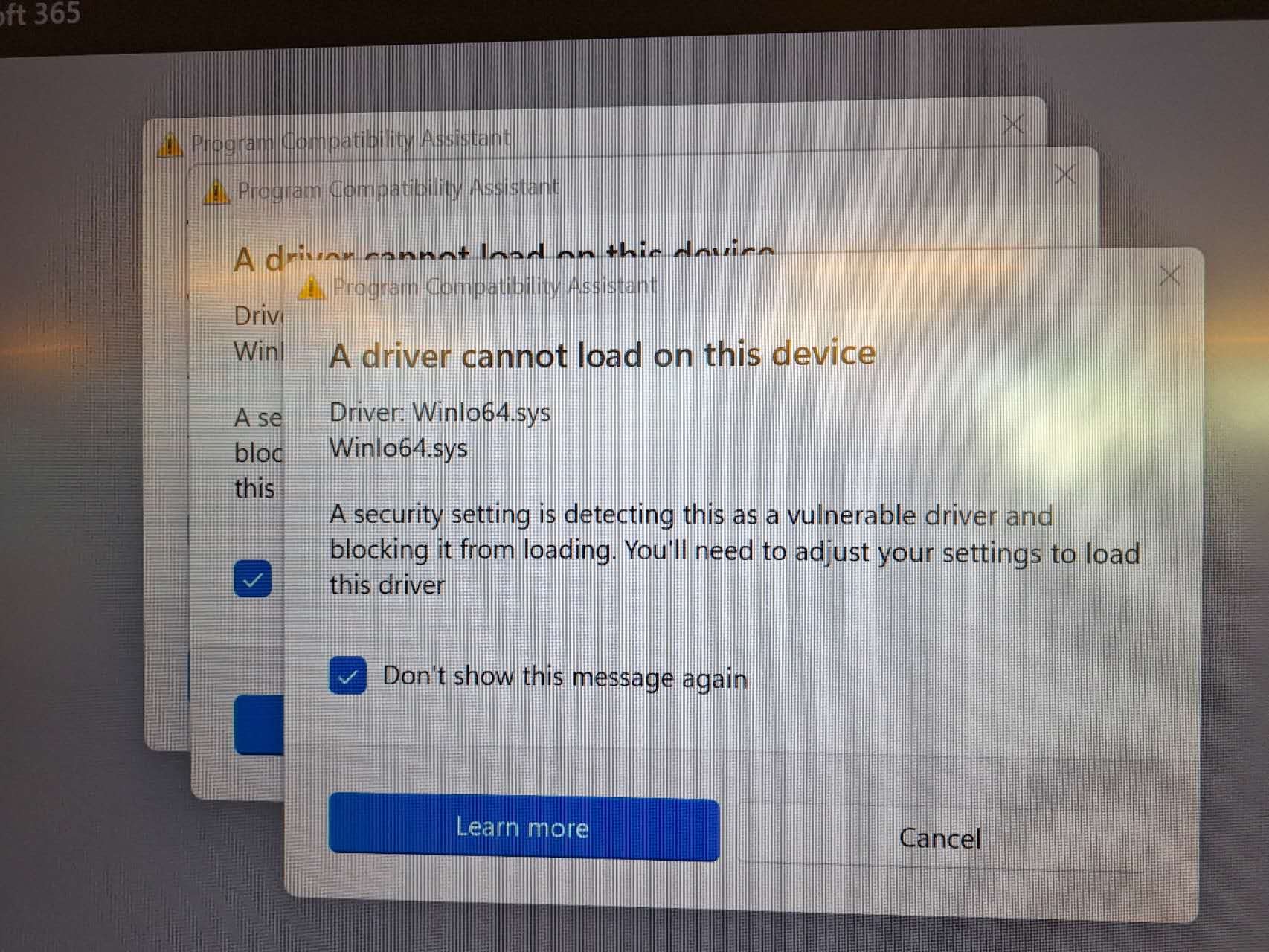
The x12UW OPS pc’s (for use in the i3TOUCH ULTRA) have an audio driver that has recently been flagged by Microsoft as a vulnerable driver and is therefore blocked from loading by Windows:
🌱 Solution
We expect that this will be resolved by Microsoft in a new build of Windows 11. In the meantime, this can be resolved by uninstalling “DssAudioService” and replacing it with an updated driver:
-
To uninstall the existing driver, open Windows settings - Apps. In the list of installed apps, locate “DssAudioService”. Click on the three dots and remove it.
.png?cb=998ba483185500bed0f0693209b5e1d7)
-
Download the new DssAudioService_2.0.0.12 driver file:
DssAudioServiceSetup_2.0.0.12.exe -
Doubleclick the “DssAudioServiceSetup_2.0.0.12.exe“ file and follow the on screen instructions to complete the installation.
This issue only affects the OPS x12UW (ultrawide) pc’s that are normally only used in the i3TOUCH ULTRA displays:
10010580 - i3COMPUTER 512UW OPS
10010511 - i3COMPUTER 712UW OPS