
The AirServer wallpaper can be changed from the (pin code protected) settings menu.
Note that you can only set a web address where the wallpaper is available (so not upload a wallpaper for AirServer onto the Neo screen).
Instructions
-
Open the Settings menu.
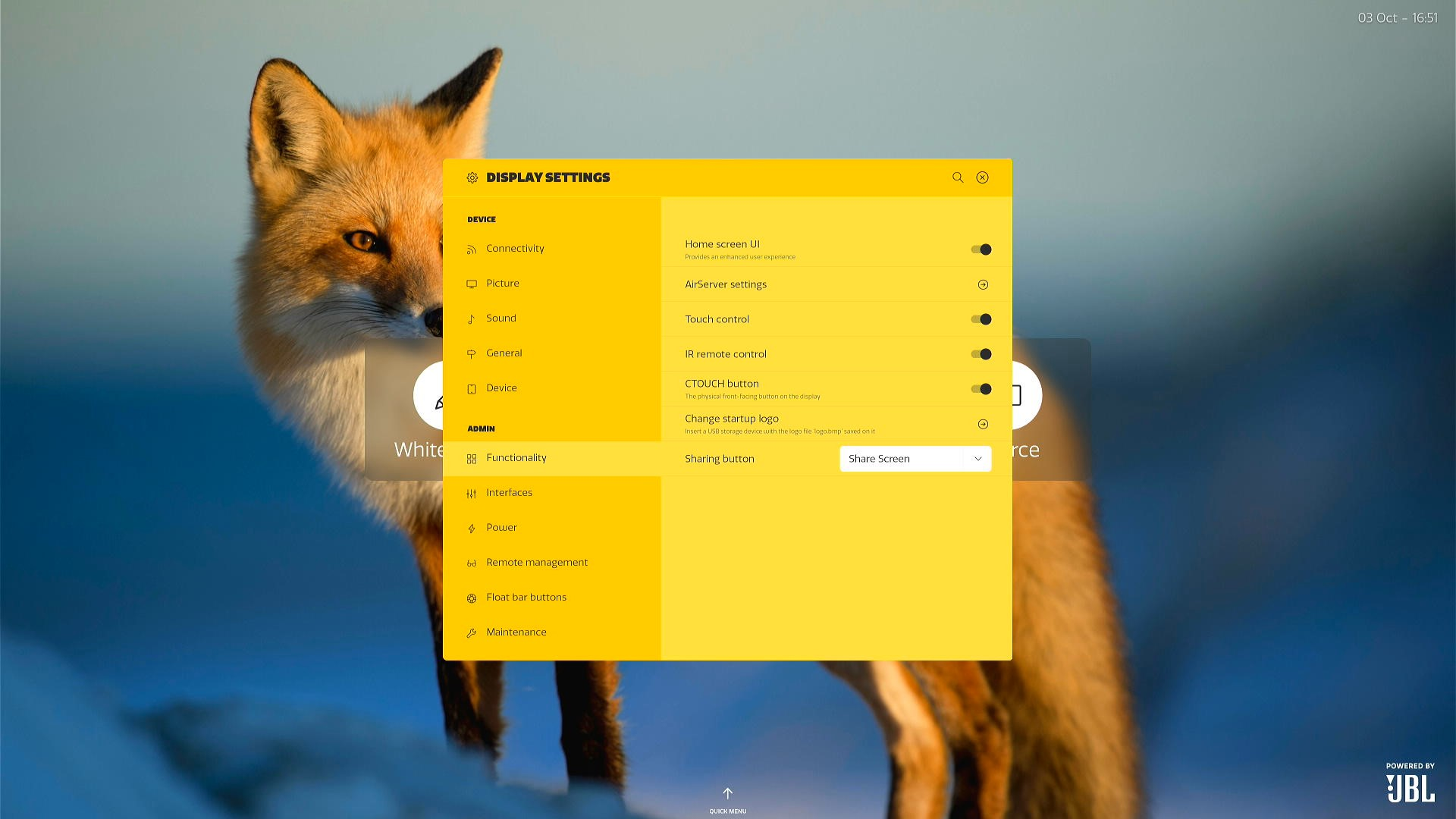
-
Open the ‘Functionalities’ submenu and click ‘AirServer settings’
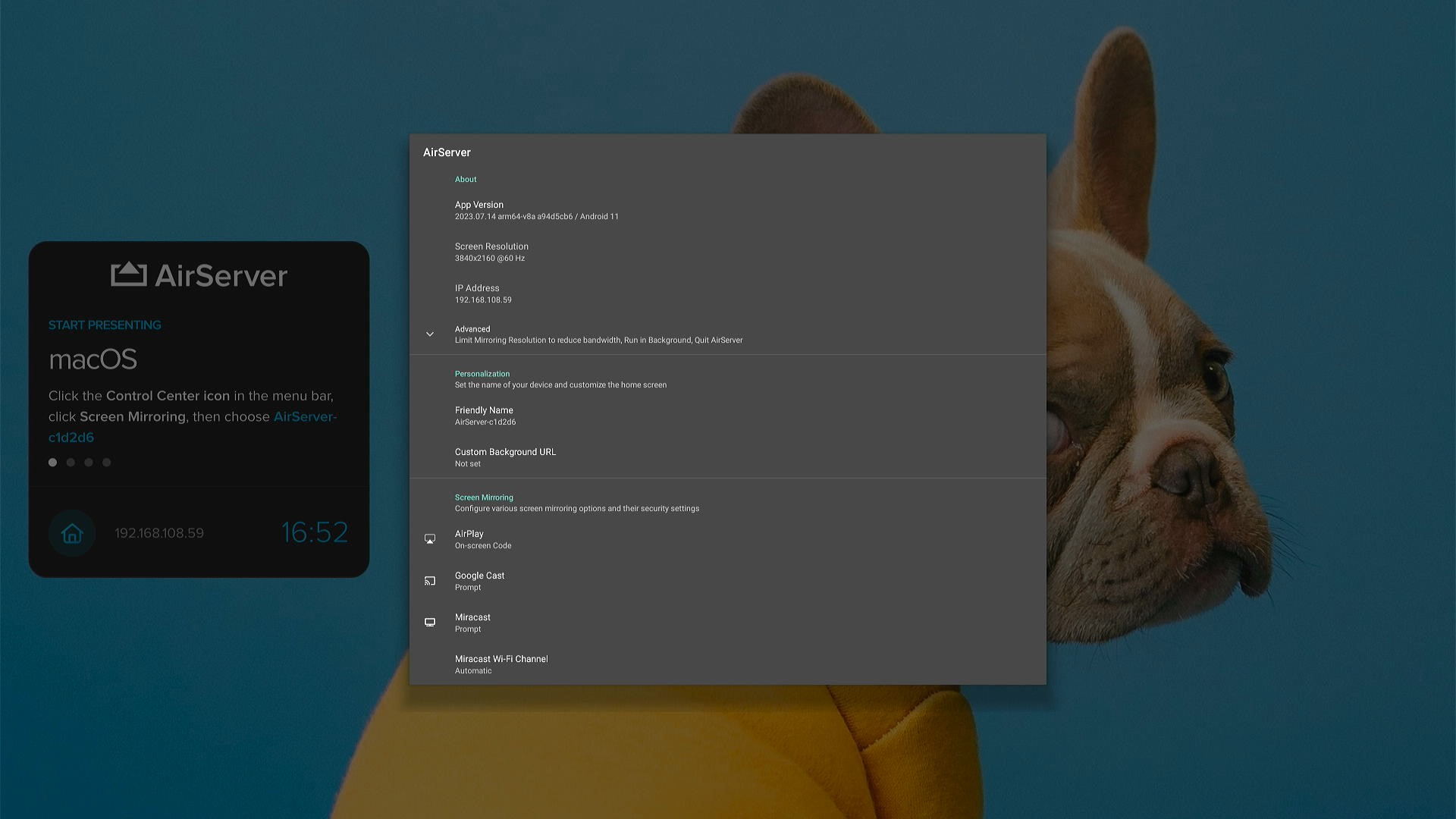
-
AirServer will now open and show its settings.
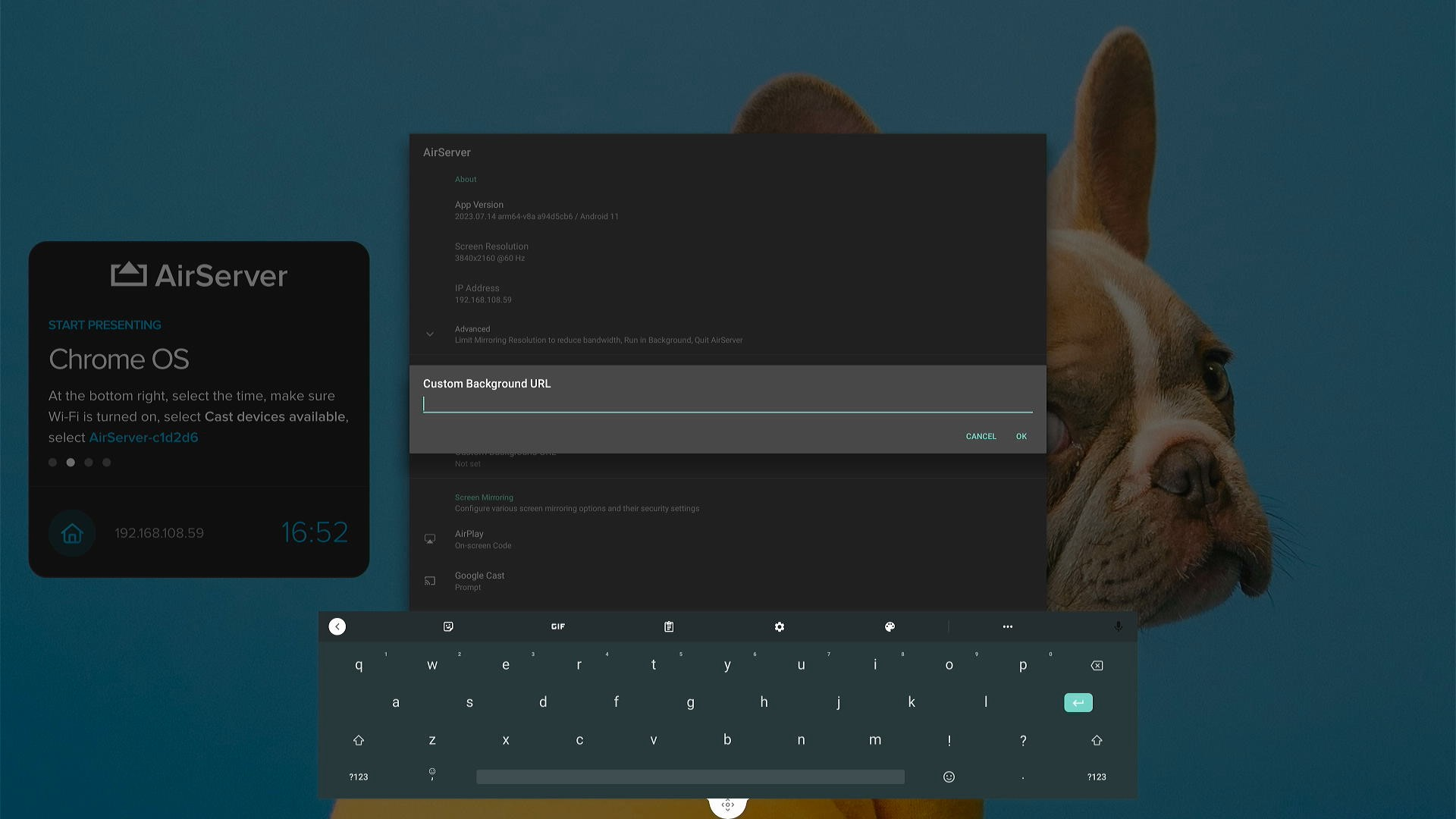
-
You can now fill in the web address where the background image is available (e.g. https://www.example.com/myimage.png)
-
You're done!
