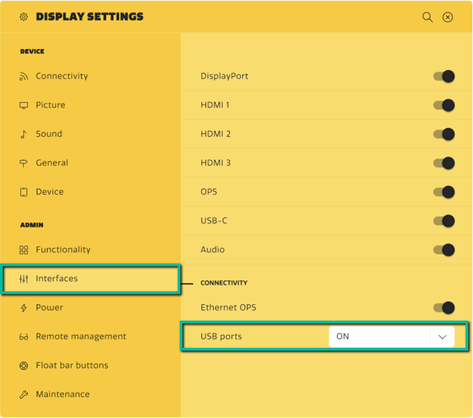
When USB settings are set to Touch only or Off, the USB ports do not support USB storage devices and won't find the needed files on your USB device! In order to be able to do manual firmware update via USB, you need to go to the 'pin code protected – settings menu'/ Interfaces and set USB ports to On.
*Note: Functionality of the USB function depends also on what you've selected in the 'startup wizard's' Security tab. If this was set to ‘Secure’, USB ports will be set to 'touch-only' too and thus not allow manual updating from USB without changing the USB setting (temporarily) in the settings described above, or as shown in the picture below.