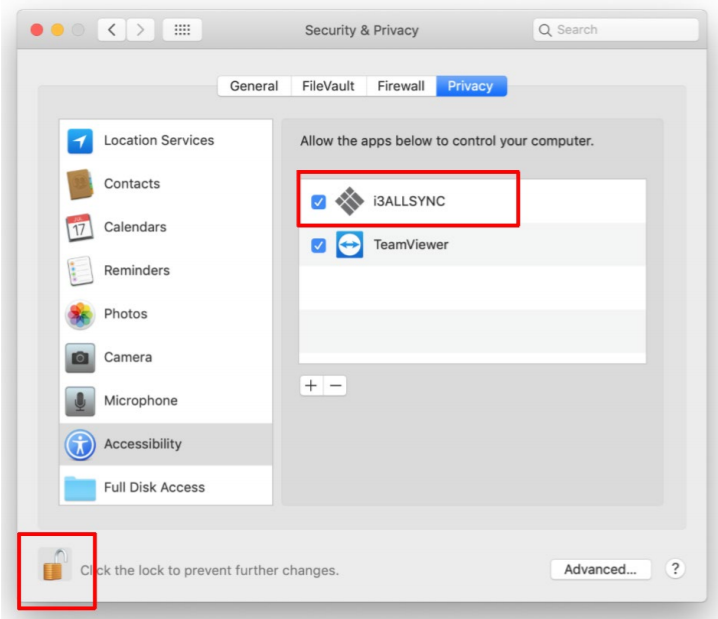
Instructions
These settings are necessary when you’re using MacOS 10.14 or newer:
-
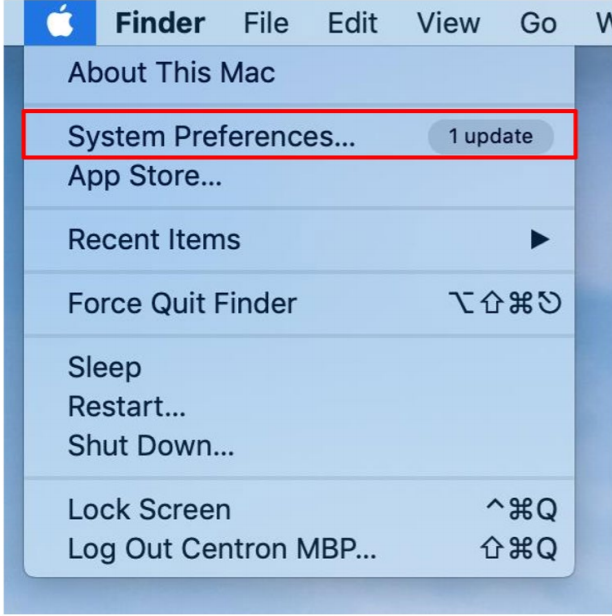
Select “System Preferences”.
-
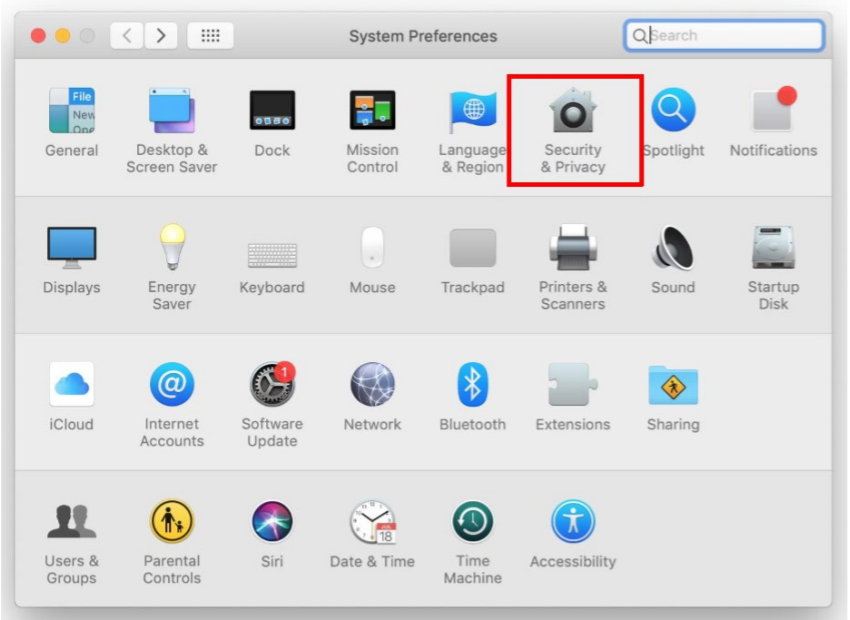
Select “Security & Privacy”.
-
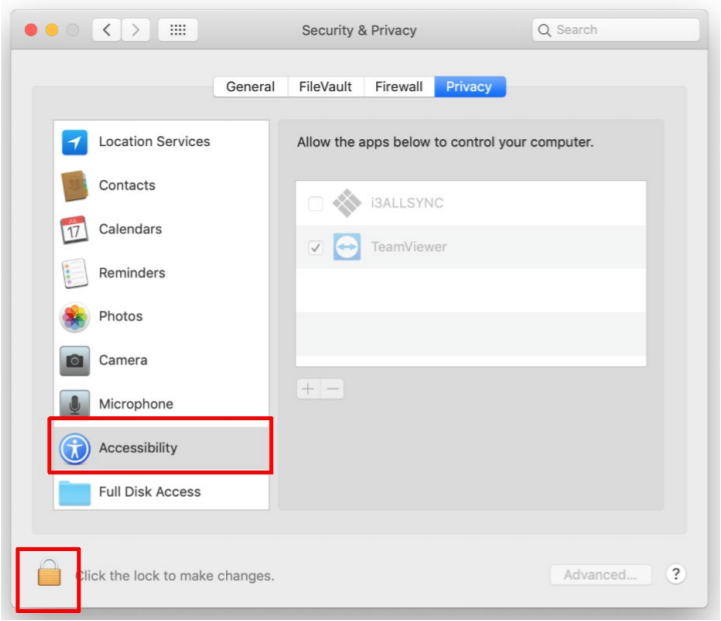
Select accessibility and enter the admin’s password for opening the lock.
-
Select the i3ALLSYNC application and unlock the app.