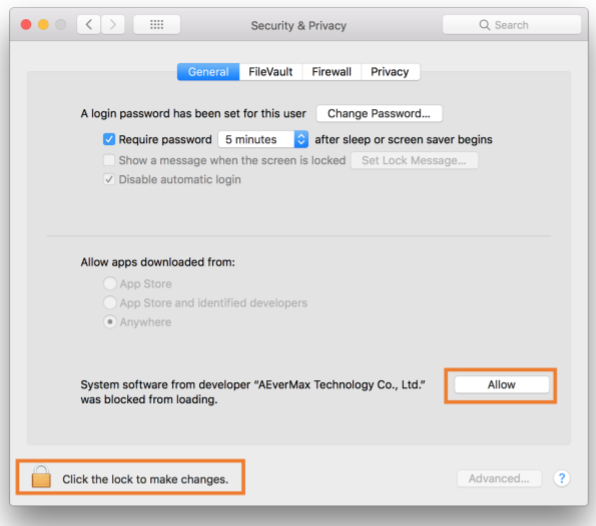
Above macOS 10.13, it will require permission to execute software on your Mac. If the permission is not open, it will cause the projection without the sound of i3ALLSYNC. When you install the i3ALLSYNC app on your Mac for the first time, the device will ask permission like below:
-
Choose Open Security Preferences
-
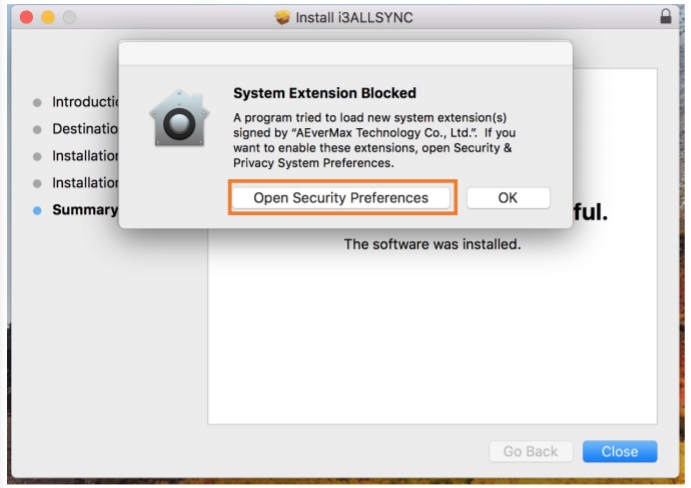
Now click the lock icon to unlock it, then choose “allow”
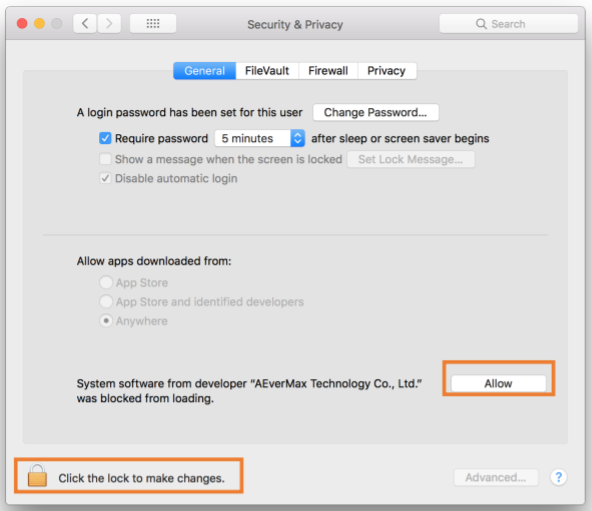
How to turn on Mac permissions if you didn’t allow permission when you installed the software?
-
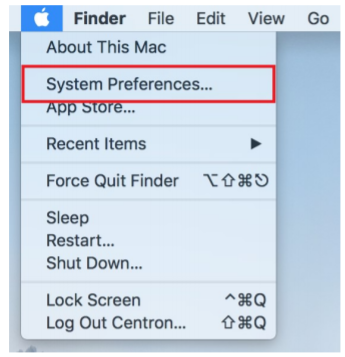
Go to “System Preferences”
-
Select “Security & Privacy”
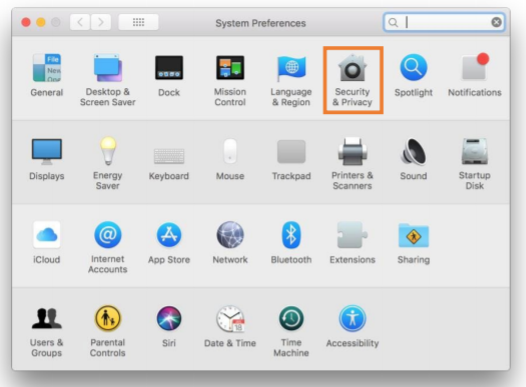
-
Choose the tab “General” and click the lock icon to unlock it, then choose “allow”