
From the Cortex display settings, you can set the access levels of your device. You can require users to login, configure guest access, and even restrict their access levels within the Studio environment.
You can find it under Settings → Admin Settings → Access Management
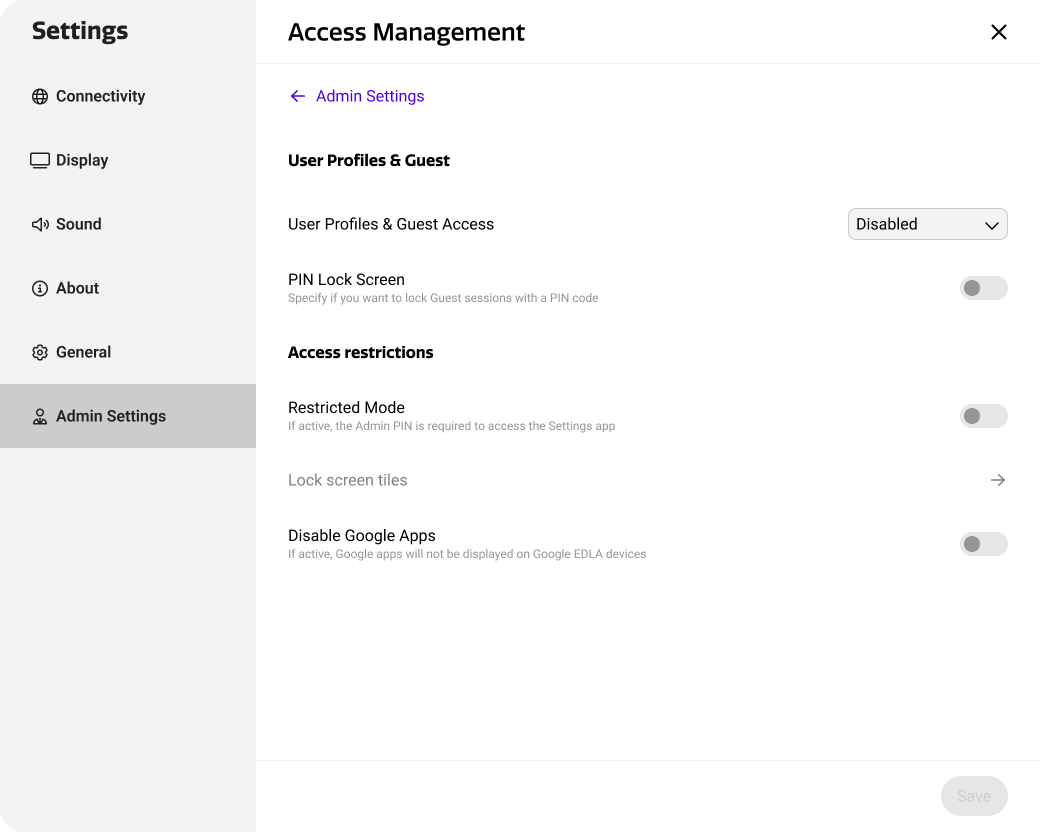
Access management options
By default, i3CONNECT displays offer an open experience that is accessible to all users that have physical access to the device. Although a PIN code can be used, Cortex offers more secure ways to manage and control device access.
Both User Profiles and Guest Mode offer individual access to i3CONNECT displays, supporting two-factor authentication that is managed in a centralized way. While anyone can use the display in guest mode, user profiles need to be specifically created and assigned to a display to allow users to login.
In addition, Restricted Mode allows administrators to block access to device settings and apps, and limit the use to the tiles on the Studio home screen.
-
User Profiles is best used in scenarios where a device is used by up to eight users, as i3CONNECT displays support up to eight profiles per device. This is a common use-case in primary schools. User profiles will maintain all user data privately and securely, so it remains accessible once the same user logs in again.
-
Guest Mode is best used in scenarios where a device is used my many different users, as an unlimited amount of guest session can be started on a device. This is a common use-case in higher education or corporate settings, such as conference rooms. Guest mode removes all user data after ending the guest session.
-
Restricted Mode can be used in addition to, or independently from user profiles and guest mode. It blocks device users from accessing the settings menus and app drawer, essentially providing a limited sandbox that only provides access to the home screen tiles.
Detailed guides
As the different features in access management each serve a different purpose, you can find a detailed guide for each feature on the pages listed below.