
The action history page in Cortex shows a summary of all remote actions performed in your Cortex organization. It provides peace of mind by showing the status of all commands, ensuring that you know whether commands were performed successfully. Finally, it provides transparency when working with multiple administrators.
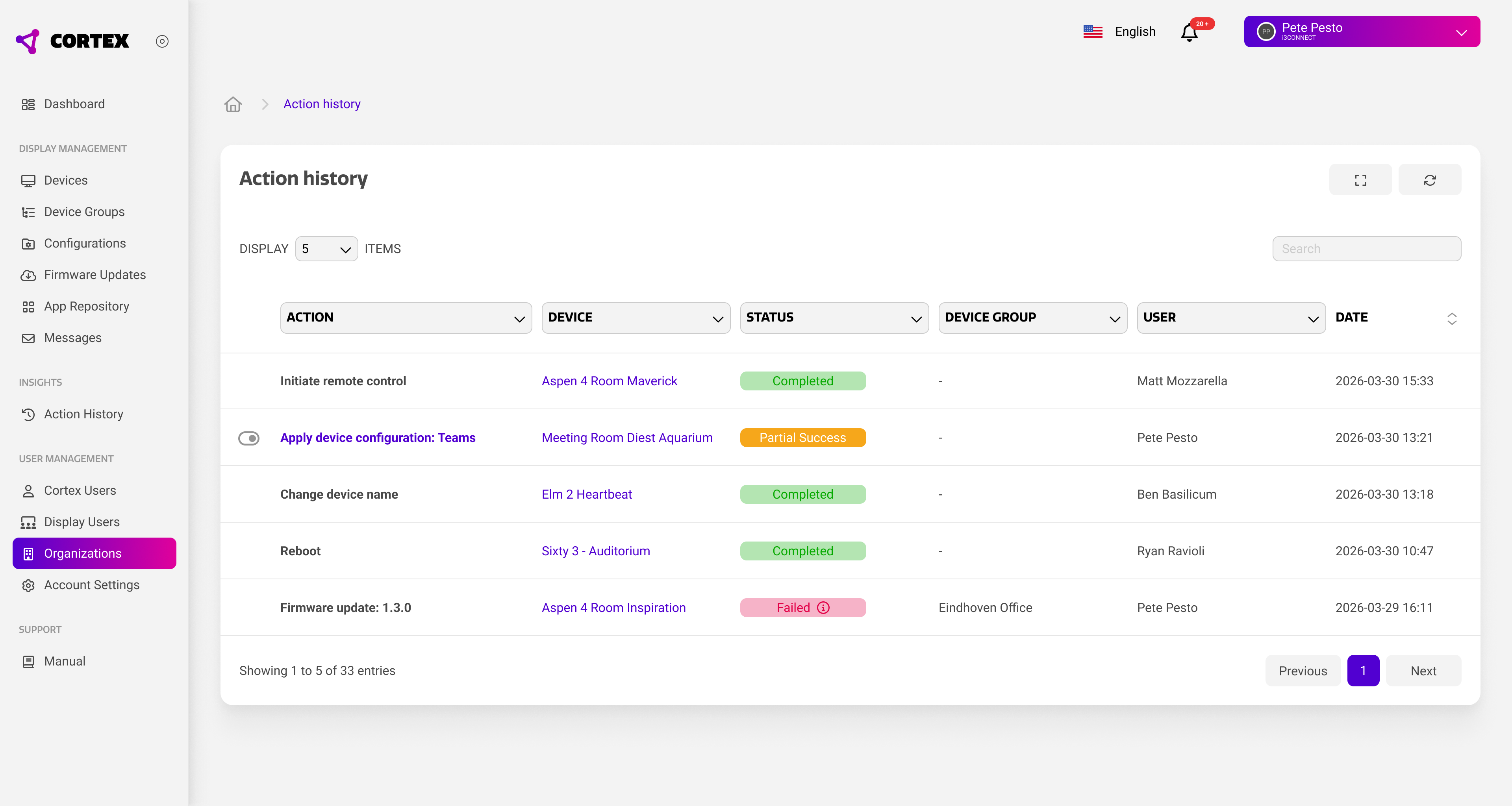
Action overview
The main view shows a chronological list of actions performed in your Cortex organization. The most recent actions are shown first, and you can navigate down the list to view historical data. For each action the information below is stored.
|
Data Type |
Purpose |
|---|---|
|
Action |
Describes the type of action that was performed. |
|
Device |
Shows the device on which the action was performed. |
|
Status |
Shows the status of the action. Statuses are further described below. |
|
Device Group |
Shows whether the action was performed on a device group. If empty, the action was performed on a single device. |
|
User |
Shows which Cortex user performed the action. |
|
Date |
Shows the date and time when the action was performed. |
Action status
To check whether an action was successfully completed, each action is assigned a status that is updated in real time. The status depends on multiple factors, such as device compatibility, connection status, and more. The table below describes all the possible action statuses.
|
Status |
Purpose |
Expiration |
|---|---|---|
|
Completed |
A command was successfully executed. |
N/A |
|
Dispatched |
A command was sent to the device, but the device has not yet confirmed that it was received. |
After 5 minutes. Returns ‘failed’ state. |
|
Executing |
A command was received by the device, but the device has not processed it yet. |
After 60 minutes. Returns ‘failed’ state. |
|
Partial Success |
A configuration was applied to the device, but not all commands within the configuration could be completed. |
N/A |
|
Offline |
The device is currently offline, so the command is pending until it comes back online. |
N/A |
|
Awaiting Update |
The device is not running the latest app updates, so Cortex is waiting until the device is up-to-date. |
N/A |
|
Failed |
The command could not be applied to the device. |
N/A |
|
Scheduled |
A firmware update is scheduled for the device. |
N/A |
You can hover over failed states to view the reason of failure. This will only show device related reasons. Network issues cannot be viewed from Cortex.
Configuration details
The action history allows you to view the details of an applied configuration. This can be especially useful when the configuration is assigned the ‘partial success’ status. By clicking on the action, the action history will show all actions within the configuration command, including their own status.