
When you first open the Cortex platform, you will land on the Cortex dashboard. This is a simple and concise overview of your fleet of devices, recent actions, and installed applications. We are planning to further expand this dashboard further in the future.
Dashboard content
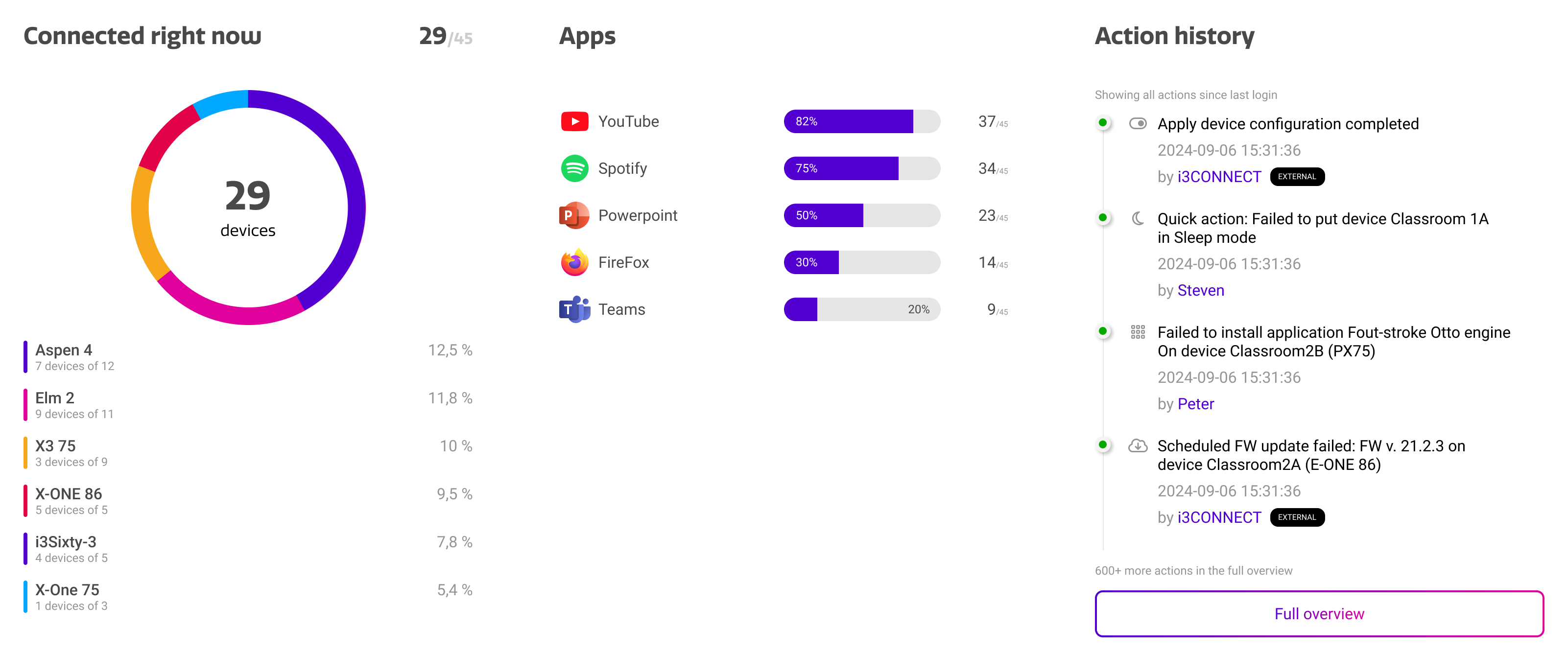
The dashboard is currently built up out of three containers, that each show a different summary type of your fleet of devices.
|
Container |
Purpose |
|---|---|
|
Connected Right Now |
This shows the amount of devices that are currently online, sorted by device type. You can hover over different parts of the circle diagram to highlight the corresponding device type in the list. |
|
Apps |
This shows the top 5 most installed applications on your devices. Please note that these are apps installed through Cortex, not locally on the device or through the Google Play Store. |
|
Action History |
This keeps track of the actions performed in your Cortex account. This can range from settings changes, reboots, remote control sessions, and more. It tracks the action type, date, device, and the user that performed the action. |