
When you are performing a big installation of many devices, the manual approach of a QR code or security code can be too time consuming. Therefore, Cortex also offers registration based on serial number, allowing you to register many devices at once. In this article, we’ll guide you through the right steps.
Prerequisites
To use zero-touch enrollment in Cortex, you’ll need a desktop device that is capable of displaying a desktop website and has an active internet connection. For example, a laptop or a tablet.
In addition, you will need the details below of the devices you are about to register. This way, the devices automatically recognizes that it is registered to your account.
-
Serial Number
-
Device Name
-
Device Group (Optional)
Registration Steps
-
Open Cortex
Visit https://cortex.i3-connect.com and log in. -
Open Add Device Dialog
Use the left sidebar to navigate to the devices page. Press the
-
Device List (Option A)
Navigate to the ‘device list’ tab and enter your devices names and serial numbers. You can add more rows if needed to add multiple devices at the same time.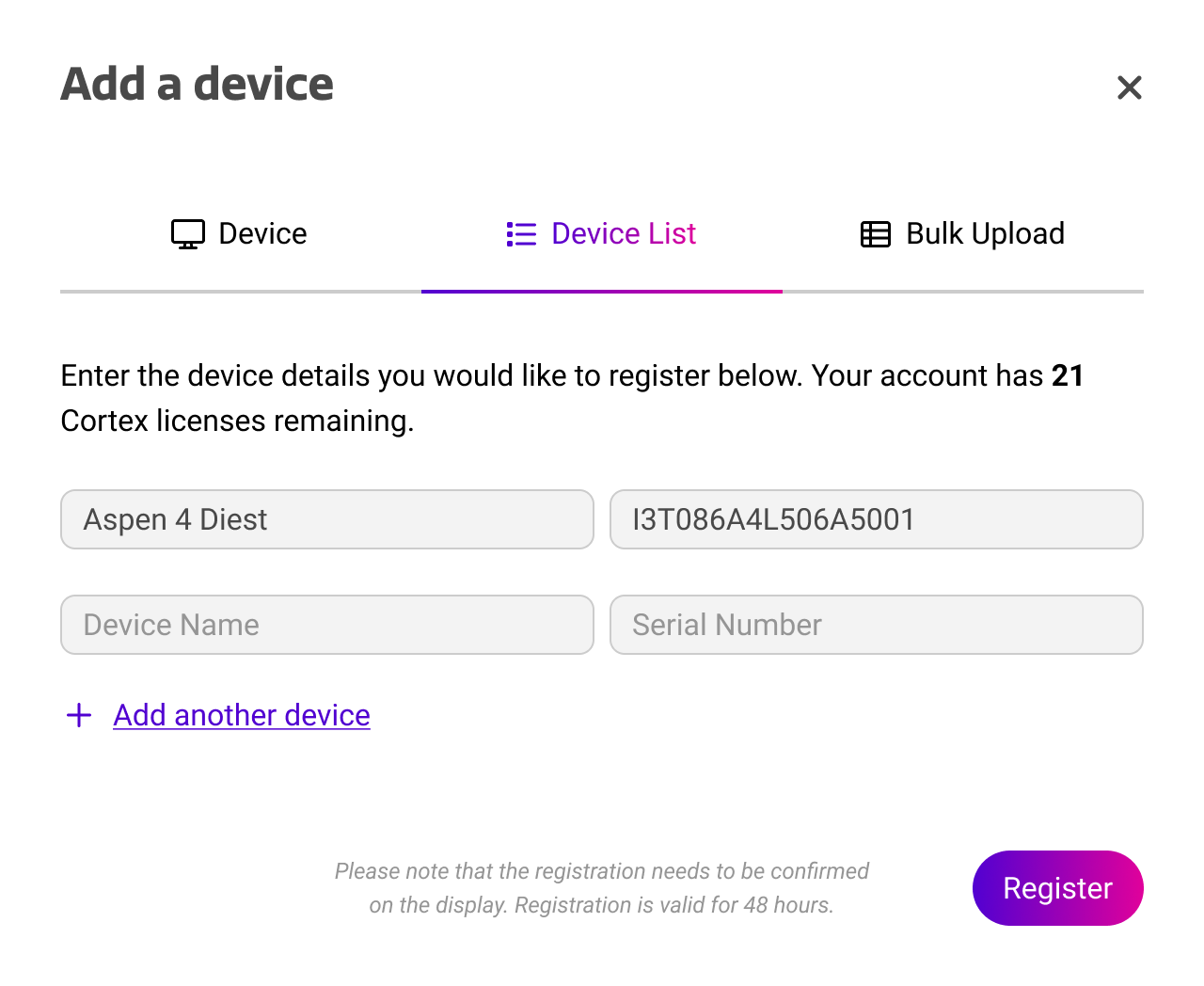
-
Bulk Upload (Option B)
Navigate to ‘bulk upload’ and download the CSV / Excel template. Enter your device names, serial numbers, and device groups. Then, upload the file to register the devices.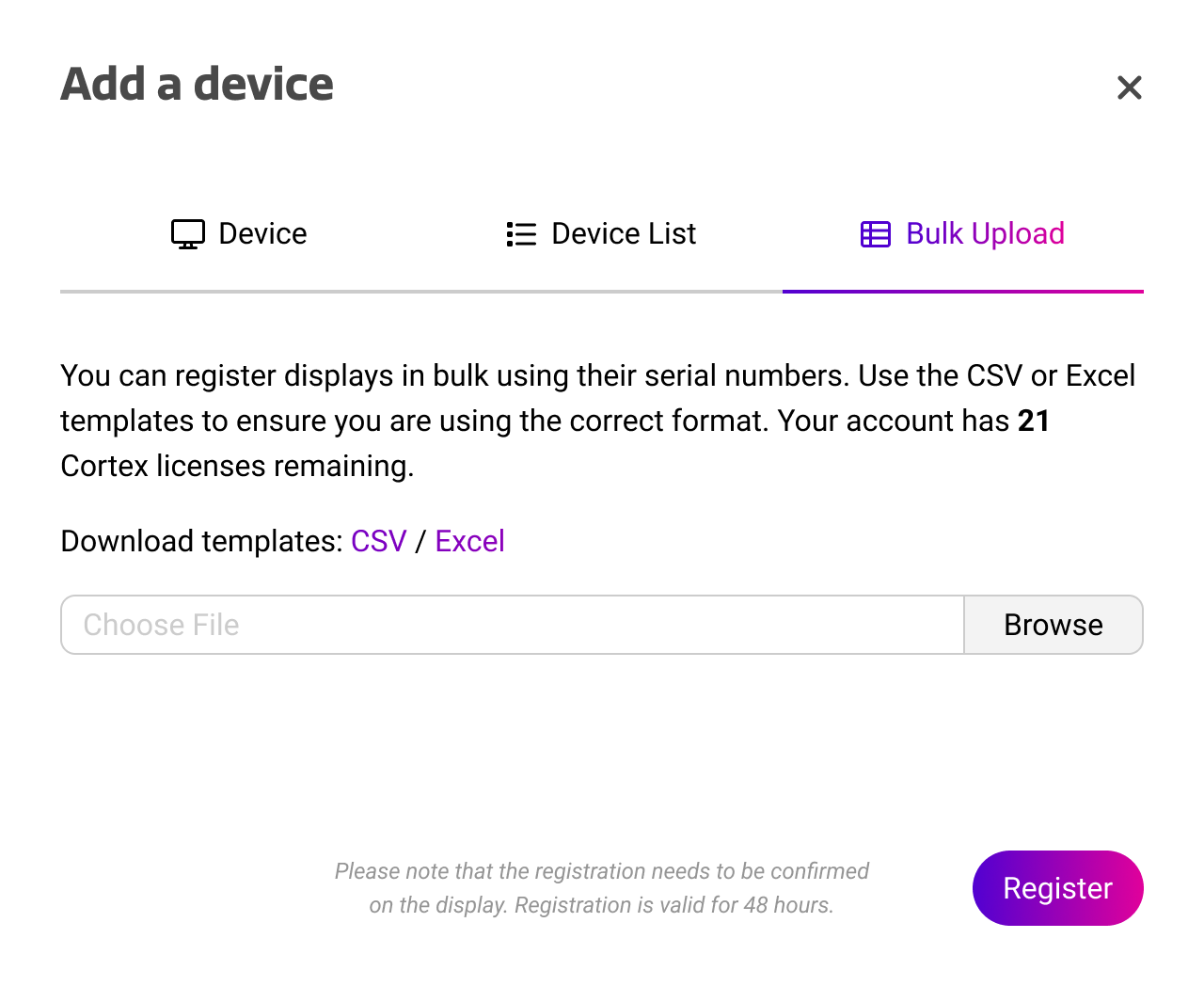
Indicating device groups is only possible using bulk upload. If no device group is provided, the device will not be placed in a group.
Registration confirmation
After using zero-touch enrollment, your device is pending confirmation. Registrations using zero-touch enrollment need to be accepted on the device for security reasons. Below, we show two options for confirming the device’s registration.
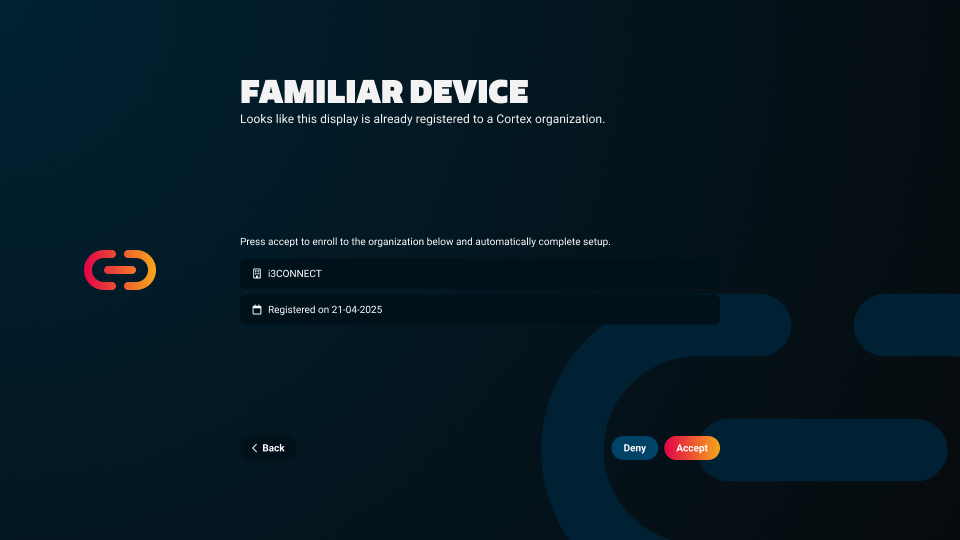
Setup Wizard. On newer devices, the setup wizard will automatically recognize pending registrations. By pressing 
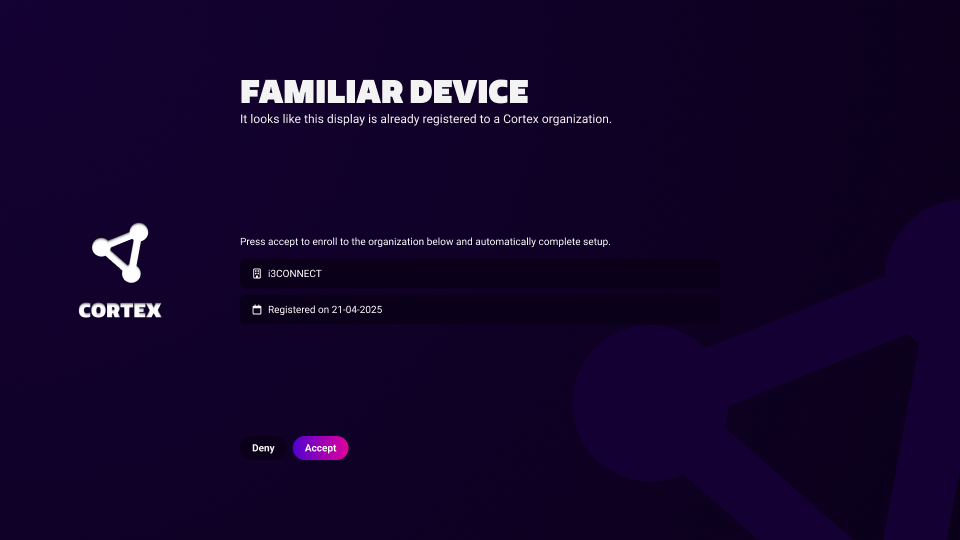
Cortex App. The Cortex app on your device will automatically recognize pending registrations. Go to side menu → apps → Cortex. By pressing 
Zero-touch enrollment through the setup wizard is only supported on display models introduced in 2025 or later, with serial numbers labeled XXX or later. For example:
i3XXXXXXX506XXXXX